The iPad is more than just a big iPhone for your lap. For many people, it’s a viable alternative to a laptop or desktop computer. There’s nothing like having the convenience of hands-free use of your iPad. Whether you’re working at your desk, streaming a film, or in the kitchen, a stand becomes an essential tablet accessory.
An iPad stand will help your posture and viewing comfort, or make typing or using a stylus much easier. Two Apple technologies can further integrate the touchscreen iPad into your daily work. Sidecar lets you use your iPad as a second monitor for your Mac, and Universal Control allows you to share the same keyboard between Mac and iPad. With each, an iPad stand adds stability, visibility and ergonomic comfort to your iPad experience. For more details, see our explainer How to use Universal Control and Sidecar to augment your workflow.
We’ve rounded up some of the best iPad stands out there for every budget–from the lightweight and portable, to the infinitely adjustable, to the ones that just look great, and one that will turn your iPad into a desktop workstation. Some are basic, some are stylish or super-bendy, some come with an array of handy ports, some can even wirelessly charge your iPad, and one looks like a cuddly toy.
Whatever the type of iPad stand you decide on, ensure it matches your model of iPad—Apple’s iPad repetitive naming convention isn’t super intuitive—all iPads (iPad, iPad mini, iPad Air, iPad Pro) should name their size in inches, and some are named after their processor, others just have a generation. Identify your iPad model here. Stands marked as “Universal” should fit all.
Of course, those using their iPad for work may also want to pair the iPad with a keyboard—we have tested the best iPad keyboards for you.
Lamicall – Most colorful range of basic iPad stand

Pros
- Works with all iPads
- Affordable
- Wide color range
Cons
- Not full 360-degree rotation
Best Prices Today:

The Lamicall Tablet stand is an adjustable iPad holder that tilts 270 degrees to suit the angle that you need, making it ideal for use at the work desk or kitchen table. It comes with rubber cushions on the hooks to prevent the screen from getting scratched too.
It works with any tablet (or indeed phone) from 4-inch to 13-inch, and is available in a wide range of colors, including black, silver, rose, gray, gold, green, blue and purple.
This iPad stand might be basic but it’s a bargain for a well-built tiltable iPad accessory.
Anker 551 USB-C Hub 8-in-1 Tablet Stand – Best iPad USB-C hub stand
Pros
- 8 ports inc HDMI and SD/microSD
- 4K at 60Hz
- Built-in iPad stand
- Foldable

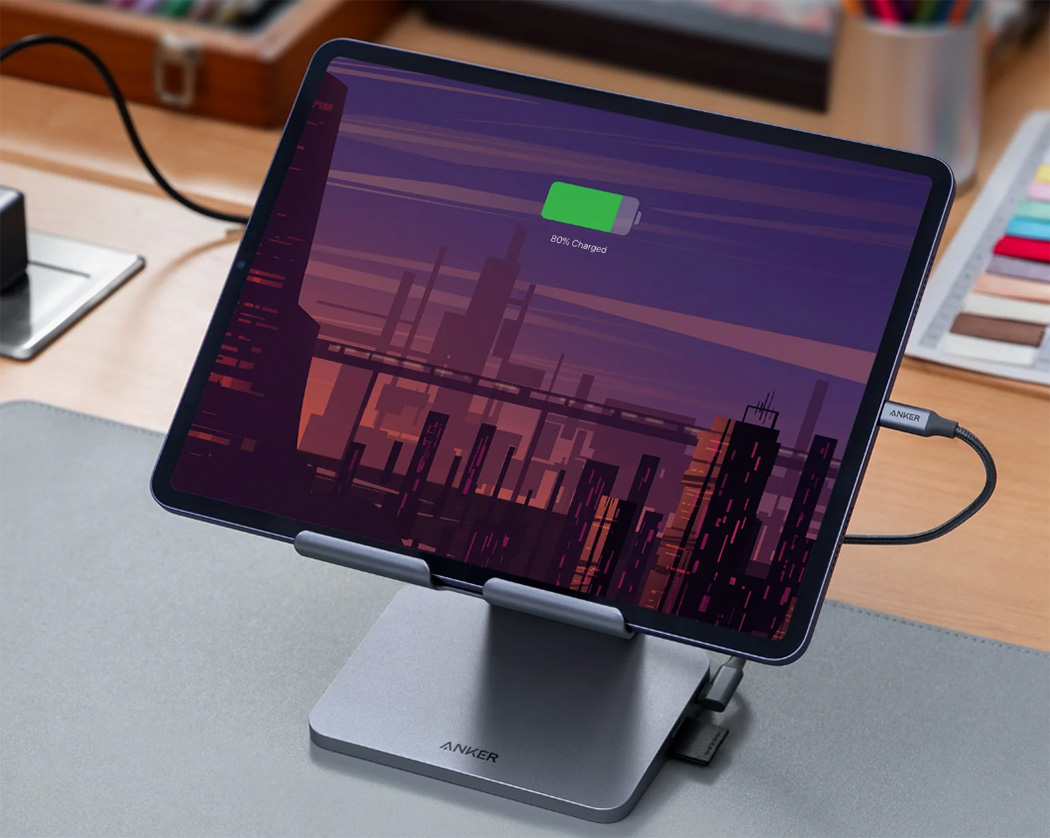
This iPad stand incorporates a USB-C dock for added functionality. The hub includes USB-C (to iPad, at 5Gbps data-transfer speed), USB-C PD (100W), two USB-A (5Gbps), HDMI (supporting 4K displays at a healthy 60Hz screen refresh rate), handy SD and microSD card readers, and a 3.5mm audio jack.
It connects to the iPad via its USB-C port, and an 18-inch (45cm) USB-C cable is included.
When folded it measures 5.6 x 5.5 x 1.1 inches (14.3 x 14.1 x 2.8cm) and weighs 23oz (650g). The iPad can be tilted on the stand for the best height and viewing angles.
This hub will work only with iPads with a USB-C/Thunderbolt charging port. Elsewhere we have reviewed more of the best USB-C hubs for iPad.
Plugable USB-C Docking Station (UDS-7IN1) – Best budget iPad USB-C hub stand
Pros
- 8 ports inc HDMI and SD/microSD
- Light, portable stand
Cons
- Not height adjustable
- 4K at 30Hz
Best Prices Today:
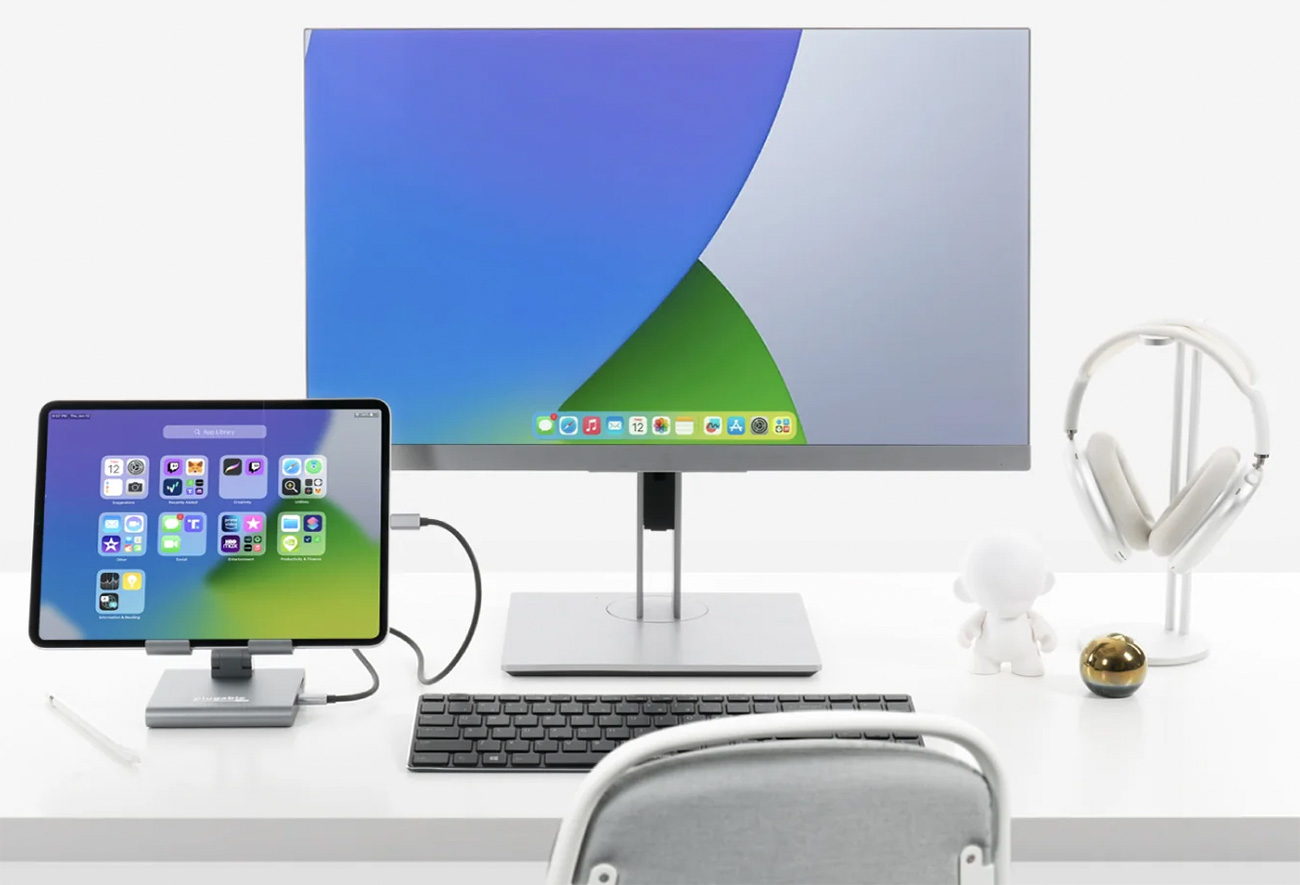
This smaller iPad stand also includes an eight-port USB-C hub, featuring USB-C (5Gbps to iPad), USB-C PD (5Gbps/91W), two USB-A (5Gbps), HDMI, SD and microSD card readers and 3.5mm audio. Again, your iPad should have a USB-C/Thunderbolt charging port rather than older Lightning connector.
Its HDMI port supports a 4K display but at a 30Hz screen refresh rate rather than 60Hz. 30Hz is find for most productivity tasks but games and video play better at 60Hz or better.
Weighing just 10.7oz (303g) it’s light enough for easy portability, and the stand tilts nicely for you to find the best viewing angle.
Lululook 360 Rotating Foldable Magnetic iPad Charging Stand – Best rotating iPad stand
Pros
- Rotates 360 degrees
- Wireless iPad charging
- Height-adjustable folding arm
- Magnetic
Cons
- Dedicated to individual iPad models
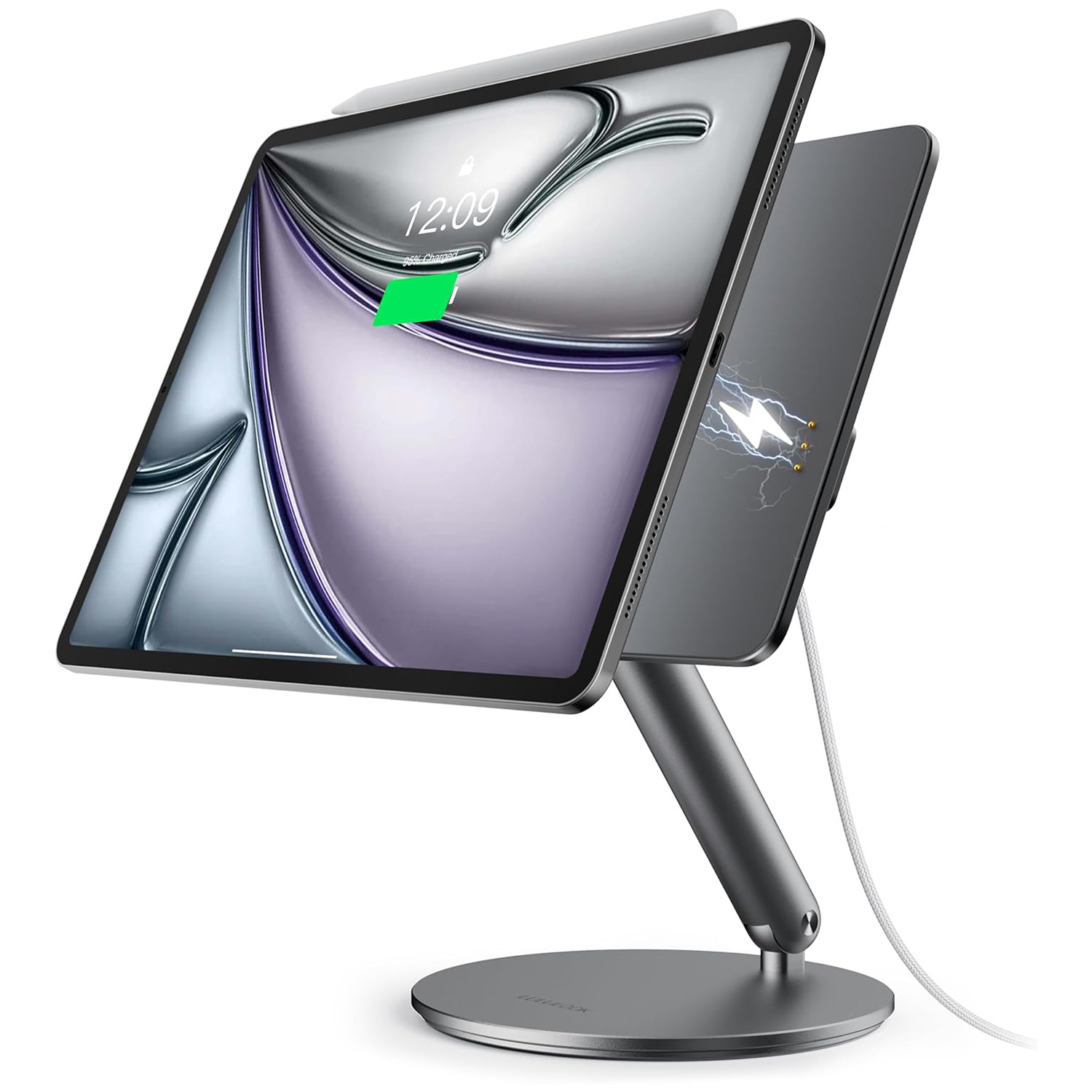
This iPad stand looks similar to many others but has the useful benefit of being able to rotate 360°, which makes it ideal for sharing with groups, either at home for family video calls or in-office meetings. If you use your iPad in the kitchen for recipes, you can rotate it as you move around.
This is a new release for M4 iPad Pro 13inch /11inch and for M2 iPad Air 13inch/ 11inch, and can deliver 18W fast charging via the Smart Connector on the back of your iPad. Its foldable design will help keep your office uncluttered and easy to carry.
Make sure you pick the right model of stand for your model of iPad—this comes in four size options. If you can’t find yours, consider the Benks Infinityi Magnetic iPad Stand, reviewed below or the Plugable PT-Stand1 that is universal in its iPad support—although neither boasts the charging element found with the Lululook models, .
Elago Magnetic Stand for iPads – Best Apple-like iPad stand
Pros
- Makes an iPad into an iMac
- Adjustable
Cons
- Expensive
Best Prices Today:
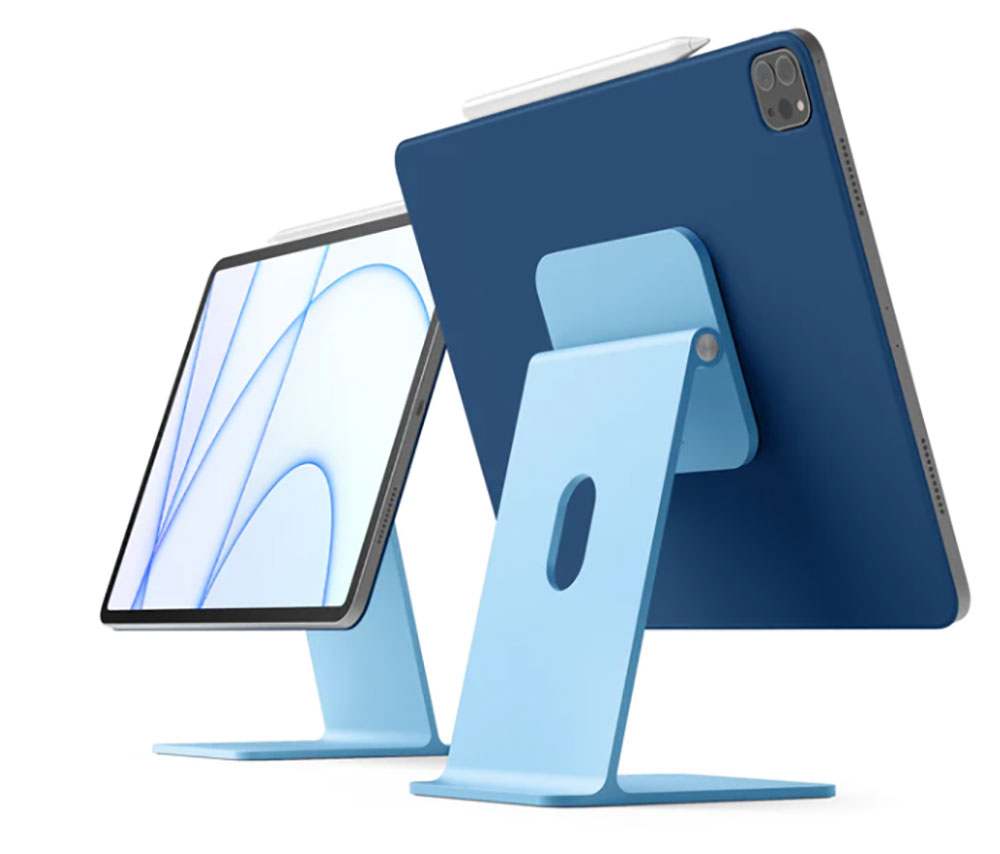
If you want a stand that’s as close to the Apple aesthetic as possible, you can’t get any closer than Elago’s new Premium Stand.
The minimal aluminum stand is designed to mirror the 24-inch iMac—and you’d be hard-pressed to tell them apart other than the size. The stand holds all sizes of the iPad with magnets, and you need to buy the $5 Magnetic Ring for iPad Stand for this to work with your iPad.
Like the iMac stand, Elago’s stand has a hole to thread a cable through. The stand also allows for tilt adjustment so you can get the best viewing angle. And the iPad can be rotated from portrait to landscape positions freely. Here’s a video to see how that works.
The Elago Magnetic Stand for iPads is available in gray, blue, pink, and silver.
Plugable Universal PT-Stand1 Tablet Stand – Best budget rotating iPad stand
Pros
- Rotates 360 degrees
- Height-adjustable
- Foldable
- Universal
- Affordable
Cons
- Less affordable in the U.K.
Best Prices Today:
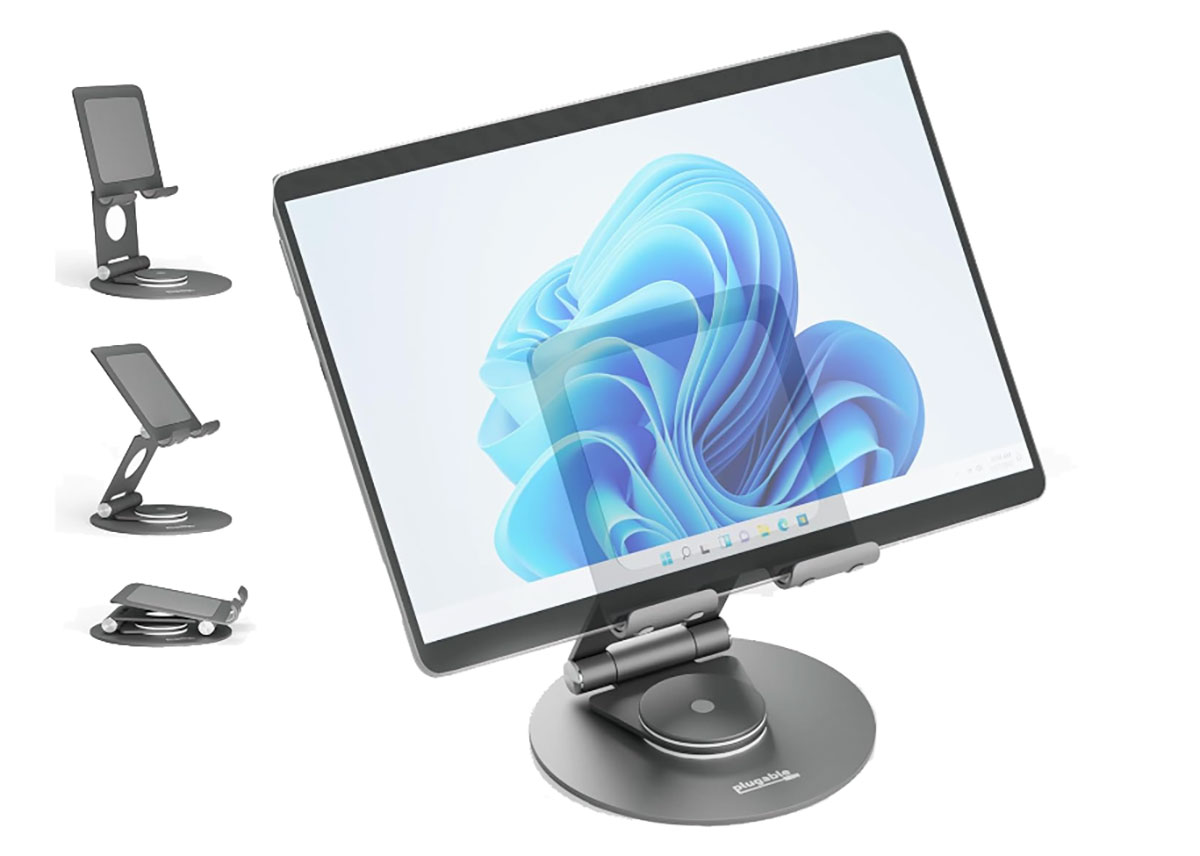
This rotating stand is cheaper than the Benks Infinity Pro stand, reviewed above, and is also universal, meaning it works with any iPad up to 12.9 inches.
It’s also smaller and folds up into an easily transportable package. A cable passthrough hole means you can charge your iPad while in use and it worn’t get wrapped up as you swivel the stand around.
It can rotate all the way round and makes a pleasing clicking sound as it rotates. As it can fold back 180 degrees on adjustable hinges, you can keep it upright while adjusting the height.
Even though it’s small it feels sturdy even holding a larger iPad.
Moft Snap Float Folio – Best stand/case combo
Pros
- Three different positions and some double as iPad cases
Cons
- High stand position is best when not touching iPad
Best Prices Today:
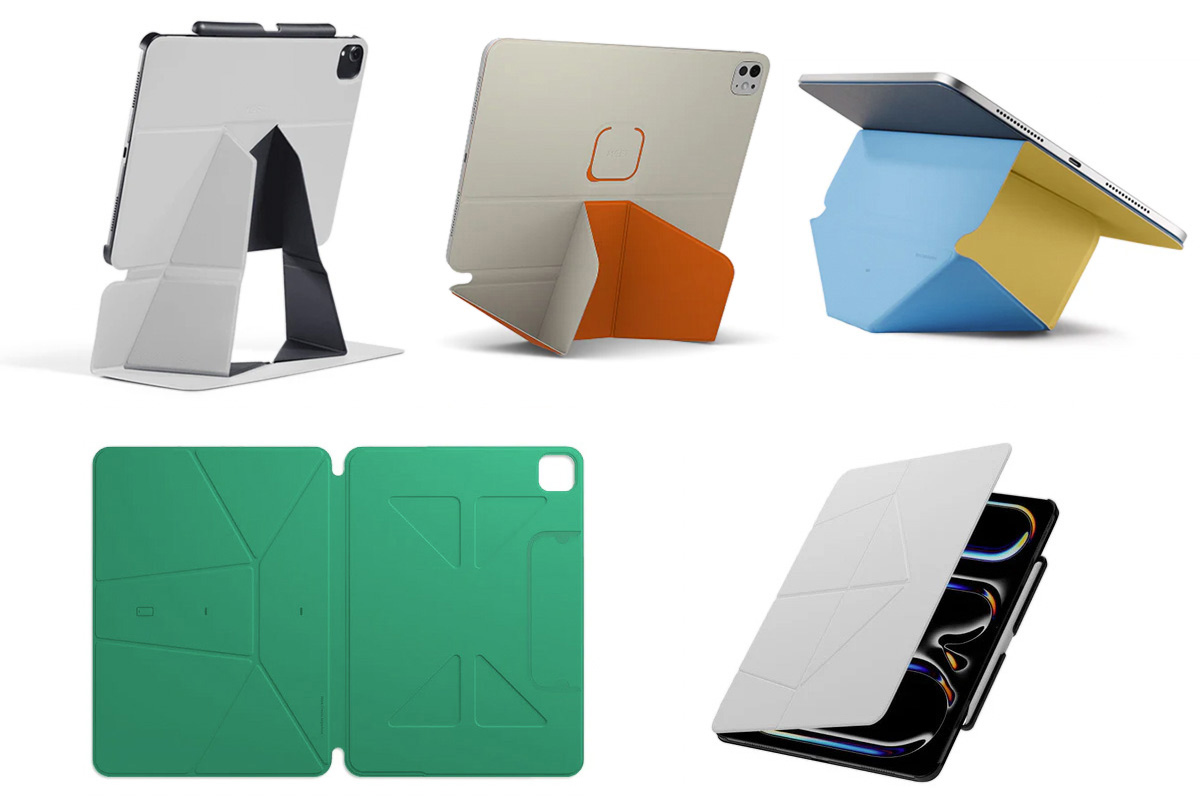
Moft takes a uniquely Origami-like approach to iPad stands with its range of Float, Dynamic and Snap case/stand hybrids. These are essentially super-lightweight stands that magnetically attach to the iPad and then, through some clever folds and slits in the vegan leather, allows the device to be placed in a range of different positions; as high as 3 inches from the desk. There are models that even more cleverly fold over to create a carrying case for the iPad.
The Snap and Float stands have a standard wedge shape where one of the long edges is folded so that it props the iPad up at a 20-degree angle, perfect for typing. Pick this up and turn it around and you have the display at 70 degrees, which is ideal for watching video content. The real trick is the third position, where the angled slits and folds can be adjusted so that the 70-degree position is raised about 3 ½ inches above the desk, making it ideal as a second screen for your Mac when using Sidecar.
The Dynamic Folio boasts over 20 angles to match your usage, whether drawing, writing, gaming, reading or just watching on the iPad. It can even support an iPad and an iPhone for dual-screen multitasking. A Dynamic Folio Case was previewed at CES 2026, and we will review that when it’s available.
It’s true that the taller position does feel a little precarious if you start tapping on the iPad display, but when used for viewing it’s actually a very clever and neat solution for raising up the device. The first few attempts and getting the orientation of the folds in the right place can be a little confusing, but after that it’s all very quick and easy.
Kuxiu X38 Pro Max iPad Magnetic Charging Stand – Best long-necked iPad stand
Pros
- Height-adjustable long folding arm
- Charges iPad magnetically
- Interchangeable panel
Best Prices Today:
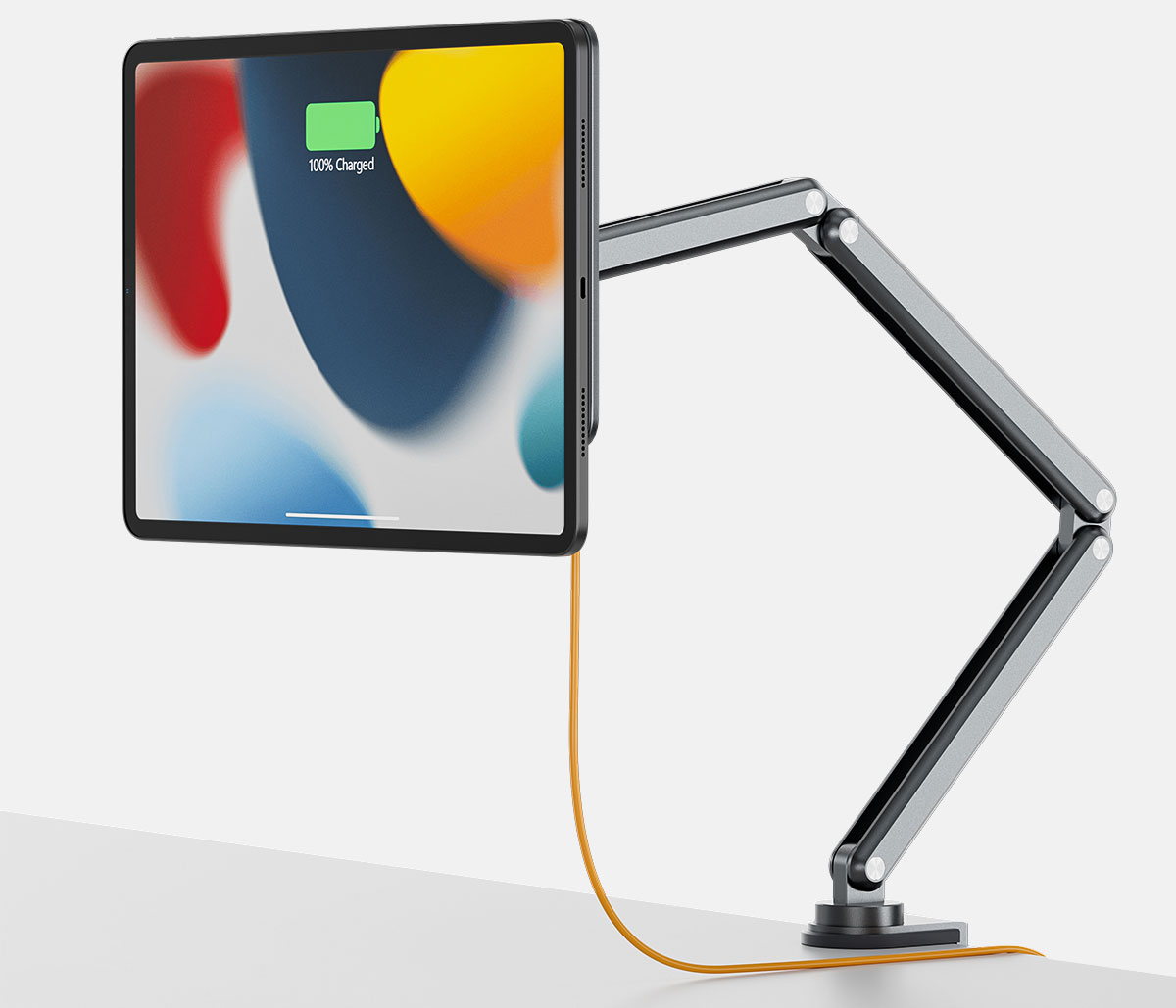
If you want to raise your iPad or bring it closer, then push it away, the folding long-necked X38 iPad stand range offers a sturdy arm and a choice of holding options. Attach it to your desk or. a wall. At the top of the pile is the X38 Pro Max, which offers a magnetic fix and neat charging.
18W rapid charging is supplied via the Smart Connector on the back of your iPad that lines up with the same on the stand. It ships with 10 cable clips, nano traceless double-sided tape, and a 2m/6.56ft USB-C charging cable.
Made from rustproof aluminum alloy, the folding arm has a maximum height of 26.8 inches (68cm), with five adjustable angle joints. The flexible arm joints feel a little stiff at first, but it is reassuringly stable. It clamps to a table or desk up to 2 inches (5cm) thick.
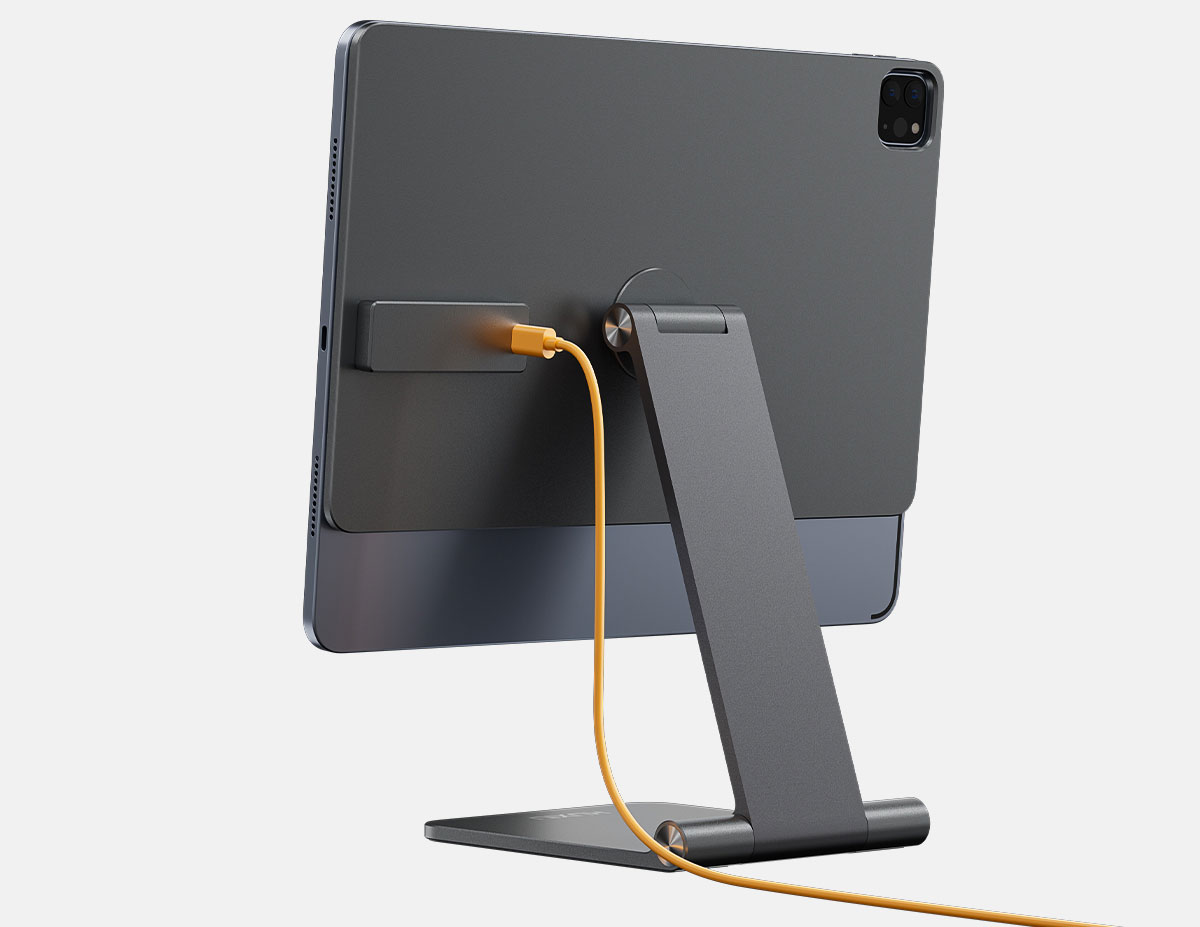
One of the major problems with buying a stand for the iPad is that each model appears to require a specific stand type. When choosing a stand it’s imperative that you check this detail (see the advice above this chart to determine your model of iPad), and when you upgrade your iPad your current stand might not be compatible with the newer iPad. The X38 Pro Max neatly solves the latter dilemma with a detachable panel that enables you to simply switch to a new supporting panel (X39) that does fit the new iPad. The panel on the cheaper X36 Pro Max is not detachable, but otherwise the two stands are similar.
Kuxiu
There’s a smaller, less extendable iPad charging stand, the X33 Pro Max available direct from Kuxiu or Amazon.
The X36/X38 Pro Max and X33 Pro Max have three variants per iPad size. As with all iPads stands, double-check the compatibility with your iPad.
Kuxiu also sells more affordable, similar X36 stands without the charging function, with both clip and magnetic iPad-fixing options. The physical clip is the most trustworthy holder but we were impressed with the strength of grip with the magnetic version. Check out the full range on Amazon.com and Amazon UK.
Rain Design mStand
Pros
- Range of models
- Color options
Cons
- Not height adjustable
Best Prices Today:
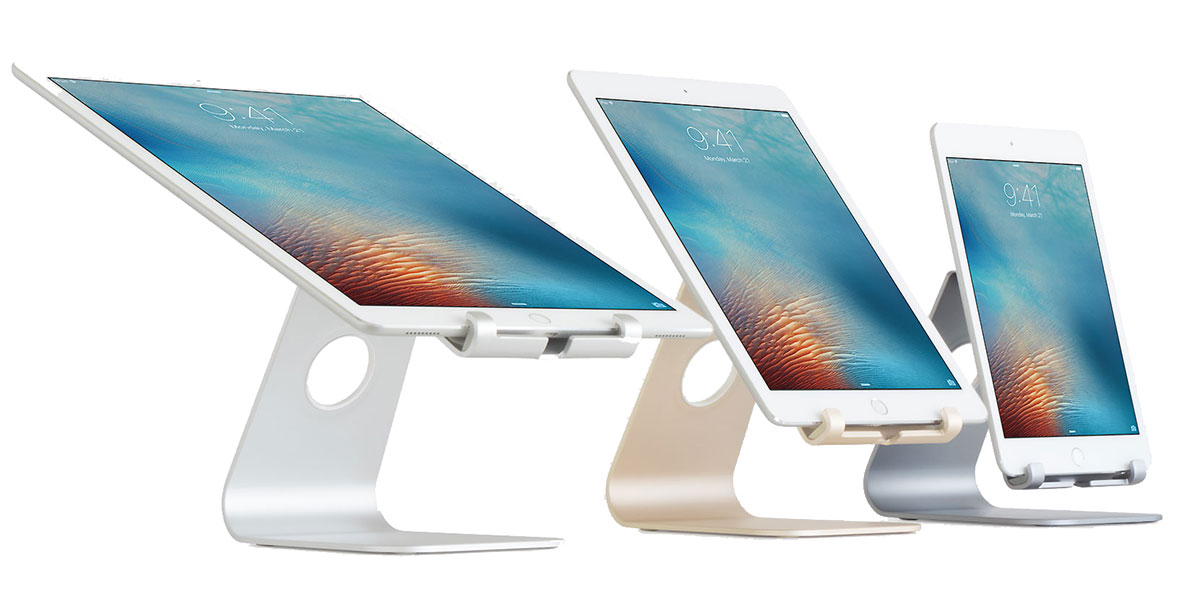
We’ve long been fans of Rain Design’s MacBook stands, and the company makes a range of quality, designer iPad stands.
The most basic model, the mStand Tablet, raises your iPad a couple of inches but isn’t tiltable—for which you will need to go to its more able sibling, the mStand tablet Plus, which offers a 10-50 degree tilt.
Literally raising the bar is the mStand Tablet Pro, with increases the height by around 5 inches and offers even greater tilting potential, between 0-45 degrees. The height, however, isn’t adjustable.
Made from anodized aluminum, each model is available in a number of Apple-like colors, including Space Gray, Silver, Gold and Black—and they all feature a cable outlet to keep charging cables neat and tidy.
As with all iPad stands, ensure that you choose the right version stand for your size and model iPad.
Benks Infinity Pro Magnetic iPad Stand – Rotating iPad stand
Pros
- Rotates 360 degrees
- Height-adjustable folding arm
- Magnetic
Cons
- Dedicated to individual iPad models
Best Prices Today:
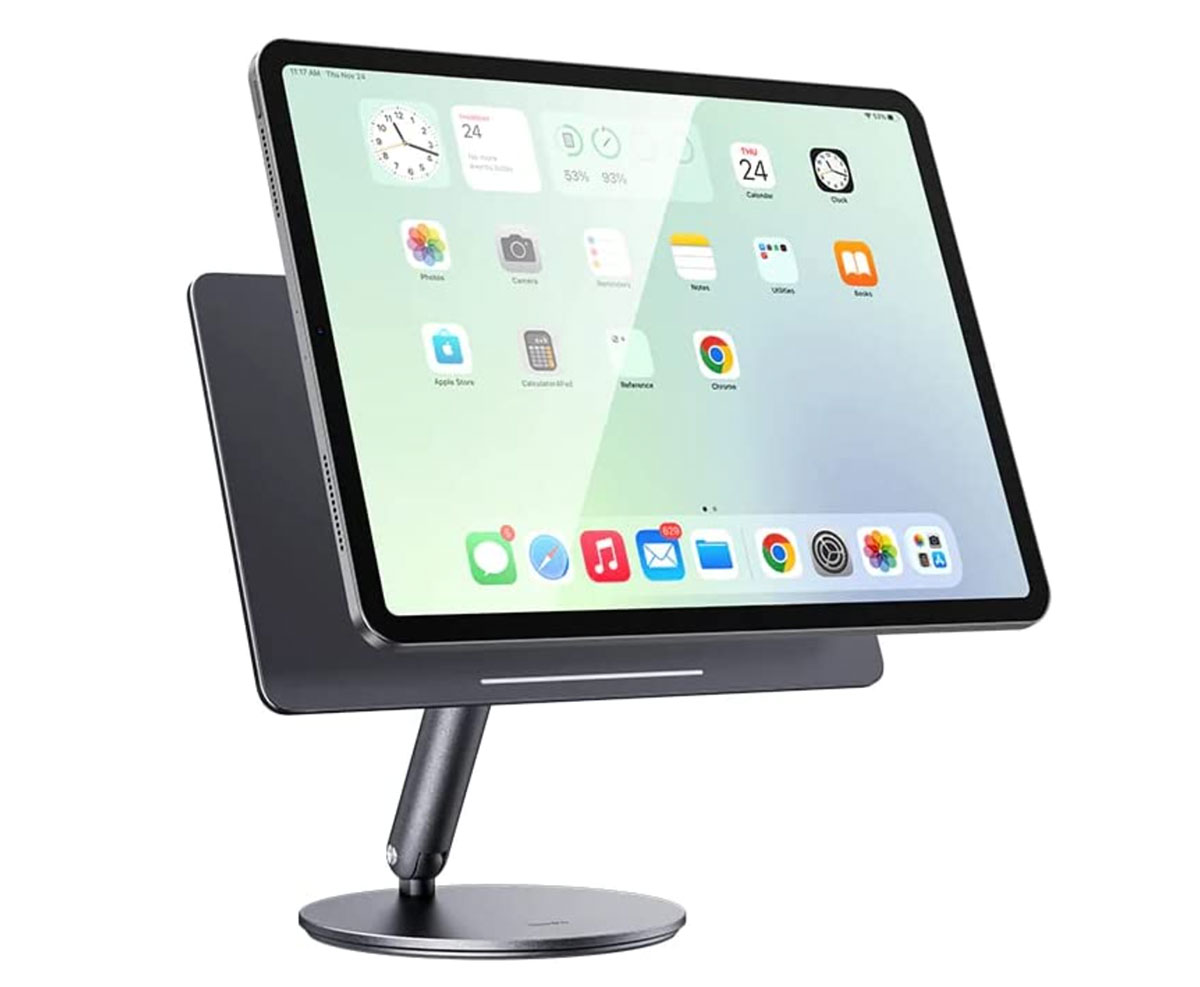
The rotating iPad clamps firmly onto the stand magnetically, rather than sitting on a ledge as with most stands. This means you need to choose the correct model stand that is compatible with your iPad. if you upgrade to a different iPad, then it’s possible that the stand won’t be compatible, but it works very well with the iPad models we tested. The confusion around iPad names is Apple’s fault, and not that of accessory makers such as Benks, but check the model of stand your are buying matches the model of iPad you will use it with.
The aluminum-alloy arm is height adjustable to help you find the best viewing angle for the iPad. It folds up, so can be stored or carried with you on your travels. There’s a solid-sounding, but not intrusive, clicking noise as you rotate the stand and iPad. An under-base silicone pad provides stability, which is especially important for a rotating stand.
Make sure you pick the right model of stand for your model of iPad—if you can’t find yours, consider the Lululook Magnetic Wireless Charging Stand, reviewed above.
Ugreen 360° Rotating Tablet Stand – Best larger budget rotating iPad stand
Pros
- Rotates 360 degrees
- Height-adjustable folding arm
- Universal
Best Prices Today:
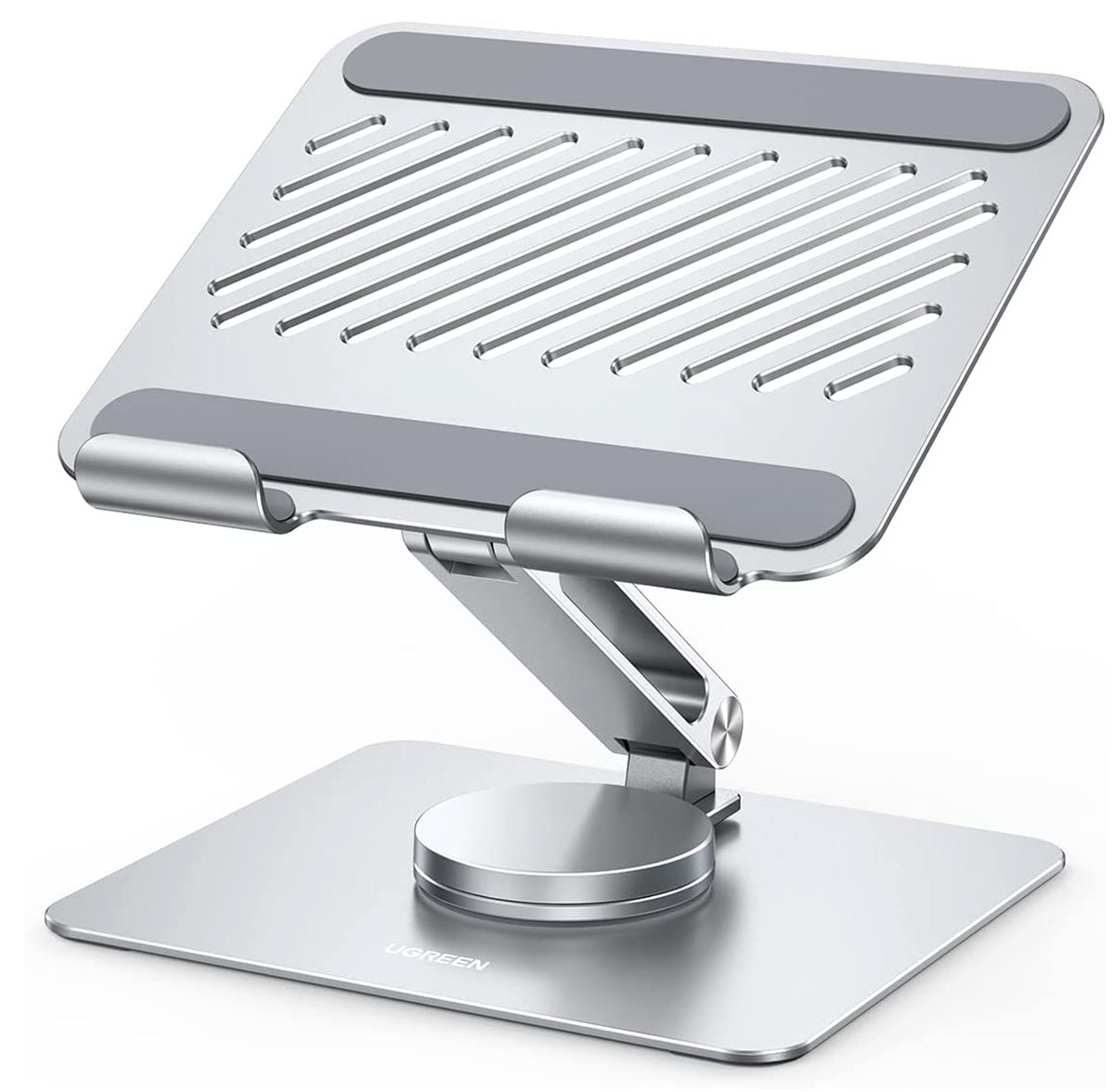
This rotating iPad stand isn’t magnetic like the Benks Infinity Pro, and instead rests on a couple of sturdy hooks. Otherwise, it’s similar, cheaper and works with all iPad models.
It raises the iPad with its height-adjustable aluminum-alloy arm.
Vents provide a cooling airflow, keeping your iPad at a healthy temperature. Anti-slip silicone hooks protect your iPad from scratches and slides, and under-base silicone pads provide extra stability.
Compatible with 4-inch to 12.9-inch iPads.
Tyrone Gooseneck Tablet Holder – Best flexible iPad stand

Pros
- Super flexible
Cons
- Requires table edge for fitting
Best Prices Today:
Flexible but firm, this gooseneck iPad stand is best suited for passive viewing or video calls where you don’t need to use the touchscreen controls so much.
It has a firm grip on the table and the tablet and can bend to just about any angle you desire.
Belkin Portable Tablet Stage – Best iPad stand for presentations
Pros
- Interactive whiteboard app
Cons
- Expensive
Best Prices Today:
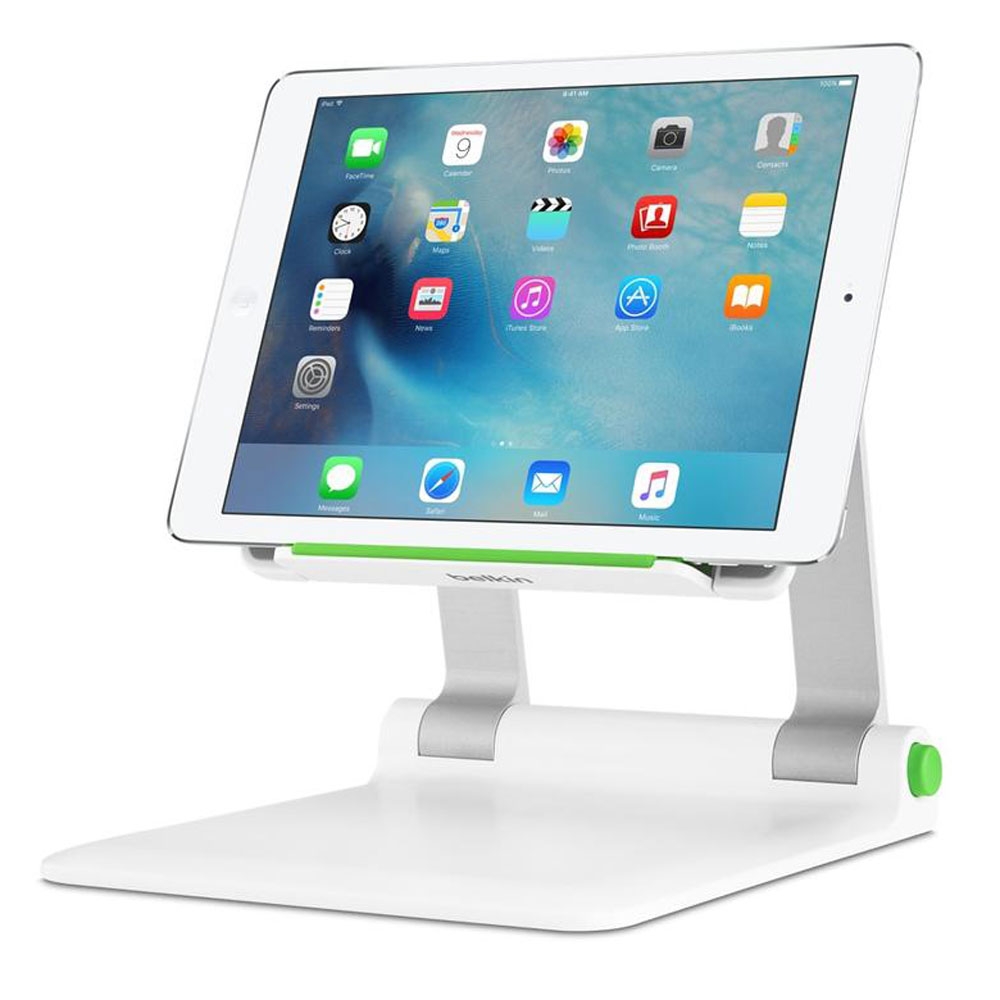
If you’re standing up in front of a lot of people and giving a presentation, then this iPad stand is a great choice.
The Belkin Portable Tablet Stage Stand is sturdy and has an adjustable platform to position your iPad right where you can see it. It comes with a built-in system for tidying away cables, and you can use the Apple HD Adapter to connect your iPad to a projector or display. The stand comes with an app called Stage (available for iOS and Android) that acts as an interactive whiteboard and document camera.
We think it’s a great stand for teachers and others who present on a regular basis.
Arkon Portable Tablet Stand – Best budget iPad stand
Pros
- Cheap
- Foldable
Cons
- Basic
Best Prices Today:
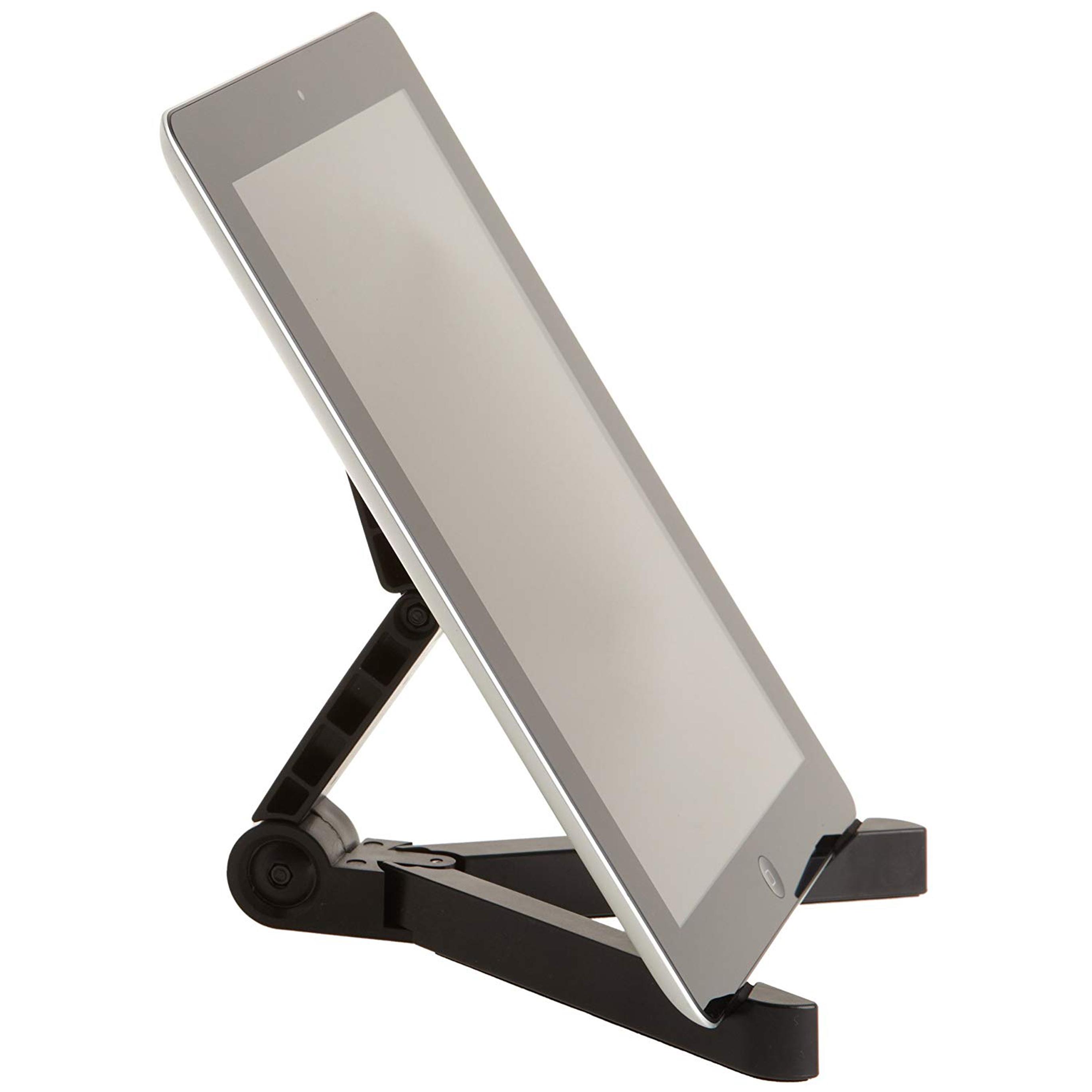
This basically adjustable Tablet stand fits all iPads under 12 inches (and of course Kindle Fire tablets and e-readers). It’s collapsible, making it ultra-portable and easy to stow away.
It may not be the prettiest to look at, but it’s a quick and inexpensive solution to propping up your iPad.
UGreen Tablet Stand – For all iPad sizes

Pros
- Foldable
- Universal
- Affordable
Cons
- Doesn’t raise iPad screen
This universal stand from UGreen works across a broad range of devices (including Nintendo Switch!) from display sizes as small as 4in – and comes in either white or black.
The stand folds so you can carry it with you to work or to use it on your commute. Plus, the hinge flexes up to 100-degrees.
Ugreen Tablet Pillow Stand

Pros
- Cosy
- Gadget pockets
- Pen groove
- Universal
Cons
- Bulky
Best Prices Today:
In comparison to hard-edged metal iPad stands, the Ugreen Tablet Pillow Stand really does live up to its name, as you can even use it as a pillow when the movie you’ve been watching on your iPad finally sends you to sleep—just remember to remove the iPad first!
Suitable for 4.7-inch to 12.9-inch tablets, phones and e-readers, this cozy stand has three angle adjustments, so that you can get the best viewing angle in bed, on the sofa, or at a table—the iPad can be held in both vertical and horizontal viewing positions.
Round the back, there’s a handy storage space for your AirPods, stylus, or phone.
Flippy iPad Tablet Pillow Stand
Pros
- Cosy
- Universal
Cons
- Bulky
Best Prices Today:
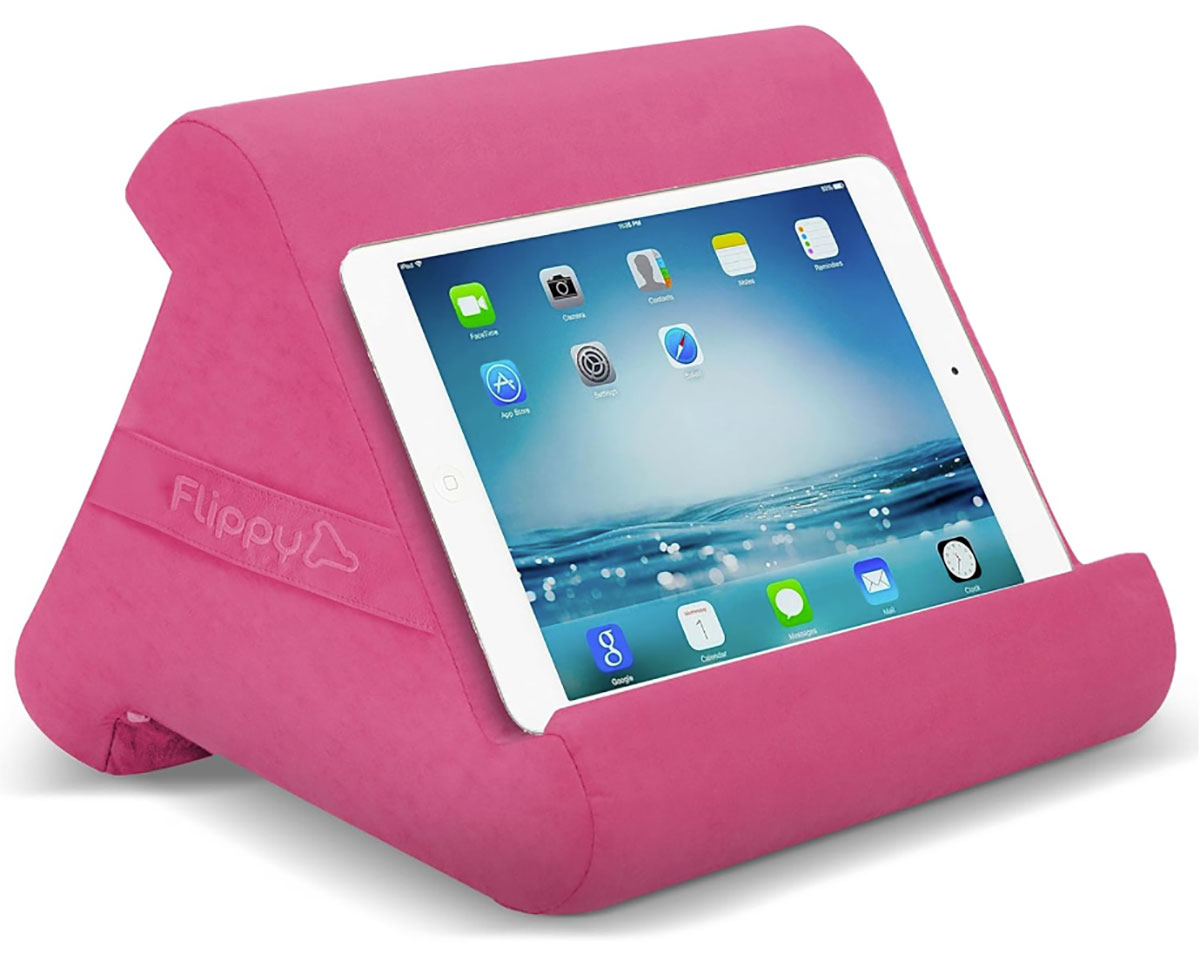
If you’re looking for a stand for when you’re lounging about on the couch or bed, this pillow stand is worth looking at.
A useful feature is you can adjust the viewing angle by resting the device on a separate edge of the pillow stand, as each side is tilted to a different degree.
This works with multiple devices, and the outer fabric can be cleaned easily by using a damp cloth.
It is available in a variety of colors and patterns.