At a glance
Expert’s Rating
Pros
- Outstanding overall speed
- Drastic SSD speed improvement
- Wi-Fi 7 and Bluetooth 6 upgrades
Cons
- No cellular connectivity option
- Incremental CPU improvement over M4 Max
- Higher starting prices
Our Verdict
If you want Apple’s best laptop and money is no object, it’s the M5 Max MacBook Pro. It’s fast, it has a great-looking display, and it features a distinguished design. The boosted SSD speed is an excellent improvement that power users will appreciate and take advantage of.
Price When Reviewed
This value will show the geolocated pricing text for product undefined
Best Pricing Today
Best Prices Today: Apple 16-inch MacBook Pro (M5 Max, 2026)

The MacBook Pro with the M-series Max chip is the company’s fastest laptop. The price is premium, but performance matches: desktop-like speed for mobile users who need it most.
Apple has released the M5 Max MacBook Pro, and it offers incremental performance updates over the M4 Max it replaces. If “incremental” leaves you disappointed, don’t be, because the M4 Max was an extremely fast chip, so it continues to get better with the M5 Max.
There is one aspect of the new laptop that sees a drastic improvement: the SSD. The significantly increased SSD speed means certain workflows will see much faster data access and file transfers, providing noticeable benefits—even if you already have an M4 Max.
M5 Max MacBook Pro: Our model’s specifications
This review looks at a model made for the most demanding user. It’s a nearly maxed-out model that you’ll pay top dollar for. Here are the specifications of the laptop in this review:
- CPU: M5 Max with an 18-core CPU (6 super cores, 12 performance cores); 16-core Neural Engine
- GPU: 40 cores
- Memory: 128GB unified memory
- Storage: 4TB SSD
- Display: 16.2-inch Liquid Retina XDR; 3456-by-2234 native resolution at 254 pixels per inch; 1000 nits sustained XDR brightness, 1600 nits peak (HDR content only); 1000 nits SDR brightness; 1 billion colors; P3 color gamut; True Tone; Nano-texture glass
- Ports: 3 Thunderbolt 5/USB-C; MagSafe 3; SDXC Card slot; HDMI; 3.5mm audio
- Networking: Wi-Fi 7 (802.11be); Bluetooth 6; Thread
- Input devices: Magic Keyboard with Touch ID; Magic Trackpad
- Weight: 4.7 pounds (2.15 kg)
- Dimensions: 0.66 x 14.01 x 9.22 inches (1.68 x 35.57 x 24.81 cm)
- Price (as tested): $6,149/£6,149
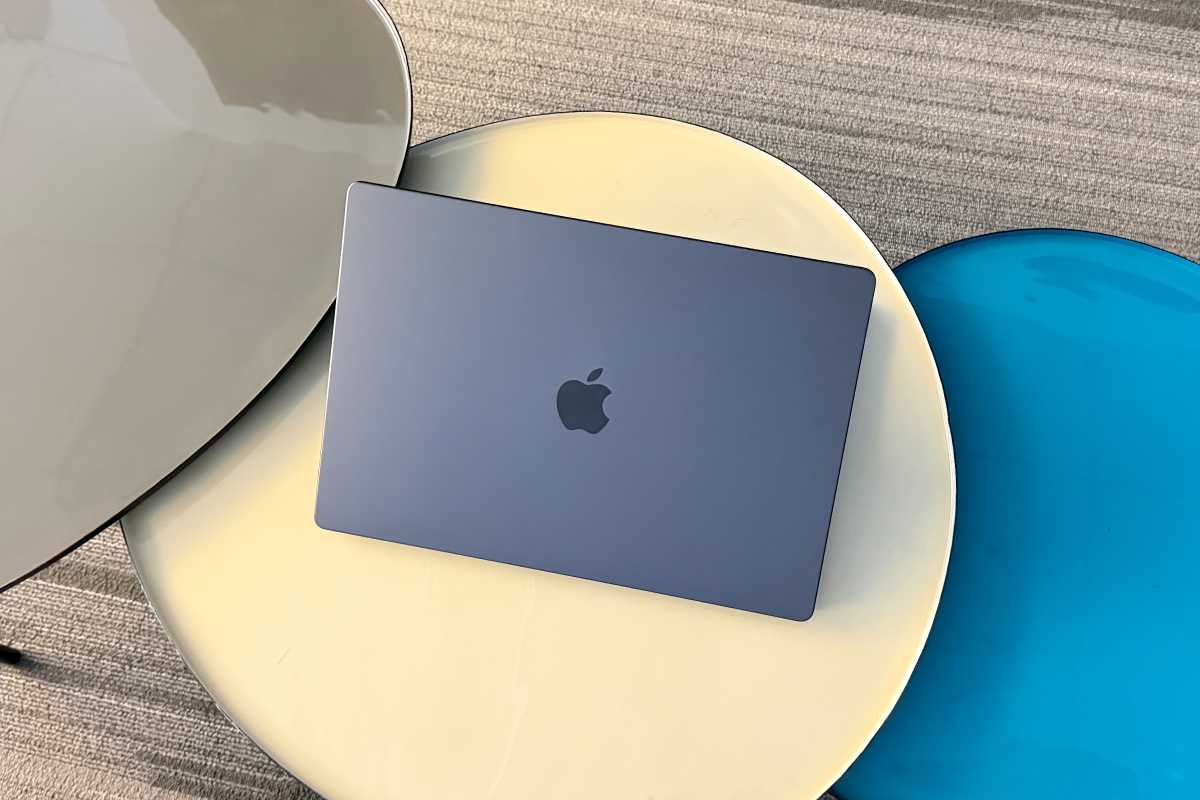
Foundry
M5 Max MacBook Pro: Performance
The chip upgrade is the focus of this MacBook Pro release cycle. The base M5 MacBook Pro made its debut months ago, which gave us an idea of what to expect with the higher-level chips. Overall, it’s an incremental performance update, so the results reflect that.
Geekbench 6
Results are expressed as Geekbench scores. Higher scores/longer bars are faster.
Based on Geekbench scores, the M3 Ultra, which is only available with the Mac Studio, is no longer the chip with the fastest CPU. The 18-core M5 Max now takes the crown, besting the M3 Ultra by 7 percent in multi-core CPU performance. It’s not much, and it would be hard to feel the difference even when running the most CPU-intensive tasks. The single-core difference, however, is much more noticeable at 34 percent.
The improvement from the M4 Max to the M5 Max is 12 percent in multi-core CPU and 7 percent in single-core CPU scores. At this point in the M-series evolution, don’t expect huge gains from one generation to the next. The performance is so good that you can wait a few years before considering an upgrade.
Cinebench 2024
Results are expressed as Cinebench scores. Higher scores/longer bars are faster.
The difference in CPU performance from the M4 Max to the M5 Max is even less noticeable in Cinebench 2024 tests. What is eye-catching, however, is the 32 percent jump in GPU performance. For many users, GPU performance is much more important than CPU, and Apple has typically lagged here, so the improvement is nice.
Maxon has released Cinebench 2026, a new version of its benchmarking tool. We don’t have results for older Macs, but for your reference, the M5 Max MacBook Pro posted a GPU score of 94035, a multi-CPU score of 9426, and a single-CPU score of 722. We’ll be including Cinebench 2026 scores in future Mac reviews.
HandBrake video encode
Results are times in seconds. Lower times/shorter bars are faster.
HandBrake was used to convert the 4K Tears of Steel video to a 1080p H.265 file. There’s essentially no difference between the M4 Max and M5 Max here, though if you’re coming from an older machine, it will be significantly more noticeable.
iMovie 4K video export
Results are times in seconds. Lower times/shorter bars are faster.
When exporting a 4K iMovie video at the High setting, the M5 Max showed a 14 percent improvement over the M4 Max. A Best (ProRes) export of the same video showed no difference.
Blackmagic Disk Test
Results are megabytes per second. Higher rates/longer bars are faster.
Yowza. I ran Blackmagic Disk Speed Test over and over and over and over again because the results were so impressive. For users who create content, manage databases, or do any tasks that are disk-intensive, this dramatic SSD improvement may be enough for a current M4 Max user to upgrade.
Geekbench 6 Compute
Results are expressed as Geekbench scores. Higher scores/longer bars are faster.
Here is where the M3 Ultra still reigns supreme: GPU performance. Before you get disappointed in the M5 Max, context is very important here. The M3 Ultra has a 60-core GPU, 20 more cores than the M5 Max, so the M3 Ultra GPU ought to be faster. (Side note: since an Ultra chip is essentially two Max chips, the M5 Ultra should have 80 GPU cores if they release it in the rumored Mac Studio later this year.)
Video game benchmarks
Results are frames per second. Higher results/longer bars are faster.
Apple continues to make progress with video game performance. Whether or not these results are enough to impress a dedicated PC gamer remains to be seen, but Mac users who want to play games will get good results.
Geekbench AI
Results are expressed as Geekbench scores. Higher scores/longer bars are faster.
The M5 Max’s Neural Engine is faster, but macOS doesn’t take much advantage of Apple Intelligence. Perhaps that will change when macOS 27 arrives in June, because there’s a lot of power in the Neural Accelerators. For reference, this test was also run on the GPU, with scores of 27553 (Single Precision), 44126 (Half Precision), and 40913 (Quantized).
M5 Max MacBook Pro: A lot of the same
Everything else about the M5 Max MacBook Pro remains unchanged from the previous generation. The laptop has three Thunderbolt 5/USB 4 ports, an HDMI port, a MagSafe connector, an SDXC Card slot, and a 3.5mm audio jack. If you want more details on the ports, you can read our M4 Pro MacBook Pro review.
The M5 Max has the most robust external display support of all the MacBooks. Through its Thunderbolt and HDMI ports, the laptop supports up to four displays at native resolutions of 6K at 60Hz or 4K at 144Hz. It can also display two screens at up to a native resolution of 8K at 60Hz, 5K at 120Hz, or 4K at 240Hz.
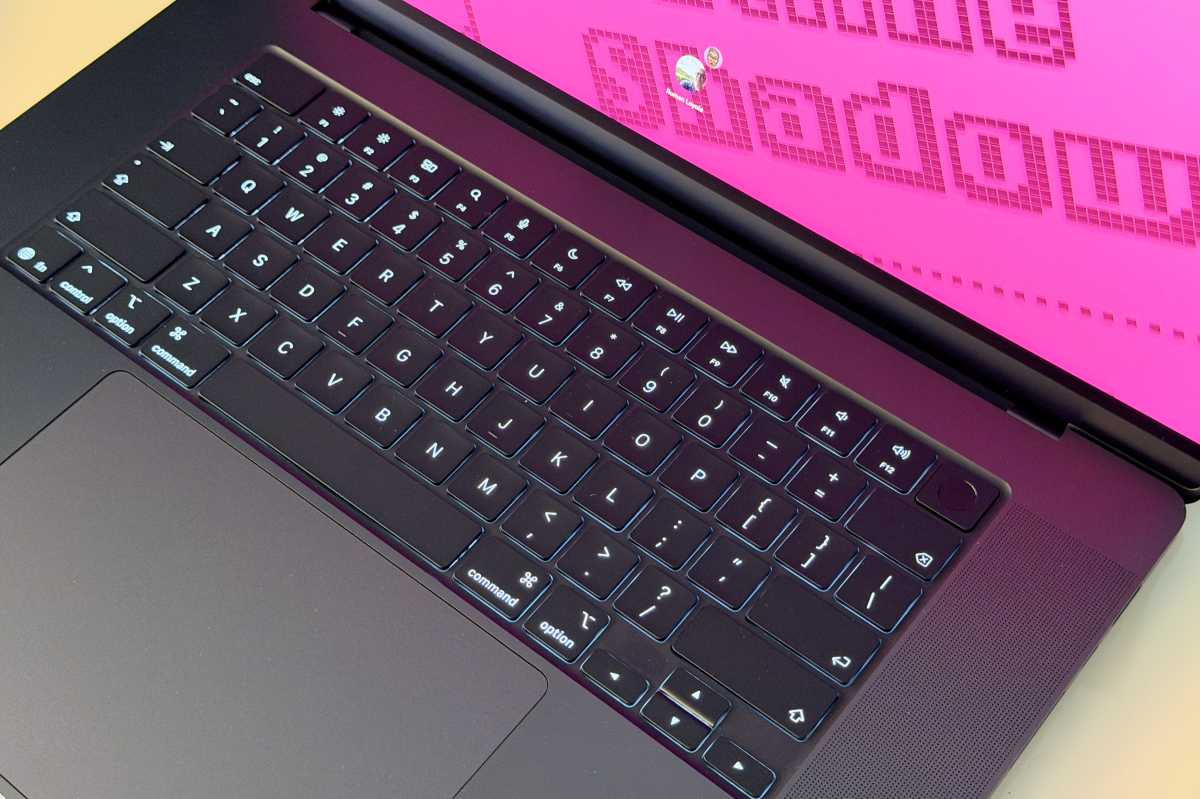
Apple changed the keyboard so that the Delete, Return, Shift, Caps Lock, and Tab buttons are labeled only with icons.
Foundry
The display is also the same, a Liquid Retina XDR panel, with the specifications listed at the top of this article. The Center Stage camera is the same 12MP module as the M4. The laptop still has a glossy display, with an option for a nano-texture (matte) screen for an extra $150/£150.
M5 Max MacBook Pro: Wi-Fi 7 and Bluetooth 6
Besides the chip, there are two other things Apple upgraded with the M5 Pro and M5 Max MacBook Pro. Wi-Fi 7 (802.11be) and Bluetooth 6 are now supported, a change from the Wi-Fi 6E (802.11ax) and Bluetooth 5.3 in the previous model. Apple is using its N1 chip for this, which was introduced with the iPhone 17 last fall.
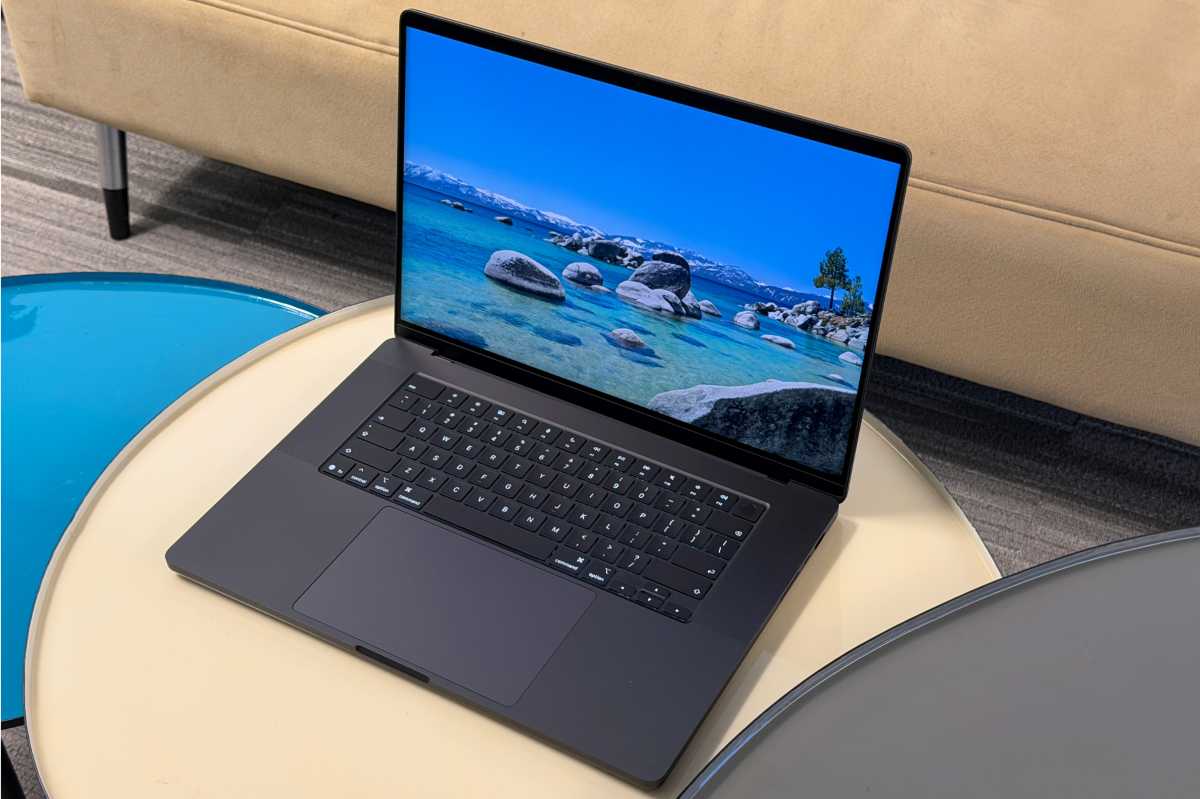
Foundry
M5 Max MacBook Pro: Battery life
Apple says the 100Wh battery in the 16-inch MacBook Pro should last up to 22 hours of video streaming, and up to 16 hours of wireless web access. We tested battery life by running a saved video continuously on a loop until the battery ran out. Over 24 hours later (1,475 minutes, to be exact), the test ended. Our test isn’t designed to be stressful, but even so, the MacBook Pro should get you through the day without plugging in.
M5 Max MacBook Pro: Higher starting prices
It should be noted that the M5 Pro and Max MacBook Pros have higher starting prices than their predecessors. The 14-inch M4 Pro started at $1,999 with 512GB of storage, while the 14-inch M5 Pro starts at $2,199 with 1TB of storage. The same goes for the 16-inch MacBook Pro: the M4 Pro model that started at $2,499 with 512TB of storage has been replaced by an M5 Pro model with 1TB of storage for $2,699. And the M5 Max models now start at 2TB, a $200 price increase on both models. All other configurations have the same pricing tiers.
The type of buyer who wants an M5 Pro or M5 Max MacBook Pro will probably be OK with the higher starting prices. Apple technically hasn’t raised prices, after all, but those who buy the cheapest models will need to pay a little more.
Should you buy the M5 Max MacBook Pro?
The M5 Max MacBook Pro is Apple’s fastest portable workstation and close to its fastest Mac. This laptop is for users who don’t want any compromises with performance–it delivers. While it provides incrementally faster CPU speed compared to the M4 Max, it does have a drastically faster SSD. For M2 or M3 Max MacBook Pro users, it’s definitely worth consideration. M4 Max owners could take a pass, but if you’re doing a lot of disk-intensive tasks, you will noticeably benefit from an upgrade
However, the rumors of the M6 MacBook Pro upgrade give buyers pause. The 20th anniversary laptop is rumored to feature an OLED touchscreen display, which would be an upgrade from the current mini LED technology, along with a new, slimmer design. If your needs aren’t pressing, it might be worth it to hold off until the end of the year.