Looking for the best antivirus for Mac? We’ve tested the leading apps to find out which ones actually protect your device without slowing it down.
It wasn’t long ago that Macs were seen as secure enough on their own. But with rising popularity and high-profile attacks, macOS is now a clear target. While Apple includes built-in protections like XProtect and Gatekeeper, they only defend against known threats.
Today’s risks – ransomware, phishing, and malicious downloads – are more advanced and often harder to detect, putting your data, privacy, and finances at risk. Apple’s built-in tools alone aren’t enough.
That’s why we’ve tested the top Mac antivirus software using real-world scenarios, performance benchmarks, and independent lab results, alongside usability and reliability checks.
Use this guide to find the best antivirus for your needs. Below are our expert picks for 2026, including the best overall, best value, and best free options.
What’s new this month: On March 5, CISA added three macOS flaws to its “Known Exploited Vulnerabilities” list, confirming they’re being used in real attacks. Apple also released a March 17 Background Security Improvements macOS update fixing a WebKit bug that could let malicious websites bypass browser protections.
Best Mac Antivirus in 2026: At a Glance
The best antivirus for Mac in 2026 is Intego Mac Internet Security X9, thanks to its Mac-specific design, strong protection, and low performance impact. Norton 360 and Bitdefender are also top alternatives.
These are our top picks based on testing, performance and value. Jump straight to a Mac antivirus product for more details.
| Category | Best Pick | Why It Wins |
| Best overall | Intego Mac Internet Security X9 | Download | Excellent malware detection, strong ransomware protection, and tools built specifically for macOS. |
| Best free option | Avira Free Security for Mac | Download | One of the most generous free packages, with solid malware protection and useful extras like a limited VPN. |
| Best for features | Norton 360 | Download | Multi-device, cross-platform protection with parental controls (ideal for households). Full VPN, cloud backup, dark-web monitoring, and identity protection. |
| Best for privacy | Surfshark One | Download | Integrated into a broader privacy suite with a comprehensive suite of identity protection and security tools. |
| Best for scam protection | Avast Premium Security | Download | Offers strong scam protection with web and email shields, plus ransomware protection, network scanning, and real-time threat detection. |
| Best for ease of use | AVG Internet Security for Mac | Download | Easy to use and offers strong malware and phishing protection, reliable performance, and useful features like ransomware protection. |
| Best value | Bitdefender Antivirus for Mac | Download | Gives you premium-level security at a mid-range price. Includes tools that competitors lock behind higher-priced tiers. |
Scroll down for full reviews and testing results.
How we test Mac Antivirus
We test Mac antivirus software using real-world scenarios and independent lab data from AV-Test and AV-Comparatives.
Starting with a clean macOS system, we downloaded malware samples and visited malicious websites to measure protection against online and offline threats, including Windows-based malware.
We also assessed system performance, ease of use and macOS integration, along with features like ransomware protection, VPNs and firewalls.
Only products that deliver strong protection without slowing down your Mac make our top recommendations.
Best Mac Antivirus: Benchmarks
We compared independent lab results with our own real-world testing to identify the best Mac antivirus software for 2026.
| Antivirus | AV-Test Protection | AV-Comparatives Score | Our Malware Detection | Performance Impact (Our Tests) | Scan Speed | Overall Score |
| Intego | 5.5 / 6 | Advanced | 98% | Low | Fast | 4.5 / 5 |
| Norton 360 | 6 / 6 | Advanced+ | 100% | Medium | Medium | 4.7 / 5 |
| Avira Free | 5.5 / 6 | Advanced | 97% | Low | Fast | 4.3 / 5 |
| Surfshark | 6 / 6 | Advanced+ | 100% | Low | Fast | 4.4 / 5 |
| Avast Premium Security | 6 / 6 | Advanced+ | 99% | Medium | Medium | 4.5 / 5 |
| AVG Internet Security | 6 / 6 | Advanced+ | 99% | Low | Medium | 4.5 / 5 |
| Bitdefender | 6 / 6 | Advanced+ | 100% | Low | Fast | 4.8 / 5 |
Best Mac Antivirus: Our top picks tested and ranked
We’ve tested and reviewed the best Mac antivirus software below. Our summaries explain how each product performed, why it ranks where it does, and its key features – with links to our full, in-depth reviews.
1. Intego Mac Internet Security X9 – Best antivirus for Mac users
Pros
- Built for Mac with simplicity in mind
- Easy to set up and customize
- Solid malware protection
Cons
- Mac only
Best Prices Today:
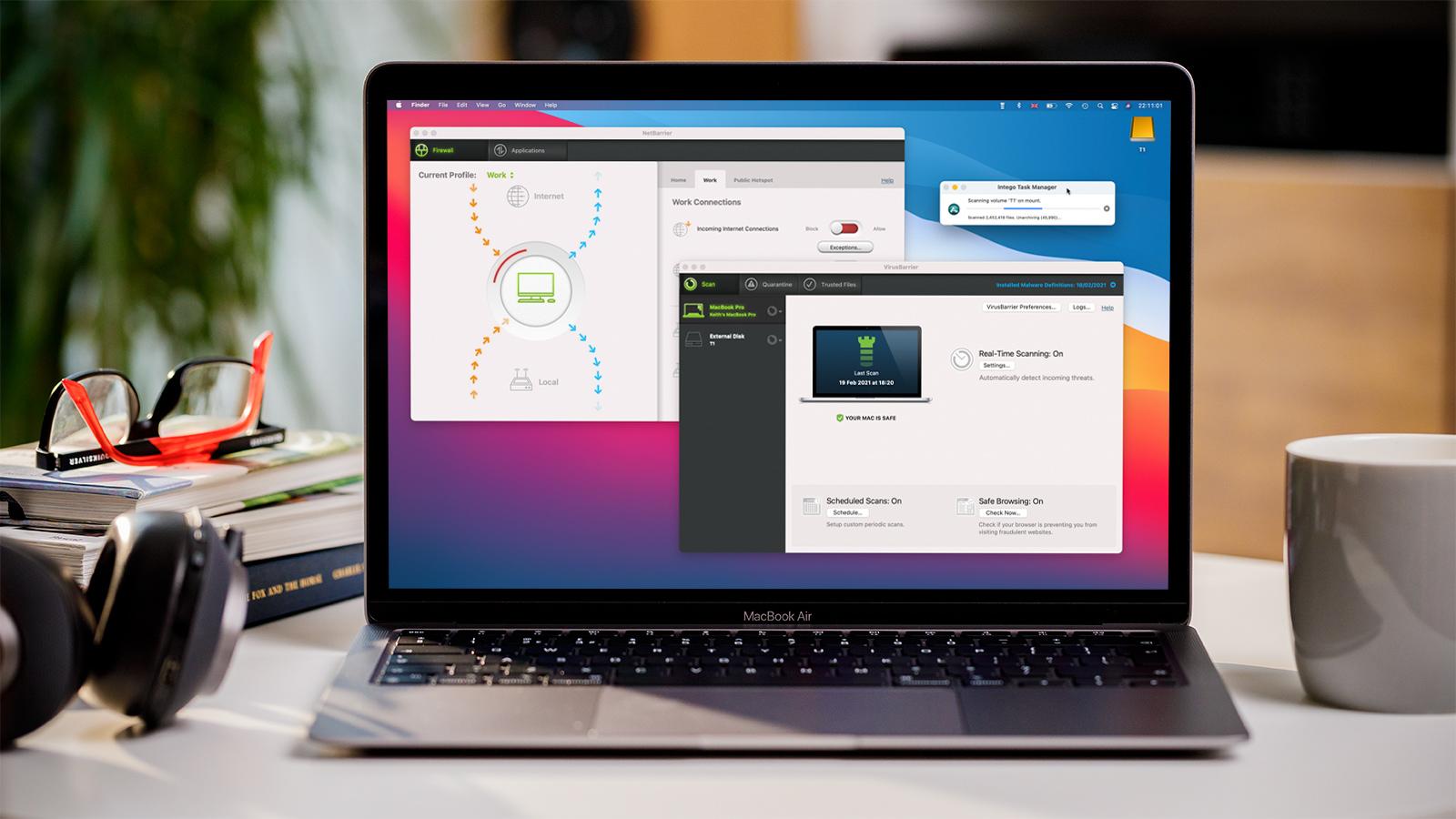
Intego Mac Internet Security X9 is our top pick for Mac antivirus software, combining strong protection, excellent performance and a clean, Mac-native experience.
Built specifically for macOS – unlike many rivals adapted from Windows – Intego delivers reliable, no-fuss security that integrates seamlessly with Apple’s ecosystem. It’s also backed by independent testing from AV-Test and AV-Comparatives, with strong real-world protection scores (including up to 98% detection accuracy in third-party testing).
Why we picked it
Intego stands out for its Mac-first design, ease of use and balanced performance. It provides effective protection without slowing your system down or overwhelming users with unnecessary extras.
Key strengths include:
- Strong malware detection backed by independent labs
- Lightweight performance with minimal system impact
- Excellent built-in firewall (NetBarrier)
- Clean interface with no aggressive upselling
- Designed specifically for macOS, not a ported PC app
While some competitors may achieve slightly higher lab scores, Intego delivers consistent, real-world protection with better usability for Mac users.
Key features
- VirusBarrier – real-time malware and threat detection
- NetBarrier firewall – one of the best Mac-specific firewalls available
- Custom security profiles for home, work and public networks
- Ransomware protection + anti-phishing tools
- Optional extras: parental controls, backup tools, system cleaner
Who’s it for?
Best for Mac users who want simple, effective protection built specifically for macOS.
Intego is ideal if you:
- Use a single Mac or MacBook
- Want strong protection without complexity
- Prefer software designed specifically for Apple systems
What to consider
- Mac-only (no cross-platform support)
- Fewer extras than some rivals (e.g. no built-in password manager)
- Slightly lower lab scores than top performers like Bitdefender
Bottom line
If you want the most Mac-native antivirus experience, Intego is the best choice. It may not have the longest feature list, but it focuses on what matters most: effective protection, ease of use, and seamless macOS integration.
Use our link to get the best deal on Intego Mac Internet Security X9 and Mac Premium Bundle.
Read our full
Intego Mac Internet Security X9 review
2. Norton 360 – Best all-round, multi-platform security suite
Pros
- Virus Protection Promise
- Instant reassurance for scams
- Includes Norton’s VPN and Password Manager
Cons
- Some features Windows only
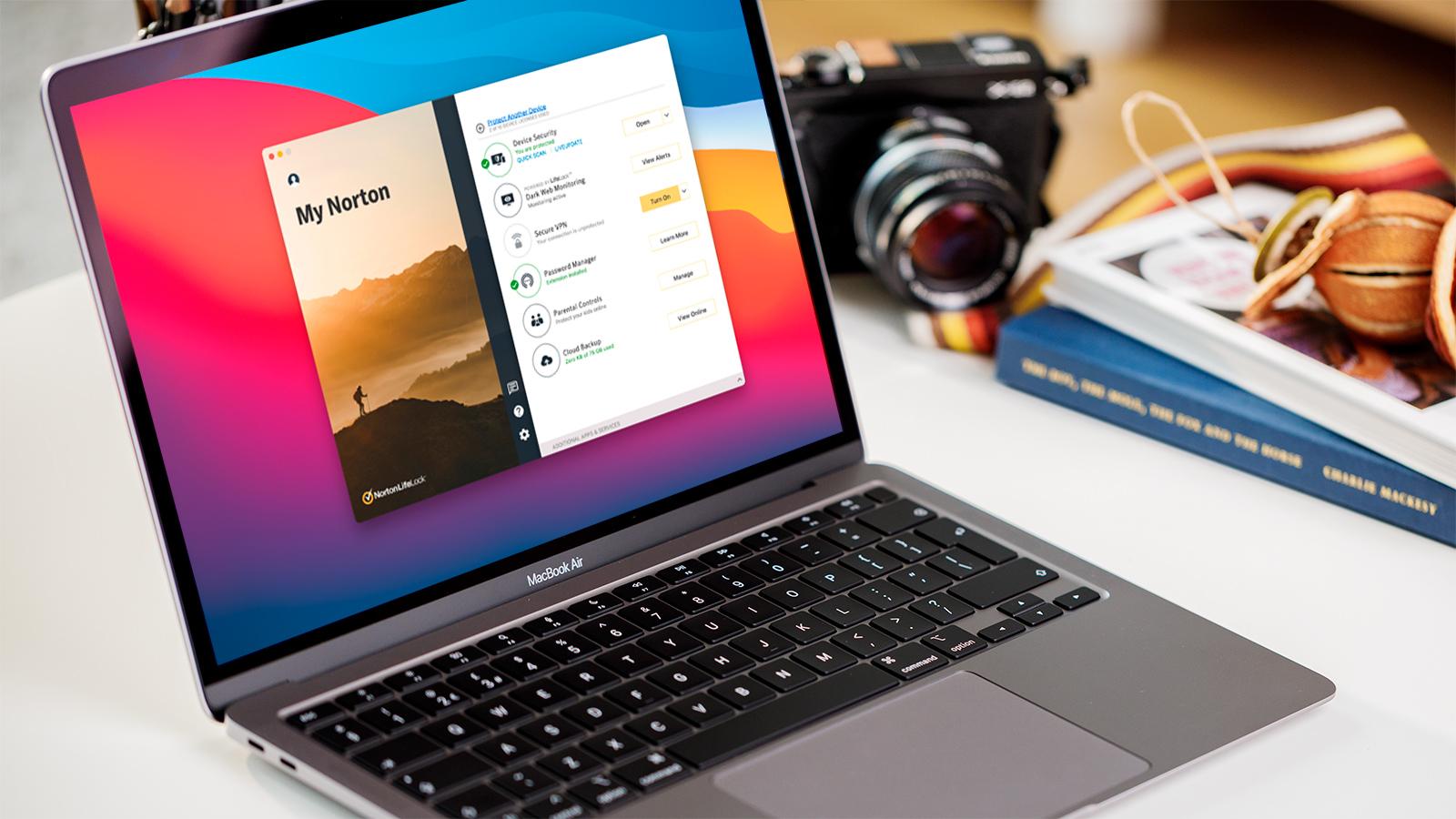
Norton 360 is one of the most comprehensive security suites available for Mac, combining antivirus protection with a wide range of additional features, including a VPN, password manager and AI-powered scam detection.
A well-known and trusted name in cybersecurity, Norton also offers its Virus Protection Promise, meaning you’ll get your money back if it can’t remove a virus from your device.
Why we picked it
Norton stands out for its all-in-one feature set and excellent lab performance, making it ideal for users who want complete protection across multiple devices.
Key strengths include:
- Top scores in AV-Test and AV-Comparatives (June 2025)
- All-in-one suite: antivirus, VPN, password manager and more
- AI-powered Genie Scam Protection for real-time threat advice
- Strong cross-platform support (Mac, iOS, Windows, Android)
- Good value considering the breadth of features
The addition of Norton’s Genie Scam Assistant is particularly impressive, offering real-time help with suspicious emails and messages — a useful tool as phishing attacks become more sophisticated.
Key features
- Real-time antivirus, anti-malware and ransomware protection
- Built-in VPN for secure browsing
- Password manager
- Genie Scam Protection (AI assistant)
- Dark web monitoring (on select plans)
- Multi-device support
Who’s it for?
Best for users who want a full-featured security suite across multiple devices.
Norton is ideal if you:
- Want an all-in-one security solution
- Use multiple devices (Mac, iPhone, Windows, Android)
- Value extra features like VPN and identity protection
- Want real-time help spotting scams
What to consider
- macOS version feels less fully featured than Windows version
- Some features (e.g. cloud backup) are not available on Mac
- Interface and settings can feel complex for beginners
- In our testing, missed a small number of threats and struggled with some file types (e.g. ZIP files)
- Browser protection didn’t block all suspicious links in testing
Bottom line
If you want a feature-rich, all-in-one security suite, Norton 360 is one of the best options available. While it’s not as Mac-focused as Intego, it offers excellent protection, powerful extras and strong cross-platform coverage, making it a great choice for households with multiple devices.
Read our full
Norton 360 review
3. Surfshark One – Best for privacy and multi-device protection
Pros
- Supports unlimited devices
- Excellent malware protection
- Includes VPN, identity and privacy protection
Cons
- Cheaper options available
Best Prices Today:
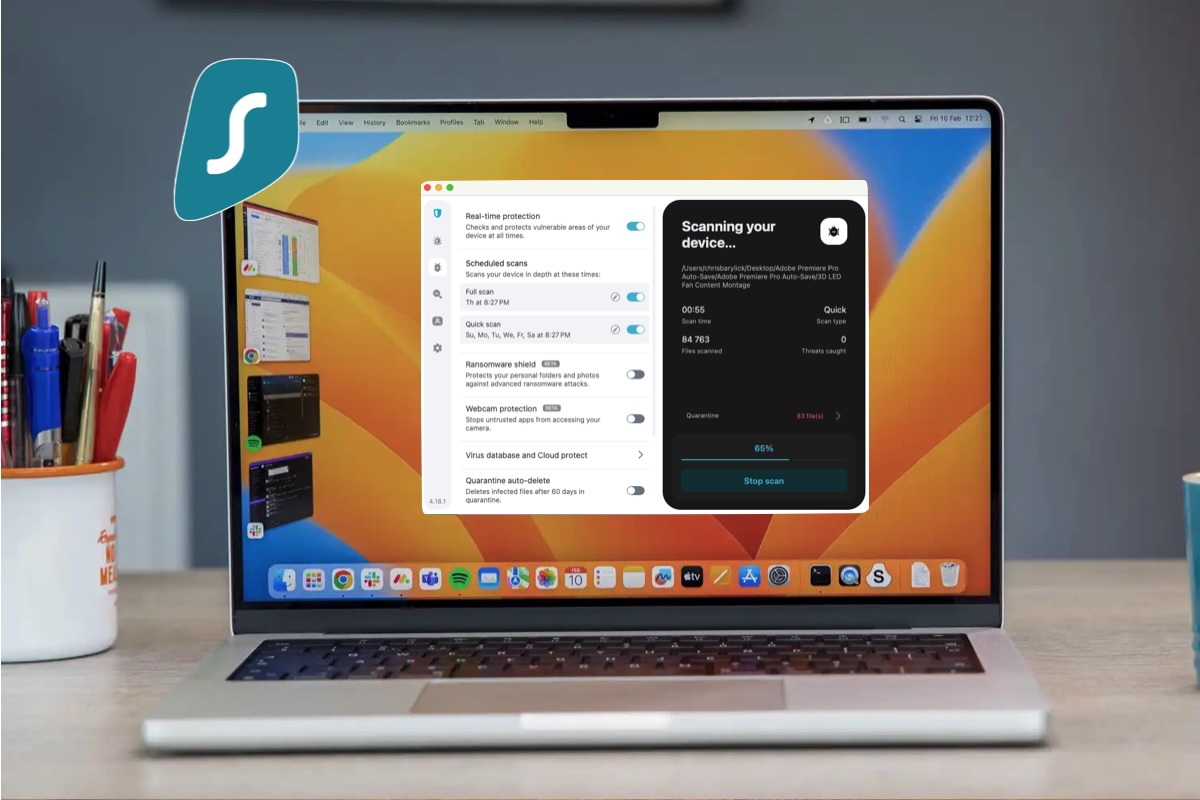
Surfshark One is a good choice privacy-focused users, combining strong malware protection with a powerful VPN and unlimited device coverage.
Surfshark One lets you protect unlimited devices across macOS, Windows and Android, making it an excellent choice for households or users with multiple devices. It also scored top marks for protection in AV-Test benchmarks, while bundling a suite of privacy tools that go beyond traditional antivirus.
Why we picked it
Surfshark One isn’t just an antivirus, it’s a complete privacy and security suite. It combines strong protection with tools designed to safeguard your identity and online activity.
Key strengths include:
- Unlimited device coverage across multiple platforms
- Excellent malware protection (top AV-Test scores)
- Built-in VPN with strong privacy features
- Identity protection tools (data breach alerts, alternative identity)
- Ad, tracker and malicious site blocking
Its biggest advantage is the combination of antivirus and privacy tools in one package, which few rivals match.
Key features
- Surfshark Antivirus – real-time malware protection
- Surfshark VPN – encrypted browsing and location masking
- Alert – notifies you if your data is exposed in breaches
- Search – private, ad-free browsing
- Alternative ID – generates a proxy identity for sign-ups
- CleanWeb – blocks ads, trackers and malicious sites
Who’s it for?
Best for users who want privacy and security across multiple devices.
Surfshark One is ideal if you:
- Have multiple devices (Mac, Windows, Android)
- Want built-in VPN and identity protection tools
- Are concerned about data privacy as well as malware
What to consider
- More expensive than most Mac-only antivirus options
- Cheapest plans require longer commitments (e.g. two years)
- Slightly lower scores for speed and usability in AV-Test
- Not currently tested by AV-Comparatives
Bottom line
If you want more than just antivirus, Surfshark One is a compelling choice. It combines strong protection, unlimited device coverage and powerful privacy tools in a single package – making it ideal for users who value both security and anonymity online.
Read our full
Surfshark One review
4. Avast Premium Security – Best for AI-powered scam protection
Pros
- Scam Guardian fights AI-powered threats
- No impact on performance
- 60-day trial available
Cons
- Slow manual scanning
Best Prices Today:
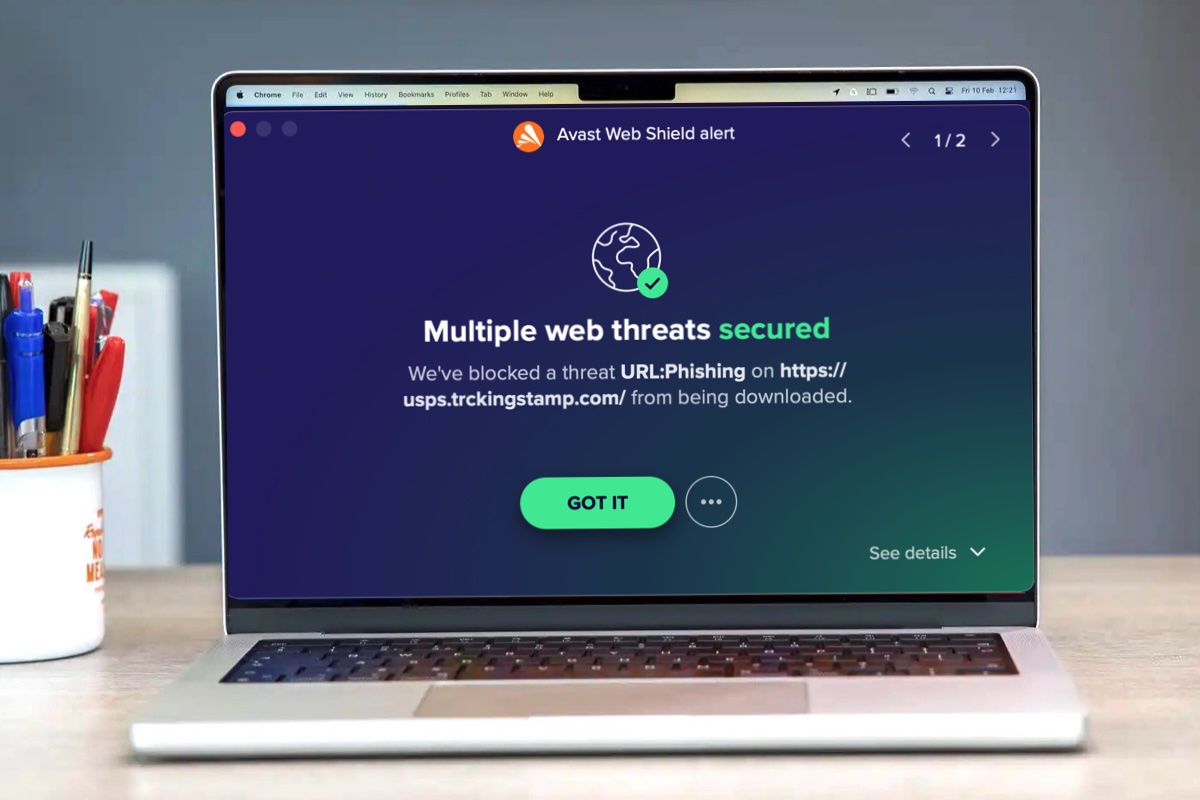
Avast Premium Security is a strong all-round antivirus suite, combining robust malware protection with new AI-powered tools designed to tackle modern threats like scams and phishing.
Available across Mac, Windows, iOS and Android, Avast is a good choice for users with multiple devices. It delivers consistently high protection scores in independent tests (including top results from AV-Test and AV-Comparatives), along with a clean, easy-to-use interface and a wide range of security features.
Why we picked it
Avast stands out for its focus on real-world threats, particularly online scams and phishing attacks. Its new AI-powered Scam Guardian helps identify suspicious links, emails and websites, offering an extra layer of protection beyond traditional antivirus tools.
Key strengths include:
- Top-tier malware detection in independent lab tests
- AI-powered scam and phishing protection (Scam Guardian)
- Cross-platform support for multiple devices
- Strong ransomware and web protection
- Clean, user-friendly interface with flexible scan options
This makes Avast a great option for users who want modern, proactive protection, not just traditional virus scanning.
Key features
- Real-time malware protection with flexible scan options
- Scam Guardian – AI-powered protection against phishing and fraud
- Ransomware protection for sensitive files
- Web and email protection against malicious links
- Network security tools for safer browsing
Who’s it for?
Suitable for individuals and families who want strong protection against scams and online threats across multiple devices.
Avast is ideal if you:
- Shop, bank or browse frequently online
- Want protection across Mac, Windows, iOS and Android
- Value proactive scam and phishing detection
What to consider
- Some advanced features are locked behind the paid version
- Interface can occasionally prompt upgrades or additional tools
- Not as Mac-focused as dedicated solutions like Intego
- Avast shares an engine with AVG, so expect similar results
Bottom line
Avast Premium Security is a feature-rich, modern antivirus suite that goes beyond basic protection with AI-powered scam detection. It’s a particularly strong choice for users who want cross-platform coverage and extra protection against phishing and online fraud.
Read our full
Avast Premium Security review
5. AVG Internet Security for Mac – Best for ease of use

Pros
- Easy to use
- Strong malware protection
and removal - 60-day trial available
Cons
- Mac only
Best Prices Today:
AVG Internet Security for Mac is a reliable, feature-rich option that combines strong protection with a clean, easy-to-use interface. Best known for its free antivirus, AVG’s premium suite builds on that foundation with broader security tools and consistently strong lab performance.
In independent testing, AVG achieved top scores from AV-Test (Protection, Speed and Usability) and maximum ratings from AV-Comparatives across Mac malware, Windows malware and potentially unwanted applications – confirming its effectiveness in real-world scenarios.
Why we picked it
AVG stands out for its balanced mix of protection, usability and features, making it a strong choice for users who want dependable security without complexity.
Key strengths include:
- Top scores in independent lab tests (AV-Test and AV-Comparatives)
- Strong malware and phishing protection
- Clean, intuitive interface
- Effective malware removal capabilities
- Generous 60-day trial and 30-day money-back guarantee
While it doesn’t dramatically outperform rivals in any one area, AVG delivers consistently solid performance across the board.
Key features
- Real-time malware and threat protection
- Web and phishing protection
- Email security tools
- Ransomware protection
- Scheduled and on-demand scans
Who’s it for?
Best for cautious Mac users who want reliable, no-fuss protection with the option to try before they buy.
AVG is ideal if you:
- Want strong protection without a steep learning curve
- Prefer a clean, easy-to-navigate interface
- Like the flexibility of a long free trial before committing
What to consider
- Mac-only (separate products needed for other platforms)
- Scan activity could be communicated more clearly
- Missed some test scenarios (e.g. fake installer in our testing)
- Doesn’t stand out as strongly as top competitors
- AVG uses the same core engine as Avast
Bottom line
AVG Internet Security for Mac is a well-rounded and trustworthy antivirus solution. It may not lead the pack in any single category, but its strong lab results, ease of use and solid protection make it a dependable choice for most Mac users.
Read our full
AVG Internet Security for Mac review
6. Bitdefender Antivirus for Mac – Best value
Pros
- Clean, customisable and easy to navigate
- Low system impact
Cons
- Missed some threats in our testing
- Limited extras
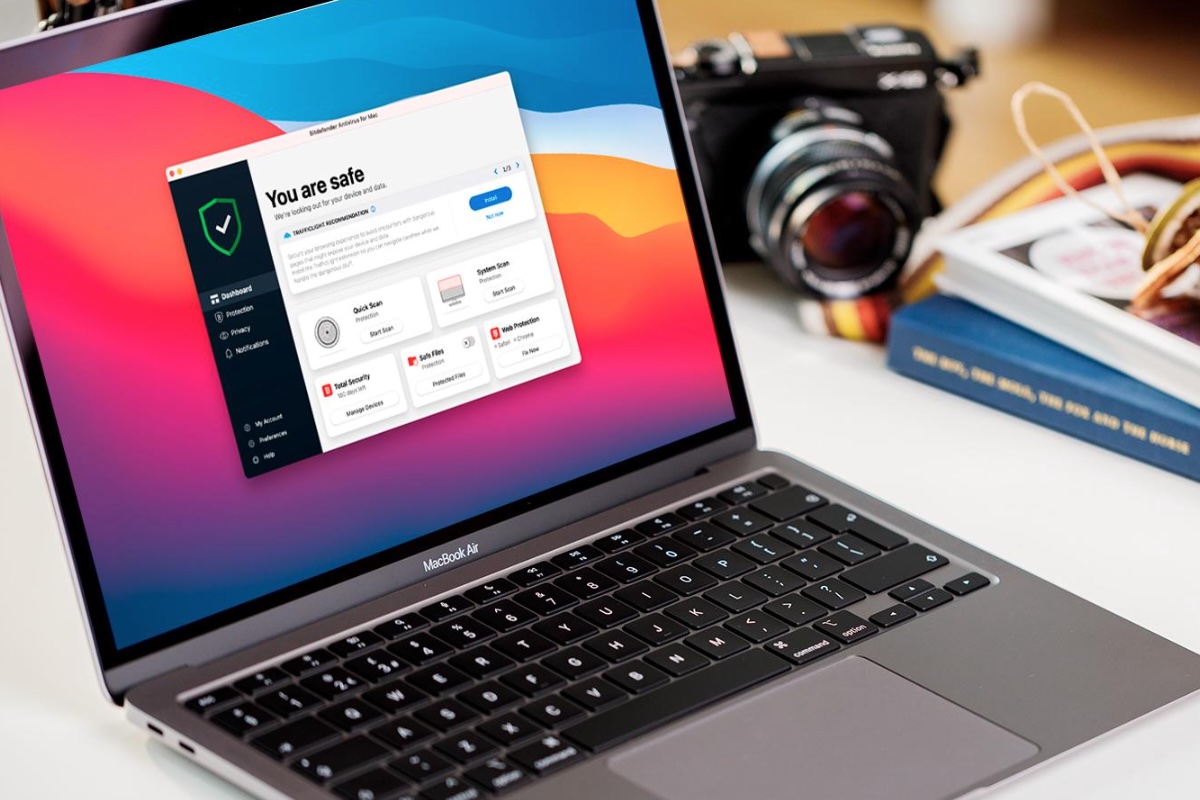
Bitdefender Antivirus for Mac delivers strong protection, a clean interface and solid features at a competitive price, making it our top pick for value.
It offers a customisable, easy-to-use interface and integrates well with macOS security features like Gatekeeper. While it focuses more on core protection than extras, it provides reliable real-time defence and a good range of essential tools.
Why we picked it
Bitdefender offers a good balance of protection, performance and affordability, making it ideal for users who want strong security without paying for features they won’t use.
Key strengths include:
- Strong malware protection and real-time scanning
- Lightweight performance with minimal impact in everyday use
- Clean, customisable interface
- Good core feature set without unnecessary bloat
- Competitive pricing compared to premium rivals
Bitdefender focuses on doing the basics well, rather than adding unnecessary extras.
Key features
- Real-time malware protection (Bitdefender Shield)
- On-demand and scheduled scanning
- Ransomware protection (including Time Machine protection)
- Anti-phishing and web protection tools
- Adware and browser threat blocking
- Built-in VPN (limited data allowance)
Who’s it for
Bitdefender is for users who want strong, reliable protection at a lower price.
Bitdefender is ideal if you:
- Want high-quality antivirus protection without paying for extras
- Prefer a lightweight antivirus with minimal slowdown
- Don’t need lots of extra features like parental controls or system tools
- Value performance and ease of use
What to consider
- Fewer extra features than competitors
- Built-in VPN is limited unless you upgrade
- Some usability issues in testing (e.g. occasional scan slowdowns or freezes)
- Anti-phishing protection can be limited in some browsers
Bottom line
If you want maximum protection for your money, Bitdefender is a good choice. It may not have the widest feature set, but it offers excellent malware detection, strong performance and great overall value.
Read our full
Bitdefender Antivirus for Mac review
Other Mac antivirus software we tested
Macworld reviews many more antivirus products than you see in our ranking above. Not appearing in our top six doesn’t mean a product isn’t going to do a good job of protecting your Mac, merely that it failed to stand out among the best of the competition. You’ll find some more top contenders below, with links to our full reviews for more details. We wouldn’t advise installing any Mac antivirus without first checking our antivirus software reviews.
(For PC antivirus, see our sister site PCWorld’s guide to the best Windows antivirus.)
McAfee Total Protection
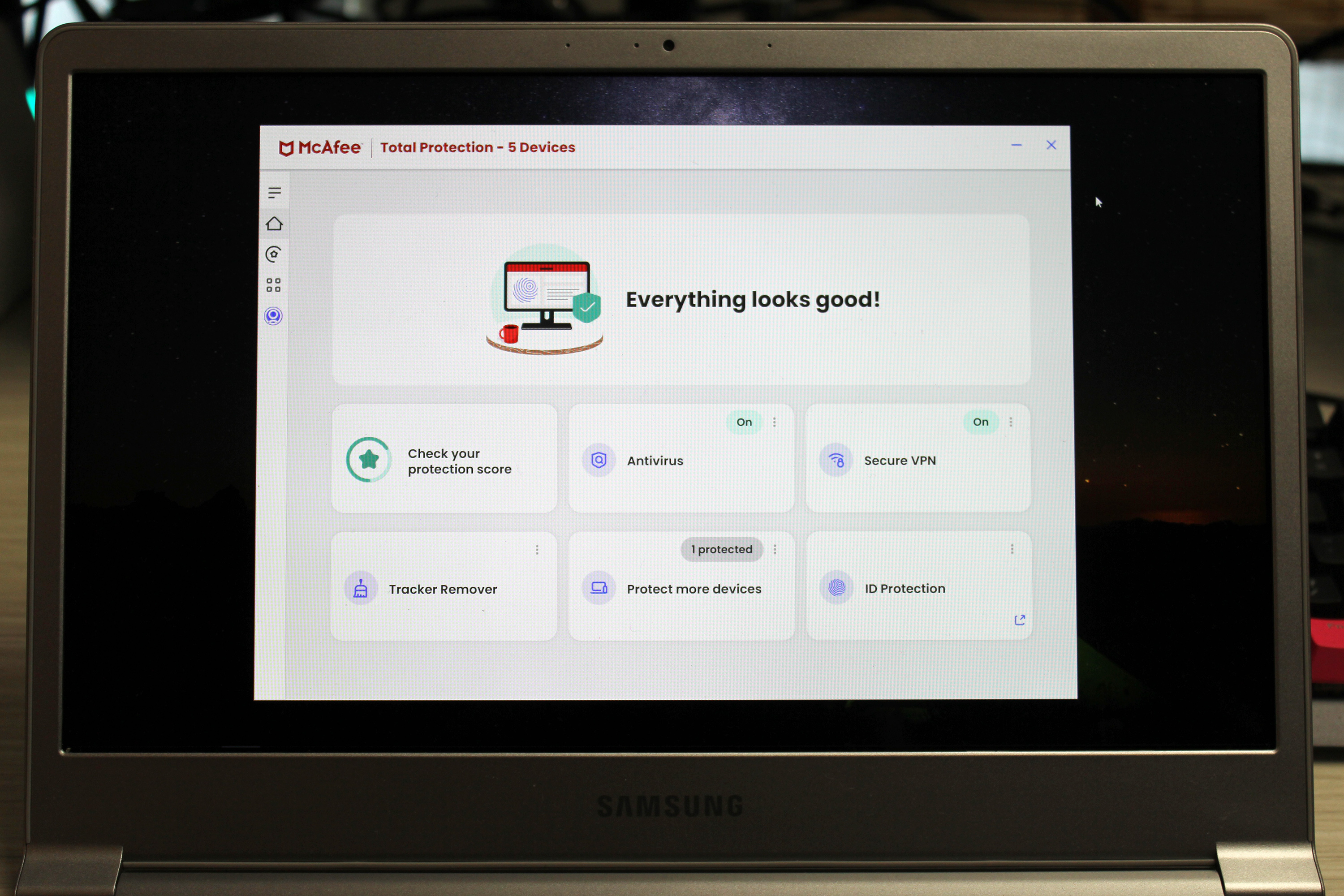
Why we recommend it: McAfee Total Protection covers the bases with solid antivirus, real-time scanning, and a basic VPN feature, but stumbles with vague alerts, an outdated WebAdvisor protection system, and noticeable performance hits.
Who’s it for: It’s a decent all-in-one for casual users wanting broad protection, but power users or privacy hawks might want something leaner, faster, and easier to configure.
Read our full
McAfee Total Protection review
Avira Prime

Why we recommend it: Avira Prime offers a sleek, modular approach to antivirus with solid customization, a zippy Quick Scan, and strong cleanup tools. While Full Scan times drag and phishing defense needs sharpening, features like unlimited VPN and Identity Assistant shine.
Who’s it for: Avira Prime seems best suited for privacy-focused users who want full control without overwhelming complexity.
Read our full
Avira Prime review
Malwarebytes Premium Security
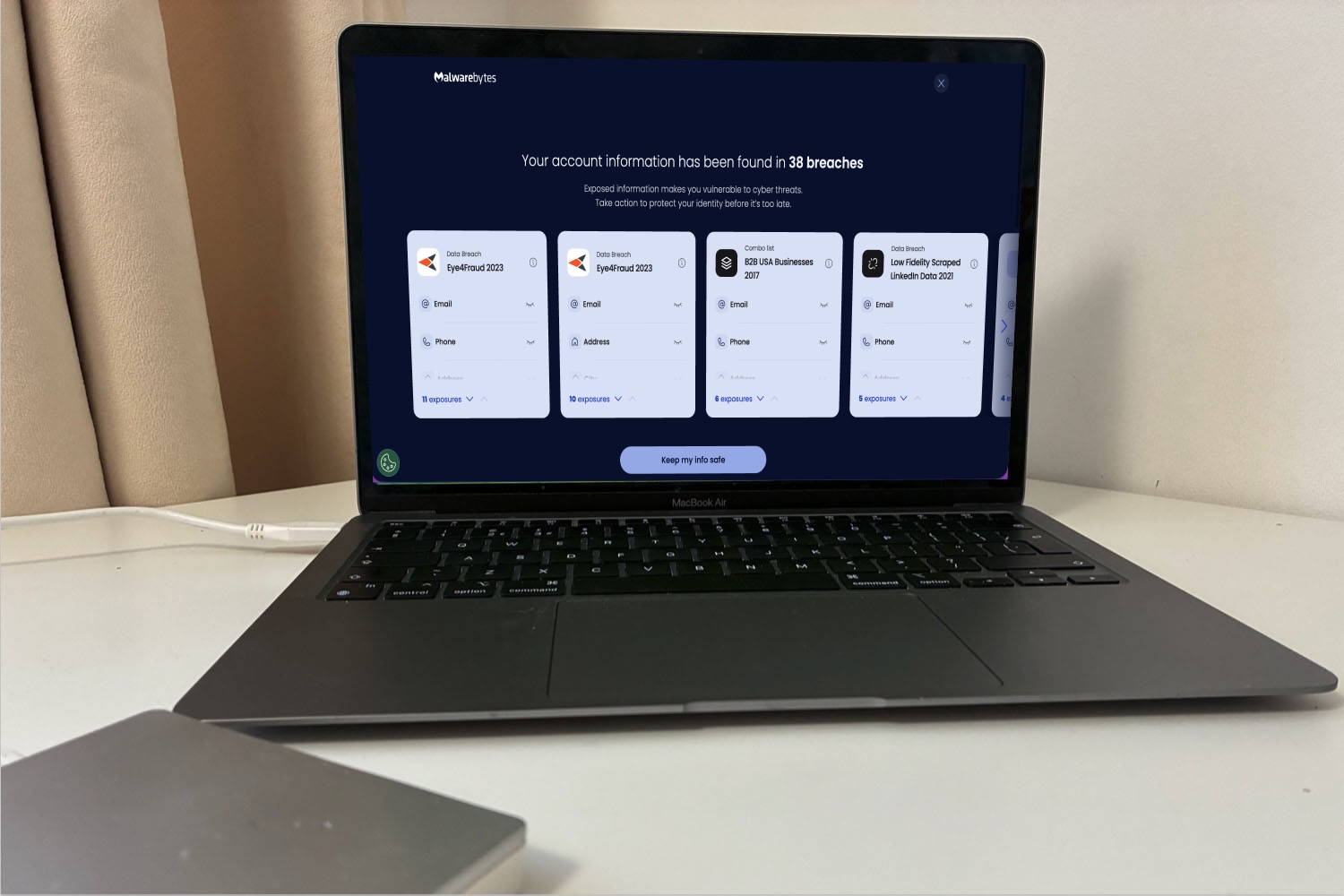
Why we recommend it: Malwarebytes for Mac is a user-friendly tool that delivers fast malware detection, external drive scanning, VPN and identity tools.
Who’s it for: It’s best for casual users seeking set-it-and-forget-it defence, not power users needing granular control or all-surface threat coverage.
Read our full
Malwarebytes Premium Security review
Trend Micro Antivirus for Mac

Why we recommend it: Trend Micro Antivirus delivers strong malware defense, smart folder protection, and detailed logs for the everyday user who wants solid security without diving into sysadmin territory.
Who’s it for: While setup can be clunky and its Web Protection feature needs polish, it’s a great fit for home users who want customization, automation, and visibility without too much fuss.
Read our full
Trend Micro Antivirus review
MacPaw, Moonlock
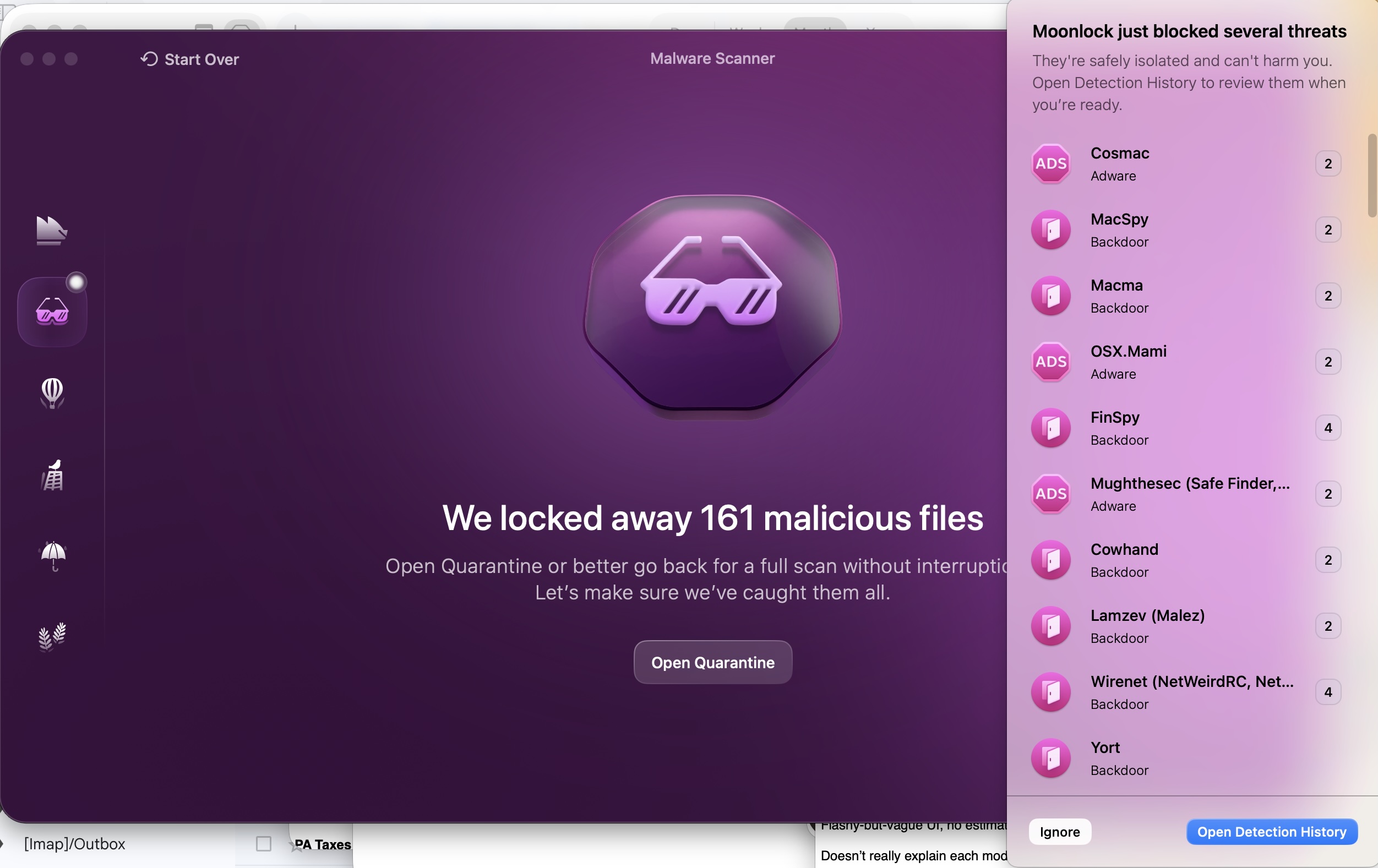
Why we recommend it: MacPaw is best known for CleanMyMac, but now it’s brought out its own Mac antivirus app. What’s present in Moonlock, in terms of malware detection and removal makes it a viable option for Mac users who want good protection with minimal fuss. Its antivirus tools catch some threats that can be missed by other utilities, such as AdWind and CrossRat, but let too many others slip past.
Who’s it for: Moonlock includes some great learning tools, making it well suited to users who feel a bit lost navigating the world of anti-malware. MacPaw really makes an effort to teach less-technical users why certain security settings matter.
Read our full
Moonlock review
BitMedic Pro Antivirus
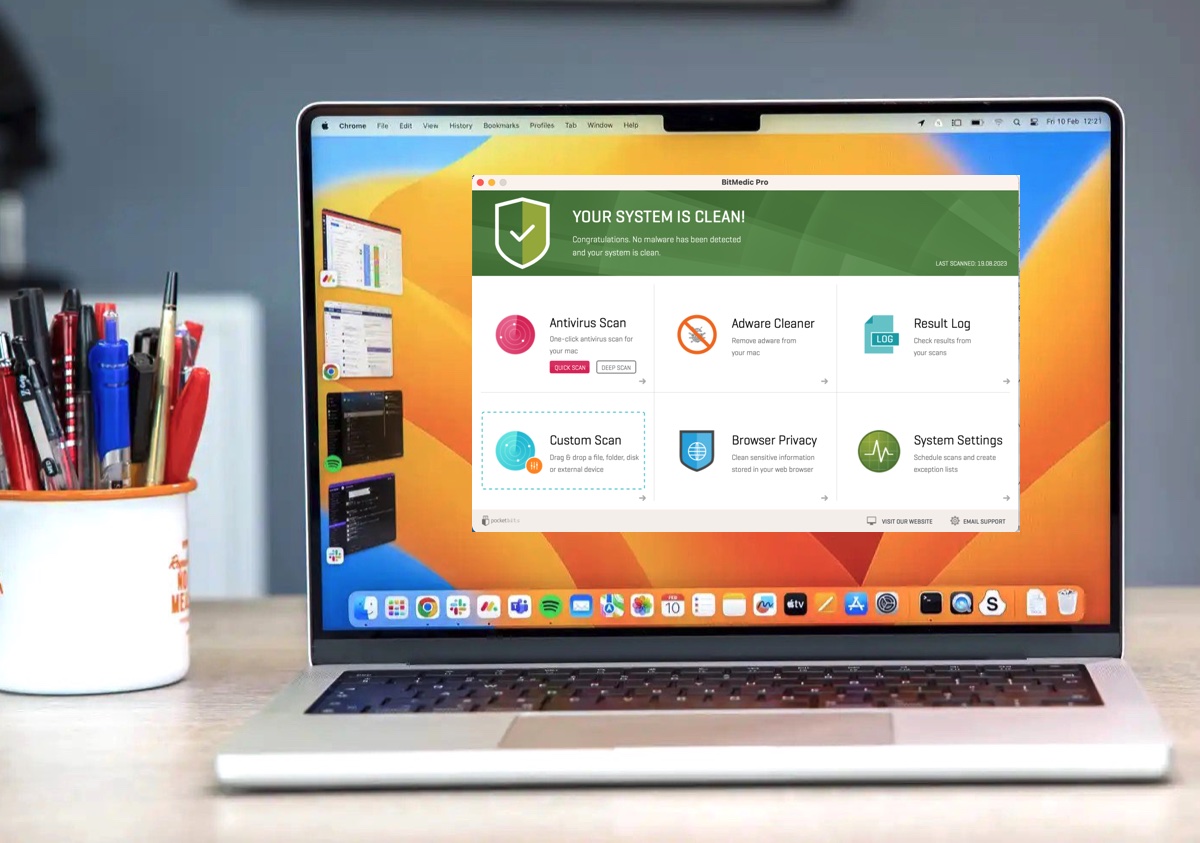
Why we recommend it: BitMedic Pro Antivirus is a budget-friendly, feature-packed tool with decent adware and phishing detection, but it’s beginning to show its age, with stability issues, vague scan results, and no updates since 2020 hurting the experience.
Who’s it for: The software seems best suited for bargain hunters who want basic, occasional scans as opposed to those relying on consistent, up-to-date protection.
Read our full
BitMedic Pro Antivirus review
Sophos Home Premium for Mac
Why we recommend it: Sophos Home Premium brings strong multi-device protection with a clean interface and solid web filtering. Still, its setup is clunky, external scans are awkward, and some malware slipped past, which raised some eyebrows.
Who’s it for: It’s best suited for families or small offices needing centralized management and broad coverage, not power users demanding airtight, real-time threat elimination.
Read our full
Sophos Home Premium for Mac review
Is free antivirus for Mac good enough?
Free antivirus software can provide basic protection, but it often lacks advanced features such as ransomware protection, firewalls and real-time web security. Paid options offer more comprehensive, all-round protection.
Apple includes built-in security tools like XProtect and Gatekeeper, which block known malware and unverified apps. However, in our testing, it was still possible to install Mac malware or suspicious software if warnings were ignored, showing that Apple’s protections alone are not foolproof.
Free third-party antivirus tools offer an advantage in that they are updated more frequently and can protect against a wider range of threats, including adware, spyware, trojans and ransomware.
The core antivirus engine is often the same in both free and paid versions. The difference lies in the extra features included in premium suites, such as web and phishing protection, VPNs, identity monitoring, parental controls and customer support.
Ultimately, you get what you pay for. If security is a priority, a paid antivirus offers the most complete protection. However, if you’re on a tight budget, a free antivirus is still better than relying solely on Apple’s built-in security tools.
If you’re on a really tight budget, a free antivirus is still going to do a better job of protecting you than Apple’s security tools. For some low-priced AV options, check out the best Mac antivirus deals for the best prices.
What’s the best free Mac antivirus?
Here are the best free antivirus for Mac apps we have reviewed:
- Apple Gatekeeper & XProtect – Review | Built into macOS
- Avast Security for Mac – Review | Download
- Avira Free Antivirus for Mac – Review | Download
- AVG Antivirus for Mac – Review | Download
- Bitdefender Virus Scanner for Mac – Review | Download
- Intego VirusBarrier Scanner – Review | Download
- Malwarebytes Antivirus for Mac – Review | Download
Best Mac Antivirus: Specs Comparison
| Developer | Product Name | Malware Protection | Ransomware Protection | Adware Prevention | Anti Phishing Protection | Email Protection | Firewall | VPN | iOS Version | Parental Controls | Support | Trial/Free version |
|---|---|---|---|---|---|---|---|---|---|---|---|---|
| Intego | Internet Security X9 | Excellent, Mac focused | Yes | Yes | Yes | Yes | Yes | No | No | Yes | Email/Phone | 30 day trial and free option |
| Surfshark | Surfshark One | Strong | Yes | Yes | Yes | Yes | No | Yes | Yes | No | Chat/Email | 30-day money back guarantee |
| AVG | Internet Security for Mac | Good | Yes | Yes | Yes | Yes | Yes | No | No | No | 60 days | |
| Avast | Premium Security | Very good | Yes | Yes | Yes | Yes | Yes | No | Yes | Yes | Email/Forum | 60 days |
| McAfee | Total Protection | Good | Yes | Yes | Yes | Yes | Yes | Yes | Yes | Yes | Phone/Chat | 30 days/money-back guarantee |
| Trend Micro | Antivirus for Mac | Yes | Yes | Yes | Yes | Yes | Yes | No | Yes | Yes | 30 days | |
| Norton | Norton 360 | Very strong | Yes | Yes | Yes | Yes | Yes | Yes | Yes | Yes | Phone/Chat | 30-day money-back |
| Avira | Avira Prime | Yes | Yes | Yes | Yes | Yes | Yes | Yes | Yes | No | 30 days | |
| Bitdefender | Bitdefender Antivirus for Mac | Yes | Yes | Yes | Yes | Yes | Yes | Yes | Yes | Yes | Email/Chat | 30 days |
| MacPaw | Moonlock | Yes | Yes | Yes | Yes | Yes | No | No | Yes | No | 7 days | |
| Pocket Bits LLC | BitMedic Pro Antivirus | Yes | Yes | Yes | Yes | Yes | Yes | No | Yes | No | Email/Support Form | 7 days |
| Sophos | Sophos Home Premium for Mac | Yes | Yes | Yes | Yes | Yes | Yes | No | Yes | Yes | Chat/Email | 30 days |
| ESET | Eset Home Security | Yes | Yes | Yes | Yes | Yes | Yes | Yes | Yes | Yes | Email/Phone | 30 days |
| Malwarebtyes | Malwarebytes Premium Security | No | Yes | Yes | Yes | Yes | No | Yes | Yes | No | Email/Forum | 14 days |
Why you can trust Macworld for antivirus advice
Macworld has been testing Mac software since the launch of the Mac in 1984, giving us decades of experience and deep expertise in Apple’s ecosystem. We understand how Macs work – and how best to protect them.
While Apple includes built-in security tools to combat malware, today’s threat landscape means additional protection is often worthwhile. Our antivirus reviewers have decades of industry experience, including hands-on work supporting users and solving real-world IT and security issues.
Our recommendations are based on a combination of independent lab data, structured testing and real-world usage – not just specifications or vendor claims. We regularly review and update our rankings to reflect the latest threats, software updates and performance improvements.
How we test Mac antivirus
How We Test Mac Antivirus Software
To identify the best antivirus software for Mac, we combine hands-on testing, real-world threat simulation and independent lab data. Our goal is to assess how effectively each product protects your Mac without compromising performance, usability or value.
Real-world testing environment: We begin with a clean installation of macOS, which is then cloned for each antivirus product. Each app is installed and tested in isolation to ensure results are not affected by other software — particularly important as antivirus tools can sometimes flag each other as threats.
We simulate real-world attack scenarios by:
- Downloading known malware samples
- Visiting malicious and phishing websites
- Testing suspicious files and drive-by downloads
- Running malware in controlled conditions
This allows us to evaluate how well each product detects and blocks both online and offline threats, including Mac-specific malware, adware and potentially unwanted programs (PUPs). We also assess how effectively each tool detects and handles Windows-based malware, which can still pose a risk when sharing files.
Independent lab validation: To support our findings, we reference results from leading independent testing organisations:
- AV-Test
- AV-Comparatives
These labs evaluate antivirus software against large sets of known malware and potentially unwanted applications, measuring detection rates, false positives and overall protection. Where lab data is unavailable, we carry out more extensive in-house testing using real malware samples.
Performance impact: Antivirus software should protect your Mac without slowing it down. We measure performance by assessing:
- System responsiveness during full and quick scans
- Impact of real-time protection on everyday tasks
- Background CPU and resource usage
We prioritise solutions that deliver strong protection with minimal noticeable slowdown, since overly demanding software is more likely to be disabled by users.
Features, usability and user experience: We spend time using each product to evaluate how intuitive and practical it is in daily use. This includes:
- Ease of installation and setup
- Interface design and macOS integration
- Clarity and relevance of alerts and notifications
We also assess additional features, including:
- Ransomware protection
- Web and phishing protection
- Firewalls and network monitoring
- VPNs and privacy tools
- Password managers and parental controls
Importantly, we consider whether these features are genuinely useful or simply added complexity.
Value for money: We evaluate pricing and overall value, including:
- Subscription costs and renewal pricing
- Number of devices covered
- Features included at each tier
Our focus is on products that offer a strong balance of protection, performance and features at a reasonable price.
Best Mac Antivirus FAQ
Do Macs need antivirus software?
Yes – while Macs are generally more secure than Windows PCs and include built-in protections like XProtect and sandboxing, which helps limit how far malware can spread, these measures are not enough to defend against modern threats such as phishing, adware and ransomware.
Adding a dedicated antivirus tool helps close those gaps, provides broader coverage against evolving threats and extra layer of security when browsing the web or downloading files.
For more detail, see our guide to whether Macs need antivirus, along with our Mac security tips and advice on how to remove a virus from a Mac.
Do iPhones need antivirus software?
You may be considering a Mac Antivirus that also offers to protect your iPhone, but is that protection really necessary?
Apple’s iOS is designed with strong built-in security, including app sandboxing, strict App Store review processes and system-level protections that prevent traditional viruses from infecting your device. This makes it very difficult for malware to spread in the same way it can on other platforms. So, no – iPhones generally don’t need antivirus software.
However, iPhones are not completely risk-free. Threats like phishing attacks, malicious websites and data breaches can still affect users. Instead of installing an antivirus app the best advice is to keep iOS up to date, avoid clicking on suspicious links, use strong passwords and two-factor authentication, and don’t download anything unless you are sure it is safe.
How does antivirus software protect your Mac?
Mac antivirus software protects your device using a combination of on-demand scans and real-time (always-on) protection.
On-demand scanning checks files when you run a manual or scheduled scan. This can take time, especially on systems with lots of data, and may temporarily use more system resources. For best results, scans are often scheduled to run at convenient times. See how to scan a Mac for malware
Real-time protection works continuously in the background. If malware arrives – for example via an email attachment or downloaded file – the antivirus can detect and block it immediately. Suspicious files are typically quarantined, meaning they are moved to a secure location where they can’t cause harm while you decide whether to delete or restore them.
The effectiveness of these two layers of protection is the most important factor when choosing antivirus software, but additional features can also make a difference.
Many Mac antivirus tools now include ransomware protection, which prevents unauthorised apps from accessing sensitive folders such as Documents or Photos. Only trusted apps are allowed access, and you can customise these permissions.
Web protection is another key feature, often delivered via browser extensions. This helps block malicious websites, phishing attempts and unsafe downloads, reducing the risk of accidentally exposing personal information.
Should my Mac antivirus include a VPN?
Yes, a VPN can be a useful addition to Mac antivirus software. It encrypts your internet connection, helping protect your data – especially on public Wi-Fi. However, built-in VPNs are often limited, so a dedicated VPN service usually offers better performance and features.
Some Mac antivirus packages include a built-in VPN (virtual private network), although VPNs are also widely available as standalone products. For many users, VPNs are appealing because they can mask your location and allow access to region-restricted content, such as streaming services.
More importantly, a VPN improves security by encrypting your internet connection, which is particularly useful when using public Wi-Fi networks. This helps protect your data from interception and reduces the risk of cyberattacks.
While we generally recommend a dedicated Mac VPN service for the best performance and features, a VPN included with antivirus software can still be a useful extra. Just be aware that bundled VPNs often come with limitations, such as data caps or reduced functionality, and may prompt you to upgrade to a full subscription.
What is the best value Mac antivirus?
Value means different things to different users. For some, it’s the best free option; for others, it’s a reasonably priced product with the most useful features. We define value as the best overall balance of protection, performance and features – and for protecting a single Mac, we believe Intego offers the best value.
That said, there are ways to save money on even the top antivirus products. Most Mac antivirus apps are sold as annual subscriptions, often with significant discounts for the first year. When that period ends, you can switch providers to take advantage of new introductory offers, or opt for longer-term plans (such as two- or three-year subscriptions) to reduce the overall cost.
Many antivirus suites also cover multiple devices, including Windows PCs and Android smartphones. If you have several devices in your household, a multi-device plan can offer excellent value.
For the latest offers, see our guide to the Best Mac Antivirus deals, which includes the most affordable options.
How to spot fake Mac antivirus software?
Because many of us are waking up to the idea that malware is a threat to the Mac, malware writers have made it their business to play on that fear. There have been cases of malware writers disguising their viruses as antivirus apps – two notable examples are Mac Auto Fixer and MacDefender. It’s important to always read reviews on reputable sites such as Macworld before installing any software on your Mac or MacBook.
At the same time, don’t believe everything you read. MacKeeper is a great example of an antivirus program that has got a bad rap, but it’s worked hard to repair its reputation. It has gained Apple Notarization, which means the software has been checked by Apple for malicious components, and the company has garnering certification from various bodies to prove it isn’t a PUP (potentially unwanted program), including an AV-Test certificate. That said, we haven’t recommended it here, and that’s simply because we feel that there are better options available. If you have already installed MacKeeper and wish to try one of our alternative recommendations, we explain How to uninstall MacKeeper.
What can’t Mac antivirus protect you from?
Using a Mac antivirus product, especially one that includes tools to improve your online privacy, may lull you into believing you’re completely safe from personal and private information leaking out and that you no longer need to keep your wits about you. That’s not quite the case. While there’s no reason to panic, you should still practice caution – and there are a few more issues you should consider when using Mac antivirus, too.
First, an antivirus for Mac product may upload the complete text of files flagged to the cloud, where it can be analyzed by separate tools hosted there. This practice is normal and sensible: some malware can detect when a running process may examine it, and will then engage in subterfuge. Antivirus software makers also can access their massive databases to examine files with characteristics that trigger their algorithms – certain elements that match known malware. As a result, security researchers discover new viruses, worms, Trojans horses, and the like. However, helping the greater good means you’ll have to be comfortable with trusting a third-party with your file contents. Where appropriate, we noted privacy policy issues in individual reviews.
Second, this software may also rely partly or entirely on cloud-based checks of URLs, malware, and the like. Accordingly, an antivirus package might upload every URL you visit, metadata about files, signatures of files, information about your computer’s hardware, a list of running or installed applications, and more. Companies vary on their disclosure of such policies, and may not let you opt out of this kind of sharing. We note issues in each review as appropriate.
Third, antivirus software makers also get a sense of what behavior is happening on your computer that’s being monitored or blocked, and may use that information for their own purposes. In some cases, you can opt out of this information gathering.
What virus cleaner does Apple recommend?
Apple has never recommended a third-party virus cleaner, and has instead focused on the Xprotect and Gatekeeper functions found within macOS, which are regularly updated with operating system updates.
How good is Apple’s virus protection?
It’s actually very good, and there isn’t much that gets past it in the way of viruses and malware, given its Xprotect and Gatekeeper features – but these can be overridden, and questionable software can be installed and activated if the user knows what they’re doing.
Still, the protection is present, it’s updated well, and Apple keeps a good eye on things, but new viruses and malware are sent out from bad actors all the time, and this is where a good third-party application can come in handy.
We have tested Apple’s own solution against a range of malware samples. While it did a reasonable job overall, we found instances where questionable applications could be installed without any warning. A helpful analogy is to think of Apple’s built-in antivirus system, XProtect, as the lock on your Mac’s front door, while a paid antivirus solution acts more like an alarm system with security cameras. Third-party tools update their virus definitions – including not just viruses, but also adware, spyware, trojans, and ransomware – several times a day, often more frequently than Apple’s protections, providing real-time defense against new and emerging threats.
During our testing of Apple’s malware protections, recovery options were limited. In some cases, the only solution was to wipe the Mac and restore from a backup made before the risky behavior – hoping nothing had already spread. Apple does not offer dedicated malware removal support or guarantees if an infection occurs, nor does it protect against cross-platform threats across multiple devices. Paid antivirus software typically includes these services, along with additional features such as web and phishing protection, vulnerability patching tools, VPNs, password managers, parental controls, secure cloud backup, and dark web monitoring.
That said, macOS’s built-in security may be sufficient for low-risk users who install apps only from the App Store or trusted developers, keep automatic updates enabled, avoid pirated software, do not disable Gatekeeper, have limited exposure to risky email attachments, and do not handle sensitive client data.
Ultimately, investing in a reputable security suite for Mac adds an extra layer of protection – and for many users, it’s a case of being safe rather than sorry.
Is there free virus protection for Mac?
The Xprotect and Gatekeeper functions serve as free virus protection for macOS, but you can also get basic virus protection from many of the well-known antivirus providers, we have some recommendations above.
How to choose the best Mac antivirus for your needs
There are a lot of Mac antivirus programs to choose from. What you want is one that offers a familiar and easy-to-use interface that works well on a Mac – a key reason why we recommend Intego’s antivirus. You should also look for antivirus with a good detection rate – not just for Mac viruses, but also for PC viruses, unless you want to be passing viruses on to friends and clients running Windows. Low impact on system resources is also critical, especially if your Mac isn’t the most powerful model.
Consider the type and number of devices you want to protect – are you looking for an app to cover one Mac, or Mac, iPhone, iPad and even a PC? Your budget matters here, too: do you prefer a subscription model or a one-time payment?
Mac antivirus vendors typically offer different add-ons, and it is certainly a case of you get what you pay for: free products will have fewer bells and whistles, but the most comprehensive Mac security suites will include password managers, parental controls, cloud storage and more. The underlying antimalware engine will usually be the same for all security products from a particular company, so you can save money if you don’t need all those extra features.