At a glance
Expert’s Rating
Pros
- Excellent bundled VPN
- Extensive security customization
- Strong malware protection
- Minimal background impact
- Powerful administrator controls
Cons
- Discord compatibility issues
- Weak scan progress indicators
- Limited logging tools
- Scheduler doesn’t work
- Some UI rough edges
Our Verdict
ESET HOME Security Ultimate combines excellent malware protection with an outstanding built-in VPN and extensive customization for experienced Mac users. Bugs including a broken scheduler, limited logging and Discord compatibility issues dull an otherwise powerful security suite. It’s worth downloading the trial.
Price When Reviewed
This value will show the geolocated pricing text for product undefined
Best Pricing Today
What it is: ESET HOME Security Ultimate is a Mac security suite combining ESET’s Cyber Security antivirus app, anti-phishing, firewall, spam protection, and an advanced VPN with extensive customization for security-conscious users.
Who is it best for? Power users and administrators who value deep configurability over simplicity, and want robust malware protection, an excellent VPN, and granular security controls.
Who shouldn’t buy it? Casual Mac users seeking a simple, set-and-forget antivirus, or anyone who needs flawless reliability, polished interfaces, and bug-free compatibility with every application.
At a glance
Protection: ★★★★☆
Performance: ★★★★☆
Features: ★★★★☆
Ease of use: ★★★☆☆
Value: ★★★★☆
ESET takes a focused approach to Mac security. Rather than attempting to bundle every imaginable system utility into one package, it concentrates on antivirus protection, phishing prevention, spam filtering, ransomware protection, identity protection, and a surprisingly feature-rich VPN.
For this review, I tested ESET Home Security Ultimate with the bundled ESET Cyber Security antivirus (at version 9.0.6700.0) on macOS Tahoe 26.6, evaluating malware detection, VPN performance, phishing protection, system performance and overall usability. While the software delivers excellent protection and impressive configurability, several software bugs prevent it from reaching its full potential.
Find out how ESET compares to the best Mac Antivirus apps in our group test.
What’s included with ESET HOME Security?
The ESET HOME Security subscription is available in Essential, Premium and Ultimate tiers.
- Essential includes the core Mac security features: antivirus and anti-malware protection, anti-phishing protection and Wi-Fi security.
- Premium builds on Essential with additional security features, although the review focuses primarily on the Ultimate tier rather than detailing every Premium-exclusive capability.
- Ultimate adds ESET VPN with VPN for Router support, Identity Protection and Ransomware Remediation.
How good is the ESET Cyber Security malware protection?
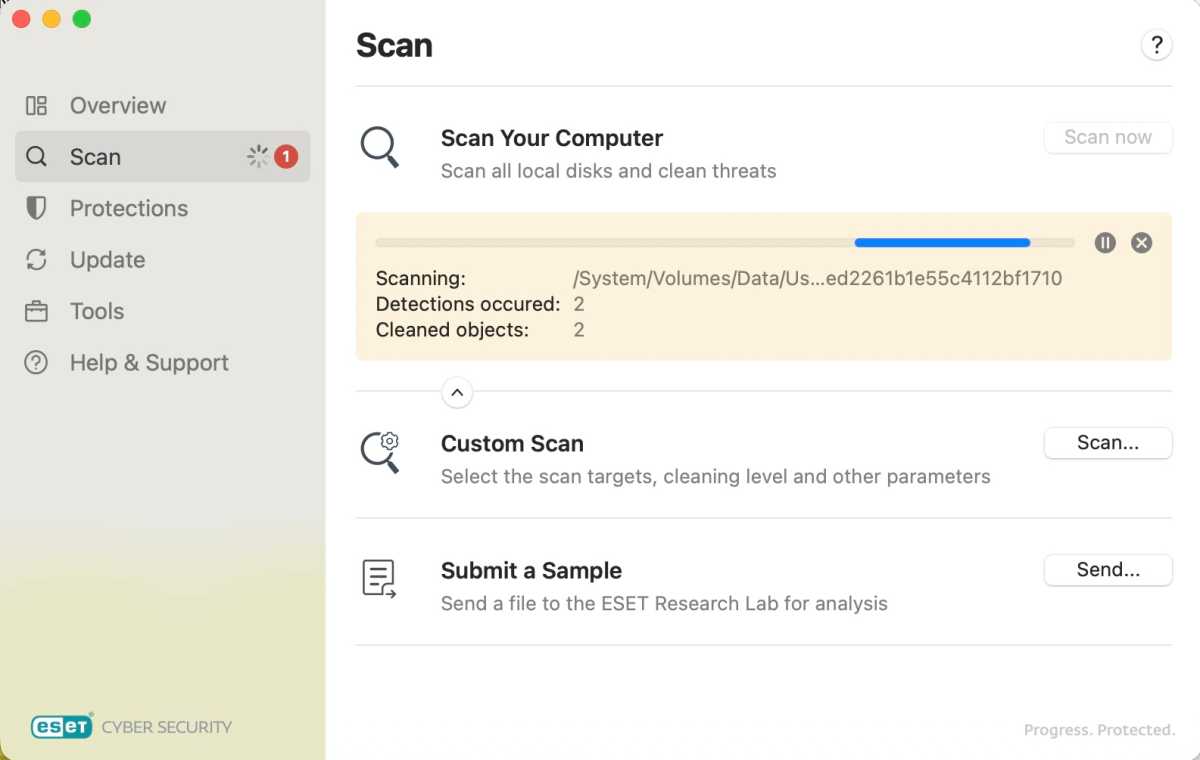
An ESET Cyber Security scan in progress
.
Foundry
Antiviral and anti-malware features have long been ESET’s bread and butter, and there was plenty to be impressed with here, even if its presentation could have used some improvement. A full scan of a local SSD with more than 800GB of data was completed in roughly four hours. The scans ran well in the background, and the application quickly and quietly removed suspect files as they surfaced, disabling the vast majority of malware before it became executable.
Throughout testing, ESET Cyber Security removed and/or quarantined more than 95% of the 130-plus malware samples tested. It quietly deleted suspect files in the background with little interruption to the user, helping to stop threats before they could cause damage. During testing it also allowed pseudo versions of popular applications such as Discord, Xcode and Transmission to be copied into the Applications folder, although macOS Gatekeeper and XProtect prevented them from launching.
Not every threat was completely eliminated. ESET allowed parts of the Conduit, CrateDepression (decimal.rs), DevilRobber, FinSpy, Inqtana, JacksBot, KandyKorn, Rubilyn, ShaiHulud and XCodeSpy malware samples to remain or launch development files. However, its overall detection rate was strong, and its antivirus and anti-malware protection dovetailed well with macOS Gatekeeper and XProtect, proving as effective as anything I had tested.
How good is the VPN?
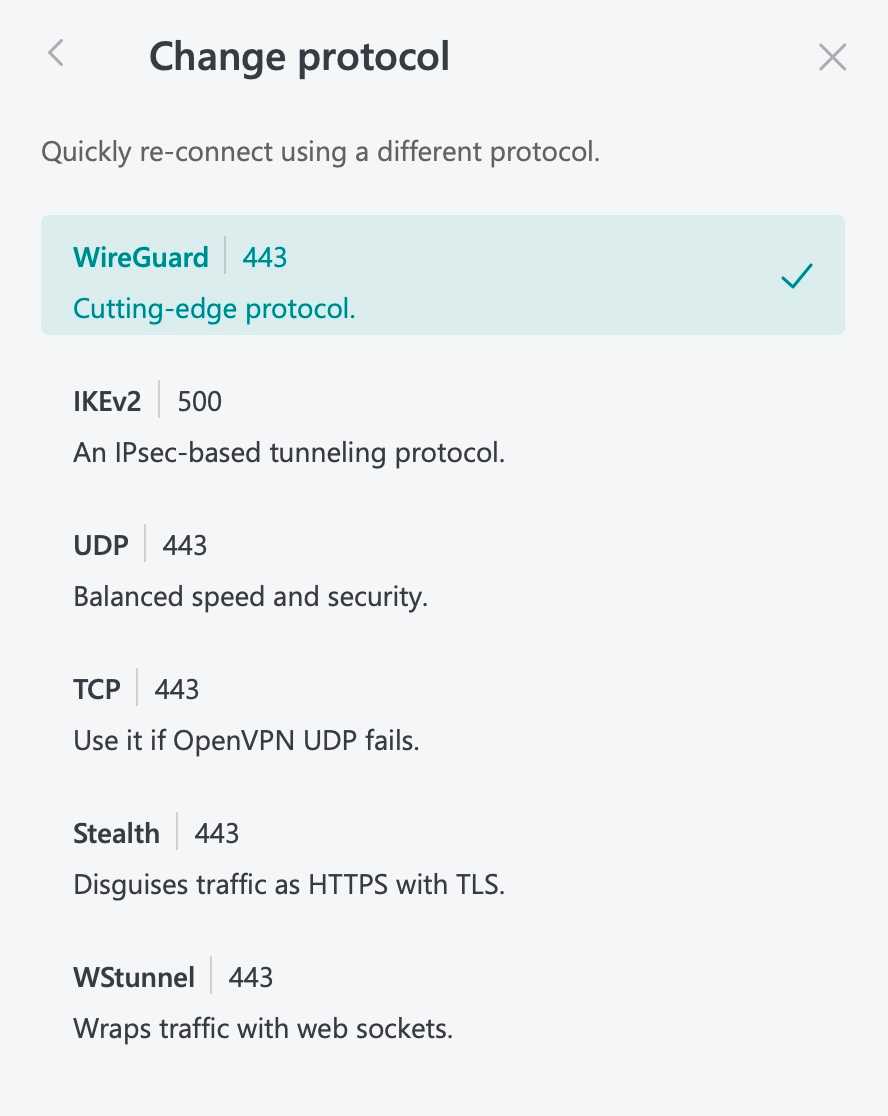
Choosing between protocols in ESET VPN
.
Foundry
The VPN client, which comes with the ESET HOME Security Ultimate tier, came out swinging and didn’t let up. The client came loaded with a healthy selection of VPN protocols that could be switched on the fly, including WireGuard, IKEv2, UDP, TCP, Stealth and WStunnel. During performance tests it streamed and downloaded well, offered easy geolocation switching, and delivered performance on par with many standalone VPN clients.
An impressive set of proxy and LAN settings geared towards routers offered auto-connect and Kill Switch features, while VPN for Router support extended protection beyond the Mac itself. The VPN implementation is one of the suite’s strongest features, providing a wide range of protocols, extensive configuration options, and performance comparable to dedicated VPN software.
How good is the phishing protection?
ESET Cyber Security’s anti-spam and anti-phishing features weren’t perfect, but they were still impressive and helped prevent the worst elements of an email’s spam folder from ruining the day. The filter caught most of the questionable links that were clicked, including casino links, purported Cash App payment scams, farm equipment discounts and other suspicious content.
The filter still allowed access to purported solar refund sites and ED medication pages claiming to be endorsed by Bill Gates. Even so, its performance proved more reliable than some competing products, and the feature conveyed the feeling that it would stop the worst of the junk and phishing attempts from coming back to haunt you.
Is ESET easy to use on a Mac?
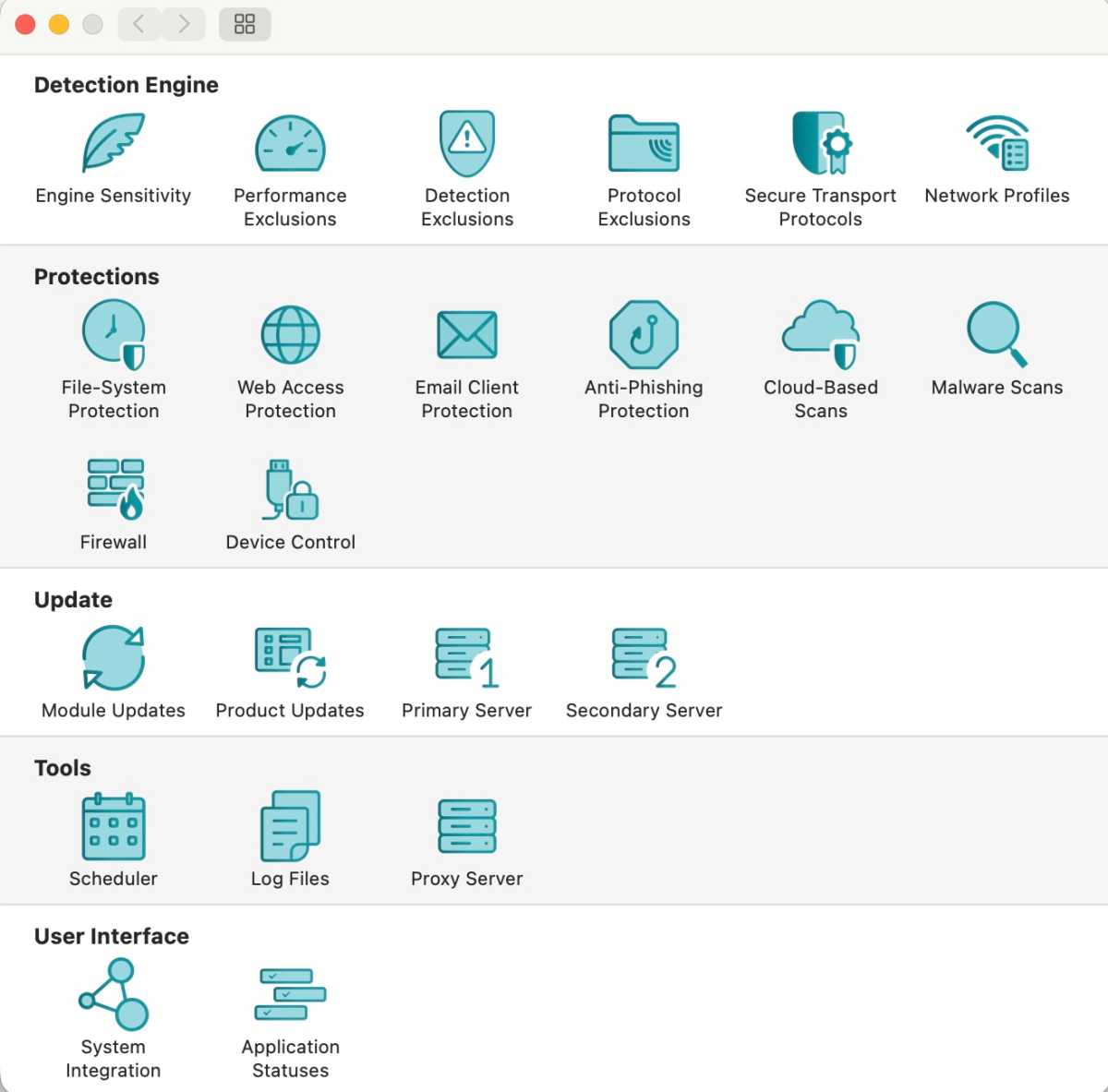
ESET Cyber Security’s copious Settings menus, which can be used to fine-tune the application
.
Foundry
ESET Cyber Security was fairly easy to install. After downloading, the application requested Full Disk Access along with kernel and network extension permissions to complete its setup. Once installed, it focused on a simpler set of tools than many competing security suites, concentrating on antivirus and anti-malware protection, a VPN client, and phishing and spam protection rather than trying to include every possible system utility.
The software proved straightforward to use day to day, with scans running well in the background and suspect files being quietly removed as they surfaced. However, its extensive array of settings made it particularly well suited to experienced users. The settings allowed control over almost every aspect of the software, including whitelists, malware tolerances, network functions and actions taken when questionable files were found. This administrator-level functionality offered exceptional flexibility, although it could feel unwieldy for casual or home users.
ESET Cyber Security’s Help & Support section may not offer the hippest interface in the universe, but it worked well and generally got the job done. Quick links from the home screen to the company’s help page, knowledge base and technical support sections addressed a good variety of general questions.
One omission is worth noting. The software lacked a quick link to ESET’s YouTube channel, which is full of useful tutorials. This seems like a quick fix waiting to happen, and offering handy links as needed could only make this section of the software stronger.
How well did ESET perform in testing
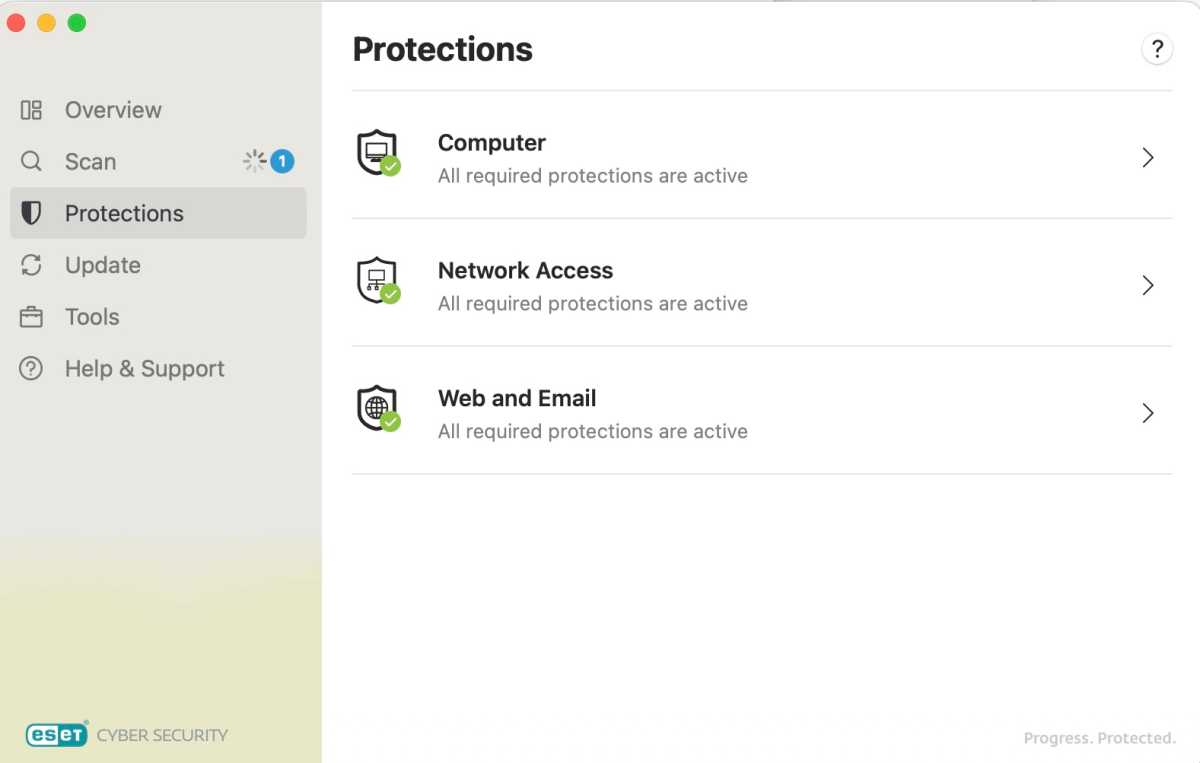
Setting up overall protections for the system
.
Foundry
ESET Cyber Security performed smoothly and reliably and there was little noticeable impact on the Mac during testing. The software ran well in both the foreground and the background, and, with the exception of a Discord compatibility issue, played nicely with everything on the test Mac. The antivirus and anti-malware scans weren’t the fastest the I’ve seen, but they were still quick, thorough and unobtrusive, and none of the background functions appeared to take a noticeable toll on system performance.
The full scan of a local SSD containing more than 800GB of data took about four hours, during which time ESET Cyber Security removed and/or quarantined more than 95% of the 130-plus malware samples tested. It quietly removed suspect files in the background as they surfaced, disabling the vast majority of malware before it became executable while allowing normal day-to-day use of the Mac to continue uninterrupted.
During performance tests the VPN streamed and downloaded well, offered easy geolocation switching, and supported a wide range of protocols including WireGuard, IKEv2, UDP, TCP, Stealth and WStunnel. The VPN’s performance and feature set is on par with many standalone VPN clients.
However, several bugs prevented it from feeling completely polished. The Scheduler function failed during multiple tests, the VPN required a macOS certificate to be reauthorized before it would work correctly, scan logs lacked useful detail and convenient export tools, and the software prevented Discord from updating and launching successfully, sending the application into an infinite loop that required the Mac to be rebooted to stop.
How we tested
Testing was performed on macOS Tahoe 26.6 using real-world malware detection, VPN evaluation, phishing protection, background performance analysis, and overall usability testing. More than 130 malware samples from the Objective-See archive were used to evaluate real-time detection and quarantine effectiveness.
What holds ESET back
While ESET Cyber Security performed well overall, there were some bugs to work out. The antivirus and anti-malware scan interface could have been more informative, lacking an elapsed timer, percentage complete readout and estimated time until completion. The scan logs were also limited, failing to clearly identify what malware had been detected or its potential effects, and there were no convenient import or export tools.
A macOS certificate had to be reauthorized before the VPN would work correctly, and the Scheduler function failed during multiple tests. The most significant compatibility issue occurred with Discord, as ESET Cyber Security prevented the application from updating and launching successfully, sending the process into an infinite loop that required the Mac to be rebooted to stop.
These bugs detracted from an otherwise powerful and highly configurable security suite. Clearly there is still some work to do.
How much does it cost and which ESET HOME plan should you buy?
The branding is a little confusing because, historically, you could purchase ESET Cyber Security as a standalone Mac antivirus application. Today, it is delivered through the ESET HOME Security subscription range.
You buy an ESET HOME Security Essential, Premium or Ultimate subscription, then download and activate ESET Cyber Security on your Mac. Depending on your subscription tier, additional features such as the VPN, file encryption and identity protection are unlocked.
There is usually an offer that reduces the price for the first year.
ESET HOME Security Essential
- Includes: Antivirus, Anti-phishing, Wi-Fi protection
- Starts at $49.99 for 1 device for 1 year
ESET HOME Security Essential is probably the sweet spot for most people, offering the antivirus and anti-phishing features along with a firewall, web and email scanning and more.
ESET HOME Security Premium
- Adds ESET LiveGuard cloud threat analysis and premium protection features.
- Starts at $79.99 for 1 device for 1 year
ESET HOME Premium isn’t great value for Mac users because some of its features are Windows only.
ESET HOME Security Ultimate
- Adds VPN, VPN for Router, Identity Protection and Ransomware Remediation, alongside the core antivirus and anti-phishing features
- Starts at $179.99 for 5 devices for 1 year
HOME Security ultimate is a good option if you want a premium VPN with your antivirus and want to protect more than one device.
Should you buy ESET HOME Security with ESET Cyber Security for Mac?
ESET HOME Security rings all the right bells, offering antivirus and anti-malware protection that dovetailed well with macOS Gatekeeper and XProtect, and, if you opt for the Premium or Ultimate tier, an impressive VPN client. Its extensive settings and level of customization made it particularly well suited to advanced users and administrators who wanted granular control over their security environment.
While several bugs prevented it from feeling completely polished, there was still plenty to like. Take advantage of the free 30-day trial, which requires no payment information, to see whether ESET Cyber Security is the right fit for your Mac.