Lightning ports were once ubiquitous across Apple’s iPhone and iPad line-up. Apple has switched fully to USB-C ports for its iPads, and from the iPhone 15 family onwards, the Lightning port is now replaced by USB-C.
But for iPhone versions 5 to 14, plus older AirPods cases and trusty Apple mice and keyboards, Lightning is the port you need a cable for.
- iPhone 14 and older: Lightning
- iPhone 15 and later: USB-C
For iPhones and older iPads that use the Lightning port, you can buy a cable that has a Lightning connector at one end and either full-size rectangular USB-A or the smaller, reversible USB-C connector at the other to plug into a charger. Using a USB-C charger rather than one with older USB-A allows for fast charging.
Here we pick the best Lightning charging cables, including some that work with both older Lightning devices and newer USB-C models.
If you still have a charger with a USB-A port, consider upgrading to a USB-C charger as iPhone fast-charging only works with a USB-C charger. The best setup for iPhones before the iPhone 15 is a USB-C charger and a USB-C to Lightning cable. Check out our tests for the best USB-C chargers for iPhone.
As most Apple users will agree, one phone-charging cable is never enough. Whether it gets damaged through wear and tear, or it is misplaced, borrowed or stolen, you can guarantee it is never there when you need it. Third-party Apple-certified cables are more expensive than many online alternatives but we highly recommend you buy a certified cable, because cheap third-party alternatives have a nasty habit of suddenly deciding to stop working with your device. Moreover, they can be dangerous—here are some good reasons why you shouldn’t buy a cheap Lightning cable.
There are exceptions, however, so a few of the cables recommended below have been tested by us but don’t have the MFi stamp of approval. These are clearly marked.
If you’re forever buying new cables, you might also want to consider a magnetic wireless charger, with traditional docks, stands and pads as well as portable wireless chargers with built-in batteries now available. All current-generation iPhones support wireless charging, but do note that this is a slower process than charging via a cable (depending on your cable and adapter). MagSafe-compatible wireless chargers output at 7.5W while certified MagSafe and Qi2 chargers double that to 15W, and the latest Qi2 25W wireless chargers are nearly as fast as charging via a cable.
iPhone 15/16/17 and USB-C iPad users should go to our roundup of the best USB-C charging cables for iPhone.
Best Lightning cables for iPhone and iPad in 2026
Apple Lightning to USB-C Cable – Apple’s own USB-C to Lightning Cable

Pros
- Made by Apple
- Fast charge
Cons
- Expensive
Best Prices Today:

- USB type: USB-C
- Length: 1m or 2m
- MFi: Certified
- Fast charge: Yes
To unlock Fast Charge on your iPhone you need a USB-C to Lightning cable (and at least an 18W adaptor). Apple’s variant might be one of the more expensive examples, but it’s also the most trustworthy, hailing direct from Apple itself. That said, Apple’s non-braided cables have a reputation for fraying and losing their pristine white color over time.
The standard cable that ships with most Apple products is the 1m cable ($19 /£19), but it’s also available at 2m ($29/ £29).
Apple Lightning to USB-A cable – Apple’s own USB-A to Lightning Cable

Pros
- Made by Apple
Cons
- No Fast Charge
- Expensive

- USB type: USB-A
- Length: 0.5m, 1m or 2m
- MFi: Certified
- Fast charge: No
Not as iconic as the white earbuds, but white and useful nonetheless, you might want to buy your Lightning cable direct from Apple. As a USB-A cable it won’t support Apple’s Fast Charge on iPhone, but it’s pretty handy none the less if you own a charger with the old rectangular USB-A port. We still recommend you upgrade to a USB-C charger and USB-C to Lightning cable.
It is available at half or double the standard 1m length (0.5m is the same price; 2m is a little extra). Either way, it’s still expensive compared to some third-party Lightning cables.
Do note that these Apple white cables often tend to go a nice shade of murky gray pretty fast, depending on your usage.
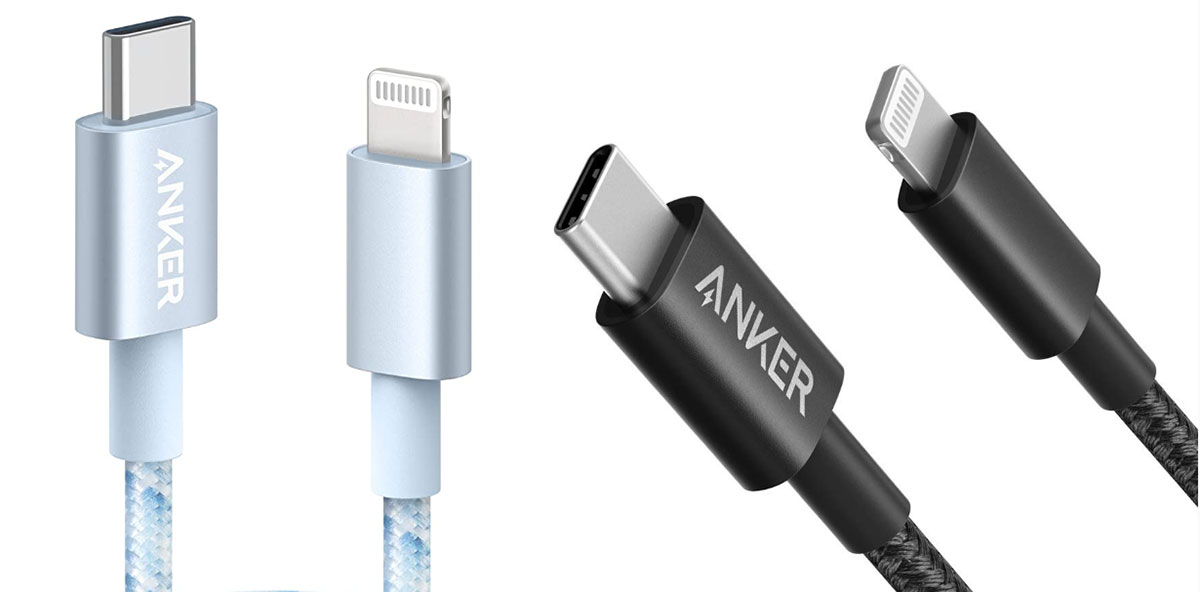
Anker 331 USB-C to Lightning Cable – Best budget USB-C to Lightning cable
Pros
- Super tough
- Affordable
- Fast Charge
- Color options
Best Prices Today:
- USB type: USB-C
- Length: 1m or 2m
- MFi: Certified
- Fast charge: Yes
Anker is one of the most trusted Apple-accessory brands, and it offers a wide range of USB to Lightning cables. The Apple-certified, nylon-braided Anker 331 USB-C to Lightning Cable is its budget offering but is still more robust than Apple’s cables and available in a wider choice of lengths (from 1m to 2m) and colors (Black, Silver, Blue and Red).
Anker claims that the 331 cable can withstand up to 12,000 bends. The Anker 762 USB-C to Lightning Cable ups that claim to 35,000 bends.
Remember that you need a USB-C to Lightning cable like this one for fast-charging iPhones older than the iPhone 15.
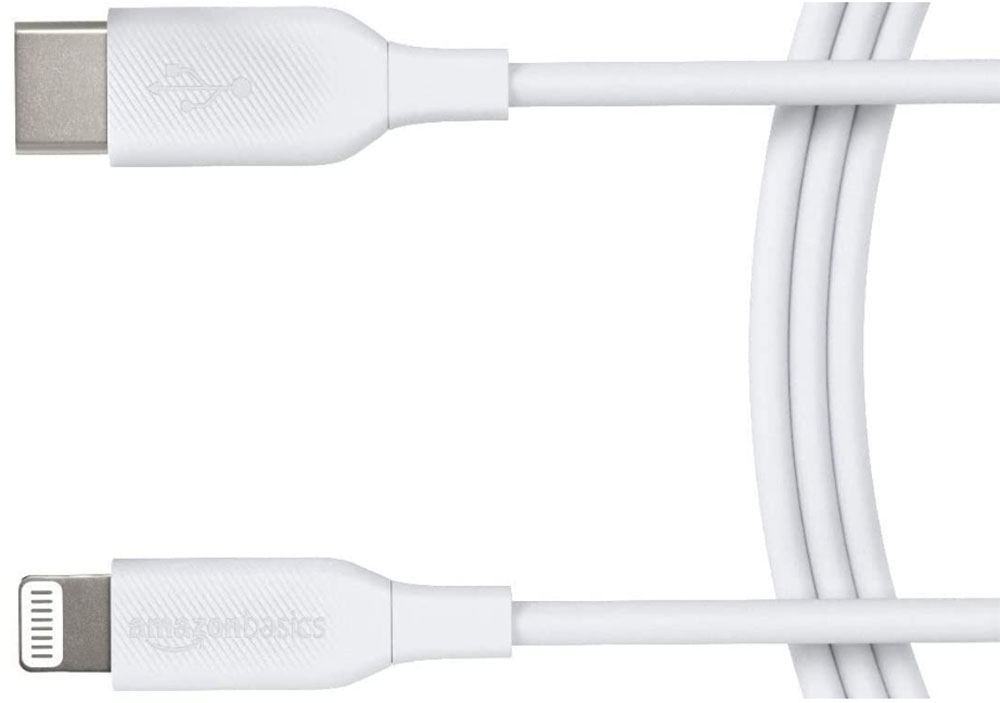
Amazon Basics USB-C to Lightning Cable – Best basic USB-C to Lightning cable
Pros
- Affordable
- USB-C for Fast Charge
- Multiple colors and lengths
Best Prices Today:
- USB type: USB-C
- Length: 0.3m, 0.9m or 1.8m
- MFi: Certified
- Fast charge: Yes
Products in the AmazonBasics range just work and they’re very cheap to boot. Cheap does not mean bad though—Basics’ 1.82m cable is cheap, and if you can find the shorter variant in stock it’s even cheaper.
Amazon does note that it works with ‘nearly all cases’, so you may want to double-check, but we doubt this would be a problem for most accessories.
It’s available in white or black and red, in most regions.
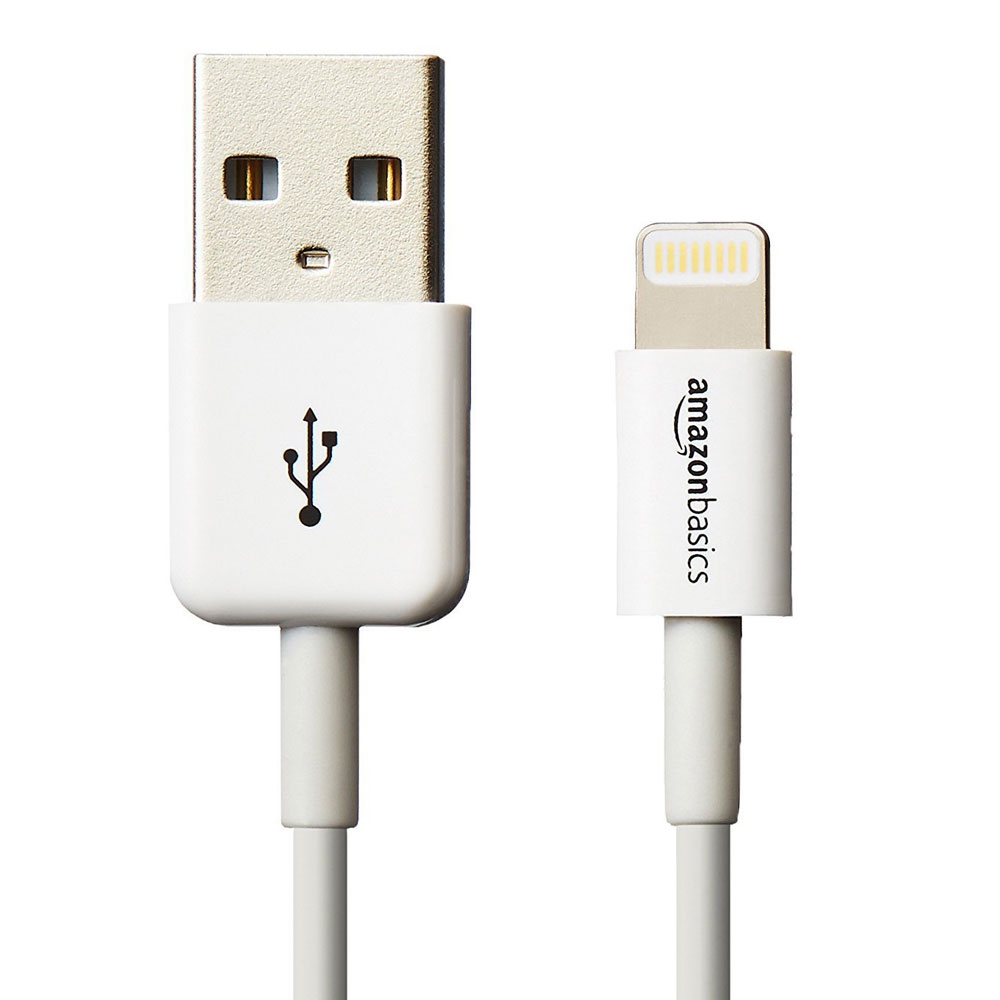
AmazonBasics Lightning cable – Best basic USB-A to Lightning cable
Pros
- Affordable
- Multiple colors and lengths
Cons
- No Fast Charge
Best Prices Today:
- USB type: USB-A
- Length: 0.3m, 0.9m or 1.8m
- MFi: Certified
- Fast charge: No
For older chargers, this is a decent affordable USB-A to Lightning cable available in various lengths and in black or white. It’s USB-A so not a Fast Charge option like the USB-C version.
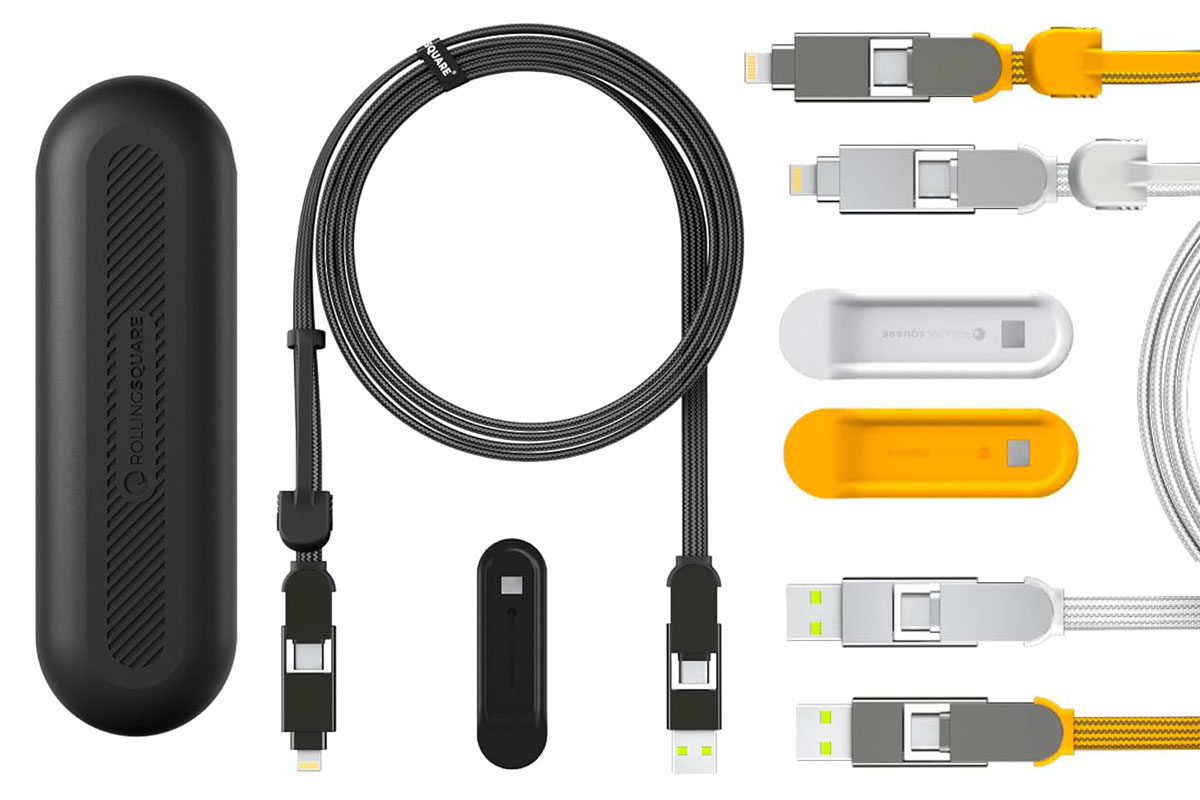
Rolling Square inCharge XL 6-in-1 – Best USB/Lightning combo cable
Pros
- Fast charges nearly everything
- Travel pouch with longer models
- Three color options
Best Prices Today:
- USB type: USB-C or USB-A
- Length: 15cm, 30cm, 2m or 3m
- MFi: Certified
- Fast charge: Yes
This magic cable has USB-C or USB-A at the charging end, and USB-C or Lightning at the other, so it should sort out all your device charging—especially as the Lightning connector is cleverly combined with MicroUSB.
It’s available in white, black or yellow.
Read our full
Rolling Square inCharge XL 6-in-1 charging cable review
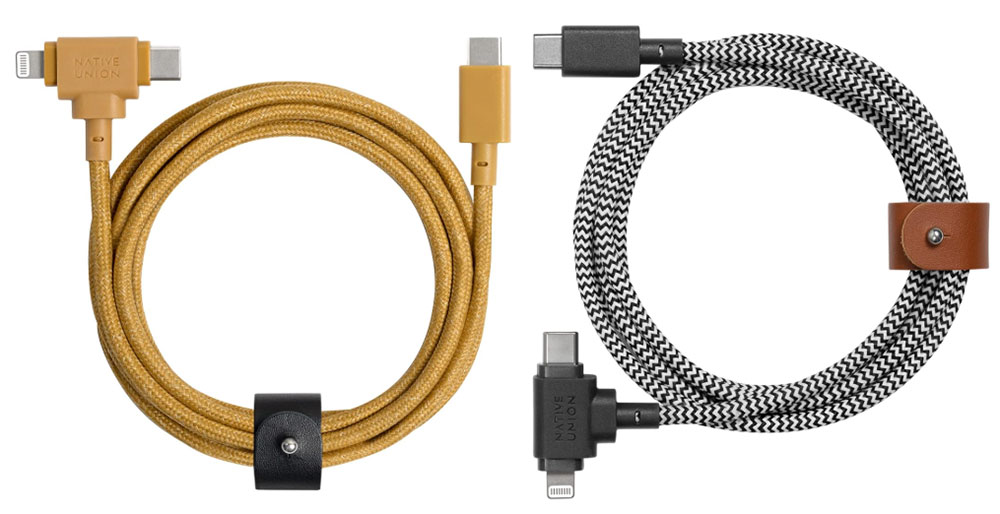
Native Union Belt Cable Duo USB-C to Lightning and USB-C Cable
Pros
- USB-C or Lightning connectors
- Robust cable
- Color options
Best Prices Today:
- USB type: USB-C
- Length: 15cm, 30cm, 2m or 3m
- MFi: Certified
- Fast charge: Yes
Five foot long, braided for toughness and available in snazzy shades of gray, green and yellow, the Native Union Belt Cable Duo gives you the choice between a USB-C and Lightning connector at one end of the cable. This is a great solution for people with a mixture of device connectors. It can charge at up to 60W, so is even capable for charging your MacBook.
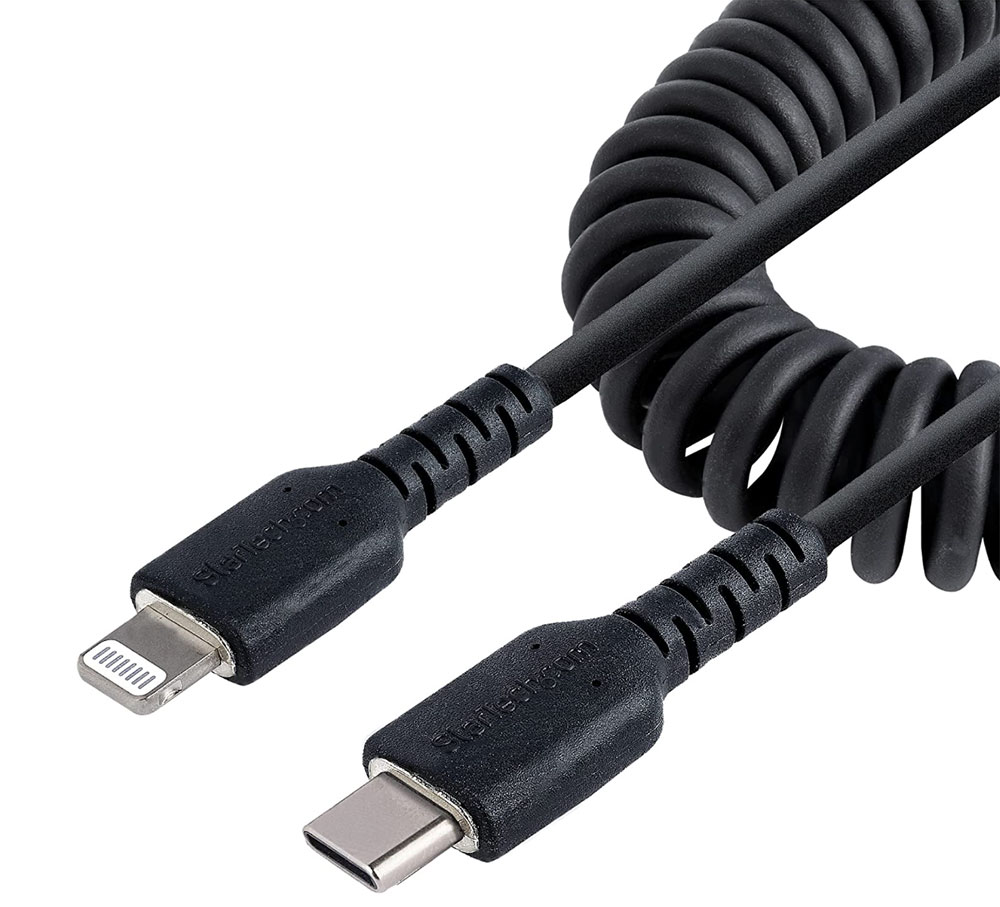
StarTech.com USB-C to Lightning Cable – Best coiled USB-C to Lightning cable
Pros
- Compact and tangle-free
- USB-C for Fast Charge
Best Prices Today:
- USB type: USB-C
- Length: 0.5 m or 1m
- MFi: Certified
- Fast charge: Yes
One way to avoid cable snakes is a coiled cable that takes up less space on your desk or wherever you lay it.
This coiled Lightning cable from StarTech.com is available with either USB-A or USB-C but USB-C to Lightning is better for Fast Charge, and in either 50cm/20in or 1m/3ft lengths.
The shorter cable extends to 50cm/20in and contracts to 32cm/12.5in. The longer version extends to 1m/3.3ft (1m) and contracts to 38cm/1.2ft.
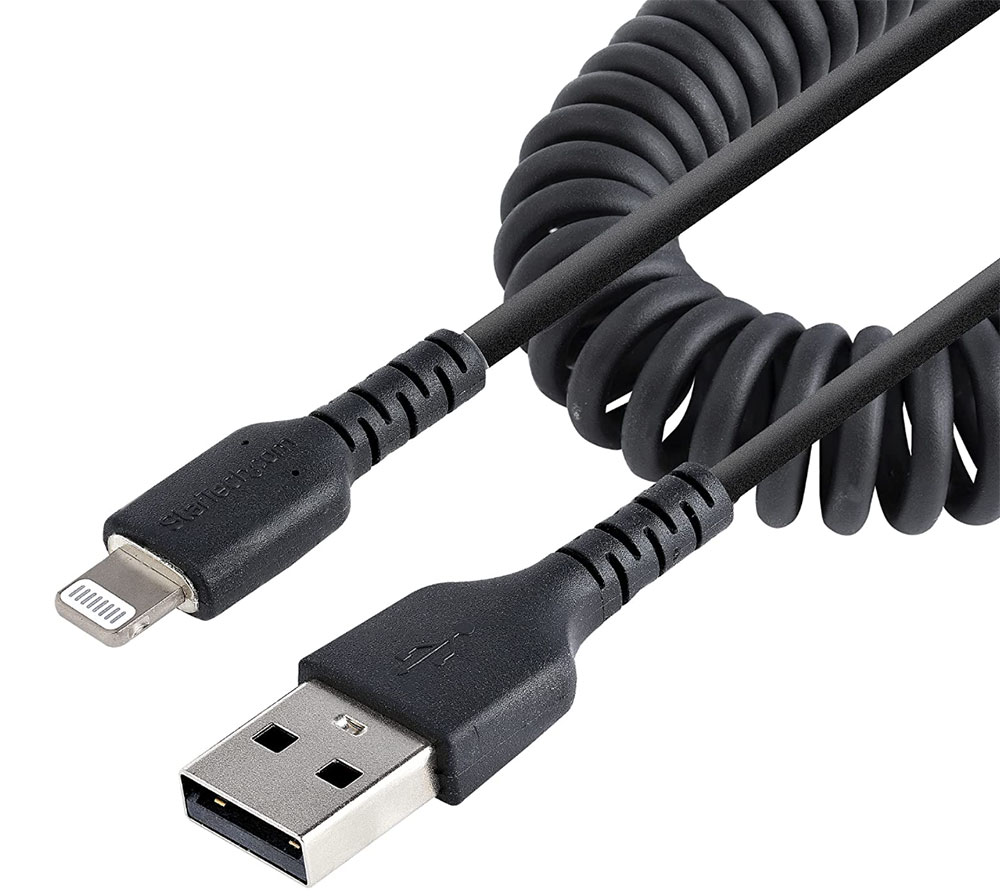
StarTech.com USB to Lightning Cable – Best coiled USB-A to Lightning cable
Pros
- Compact and tangle-free
Cons
- No Fast Charge
Best Prices Today:
- USB type: USB-A
- Length: 0.5 m or 1m
- MFi: Certified
- Fast charge: No
This coiled Lightning cable with USB-A at the other end fits older chargers but doesn’t support Apple’s Fast Charge like the USB-C version does.
Like its more modern sibling, it is available in either 50cm/20in or 1m/3ft lengths. The shorter cable extends to 50cm/20in and contracts to 32cm/12.5in. The longer version extends to 1m/3.3ft (1m) and contracts to 38cm/1.2ft.
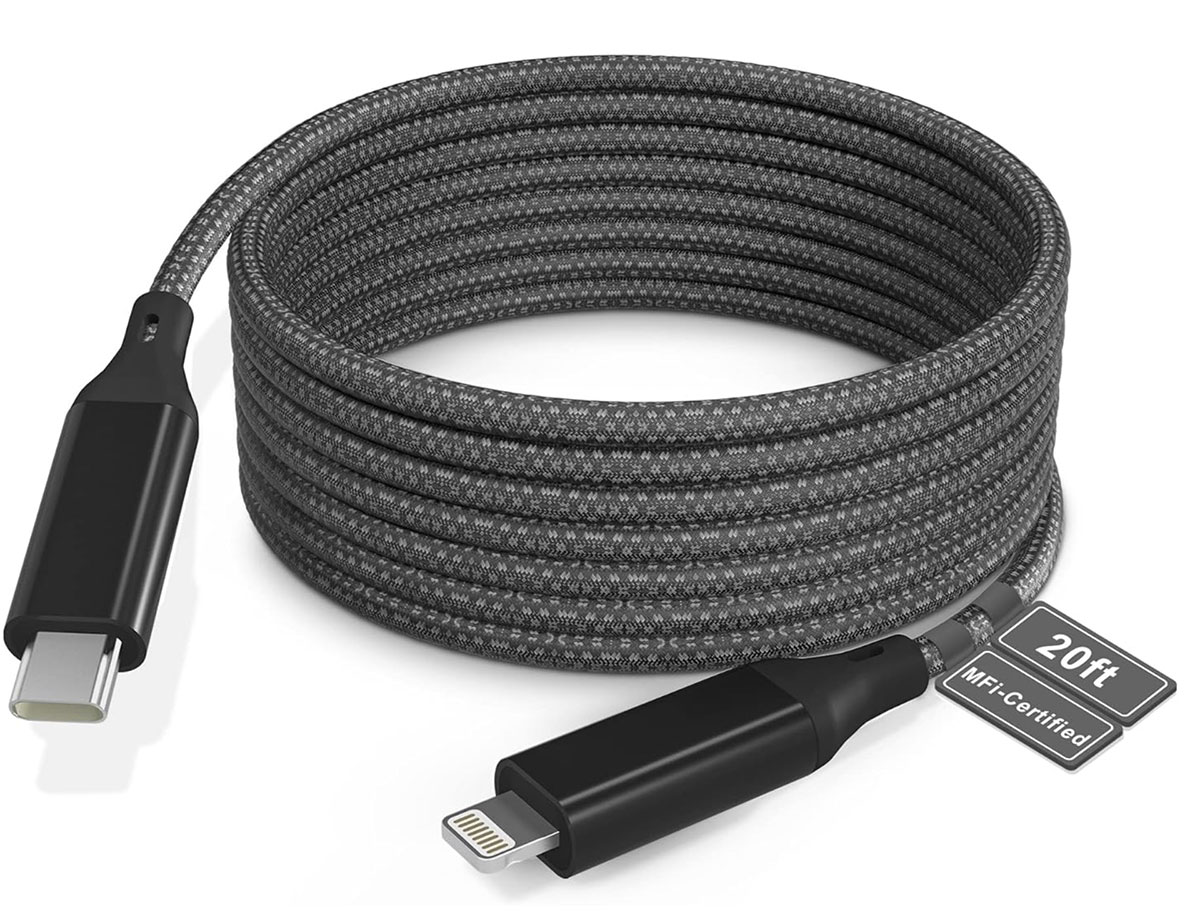
Bawanfa Extra Long Lightning Cable – Best long Lightning cable
Pros
- Long
- Color options
Best Prices Today:
- USB type: USB-A
- Length: 6m (20ft)
- MFi: Certified
- Fast charge: Yes
This Lightning cable is an amazing 6m (that’s 20-feet) long. If the plug outlet in your room of choice is further away from your sprawling place of choice then this is the answer.
It’s also handy for passing round in a car. The thicker than Apple cable is more durable and should last you a while.
If you really must stick with a slower USB-A charger, there is a 20-foot USB-A to Lightning cable version.
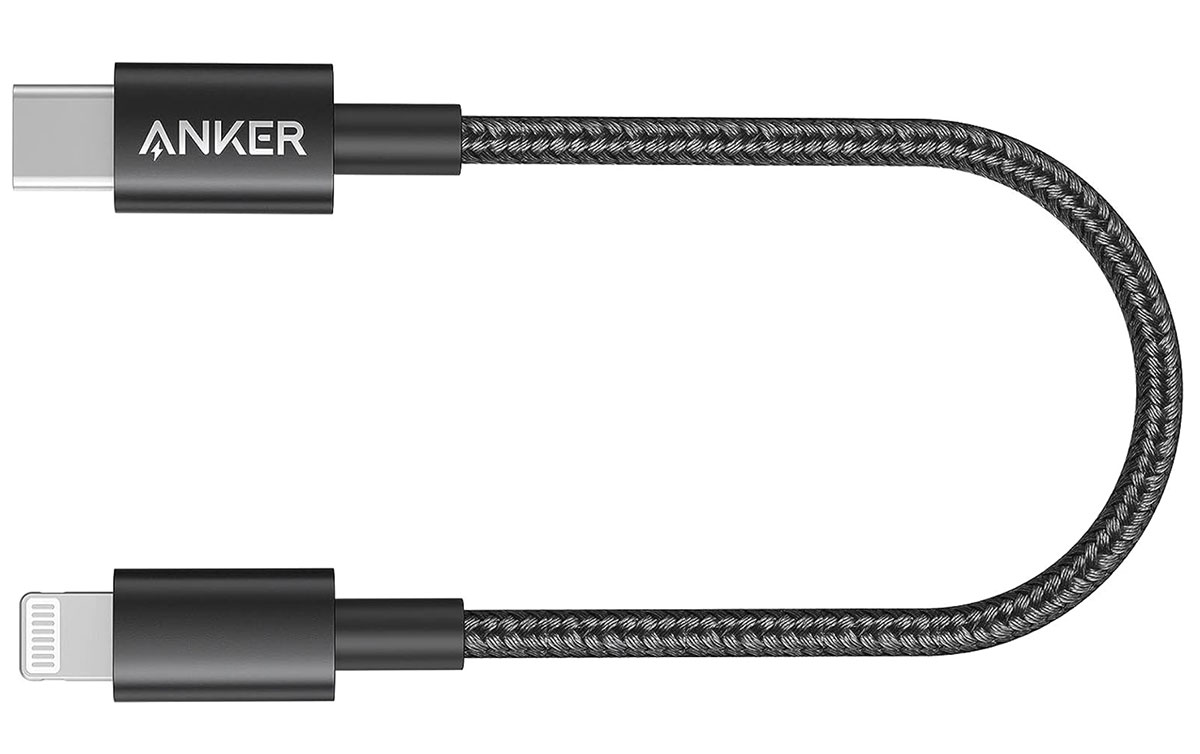
Anker New Nylon USB-C to Lightning Cable
Pros
- Short and tangle-free
Best Prices Today:
- USB type: USB-C
- Length: 0.3m (1ft)
- MFi: Certified
- Fast charge: Yes
You know what? Sometimes you just need a short cable, rather than a skinny python snaking over your desk.
One of the best short Lightning cables we’ve seen is from Anker, it’s just a foot long, and it’s MFI certified.
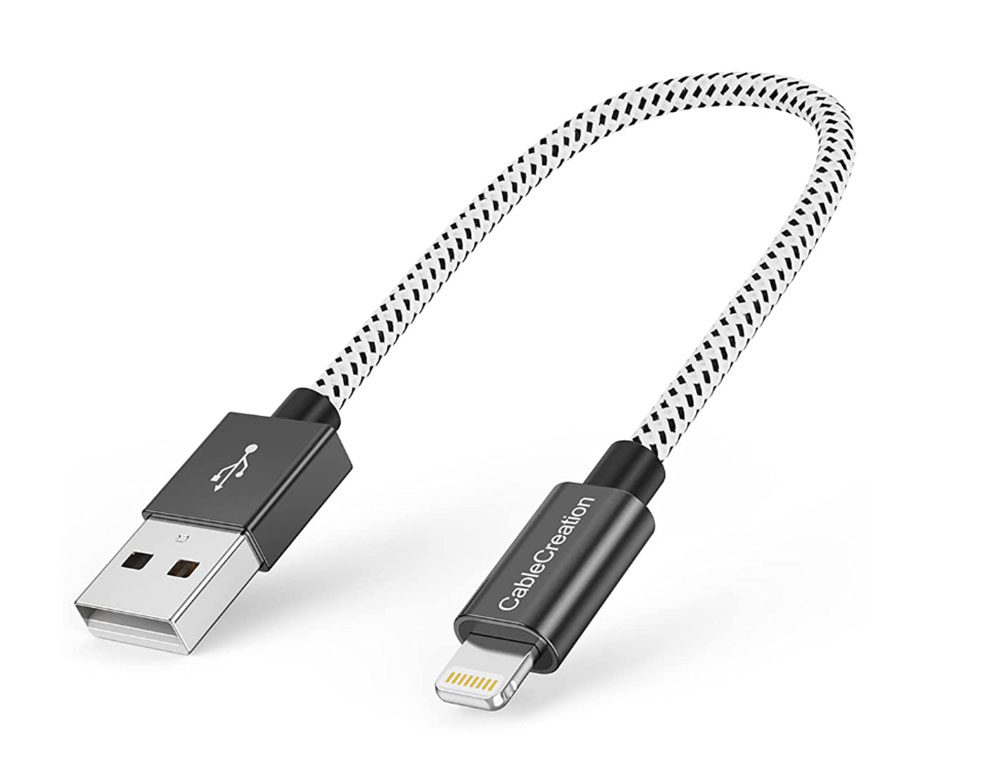
CableCreation Short iPhone Charger Cable – Best short USB-A to Lightning cable
Pros
- Short
- Color options
Cons
- No Fast Charge
Best Prices Today:
- USB type: USB-A
- Length: 15cm
- MFi: Certified
- Fast charge: No
This USB-A to Lightning cable from CableCreation is MFI certified but won’t support iPhone Fast Charge as it has USB-A at the other end.
It’s 15cm (6in) long, and available in either black-&-white, black or rose gold depending on which Amazon store you are buying from.
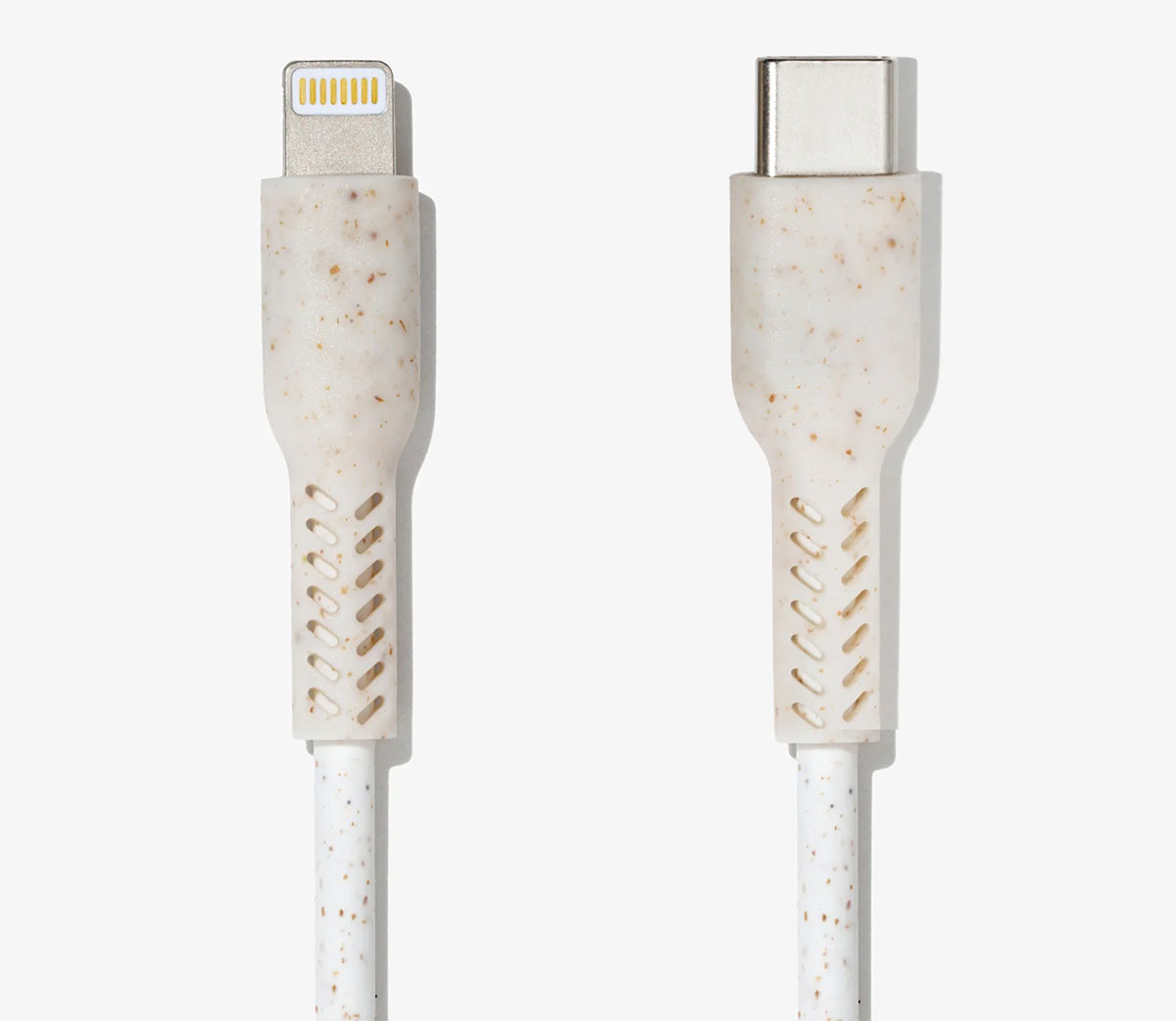
Wave Bio-Based Lightning Charging Cable – Best eco-friendly Lightning cable
Pros
- USB-C for Fast Charge
- Eco friendly
Best Prices Today:
- USB type: USB-C
- Length: 1m
- MFi: No
- Fast charge: Yes
The exterior of these USB-C to Lightning cables is constructed using plant-based materials, thus reducing a reliance on petroleum-based plastics like thermoplastic elastomer (TPE).
The packaging is recyclable (the bio-based cables are secured by a recyclable paper sleeve) and even the shipping is carbon neutral, offsetting the CO2 produced.
Shipping outside the UK is an extra US$6.30 or €6, but if you value the planet that’s not a lot to pay.
Wave also makes a USB-A to Lightning version of the cable, but remember that this won’t support fast charging like the USB-C to Lightning cable.
The cables are not yet MFi certified but could be at a later date, depending on demand.
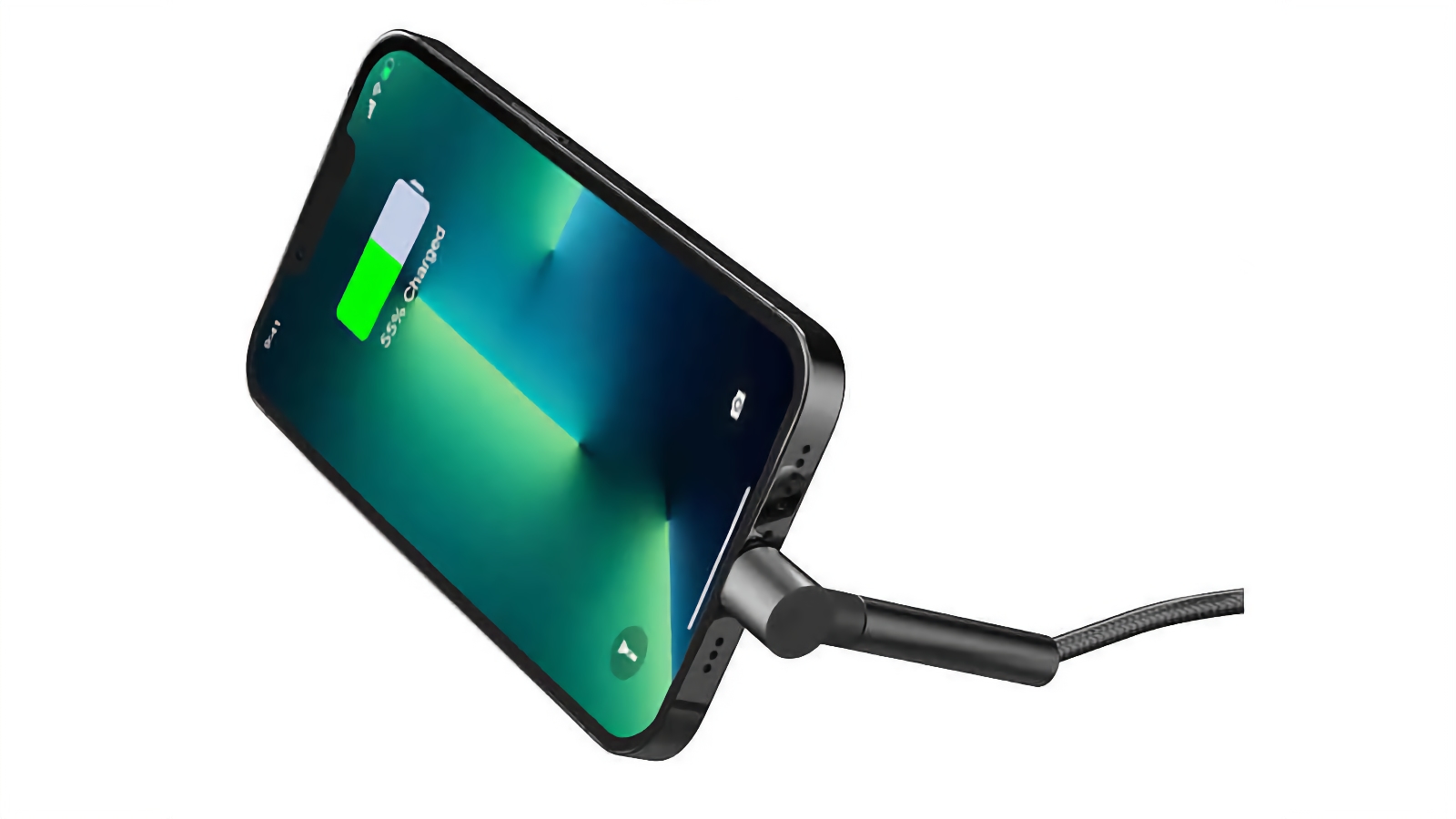
RapidX Lightning Charging Cable Stand – Best Cable/Stand hybrid
Pros
- Acts as stand
Cons
- Landscape mode only for stand
- USB type: USB-C
- Length: 1.2m
- MFi: No
- Fast charge: Yes
Most cables just do one or two things: charging and data transfer or both. The RapidX 2-in-1 Lightning Charging Cable can also be used as a phone stand—great for streaming movies or making FaceTime calls while charging your phone. The stand works in landscape mode only.
The 4-foot braided nylon jacket is made from recycled materials, such as fishing nets and textile production waste. It has USB-C on one end and Lightning on the other,
USB-A vs USB-C: Which Lightning cable should I buy?
Fast Charge on an iPhone (available on iPhone 8 and above) can be achieved only when using a USB-C to Lightning cable, and pairing it with either an 18W or higher charger or a third-party model that supports Power Delivery. See our roundup of the best iPhone chargers.
A USB-A to Lightning cable will charge your iPhone more slowly, regardless of what adapter it is paired with.
It is true that there are also some differences between USB-C and USB-A when it comes to data-transfer speeds, with only USB-C able to accommodate the latest USB4 standard, which can achieve Thunderbolt 3/4-equivalent speeds of 40Gbps. Regardless, Lightning can carry only 480Mbps (akin to USB 2.0 speed), making this a moot point for this batch of cables. Thunderbolt 5 is backwards compatible with USB-C and can handle data transfers of up to 120Gbps.
Identical in design to Thunderbolt, USB-C is a conveniently reversible and future-proofed connector. But USB-A remains commonplace and, for that, it is still sought after by iPhone and iPad users.