At a glance
Expert’s Rating
Pros
- Two integrated chargers
- Adjustable iPhone stand Lift option
- High-quality workmanship
- Not just for Apple products
Cons
- Slow 7.5W iPhone charger
- Expensive
- No space for accessories
Our Verdict
If you work on the go a lot, the Journey Nexa is a fantastic protective laptop sleeve for your MacBook—provided you are willing to pay its price. The workmanship is outstanding, and there are two integrated wireless chargers for the iPhone and AirPods. A new Nexa Lift version is even better with a superior adjustable iPhone charger.
Price When Reviewed
This value will show the geolocated pricing text for product undefined
Best Pricing Today

Best Prices Today: Journey NEXA 4-in-1 Laptop Sleeve with Wireless Charging
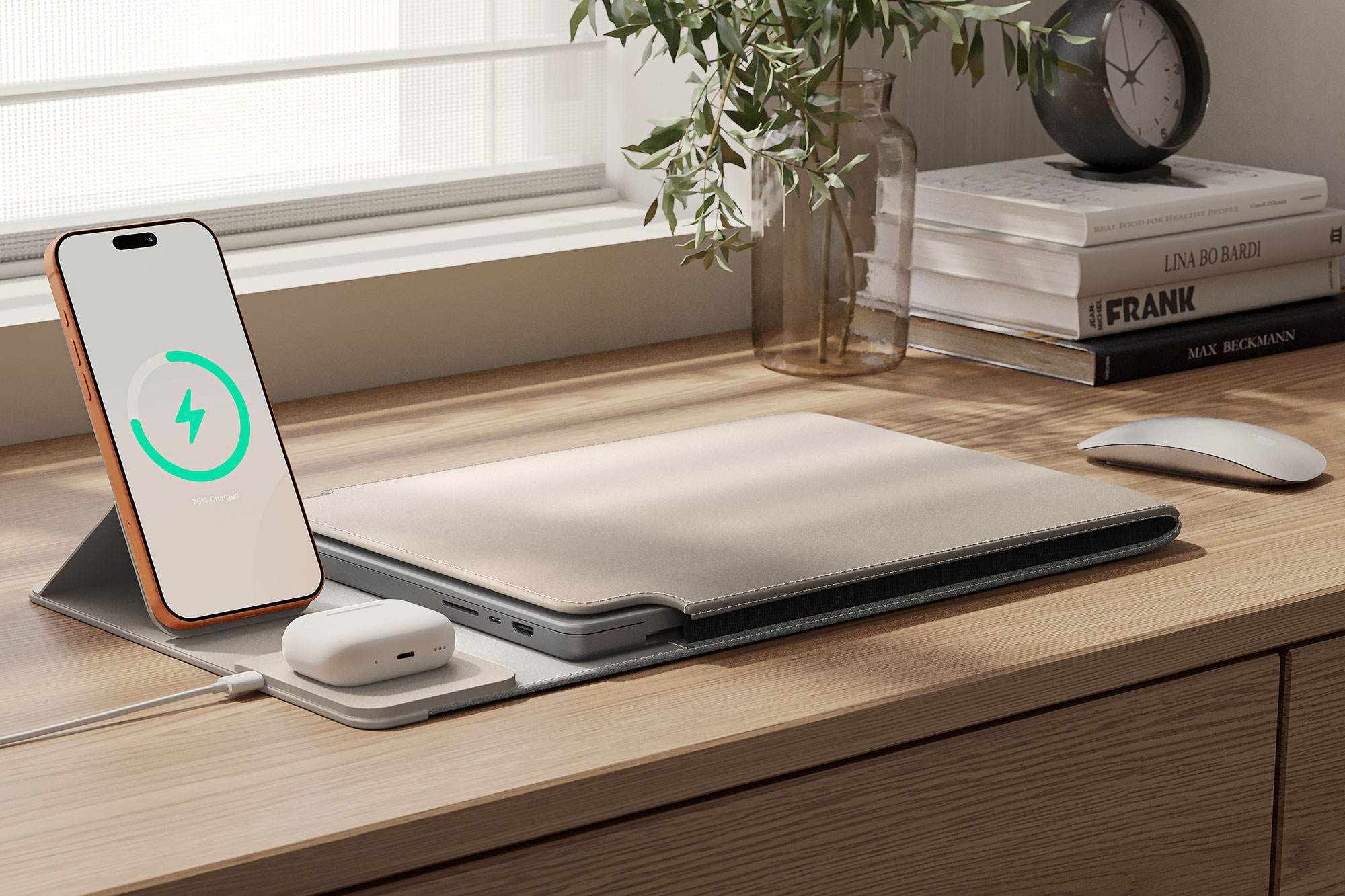
Every few years, there’s a gadget that makes us think, “Yes, that’s brilliant, I want that!”
And at the end of 2023, it was the Journey Nexa, a laptop sleeve made of vegan leather and other materials. Relatively inconspicuous at first glance, it has an incredibly clever trick at second glance: two wireless chargers integrated into the protective cover, on which you can charge a smartphone and wireless headphones (or two smartphones very, very slowly).
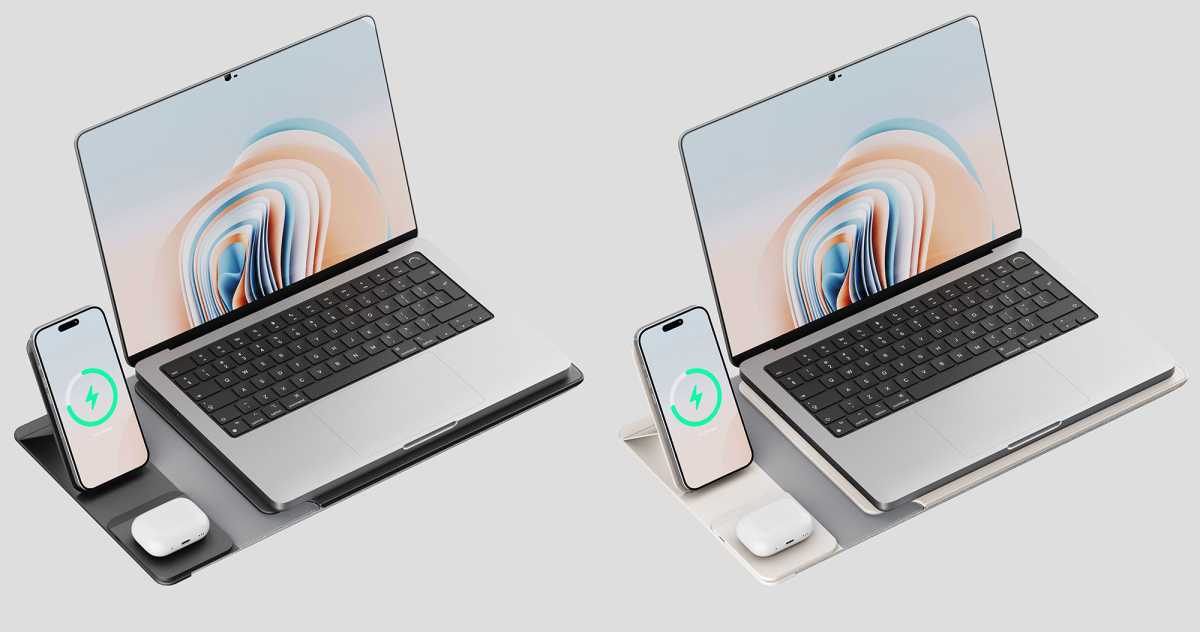
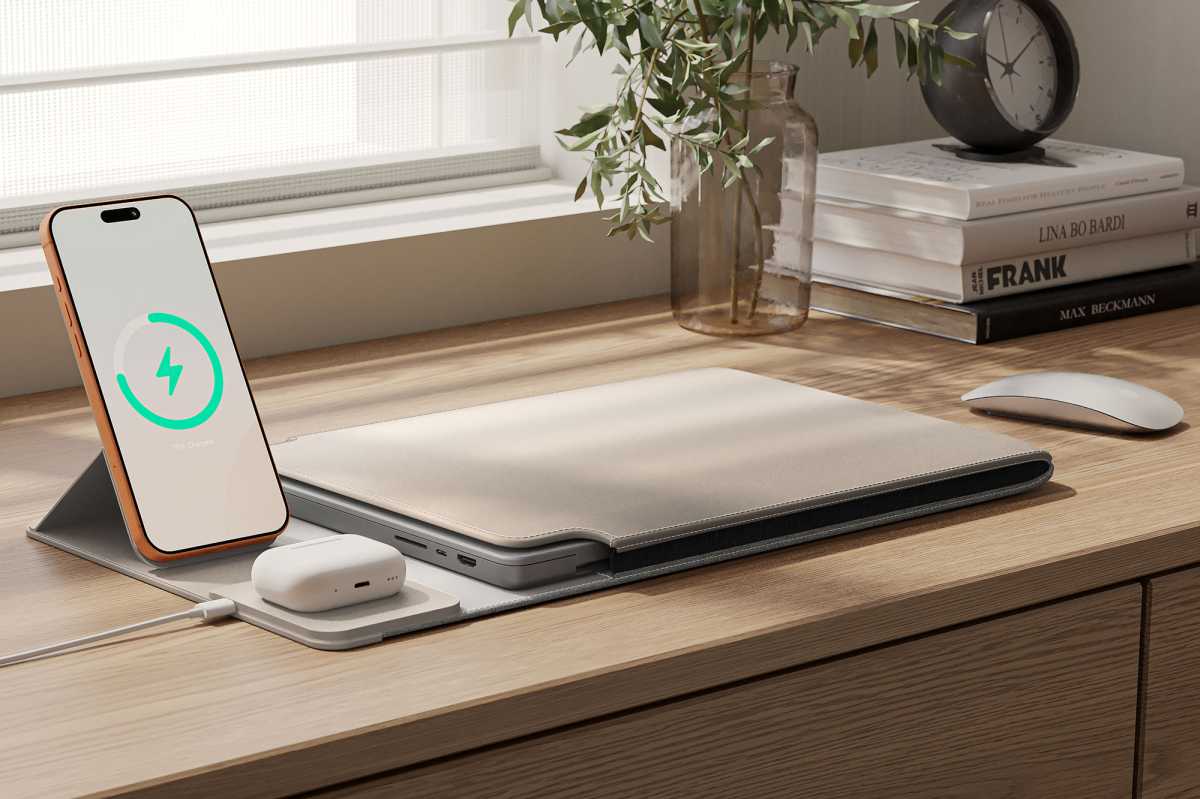
A new Nexa Lift version incorporates a more adjustable and faster 15W iPhone charging stand that folds down when you’re carrying your MacBook in the sleeve.
The Nexa laptop sleeve is a mobile office dream. It is the mobile counterpart to the multifunctional desk pad Journey Alti, which in turn is more suitable for fixed workstations.
There are two main version: the standard Journey Nexa (Gen 2) with flat charging pads (from $139 / £99) and latest Journey Nexa Lift with an adjustable iPhone-charging viewing stand (from $149 / £109).
Eugen Wegmann
Journey
Journey Nexa: Design & workmanship
- Two sizes, two colors
- Two versions
- High-quality workmanship
- No space for accessories
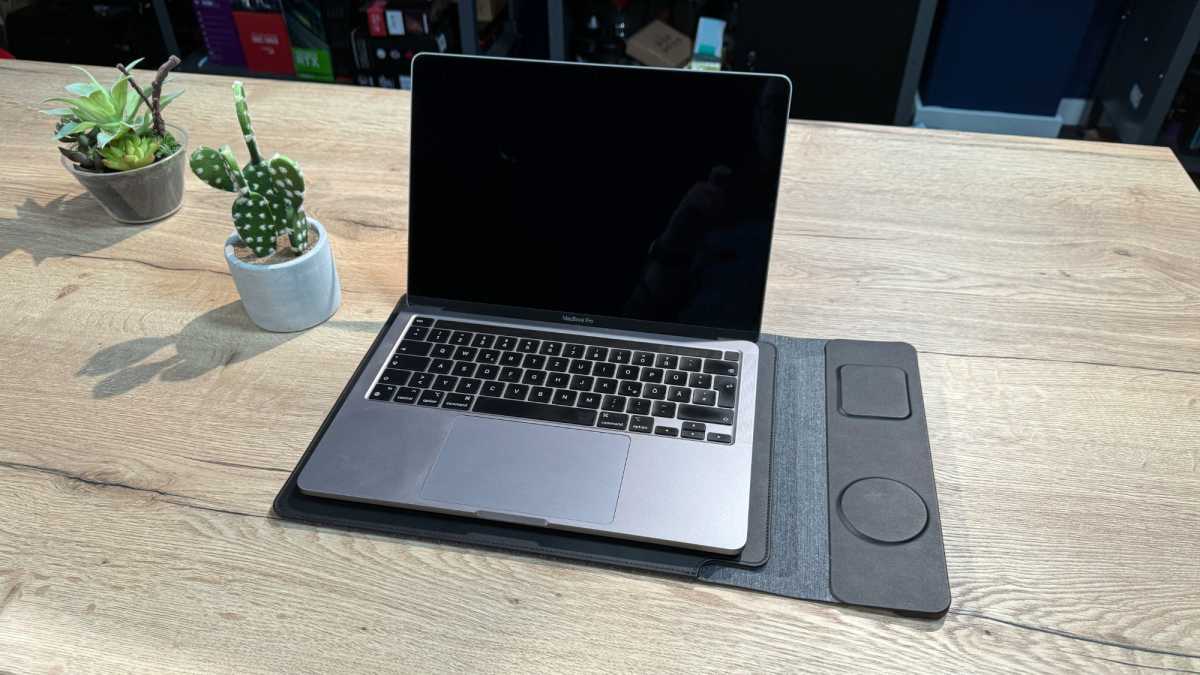
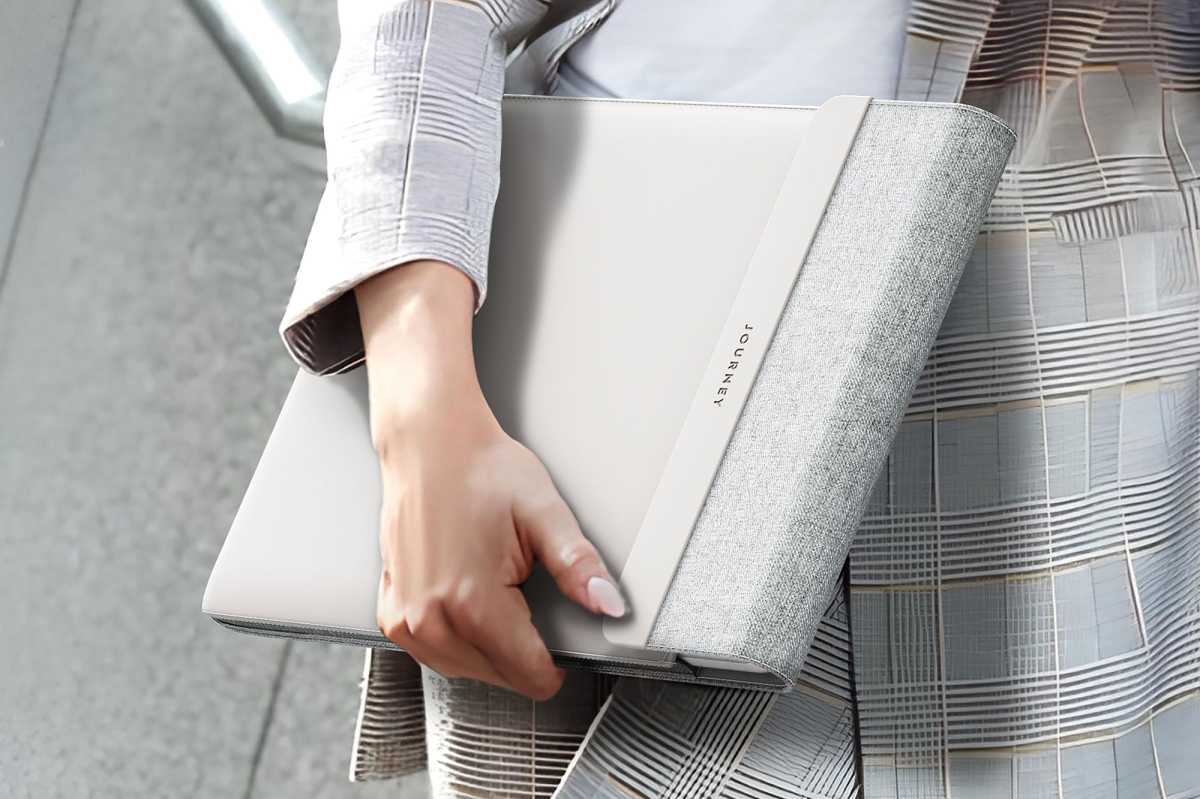
The Journey Nexa looks classy but is still largely inconspicuous. Both the standard Nexa and Nexa Lift come in two versions: for 13/14-inch and 15/16-inch laptops—basically, all Apple laptops. You can choose between two colors, Black and Dove Grey. In this review, I took a close look at the smaller black version made to fit a 13-inch M1 MacBook Pro. We also looked at the grey Lift version for the larger laptops.
Eugen Wegmann
The workmanship is simply great. The seams are clean, there are no creases or other noticeable quirks, and the materials feel very high-quality.
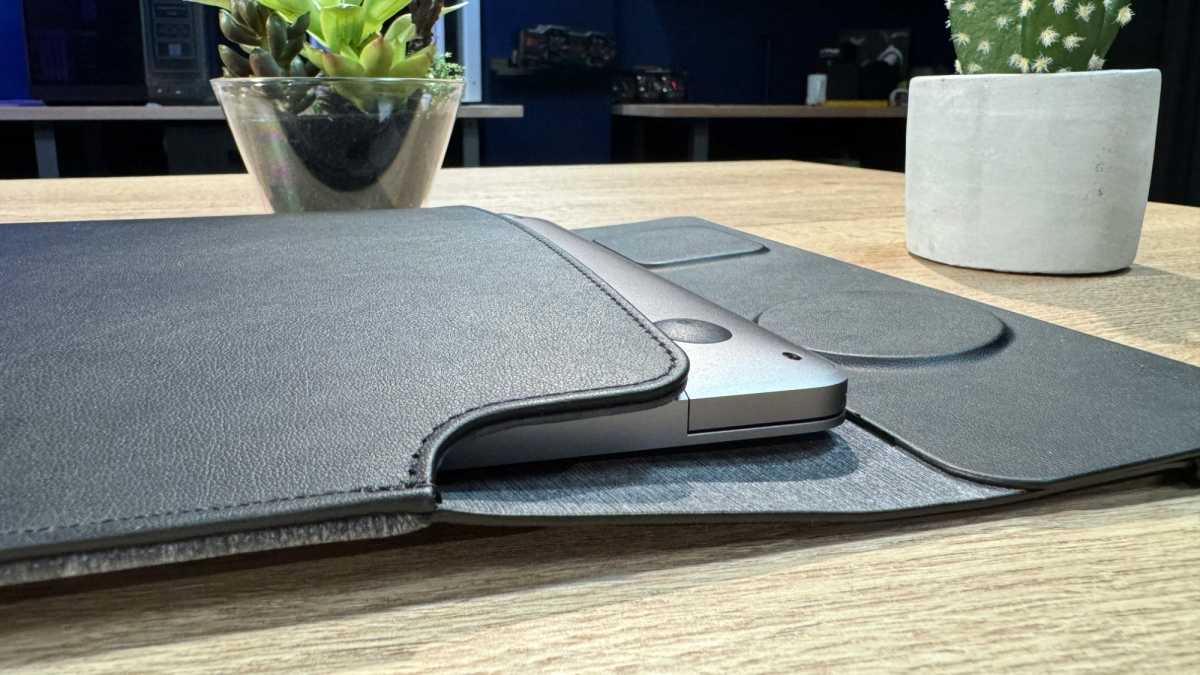
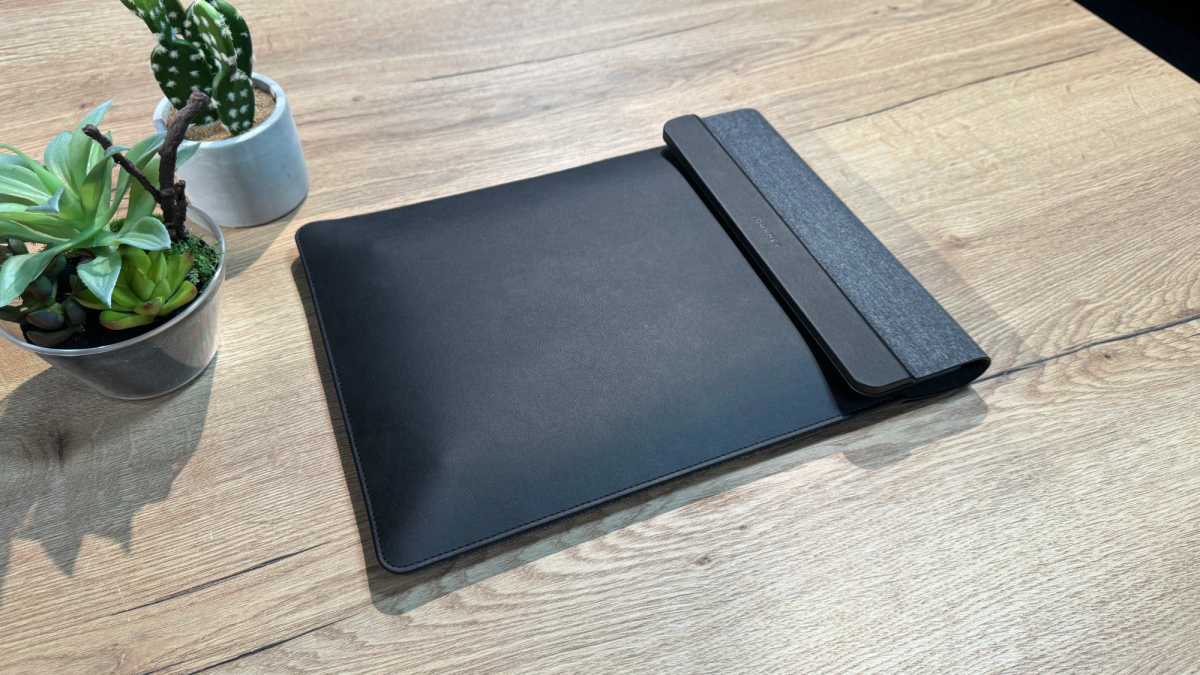
The case consists of two halves sewn together and therefore spreads open like a large envelope when opened. The surface of the lower half is made of a kind of textile, and the upper half of artificial leather. The lower half is significantly longer, because at its end is the flap with the two chargers, which is also covered with imitation leather and holds magnetically to the other half when closed.
The Nexa is generally designed so that it lies on the textile-like side with the leather side facing upwards, as this is the only way the chargers will also face upwards.
The element with the chargers is relatively thick: while the base is slightly thicker than a USB-C port, a few millimeters are added for the two chargers that protrude from the flap.
Journey
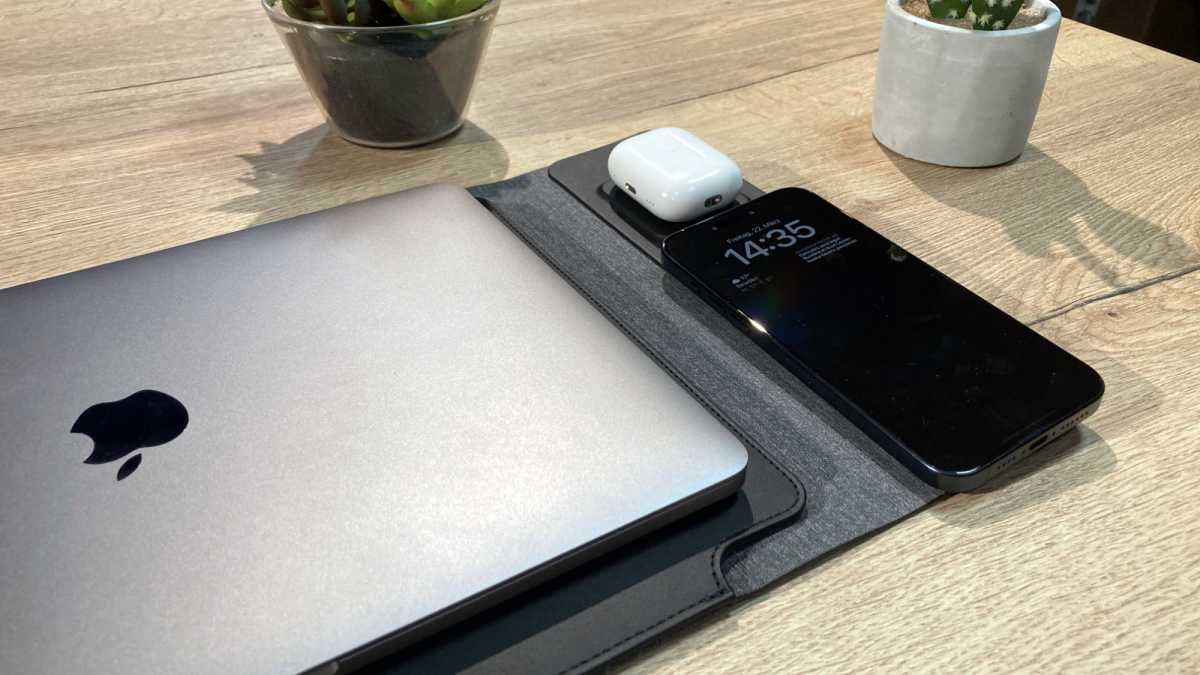
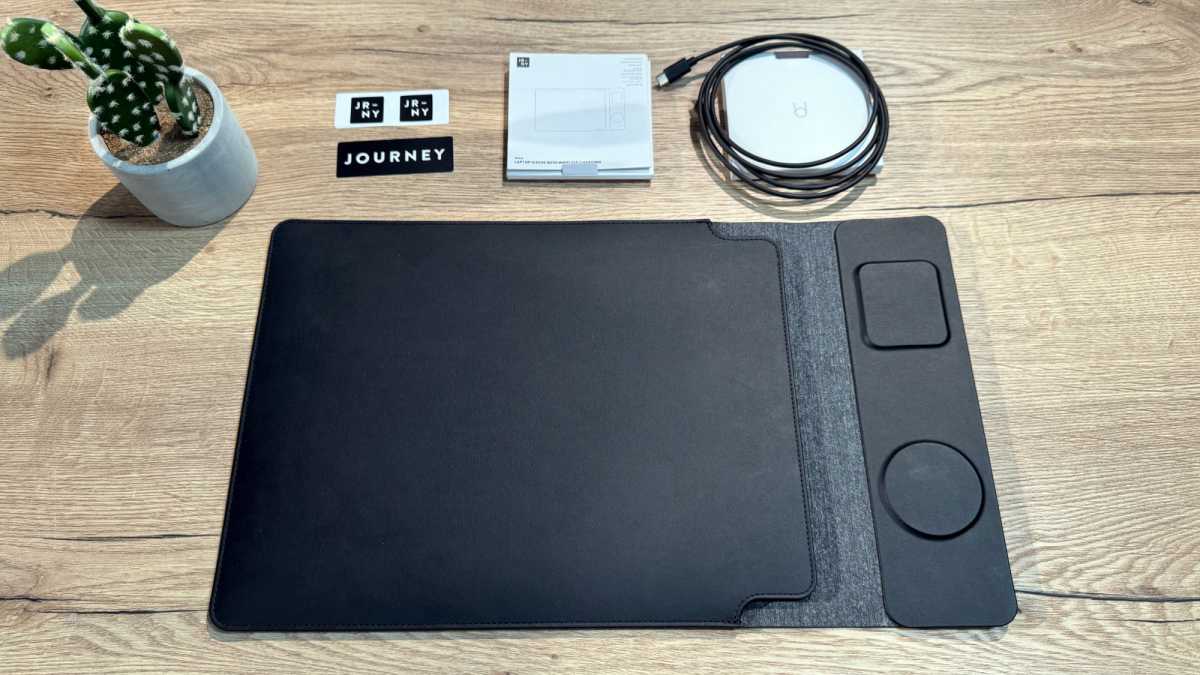
The Nexa is explicitly a sleeve and not a bag. That’s why there is no additional storage space for cables, a charger, a mouse, or an adapter—not even the USB-C cable supplied fits in anywhere. If you are traveling with a lot of accessories, you will have to stow them in a separate bag or invest in a small tech cable organizer bag. Journey advertises the Nexa as a 4-in-1 product: charger, protective cover, mouse pad and desk pad. To my satisfaction, this is all true, but with some limitations.
Check out our reviews of the best bags for MacBook if you need a bag with more storage.
Eugen Wegmann
Journey Nexa: Charger
- Lift version iPhone charger is adjustable
- Non-Lift version is flat
- Both are 7.5W MagSafe Compatible rather than 15W MagSafe
- Requires power adapter for maximum performance
- No charger for Apple Watch
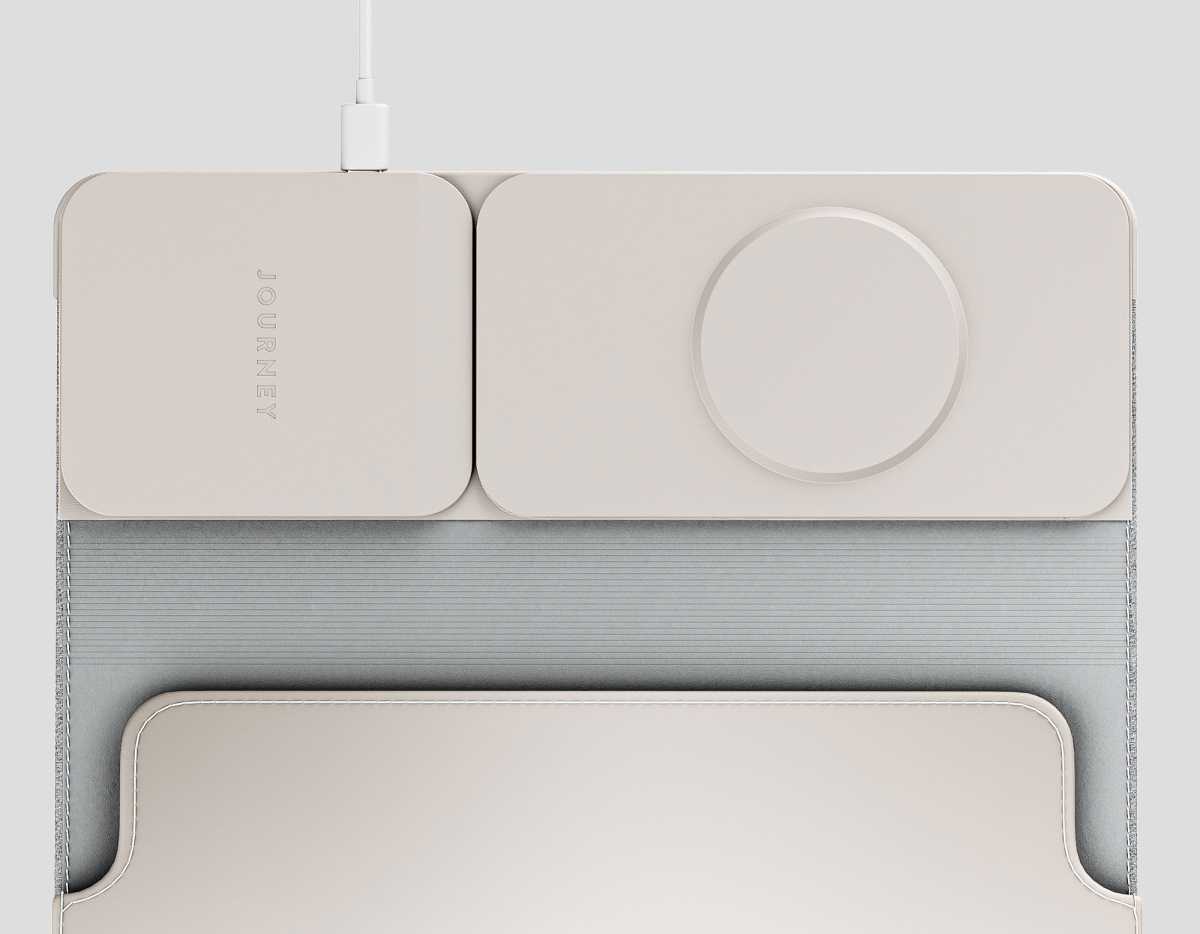
The feature that sets the Nexa apart from other protective cases is the two integrated chargers. They are designed for the iPhone and AirPods, but they are also compatible with other smartphones and in-ear headphones that support wireless charging. The round charger for smartphones has the exact dimensions of a MagSafe charger, and the rectangular one is the size of the AirPods charging case.
On both Nexa versions, the round magnetic smartphone charger is only 7.5W “MagSafe-compatible”, not MFi-certified or Qi2 for fast-charging. Most modern wireless chargers support faster 15W MagSafe-certified or Qi2 wireless charging or even 25W Qi2.2. In practical terms this is the difference between taking 90 minutes (7.5W) to charge an iPhone from 0-50% to doing the same in just 45 minutes (15W) or around 30 minutes (25W). If you’re not in a mad hurry, this shouldn’t matter but we were surprised the newer Lift Nexa didn’t move to a faster wireless charging solution.
Android users have an advantage, however: compatible smartphones charge on the puck at up to 15W, which is twice as fast as an iPhone.
Journey
The Lift’s iPhone charger is, however, much more useful as it can be raised from flat to a viewing stand and rotated for easier viewing and usage.
The rectangular wireless charging pad reaches only 5W, which is fine for an AirPods case but can be used to charge a second iPhone… slowly.
Journey
Of course, all of this assumes that you connect the Nexa to an external charger and not to the USB-C port on your MacBook, which supplies less power. If you want to minimize the number of accessories you have to carry with you, we recommend a powerful power supply with at least two USB-C ports and a minimum of 100W—one for the MacBook, and one for the Nexa, which doesn’t include an adapter. Incidentally, the maximum power consumption of the Nexa is 30W, more than enough for two devices. What the Nexa completely lacks is a charger for the Apple Watch. Watch users should instead look to our reviews of the best Apple Watch chargers.
Eugen Wegmann
Journey Nexa: Protective cover
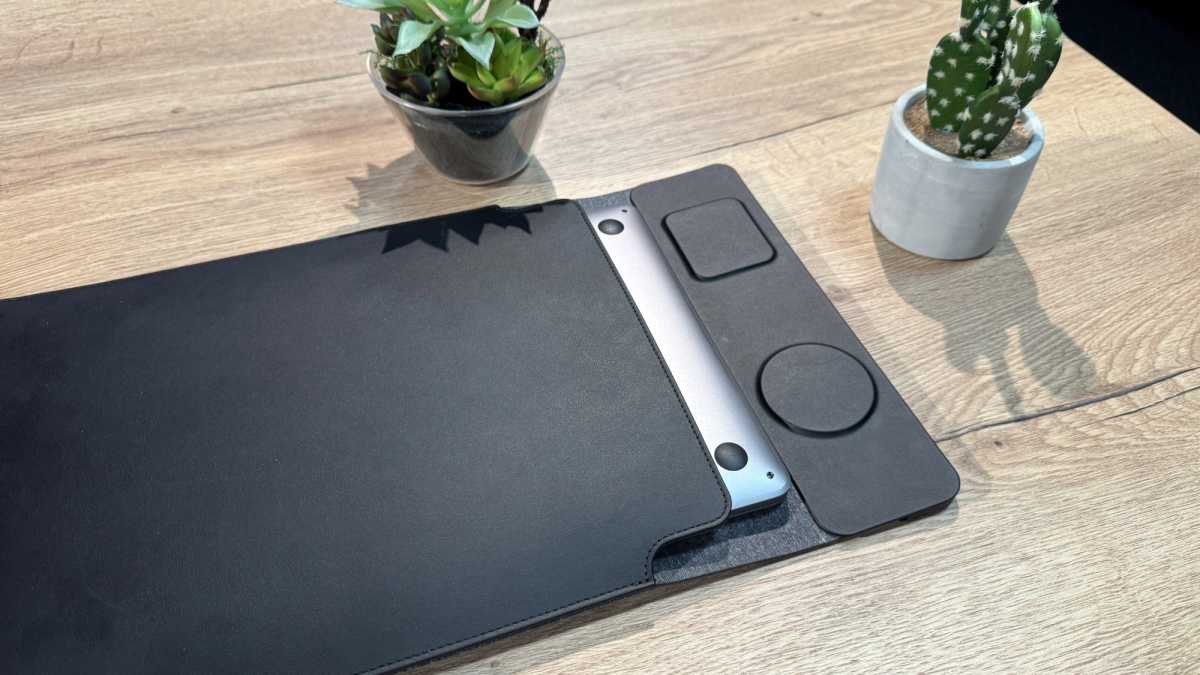
Inside, the two halves are not symmetrical and consist of different layers. The faux leather half is slightly more rigid than the other half—presumably hiding a thin layer of plastic inside—and is coated with a kind of microfibre on the inside. The textile side on the other side is much better padded and therefore softer and more flexible. The different textures of the two halves help to show where a laptop should be placed inside: with the display half on the soft side and the keyboard half on the hard side.
This creates a strange problem: If the Nexa is lying on the table and you want to store your MacBook in it, you have to push it in “upside down”, i.e. with the display side facing down and the feet facing up. The same applies to unpacking: you always take your MacBook out with the underside facing upwards and then have to turn it. Sure, it’s just a simple operation, but it’s not very intuitive overall.
Eugen Wegmann
How you insert the MacBook in the Nexa has an effect on the protective function of the case in borderline cases. We can well imagine that there is a load limit somewhere where the display is damaged in the event of a fall if the MacBook is inserted in the case improperly, whereas it would have remained intact if it had been inserted the proper way.
The envelope design does work to provide the MacBook with some protection. If the case with the MacBook inside lands on the floor, it spreads out (minimally) in a wedge shape on impact and absorbs the force completely via the flexibility of the two halves. The MacBook would probably not be damaged even from greater heights.
Incidentally, there’s no need to talk about water and dust resistance with the Nexa: the cover doesn’t close completely, but leaves a thumb-sized gap open on both sides of the flap. So if you are often out and about in the rain, you should make sure that your bag provides protection.
Journey Nexa: Mousepad and underlay
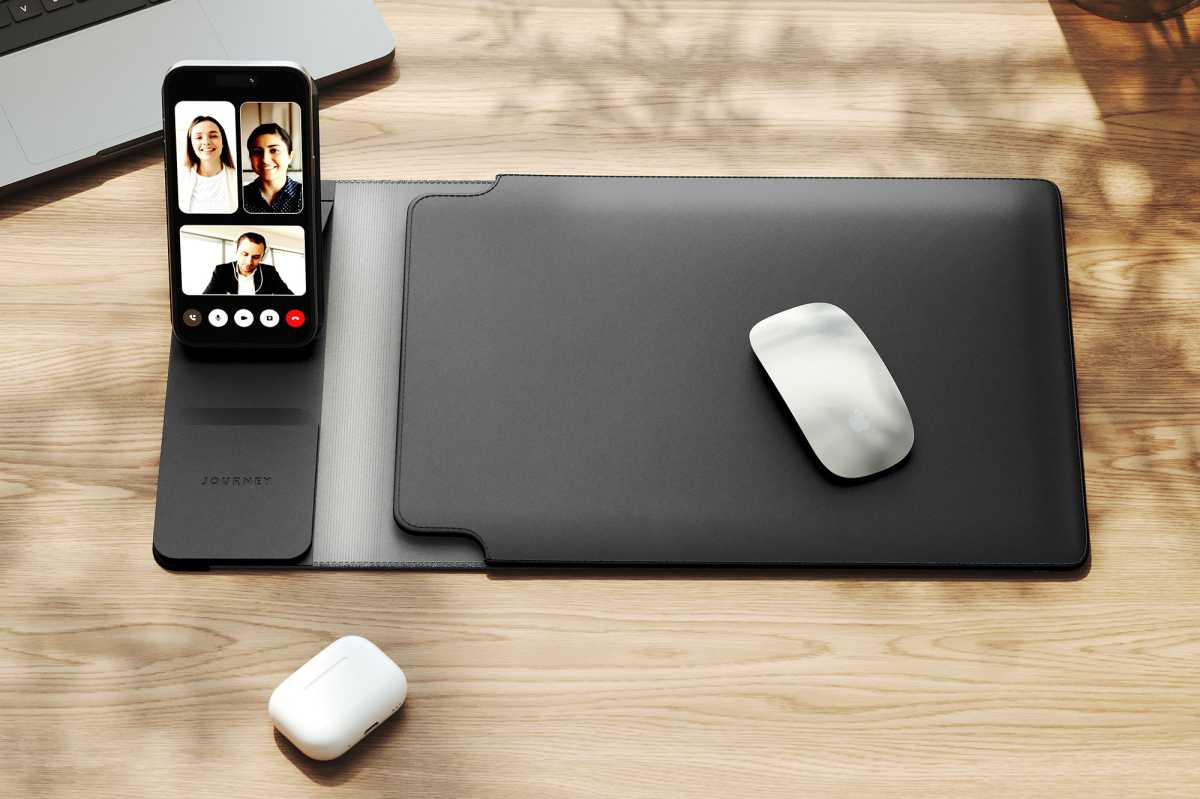
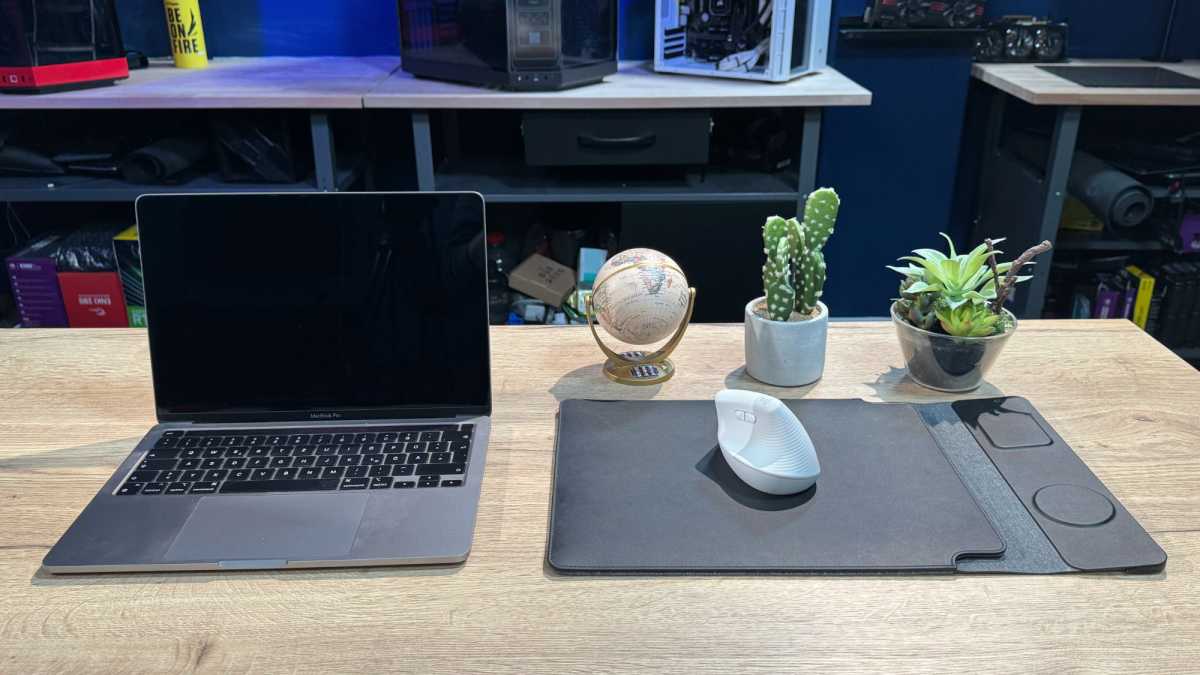
To use the Nexa as a desk pad, you simply place your MacBook on the leather side. Using it as a mouse pad is pretty clever, if not flawless. Simply place your MacBook on the table and place the Nexa next to it and you have a huge mouse pad. Although the cover is more than three times larger than a conventional mouse pad, the height is hardly noticeable. I have owned much thinner textile and plastic mouse pads that were less comfortable. The reason for this is the rounded edges over which the wrist and forearm can slide gently without getting stuck.
Eugen Wegmann
As with everything else, the leather side is intended as a mouse pad. My Logitech Lift has a little more resistance on it than on a textile or hard plastic gaming mouse pad, but this is still perfectly acceptable.
The fact that the leather side serves as a mouse pad also explains why there is a stiffer layer and why the MacBook has to be pushed in upside down: so that the mouse pad remains as flat as possible and does not curl. Unfortunately, this only works to a limited extent in practice. If your MacBook has been in the case overnight (or even longer) this layer bends inside and takes a while to flatten out enough so that you don’t feel like you’re pushing the mouse over a mountain.
For me, this means that I use the Nexa as a base for my MacBook for the first half hour in the office so that it is flattened again by the weight before I push it to the side and use it as a mouse pad.
Eugen Wegmann
Journey, as a premium or lifestyle brand of Alogic, is not exactly known for bargains. In this respect, it is hardly surprising that the Nexa has a premium price. $139 for a laptop sleeve is a pretty penny when you consider that there are other more affordable laptop sleeves. However, these are largely simple protective sleeves or bags; according to our research, there are no other sleeves with integrated wireless chargers on the market apart from the Journey Nexa.
Journey
Should you buy the Journey Nexa?
With the Journey Nexa and Nexa Lift, you pay for high-quality workmanship and its unique selling point: the integrated wireless chargers. If you’re a frequent traveler with your MacBook, you can quickly setup a perfect desktop experience with built-in chargers for your mobile devices.
For more MacBook travel options, check out our roundup of the best cases, sleeves, and bags.