If you’re thinking about buying an iPad in 2026, timing matters. If you’re hoping for a bargain, July 2026 isn’t the ideal time. Apple raised iPad prices by $100–$200 in June, making today’s models more expensive than they were earlier this year. The next major opportunities to save are likely to come during sales events such as Amazon Prime Day and Black Friday.
If you can’t wait – for example, because your current iPad no longer receives software updates, feels slow, has poor battery life, or doesn’t support Apple Intelligence – upgrading now may be the right choice. In that case, the safest models to buy are the iPad Air (M4) and iPad Pro (M5), as neither is expected to be replaced until 2027. By contrast, the entry-level iPad (A16) and iPad mini (A17 Pro) are both expected to be refreshed before the end of 2026, so waiting is likely to pay off unless you find a substantial discount.
Before buying, consider whether you really need a Pro model, a cellular version, or even an iPad at all. If you’re looking for a laptop replacement, a MacBook Neo may offer better value. Buying refurbished is another smart way to save money, with Apple’s Certified Refurbished Store and reputable retailers offering lower prices while still providing a warranty and years of software support.
In this guide, we’ll explain the best and worst times to buy an iPad, which models are worth buying now, when the next updates are expected, and how to get the best value whether you’re buying new or refurbished. If you’re still deciding which iPad is right for you, see our complete iPad buying guide.
At a glance: iPad buying advice
| Model | Buying advice | Starting Price (New MSRP) | Key Differentiator | Next Update | Last Updated | Previous update |
|---|---|---|---|---|---|---|
| iPad (A16) | Wait — overdue for update, likely late 2026 | $449 | Most affordable entry point; does not support Apple Intelligence | By end of 2026 | March 2025 | October 2022 |
| iPad mini (A17 Pro) | Wait — new model expected late 2026 | $599 | Ultra-portable; supports Apple Intelligence | By end of 2026 | October 2024 | September 2021 |
| iPad Air (M4) | Buy now — recently refreshed | $749 (11-inch) / $949 (13-inch) | Best balance of performance, features, and price for most users | 2027 | March 2026 | March 2025 |
| iPad Pro (M5) | Buy now — not due for update until 2027 | $1,199 (11-inch) / $1,499 (13-inch) | Top-tier performance, Tandem OLED display, ProMotion, Face ID | 2027 | October 2025 | May 2024 |
Should you buy an iPad now?
As of July 2026, two iPads are safe to buy without worrying about an imminent replacement: the iPad Air (M4) and iPad Pro (M5). Both were updated recently and aren’t expected to be refreshed until 2027.
The entry-level iPad (A16) and iPad mini (A17 Pro) are a different story. Both are widely expected to receive updates before the end of 2026, making them harder to recommend unless you find them at a significant discount.
Here’s our breakdown of the four types of iPad that Apple currently sells, and in each case whether you should buy now or wait.
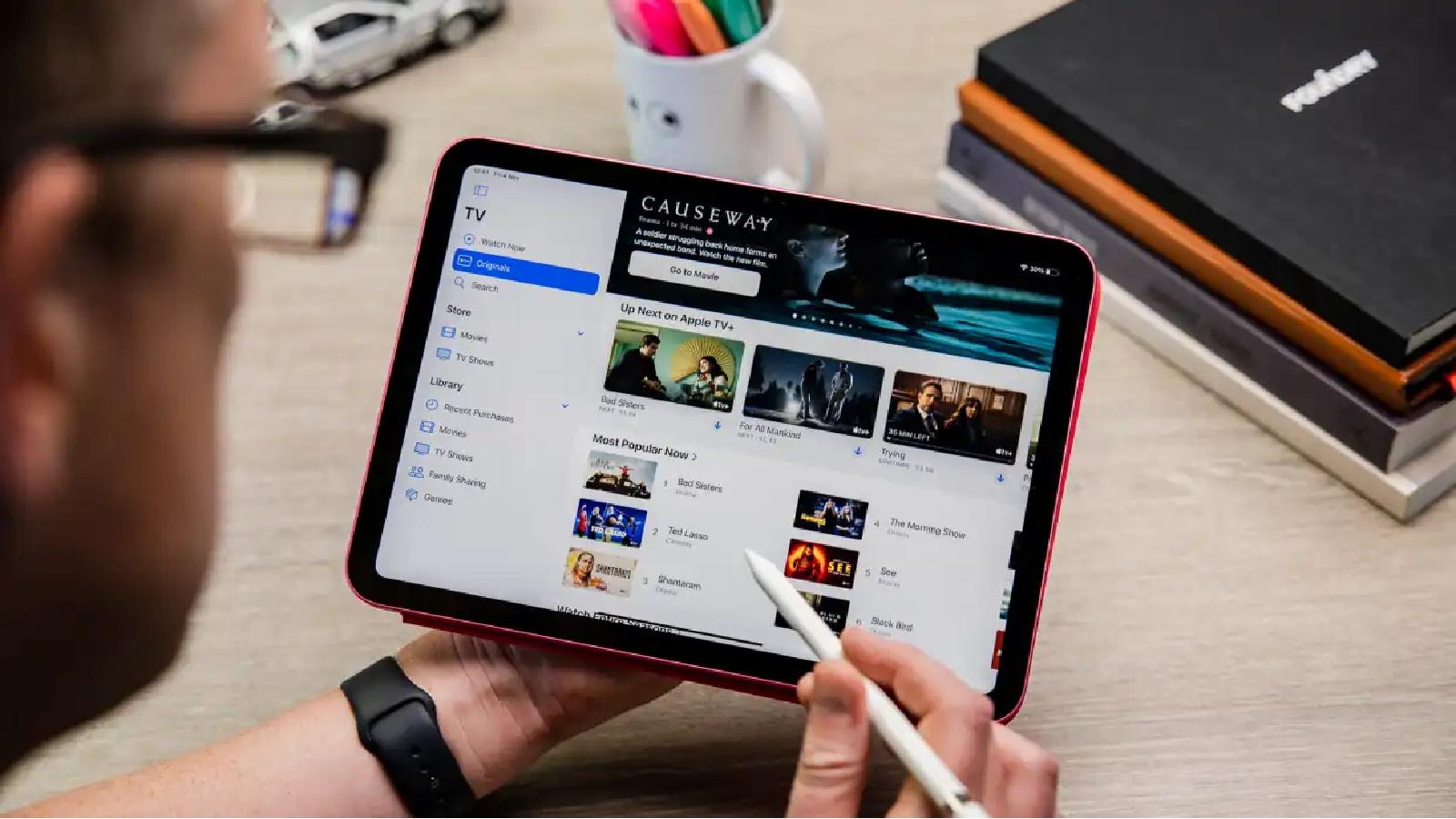
Should I buy iPad (A16, 2025)? Wait if you can
Best Prices Today:

Should you buy? No
The entry-level iPad was last updated in March 2025 and is now the oldest model in Apple’s lineup. It remains the only current iPad that doesn’t support Apple Intelligence, making it a less future-proof purchase than the rest of the range.
A replacement is expected before the end of 2026, potentially bringing Apple Intelligence support and a faster processor. Unless you can find the current model at a substantial discount, it’s worth waiting.
Read our full
Apple iPad (A16) review
Should I buy iPad mini (A17 Pro, 2024)? – Wait for new model

Best Prices Today:
Should you buy? No
The current iPad mini launched in October 2024 and remains an excellent compact tablet with Apple Intelligence support. However, multiple reports suggest Apple will update it later in 2026, likely with a faster A19 Pro chip.
If you need a small tablet today, the current model is still a good buy – particularly if it’s discounted. Otherwise, waiting a few months should bring a worthwhile performance upgrade.
Read our full
Apple iPad mini (A17 Pro) review
Should I buy iPad Air (M4, 2026)? – Buy now

Best Prices Today:
Should you buy? Yes
The iPad Air (M4), introduced in March 2026, is the newest iPad in Apple’s lineup. Available in 11-inch and 13-inch sizes, it features the M4 chip, 12GB of RAM, Wi-Fi 7, and an excellent balance of performance, features, and price.
For most people, it’s the best iPad Apple sells and is unlikely to be replaced until 2027, making now an excellent time to buy.
Should I buy iPad Pro (M5, 2025)? – Buy now if you need the power
Best Prices Today:
Should you buy? Yes
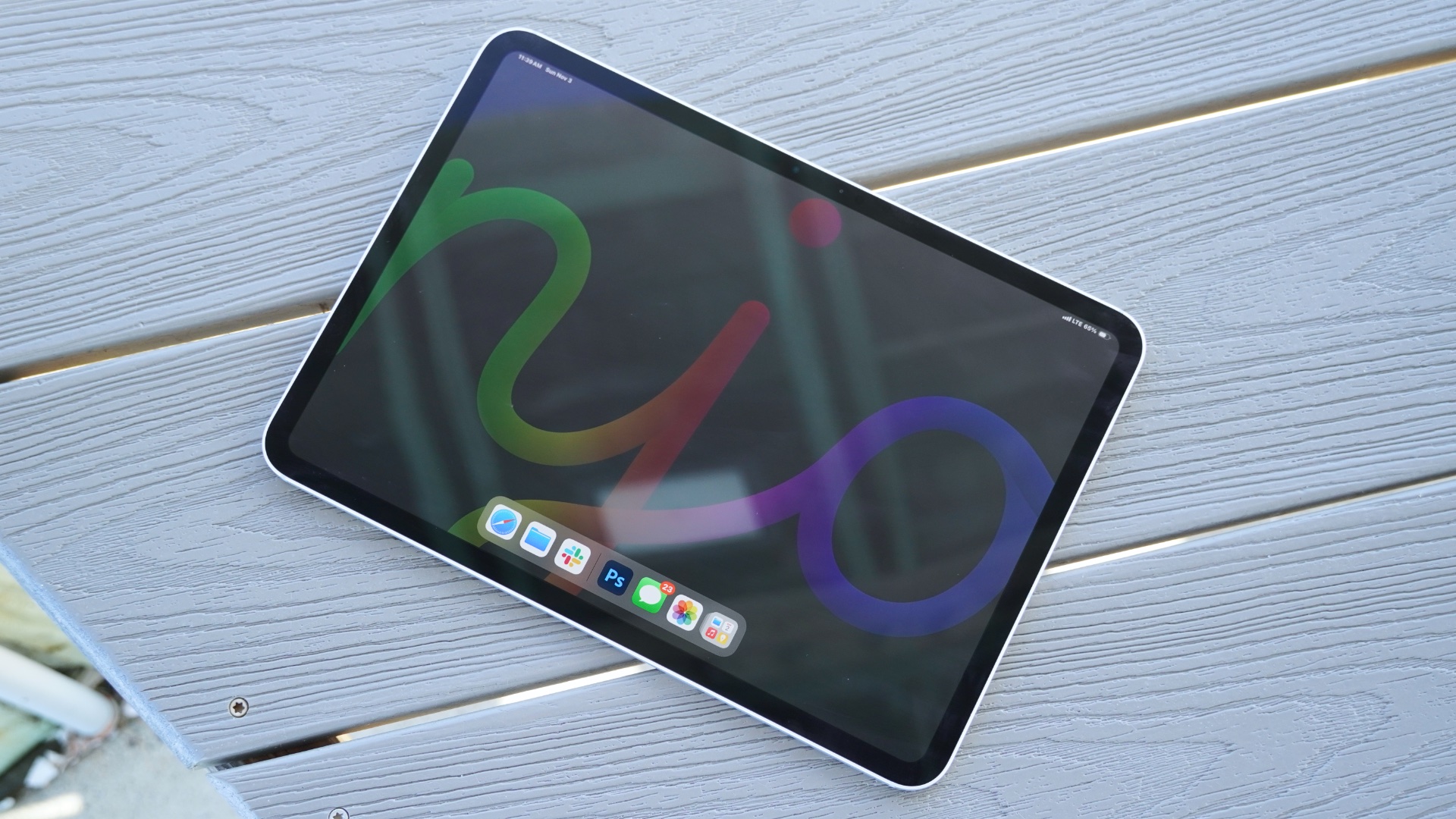
The iPad Pro (M5), launched in October 2025, remains Apple’s most capable tablet. It combines the M5 chip with a stunning Tandem OLED ProMotion display, support for up to 2TB of storage, and class-leading performance. The next update isn’t expected until 2027.
That said, it’s the right choice only if you’ll benefit from its extra power. Creative professionals working with demanding apps, large media projects, or intensive multitasking will appreciate what it offers. Most other buyers will find the iPad Air delivers a very similar everyday experience for considerably less money. Likewise, children and casual users are generally better served by the standard iPad or iPad mini than by Apple’s most expensive tablet.
Read our full
Apple iPad Pro 11-inch (M5, 2025) review
When is the best time to buy an iPad
Foundry
The best time to buy an iPad is during major shopping events, particularly Black Friday and Amazon Prime Day, when retailers such as Amazon, Best Buy, and Walmart typically offer their biggest discounts.
Black Friday and Cyber Monday (November/December)
Black Friday is usually the best time of the year to buy an iPad. In 2025, every current iPad model reached its lowest-ever price during the Black Friday sales, with discounts of up to $150. The entry-level iPad (A16), for example, fell to just $274.
If you can wait until November, Black Friday is your best opportunity to get the lowest prices on almost every iPad model. See Black Friday iPad deals.
Amazon Prime Day (June/July and October)
Amazon now holds two major Prime Day sales each year – one in June or July and another in October – and both regularly feature excellent iPad deals.
The June 2026 event was particularly significant because in the middle of the sale Apple increased iPad prices by $100 to $300, which made the discounts even larger.
The October Prime Day sale often matches or comes close to Black Friday discounts and is another excellent time to buy. It is also possible that the new iPads will have launched by then. See Prime Day iPad deals.
During Apple’s Back to School promotion
If you’re a student, teacher, or work in education, Apple’s Education Store offers year-round discounts on most iPads. During Apple’s annual Back to School promotion in the summer, eligible buyers also receive a free gift card, making it one of the best times to buy directly from Apple.
Note that the criteria are very strict for shopping in Apple’s Education Store. Customers need to verify their eligibility through UNiDAYS before accessing Education Store pricing.
When shouldn’t you buy an iPad?
The worst time to buy an iPad is just before Apple releases a new model. You’ll often end up paying full price for a device that’s about to be replaced, while retailers discount the outgoing model to clear stock.
As of July 2026, the entry-level iPad (A16) and iPad mini (A17 Pro) fall into that category, with both expected to be refreshed before the end of 2026.
There are a few other situations where it’s worth thinking twice before buying:
If a major sale is just around the corner: If Amazon Prime Day or Black Friday is only a few weeks away, it’s usually worth waiting. These sales consistently offer the biggest iPad discounts of the year, often saving you $100 or more compared with buying at full price.
If you want a laptop replacement: An iPad can replace a laptop for some people, but it becomes much less compelling once you add accessories. A Magic Keyboard or similar case can add hundreds of dollars to the cost, bringing the total close to – or even above – the price of a MacBook. With the arrival of the $699 MacBook Neo, the value equation has shifted further. A similarly equipped iPad and keyboard can cost more while still being limited to iPadOS and mobile apps rather than full desktop software.
If you’re buying an older iPad: Discounts on older or refurbished iPads can be tempting, but always check how long they’ll continue to receive software updates. iPadOS 27 drops support for several older models, including the 2018 iPad Pro (3rd generation), 2019 iPad mini (5th generation) and 2020 iPad (8th generation). Buying an unsupported model means you’ll miss future features, security updates and, eventually, app compatibility.
If you want Apple Intelligence: Apple Intelligence isn’t available on every iPad. It requires an M1 chip or later (iPad Air and iPad Pro) or the A17 Pro chip in the current iPad mini. The entry-level iPad (A16) does not support Apple’s AI features, making it a less future-proof purchase.
If you don’t need cellular: Think carefully before paying extra for a 5G cellular model. Cellular connectivity typically adds more than $100 to the purchase price, and you’ll usually need a separate data plan. If you already carry an iPhone, using Personal Hotspot is often a far cheaper alternative.
If fast wired transfers matter: Most people won’t notice USB speeds, but they matter if you regularly transfer large files via cable. The standard iPad is limited to USB 2.0 (480Mbps), the iPad mini supports 5Gbps, the iPad Air 10Gbps, while the iPad Pro offers Thunderbolt speeds of up to 40Gbps.
What is the best iPad price right now?
Apple rarely discounts iPads. In fact, in June 2026, Apple increased iPad prices by $100 to $200, citing unprecedented component cost increases. The price rise came in the middle of Amazon’s Prime Day sale, during which we saw record-low prices. Prices that low are unlikely to return until a major sales event such as October Prime Day or Black Friday.
Right now, the best U.S. deals we are seeing are:
In the U.K., the standout deal is:
Here are the new starting prices compared to the old prices, the best price in July 2026, and the best prices we have seen:
U.S. deals
| iPad | Deal | New MSRP | Old MSRP | Lowest |
|---|---|---|---|---|
| A16, 128GB | $427.99 Get the deal at Amazon $21 off | $449 | $349 | $271.29 |
| A16, 256GB | $522 Get the deal at Amazon $27 off | $549 | $449 | $349.72 |
| A16, 512GB | $712 Get the deal at Amazon $37 off | $749 | $649 | $499 |
| iPad mini | Deal | New MSRP | Old MSRP | Lowest |
|---|---|---|---|---|
| A17 Pro, 128GB | $574 Get the deal at Amazon $25 off | $599 | $499 | $349 |
| A17 Pro, 256GB | $664 Get the deal at Amazon $35 off | $699 | $599 | $479 |
| A17 Pro, 512GB | $871 Get the deal at Amazon $28 off | $899 | $799 | $679 |
| iPad Air | Deal | New MSRP | Old MSRP | Lowest |
|---|---|---|---|---|
| M4, 11-inch, 128GB | $700.77 Get the deal at Amazon $48 off | $749 | $599 | $519.99 |
| M4, 11-inch, 256GB | $829.99 Get the deal at Amazon $19 off | $849 | $699 | $609.99 |
| M4, 11-inch, 512GB | $1,019 Get the deal at Amazon $30 off | $1,049 | $899 | $789 |
| M4, 11-inch, 1TB | $1,349 at Amazon | $1,349 | $1,099 | $1,016.50 |
| M4, 13-inch, 128GB | $919.99 Get the deal at Amazon $29 off | $949 | $799 | $699.99 |
| M4, 13-inch, 256GB | $1,019.99 Get the deal at Amazon $29 off | $1,049 | $899 | $699.99 |
| M4, 13-inch, 512GB | $1,049 Get the deal at Amazon $200 off | $1,249 | $1,099 | $999 |
| M4, 13-inch, 1TB | $1,477 Get the deal at Amazon $72 off | $1,549 | $1,299 | $1,199 |
| iPad Pro | iPad Pro | New MSRP | Old MSRP | Lowest |
|---|---|---|---|---|
| M5, 11-inch, 256GB | $1,139 Get the deal at Amazon $60 off | $1,199 | $999 | $799.91 |
| M5, 11-inch, 512GB | $1,329 Get the deal at Amazon $70 off | $1,399 | $1,199 | $999.99 |
| M5, 11-inch, 1TB | $1,709 Get the deal at Amazon $90 off | $1,799 | $1,599 | $1,399.99 |
| M5, 11-inch, 2TB | $2,181 Get the deal at Amazon $118 | $2,299 | $1,999 | $1,799 |
| M5, 13-inch, 256GB | $1,424 Get the deal at Amazon $75 off | $1,499 | $1,299 | $1,149 |
| M5, 13-inch, 512GB | $1,499 Get the deal at Amazon $200 off | $1,699 | $1,499 | $1,341 |
| M5, 13-inch, 1TB | $2,011 Get the deal at Amazon $88 off | $2,099 | $1,899 | $1,723 |
| M5, 13-inch, 2TB | $2,449 Get the deal at Amazon $150 off | $2,599 | $2,299 | $2,083.12 |
U.K. deals
| iPad | Deal | New RRP | Old RRP | Lowest |
|---|---|---|---|---|
| A16, 128GB | £409 Get the deal at Amazon | £429 | £329 | £299 |
| A16, 256GB | £525.17 Get the deal at Amazon | £529 | £449 | £399 |
| A16, 512GB | £723.71 Get the deal at Amazon | £729 | £649 | £579 |
| iPad mini | Deal | New RRP | Old RRP | Lowest |
|---|---|---|---|---|
| A17 Pro, 128GB | £594.66 Get the deal at Amazon | £599 | £499 | £399 |
| A17 Pro, 256GB | £694 Get the deal at Amazon | £699 | £599 | £519 |
| A17 Pro, 512GB | Out of stock | £899 | £799 | £739.97 |
| iPad Air | Deal | New RRP | Old RRP | Lowest |
|---|---|---|---|---|
| M4, 11-inch, 128GB | £743.57 Get the deal at Amazon | £749 | £599 | £578.99 |
| M4, 11-inch, 256GB | £842.83 Get the deal at Amazon | £849 | £699 | £678.96 |
| M4, 11-inch, 512GB | £1,049 at Amazon | £1,049 | £899 | ££869.95 |
| M4, 11-inch, 1TB | £1,349 at Amazon | £1,349 | £1,099 | |
| M4, 13-inch, 128GB | £939 Get the deal at Amazon | £949 | £799 | £768.99 |
| M4, 13-inch, 256GB | £1,041.41 Get the deal at Amazon | £1,049 | £899 | £867.17 |
| M4, 13-inch, 512GB | £1,239.94 Get the deal at Amazon | £1,249 | £1,099 | £1,060.09 |
| M4, 13-inch, 1TB | £1,549 at Amazon | £1,549 | £1,299 | £1,253 |
| iPad Pro | Deal | New RRP | Old RRP | Lowest |
|---|---|---|---|---|
| M5, 11-inch, 256GB | £1,163.63 Get the deal at Amazon £35 off | £1,199 | £999 | £929 |
| M5, 11-inch, 512GB | Out of stock | £1,399 | £1,199 | £1,099 |
| M5, 11-inch, 1TB | £1,799 at Amazon | £1,799 | £1,599 | |
| M5, 11-inch, 2TB | Out of stock | £2,299 | £1,999 | |
| M5, 13-inch, 256GB | £1,496.62 Get the deal at Amazon | £1,499 | £1,299 | £1,169.10 |
| M5, 13-inch, 512GB | £1,699 at Amazon | £1,699 | £1,499 | £1,349 |
| M5, 13-inch, 1TB | £2,089 at Amazon | £2,099 | £1,899 | £1,769 |
| M5, 13-inch, 2TB | £2,699 Get the deal (with nano glass) at Amazon | £2,599 | £2,299 | £2,599 |
Other ways to save money when buying an iPad
If you’re flexible about where and when you buy, there are several ways to reduce the cost of a new iPad.
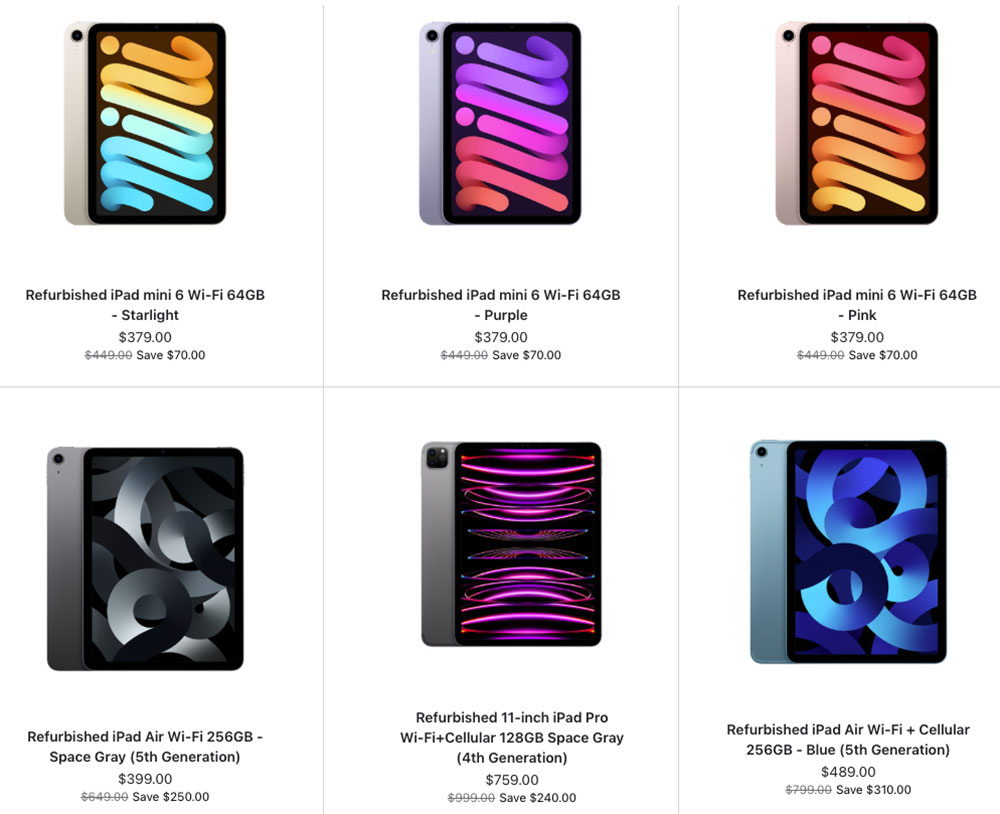
Buy a refurbished iPad: Apple’s Certified Refurbished Store is one of the best places to save money. Refurbished iPads undergo Apple’s full testing process, receive a new battery and outer shell where required, include the same one-year warranty as a new device, and are eligible for AppleCare+. Prices are typically around 15% lower than buying new, with savings of up to $450 on some iPad Pro models.
Use Apple’s Education Store: Students, teachers, and education staff can save 5–15% through Apple’s Education Store all year round. During Apple’s annual Back to School promotion, qualifying purchases also include a free gift, such as AirPods or an Apple Pencil. In the U.S., eligibility now needs to be verified through UNiDAYS before accessing Education Store pricing. . Read: How to shop at Apple’s Education Store.
Trade in your old iPad: Apple’s Trade In programme can significantly reduce the cost of a new iPad. For the highest trade-in value, upgrade before Apple announces a replacement model, as trade-in prices typically fall once new devices are released.
Shop during major sales: The biggest discounts usually come from retailers such as Amazon, Best Buy, and Walmart during Prime Day and Black Friday. Apple itself rarely discounts iPads, instead offering gift cards during promotions such as Black Friday and Back to School. While those offers can be worthwhile, third-party retailers almost always provide larger cash discounts.
Is buying a refurbished iPad a good idea?
Apple
Buying a refurbished iPad is one of the best ways to save money. You can often afford a model with more storage or even an iPad Pro for the price of a new entry-level iPad.
The key is to buy refurbished, not simply used. A properly refurbished iPad has been tested, repaired if necessary, and checked to ensure it works like new. A used iPad sold privately is typically sold “as is”, with no warranty, and could even be locked to the previous owner’s Apple ID.
Buy from Apple’s Certified Refurbished Store
The safest option is Apple’s Certified Refurbished Store. Every refurbished iPad is fully tested, fitted with a new battery and outer shell where required, cleaned, and repackaged with all original accessories. You also receive:
- A one-year warranty, just like a new iPad.
- The option to purchase AppleCare+.
- Original accessories and packaging.
- Prices are typically around 15% lower than buying new.
What to look for
If you’re buying from a third-party retailer, pay attention to a few key details:
- Software support: Choose a model that will continue receiving iPadOS updates for several years. Older devices, such as the 2018 iPad Pro (3rd generation) and 2020 iPad (8th generation), no longer support iPadOS 27.
- Storage: Aim for at least 128GB. Older 32GB and 64GB models can quickly run out of space with modern apps and games.
- Condition: Check the retailer’s grading system so you know what cosmetic wear to expect.
- Warranty: Buy from a seller that includes a warranty—ideally for at least one year.
Where to buy
Apple Certified Refurbished: The safest choice, with the same warranty and support as a new iPad.
Reputable refurbishers: Retailers such as Back Market, Best Buy, and Amazon Renewed often offer deeper discounts, but always check the condition grading and warranty before buying.
If you buy from a trusted retailer and choose a model that still has years of software support ahead of it, a refurbished iPad can offer excellent value while saving you a significant amount of money.
Do you need to upgrade your current iPad?
Whether it’s time to replace your iPad depends on four things: software support, performance, battery life, and whether you’re missing features you actually want.
Your iPad no longer receives updates
The most important reason to upgrade is when your iPad stops receiving software and security updates. Apple typically provides major iPadOS updates for around six to eight years, with security updates often continuing for a while afterwards. See: How long does Apple support iPads?
As long as your iPad still receives security updates, it’s generally safe to keep using. Once those updates end, however, you’ll eventually lose app compatibility and expose yourself to increasing security risks.
As of 2026, iPads with an A14 chip or newer, or any M-series iPad, support iPadOS 27. Older models, including the 2018 iPad Pro and 2019 iPad Air, have reached the end of major software support.
It feels slow or the battery no longer lasts
Performance and battery life naturally decline with age. If apps take a long time to open, crash frequently, or the interface feels sluggish even after restarting, your iPad may be struggling to keep up.
Which are the best retailers to buy an iPad from?
Aside from Apple (View the iPad in the Apple Store and View the iPad in the Apple Store U.K). There are a number of third-party reseller that frequently discount the different iPad models.
Best for Lowest Prices
Best for U.K. Buyers
Similarly, if the battery no longer lasts through a typical day or the iPad shuts down unexpectedly, it may be time to replace the device – or at least the battery.
You want Apple Intelligence
One of the biggest reasons to upgrade today is Apple Intelligence. Apple’s AI features require an M-series chip or an A17 Pro processor.
If you own the current entry-level iPad (A16) or an older model, you won’t be able to use features such as Writing Tools, Priority Notifications, or Clean Up in Photos.
When you probably don’t need to upgrade
If your iPad still runs the latest version of iPadOS, performs well, and meets your needs, there’s little reason to replace it.
Owners of the M1 iPad Air or newer, as well as recent iPad Pro models, are unlikely to notice a dramatic difference in everyday tasks by upgrading to the latest generation. Unless you need a specific new feature or substantially more performance, you’re usually better off keeping your current iPad for another year or two.
Which iPad to choose
| User Type | Best iPad | Why |
|---|---|---|
| Budget buyers & casual users | iPad (A16) | The most affordable entry point at $449 (new MSRP). Great for web browsing, email, streaming, and light tasks. However, it’s the only current iPad that does not support Apple Intelligence. |
| Students (most) | iPad Air (M4) | This is (as of July 2026) the top pick for students because it strikes “an excellent balance between performance, portability, and price” and supports Apple Intelligence. When Apple introduces the new iPad this may change. |
| Students (budget) | iPad (A16) | A solid option for core tasks like note-taking and research, especially if you find it on sale below $300. |
| Students (art & design) | iPad Pro (M5) | Recommended for creative majors needing the OLED display, Apple Pencil Pro support, and maximum performance for demanding apps. |
| Commuters & travelers | iPad mini (A17 Pro) | The lightest iPad at just 293g. Its compact 8.3-inch screen is perfect for reading, note-taking, and slipping into a bag or large pocket. |
| Most people (all-rounder) | iPad Air (M4) | This is the best choice for the average user. It offers M4-level performance, a beautiful design, and a 13-inch option for those who want a large screen without paying Pro prices. When Apple introduces the new iPad this may change. |
| Professionals & creatives | iPad Pro (M5) | The ultimate iPad with an M5 chip, Thunderbolt speeds up to 40Gbps, and a stunning display. If you’re a creative professional, the Pro is the iPad to get. |
| Kids (under 10) | iPad (A16) or iPad mini | The standard iPad is the best value for younger children. The iPad mini’s smaller size might be easier for small hands to hold. |
| Teens & tweens | iPad Air (M4) | Offers more power for schoolwork and creative projects without the premium cost of the Pro. When Apple introduces the new iPad this recommendation may change. |
| Seniors | iPad mini (A17 Pro) | Its light weight makes it “easier to hold for extended periods”. The screen size of the standard iPad might suit those who require bigger text though. |
| Gamers | iPad Pro (M5) | The Pro’s 120Hz ProMotion display and M5 chip deliver the best gaming experience. |