If your Mac is slowing down, freezing, running out of RAM or storage, and just not behaving like it used to, a good Mac cleaner app can help.
This article will guide you in choosing a safe and reliable Mac cleaner for everyday tasks like reclaiming storage, removing duplicate and leftover files, uninstalling apps cleanly, and handling light system maintenance. Our recommendations are based on hands-on testing, evaluating scan usefulness, cleanup safety, uninstall effectiveness, disk tools, and overall value.
While macOS includes built-in tools for basic upkeep, some readers may be better served by those options or a lighter utility. For others, a dedicated cleaner can be a safer alternative to manually digging through system folders, where deleting the wrong file could cause problems.
Later in this article, we explain how we test Mac cleaning software, whether Mac cleaners are safe, and what to check before using a Mac cleaner, and answer common questions.
PROMOTION
Make Your Mac Fly with CleanMyMac
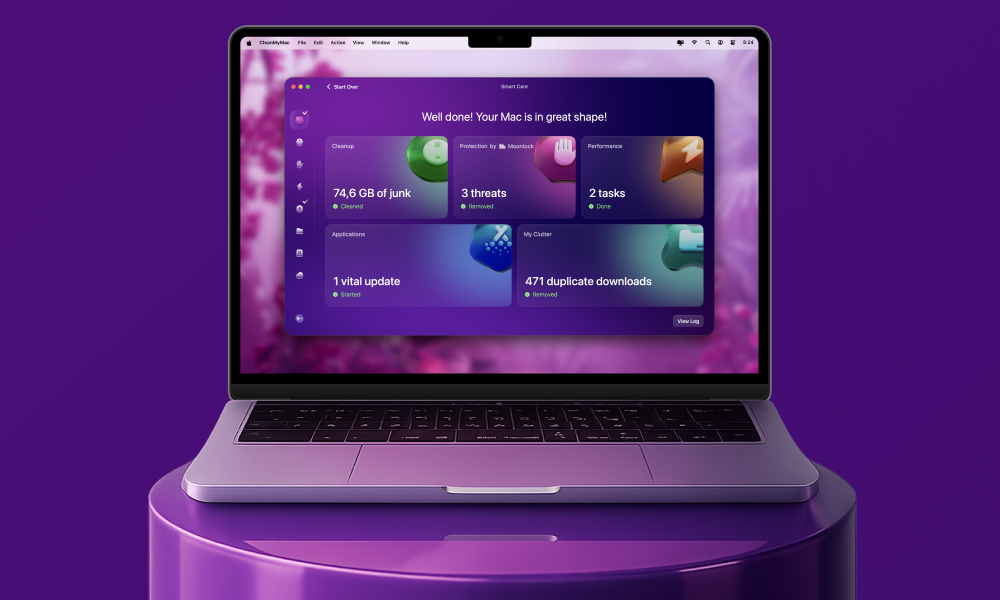
CleanMyMac is the ultimate solution for a faster and cleaner Mac. It smartly identifies and removes junk, deletes unnecessary files, optimizes performance, and protects your Mac machine against common threats. Unleash your Mac’s full potential and enjoy a smoother experience with CleanMyMac.
Best Mac Cleaner 2026
We like MacPaw’s CleanMyMac because there is the choice of a yearly subscription or a one time purchase price if you think you might want to keep it for the long haul. It’s also one of the most comprehensive and user-friendly Mac cleaners. Since our original roundup, CleanMyMac has added new features including a redesigned UI and expanded cleanup tools for cloud storage in 2025.
Another option we really like is Parallels Toolbox which offers a bundle of handy tools for just about everything. There are also some cheaper options including Cleaner One Pro and Nektony’s App Cleaner & Uninstaller and free options such as Onyx and CCleaner.
Ultimately, the best cleaner is one that fits your budget and requirements. For a comprehensive, all-in-one solution, CleanMyMac is a top contender, while Cleaner One Pro offers great value. For those who want deep, technical control, MacCleaner Pro is a strong choice.
Below you can read about the Mac Cleaners we have reviewed. Read on to find out why we rate these options so highly.
1. MacPaw CleanMyMac – Best Mac cleaner for ease of use
Pros
- Very easy to use
- Comprehensive all-in-one toolkit
- Fast, effective cleaning results
Cons
- Expensive compared to rivals
- Duplicates macOS built-in tools
- Occasionally flags needed files
Best Prices Today:
- Who CleanMyMac is best for: CleanMyMac is a good option for everyday Mac users and beginners who want simple, all-in-one maintenance without technical knowledge. Power users can still dig deeper, but it’s designed for convenience.
- Why we like CleanMyMac: We like CleanMyMac X because it makes complex Mac maintenance simple, fast, and accessible in one polished app.
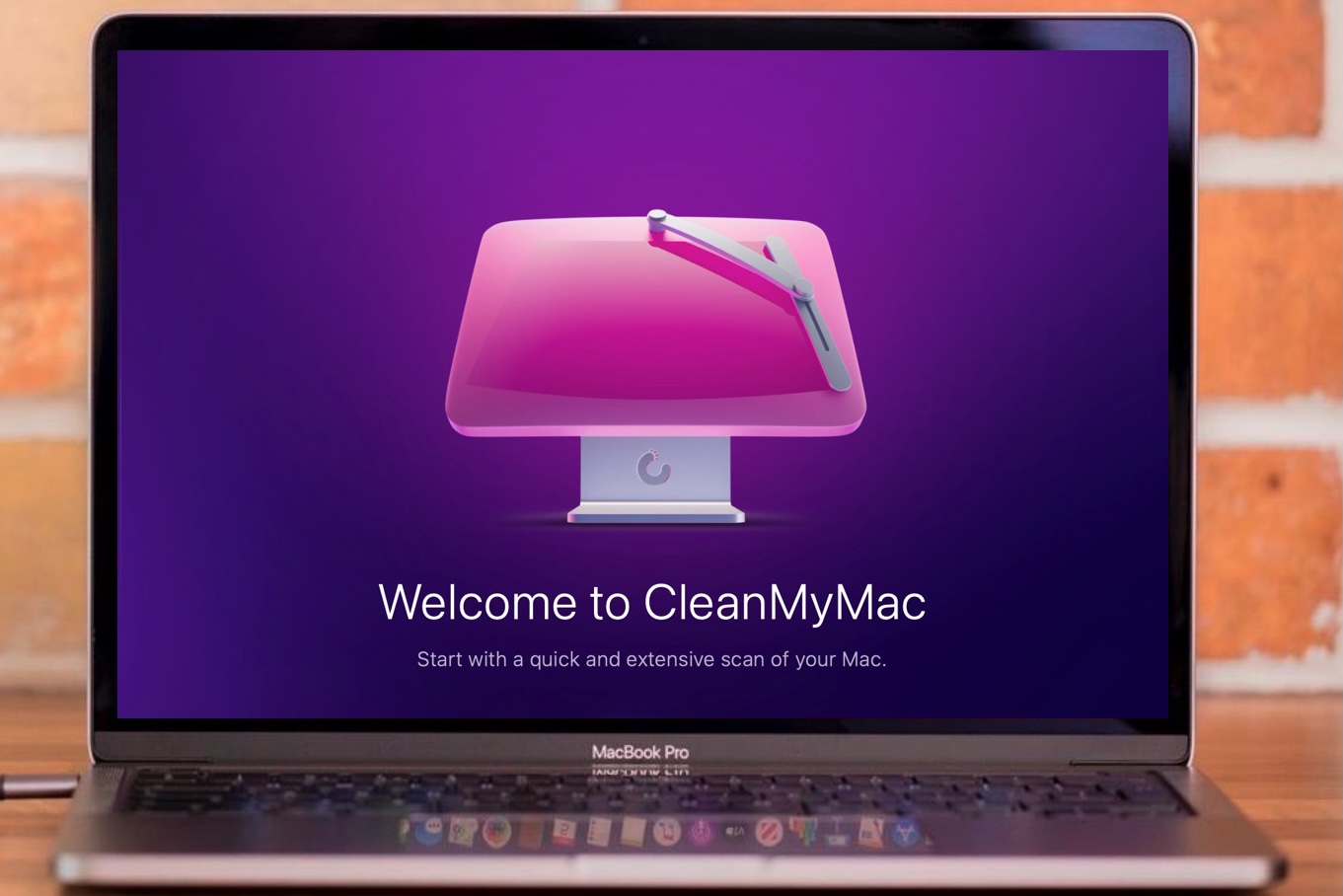
CleanMyMac’s main strength lies in combining multiple tools into one package. It offers cleaning, optimisation, and maintenance features through a very user-friendly interface with clear summaries. Users can quickly reclaim storage, manage apps, and visualise files using tools like Space Lens, which provides an intuitive overview of disk usage.
The app includes a wide range of tools: Smart Scan (which combines cleanup, malware checks, and optimisation), system junk and cache removal, an app uninstaller and updater, large and old file finder, malware and privacy tools, and performance optimisation features such as RAM management and maintenance scripts. Space Lens stands out as a particularly useful visual feature.
CleanMyMac is very beginner-friendly, offering one-click cleaning alongside more detailed file review options for greater control. Scans are fast and effective, often freeing up gigabytes of space by removing junk, unused apps, and leftover files. It is generally accurate and safe to use.
In terms of performance, it can improve responsiveness and free up storage, particularly on slower Macs. Compared to similar apps, it is more polished and easier to use.
However, there are some drawbacks. Certain features overlap with built-in macOS tools, and the software carries a premium price compared to competitors. It can also occasionally flag files that users may want to keep, meaning some manual checking is advisable. There is no built-in duplicate finder and the antivirus capabilities, though a nice addition, are not best-in-class like some of the options in our Best Antivirus for Mac round-up.
A free trial is available, but cleaning is limited to a maximum of 500MB. You can purchase from MacPaw’s website or via the Mac App Store – though that version lacks some features due to Apple restrictions. MacPaw is running a 30% discount for students – submit your university email address and receive a download code here.
Read our full
CleanMyMac review
2. Parallels Toolbox – Best all-in-one toolkit
Pros
- Huge tool variety
- Very easy to use
- Handy everyday utilities
Cons
- Annual subscription required
- Many tools unnecessary
Best Prices Today:
- Who Parallels Toolbox is best for: Parallels Toolbox is good for Mac (and Windows) users who want a wide range of simple utilities in one place – especially beginners or casual users who prefer convenience over deep control.
- Why we like Parallels Toolbox: We like it because it combines dozens of genuinely useful everyday tools into one simple, polished app without overwhelming the user.
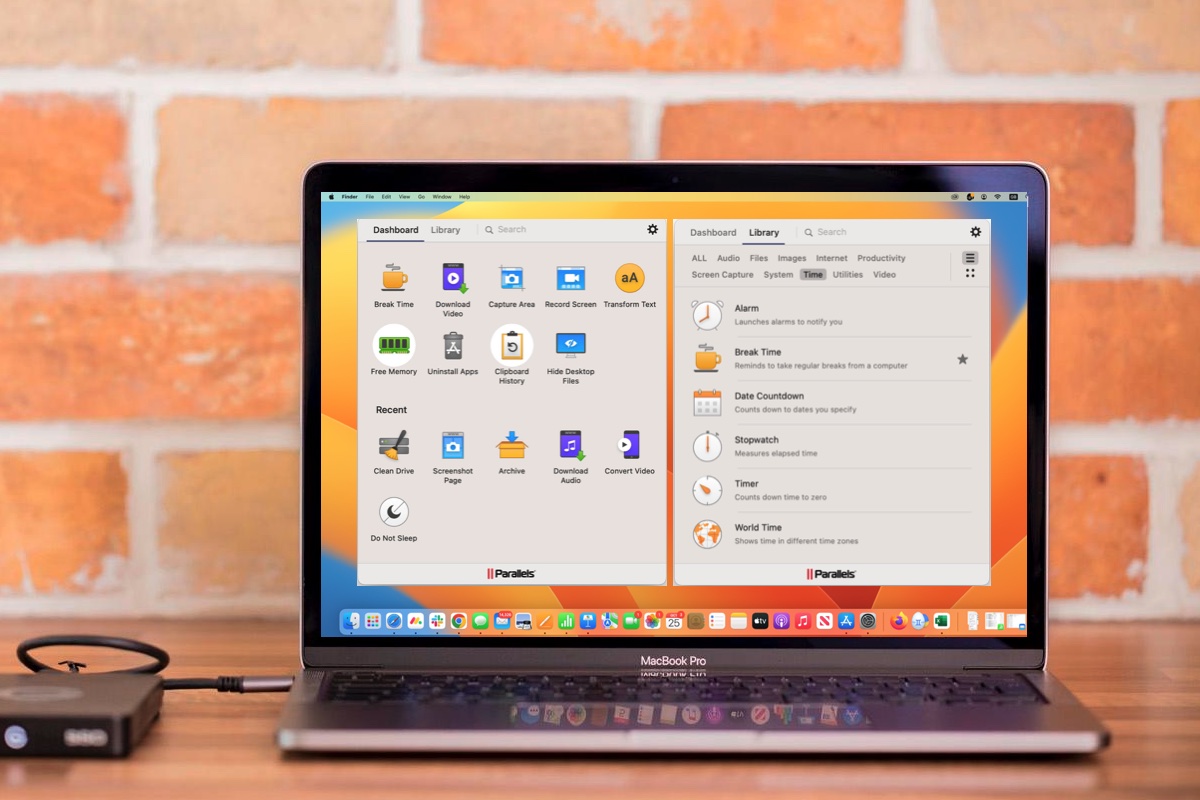
Parallels Toolbox brings together more than 50 tools – including cleaning, media, and system utilities – into a single, easy-to-access app with a clean interface and menu bar integration. Useful features such as Clipboard History, video downloading, duplicate finding, screen recording, and app uninstalling make it a practical everyday toolkit.
The main strength of Parallels Toolbox is its breadth and simplicity. It offers a broad mix of tools across system, file, and media categories, all designed to be quick and lightweight. Tools launch almost instantly and require little to no setup, making the software highly beginner-friendly. However, this simplicity comes at the cost of limited advanced control, which may frustrate more experienced users.
Its cleaning capabilities are solid for basic maintenance, allowing users to remove cache files, duplicates, and unnecessary data, as well as uninstall apps with leftover file cleanup. It is generally accurate, focusing on obvious junk files and avoiding risky deletions.
While it can help free up storage and slightly improve system responsiveness, it is not a deep optimisation tool.
On the downside, many of the included tools may feel unnecessary for some users. Additionally, the software is subscription-based, which may not appeal to everyone.
Compared to specialist apps like CleanMyMac, Parallels Toolbox is less powerful in individual areas but stands out as a versatile, all-in-one utility suite.
Parallel’s Toolbox is included free of charge along with Parallels Desktop but you can also purchase it as a standalone product for both Mac and Windows, with an annual subscription fee. There’s also a free 7-day trial that will actually delete files, free memory and do all those other useful things without you buying the app.
Read our full
Parallels Toolbox review
3. Cleaner One Pro for Mac – Simple and fast Mac cleaner
Pros
- Fast, stable, responsive performance
- Clean, easy-to-use interface
- Useful duplicate and cloud cleanup
Cons
- Interface could use refinement
- Lacks advanced/security features
- Slightly less thorough cleaning
- Who Cleaner One Pro is best for: Cleaner One Pro for Mac is a good option for Mac users who want a simple, reliable cleanup tool without complexity or all-in-one bloat.
- Why we like Cleaner One Pro: It’s a well-balanced, fast, and easy-to-use cleaner that delivers reliable results without overwhelming users.
Cleaner One Pro delivers fast, stable performance with smooth navigation, making it particularly appealing for everyday users who value simplicity and efficiency.
The interface is well designed, easy to customise, and highly beginner-friendly, with guided scans that make it clear what’s safe to remove while still offering enough control for more confident users.
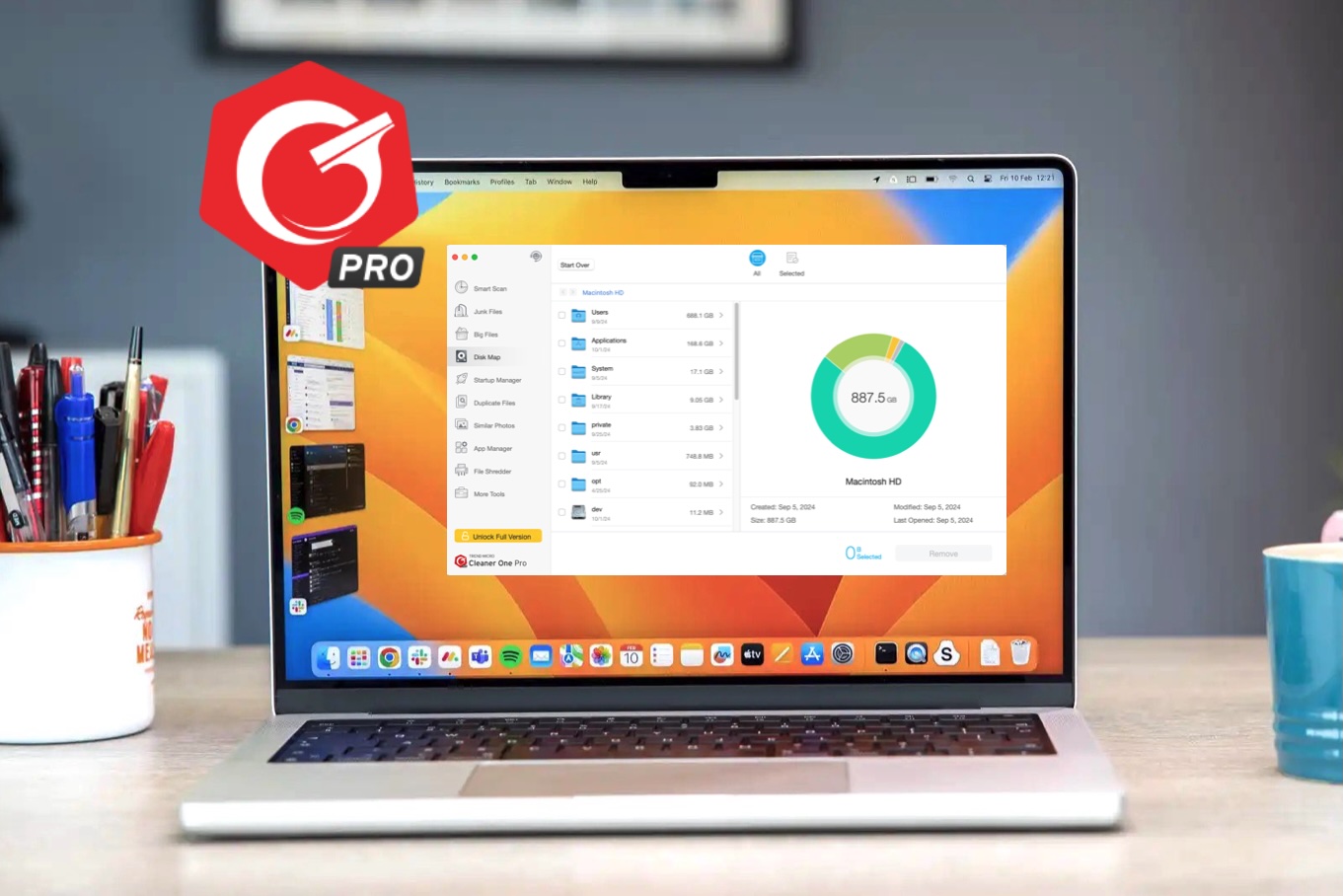
The app includes a solid set of core tools: a junk file cleaner, duplicate file finder, large file scanner with disk map, app manager for removing leftover files, startup manager, system monitoring tools, and a standout Dropbox scanner for identifying unnecessary cloud-based files. This Dropbox integration is relatively rare among competitors and adds useful functionality for users managing both local and cloud storage.
In terms of performance, Cleaner One Pro is quick to scan and responsive in use. It effectively removes junk files, duplicates, and app leftovers, helping to free up storage and improve system responsiveness. It is also generally accurate, avoiding overly aggressive file flagging, which reduces the risk of deleting important data. Its lightweight design means it has minimal impact on system performance while running.
However, it does have limitations. Some interface elements could be refined, and it lacks broader features such as antivirus protection or bundled extras like VPNs. Compared to more comprehensive competitors, its cleaning can be slightly less thorough, and it is not as feature-rich overall.
Despite this, Cleaner One Pro holds its own with competitive pricing, strong core functionality, and a more focused, less bloated experience than many alternatives, making it a solid choice for users who prioritise ease of use and speed over advanced features.
Cleaner One Pro offers is available on subscription. There is also a free version with basic scanning and no usage limits, making it easy to try without payment details. It’s also available on the Mac App Store and there’s also an iOS version on the iOS App Store.
Read our full
Cleaner One Pro for Mac review
4. MacCleaner Pro – Impressive tools at a good price
Pros
- Frees significant storage space
- Wide range of utilities
- Beginner and advanced modes
Cons
- Split into multiple apps
- Clunky interface
Best Prices Today:
- Who MacCleaner Pro is best for: MacCleaner Pro is a good option for Mac users who want an all-in-one cleanup toolkit that offers both simple and more advanced controls.
- Why we like MacCleaner Pro: It offers powerful cleaning tools via an straightforward interface.
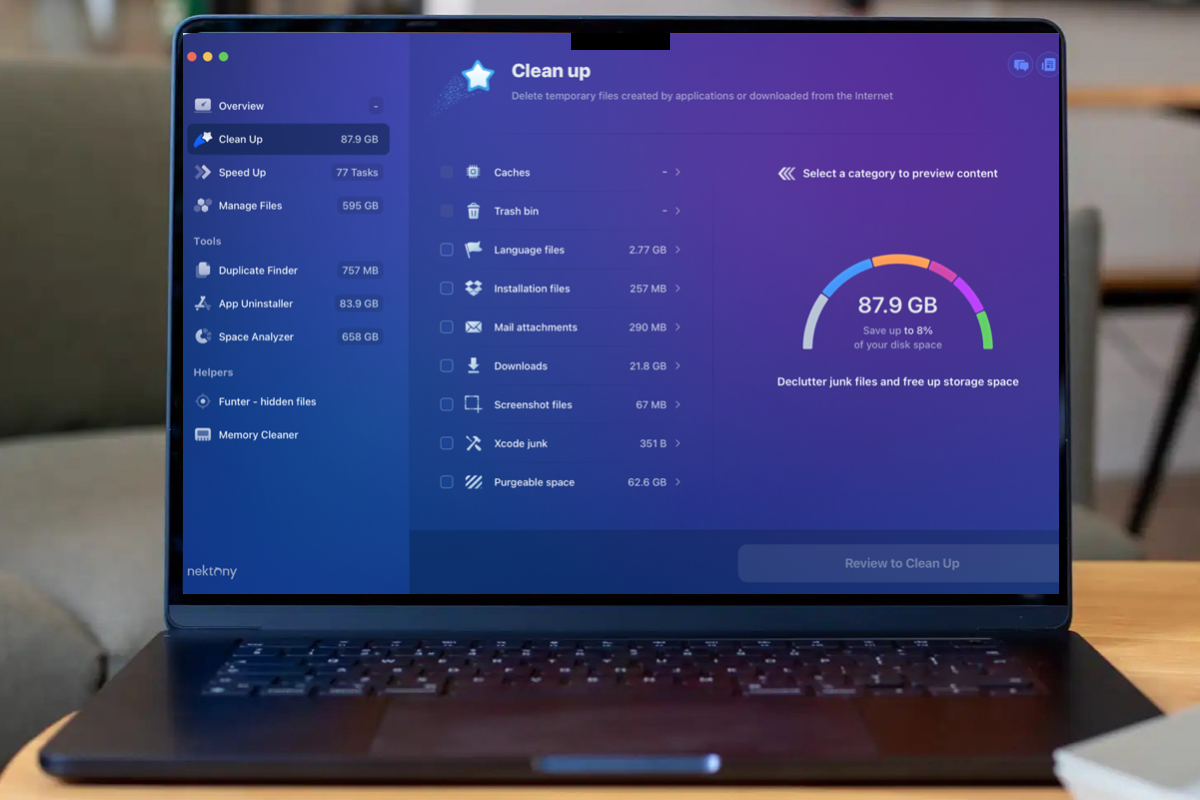
MacCleaner Pro from Nektony is a comprehensive Mac maintenance suite that combines a core cleaning app with several dedicated modules, including App Cleaner & Uninstaller, Disk Space Analyzer, Duplicate File Finder, Memory Cleaner, and Funter. Together, these tools provide a broad set of utilities in one package, helping users reclaim storage space and manage system performance without needing technical expertise.
The core app performs overall disk cleaning, while individual modules offer more targeted control. The App Cleaner & Uninstaller is particularly strong, allowing users to remove apps alongside all associated files, manage startup programs and extensions, and track down leftover files. Duplicate File Finder provides precise filtering by file type, while Memory Cleaner highlights RAM usage by apps and processes. Funter adds visibility into hidden files, rounding out a feature-rich toolkit.
Ease of use is a key strength. The interface is clear and beginner-friendly, with a “Fast Cleanup” option that quickly removes unnecessary files, while advanced users can access deeper controls. In testing, Fast Cleanup cleared 11.4GB of space, while Deep Cleanup reclaimed an impressive 65.4GB, demonstrating strong cleaning effectiveness. Scans are generally fast, though deeper operations can take longer and may require user input.
The software is accurate and safe to use, focusing on clearly removable files such as caches, duplicates, and leftovers, though some manual judgement may be required during deeper cleaning. It can improve available storage and overall responsiveness, although intensive scans may temporarily impact performance.
However, MacCleaner Pro has some drawbacks. Its multi-app structure can feel fragmented, and occasional UI quirks – such as unnecessary system prompts – can interrupt the experience. It also lacks built-in malware protection, a feature offered by some competitors like CleanMyMac.
A free trial version is available, offering full functionality for two days. The app can be purchased via subscription or as a one-time license, making it a flexible option for users seeking an effective, all-in-one Mac cleanup solution.
There is a free trial version that is fully functioning for two days. You can purchase MacCleaner Pro via a monthly or yearly subscription, or as a one-time purchase, making it a flexible option for users seeking an effective, all-in-one Mac cleanup solution.
Read our full
Nektony MacCleaner Pro review
5. Avast Cleanup Premium – Best for deep cleaning with customization

Pros
- Fast performance
- Good customization options
- Wide range of tools
Cons
- Can be overly aggressive
- Promotional opt-ins enabled
- Not very innovative
- Who Avast Cleanup Premium is best for: Avast Cleanup Premium for Mac is best suited to general users who want an all-in-one, affordable Mac cleaning tool with some customization, rather than power users seeking highly advanced or specialised optimisation tools.
- Why we like Avast Cleanup Premium: It combines strong cleaning performance with a broad set of tools and fast operation, making it a practical all-in-one maintenance utility.
Avast Cleanup Premium for Mac is a well-rounded cleaning tool offering a broad set of utilities, including Quick Clean, duplicate finder, photo analysis, app uninstaller, startup manager, and a detailed system monitor. Its standout features include hardware monitoring and granular duplicate sorting, though it doesn’t introduce anything particularly new compared to competitors.
It delivers fast performance and effective cleaning, capable of digging deeper into system files to remove clutter, reclaim storage, and improve overall responsiveness. However, its cleaning can be overly aggressive if left unchecked, meaning users should review settings and results carefully to avoid removing more than intended.
The app is easy to install and generally beginner-friendly, with a clear interface, but also offers a good level of control and customization within each module. This balance makes it accessible while still allowing more hands-on management if desired.
In terms of accuracy, it works well but relies on user oversight, as some items flagged for removal may not always be ideal to delete. There’s no noted negative performance impact—instead, it can help improve system speed by freeing up space.
Compared to similar apps, it’s a solid all-rounder rather than a standout leader, matching competitors in functionality without significantly surpassing them.
A 30-day free trial (sometimes as long as 60-days during promotions) unlocks full functionality, allowing users to test all features before committing to a subscription.
Read our full
Avast Cleanup Premium for Mac review
6. CCleaner Pro – Good cleaning control
Pros
- Strong customization and control options
- Effective at clearing storage clutter
- Wide range of cleaning tools
Cons
- Clunky and dated interface design
- Less polished than competitors
- Not for beginners
Best Prices Today:
- Who CCleaner is best for: Piriform Software’s CCleaner for Mac is suited to intermediate to advanced users who want detailed control over cleaning and storage, rather than a fully automated, beginner-first experience.
- Why we like CCleaner: It delivers effective Mac cleaning with a high level of control, making it reliable for users who want to manage exactly what gets removed.
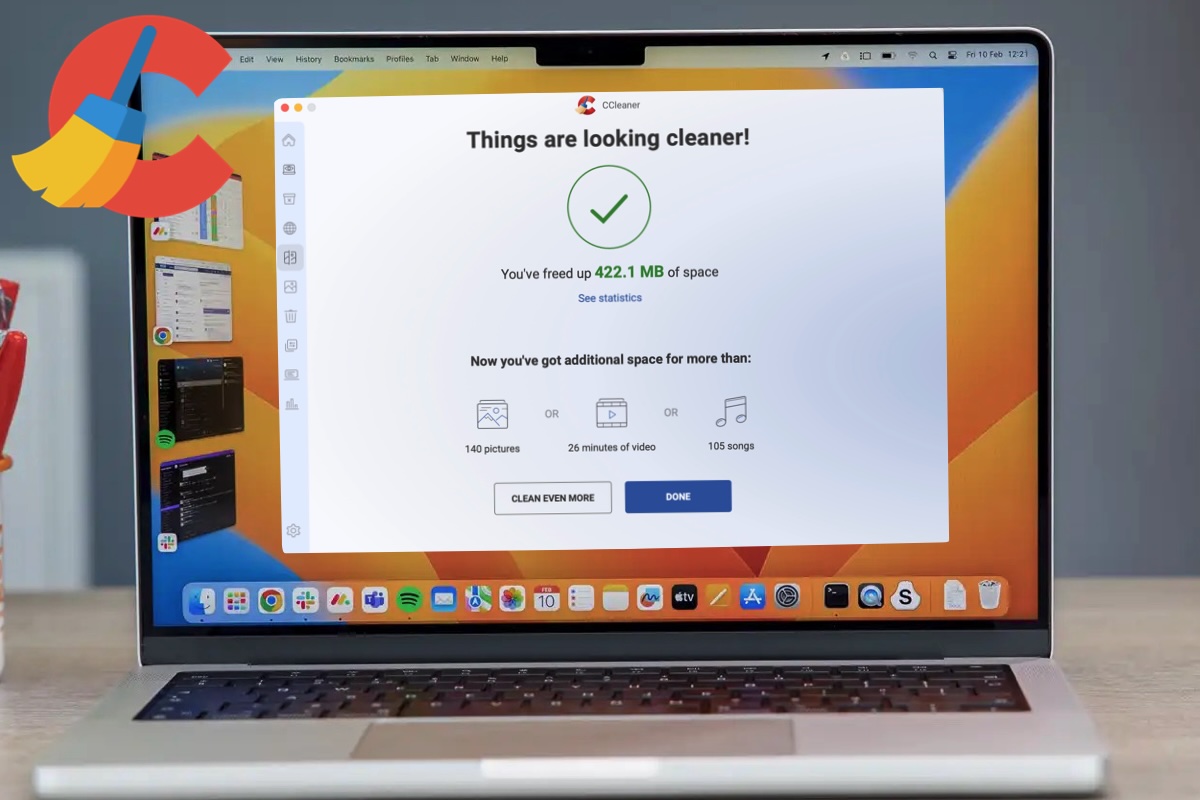
CCleaner for Mac is a flexible cleaning tool aimed at users who want more control over how their system is managed. It offers a range of modular features, including Quick Clean, Clean Clutter, Clean Browser, Find Duplicates, Analyze Photos, Uninstall Apps, Startup Manager, System Monitor, and storage statistics, making it more than a simple one-click cleaner.
Its main strength is the level of customization available. Users can target specific files such as caches, duplicates, large files, and browser data, helping to free up storage effectively. The software provides a clear analysis before deletion, improving accuracy and giving users confidence in what is being removed. Overall, it performs well at cleaning and can improve system responsiveness by reducing clutter, without causing noticeable performance issues.
However, the interface feels somewhat dated and less polished than competing apps. It lacks the visual refinement and automation found in alternatives like CleanMyMac or DaisyDisk, and achieving the best results often requires manual input. While installation and basic use are straightforward, the software leans toward a more hands-on approach, meaning advanced users will benefit most from its features.
In terms of performance, scans and analysis are reasonably quick, and cleaning speed depends on user selections. CCleaner stands out for its granular control and detailed tools, but falls short in offering a more modern, streamlined experience.
A free version is available with basic cleaning functionality, while more advanced features are locked behind the Pro version.
Read our full
CCleaner Pro review
7. Onyx – Excellent free option
Pros
- Excellent utility
- Good customization
- Reliable bug fixes and updates
Cons
- Scheduling feature needs refinement
- Intimidating
Best Prices Today:
- Who OnyX is best for: Suited to users who want deep access to macOS system tools – particularly power users and more experienced Mac owners.
- Why we like OnyX: This is. a long-standing free utility that provides powerful tools for macOS maintenance, cache cleaning, and running maintenance scripts.
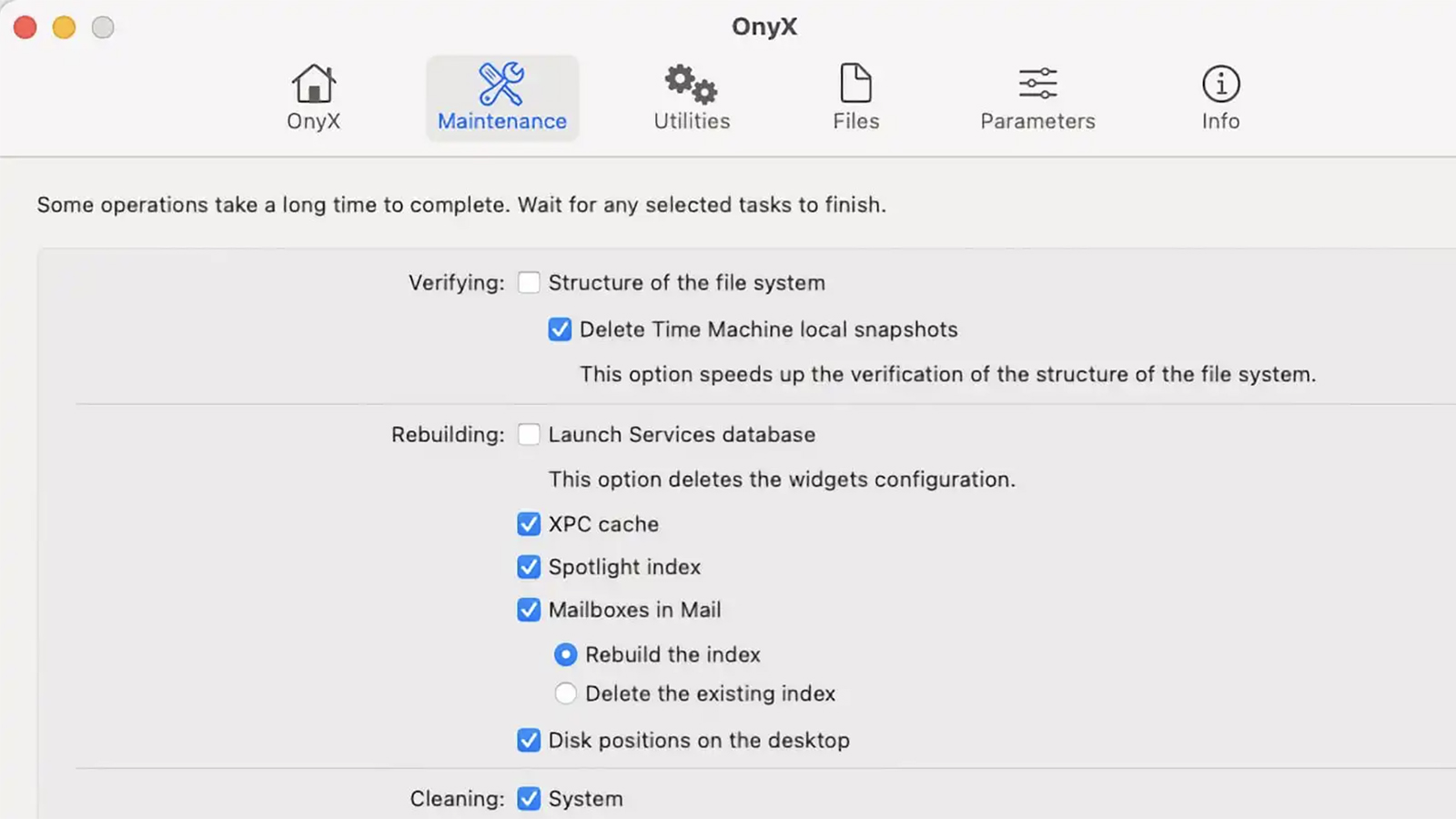
OnyX provides easy access to the powerful underlying tools within macOS, allowing users to run advanced, customizable maintenance scripts for tasks such as checking volume structures, repairing permissions, cleaning system databases, and accessing low-level system specifications. It also simplifies access to complex system functions like security settings, login options, Display Calibrator, and Keychain Access, making it a highly capable utility.
The depth of functionality makes OnyX an indispensable tool for everyday and power users alike, but its real strength lies with those comfortable going beyond basic cleaning. Its extensive customization and ability to work with low-level system features appeal most to users who want control, understand system settings, or are willing to learn.
Our main criticism is that the Scheduling feature is a bit vague and seems to only function around specific days, hours, and minutes.
While capable everyday users can benefit, the lack of tutorials and slightly vague scheduling feature mean it can feel intimidating for beginners, and support responses may be slow. For that reason, OnyX is best suited to power users and technically confident Mac users, though others can benefit if they’re prepared to spend time learning its features.
Onyx is Donationware, with users asked to send along whatever they believe the program is worth.
Read our full
Onyx review
8. Daisy Disk – Nice one off price
Pros
- Quickly scans storage and finds large files
- Graphical representation
- File name previews
- Can check cloud storage
Cons
- Some user-interface quirks
Best Prices Today:
- Who DaisyDisk is best for: It’s best for users who want a simple, visual way to understand and manage their storage, rather than a full all-in-one cleaning suite.
- Why we like DaisyDisk: It is a visually appealing disk analyzer that helps you understand what’s taking up space on your Mac.
Rather than a fully automated cleaning tool. DaisyDisk focuses on helping you clearly see what’s taking up space and gives you full control over what to delete.
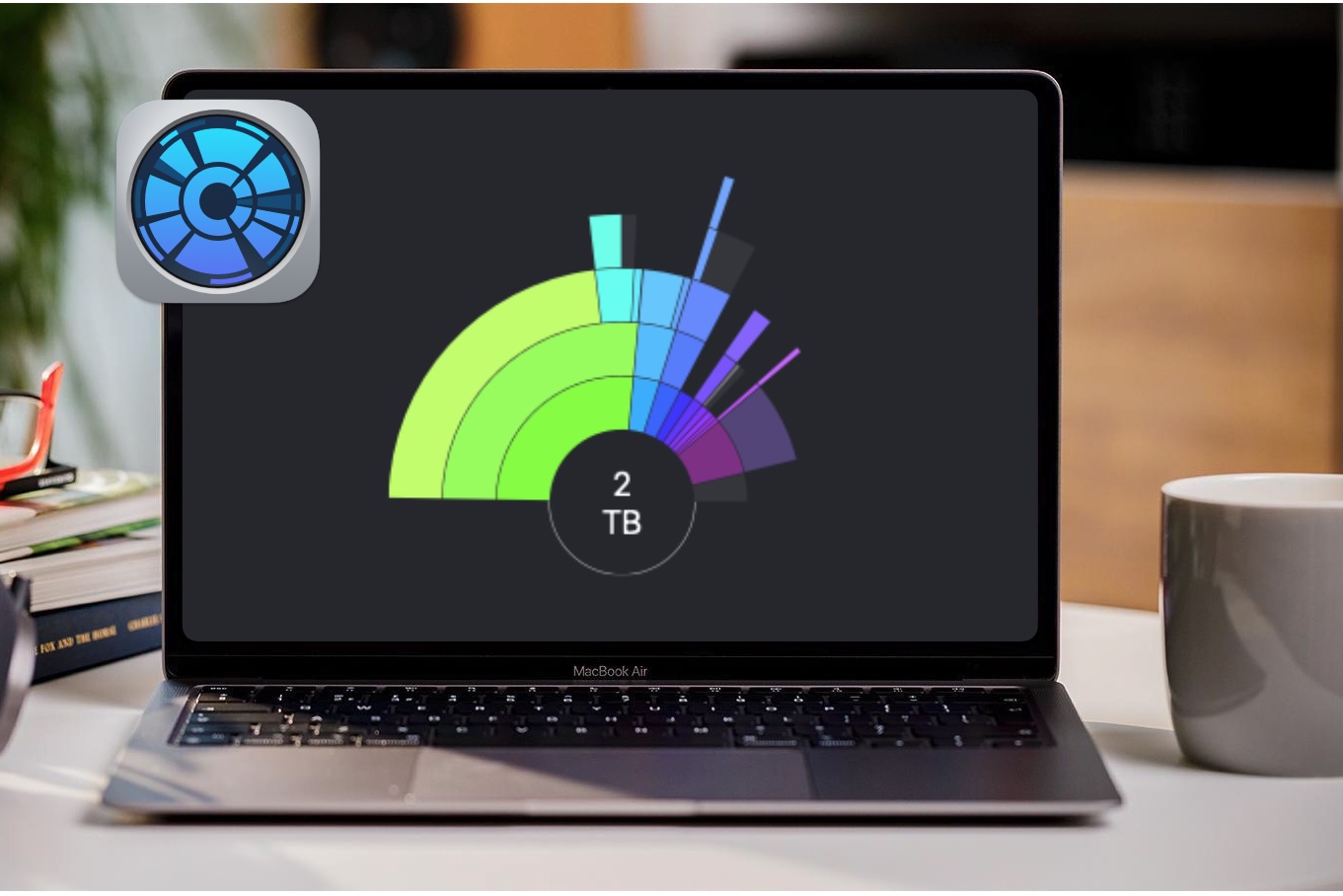
At its core, the app uses a clean, engaging interface to visualize data across local, network, and even some cloud-based volumes, mapping out files so you can quickly identify large, space-hogging items. It supports a wide range of file systems, disk images, and network volumes, and can scan almost any accessible storage. Users can also connect services like Google Drive, Dropbox, OneDrive, and Box to track down old files, though there are some limitations – Google Drive access issues were noted, and iCloud Drive can only be scanned locally due to Apple restrictions. See our round-up of the best cloud backups for Mac.
DaisyDisk is well suited to those who prefer manual control and clarity over automation. It does one job very well: helping you find and remove large files efficiently. You can scan entire drives or specific folders, and deletions are entirely user-driven, with a short countdown window to prevent mistakes.
It’s also ideal for users who want a tool that’s easy and even enjoyable to use, thanks to its intuitive, visually appealing design, rather than something complex or overloaded with features. While it lacks the automation of some competitors, its focused approach and transparency make it highly effective for reclaiming storage space – often freeing up significant amounts of data in the process.
Unlike so many apps you don’t have to sign up for a subscription package: the app retails for a one off fee of $9.99/£9.99, which is excellent value.
Read our full
Daisy Disk review
9. Klarity Disk – Visual disk analysis
Pros
- Clear and intuitive visual interface
- Fast scanning and responsive performance
- Simple, focused and lightweight tool
Cons
- Limited features beyond disk analysis
- Lacks automation and smart cleaning
- Not as powerful as rivals
- Who Klarity Disk is best for: Klarity Disk is suited to users who want a simple, visual disk analysis tool with a focus on understanding storage rather than full system cleaning.
- Why we like Klarity Disk: It provides a clean, easy-to-understand way to visualise and manage disk space without unnecessary complexity.
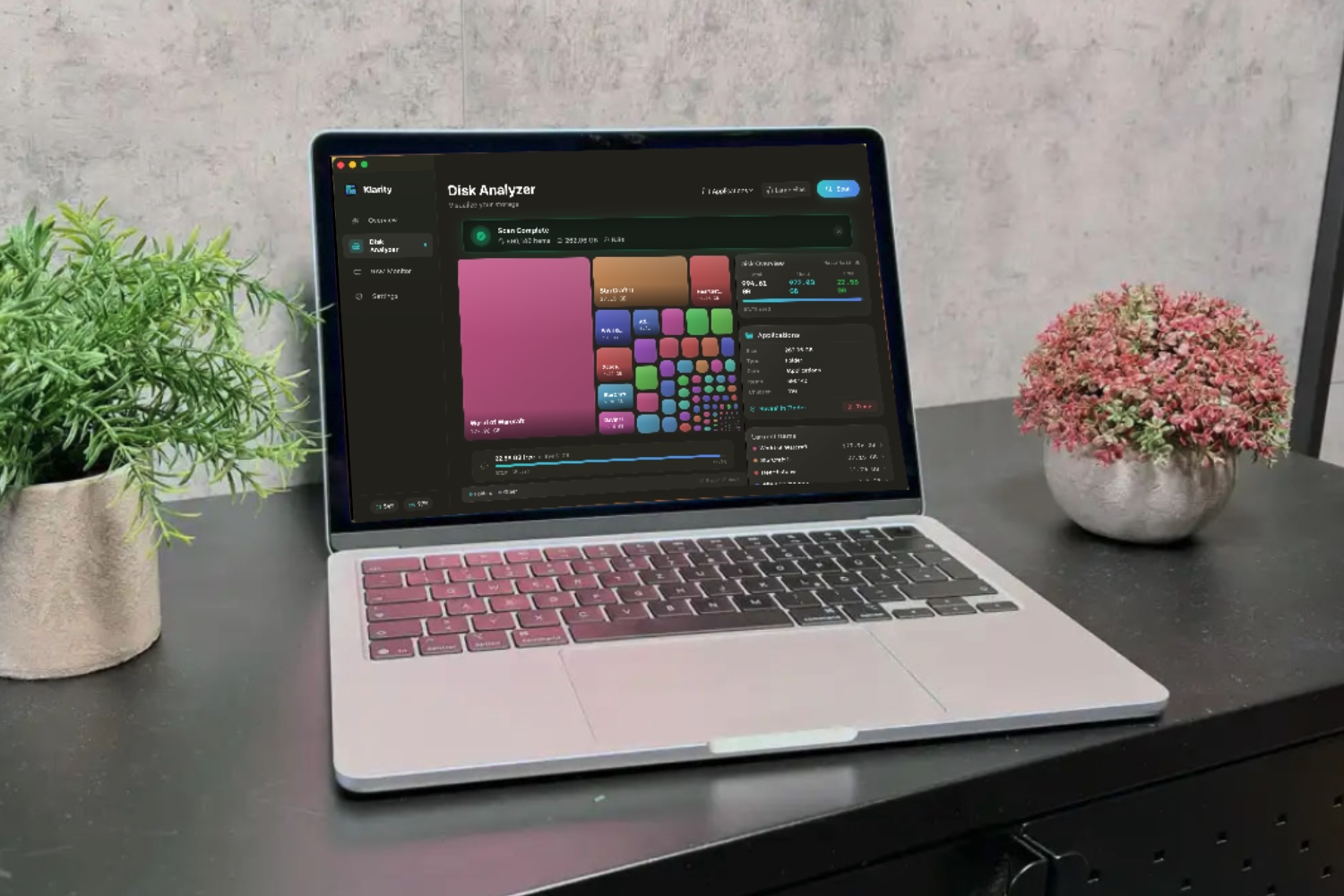
Klarity Disk is a lightweight Mac utility designed to help users understand and manage storage through a clear, visual interface. It uses treemap-style graphics to map disk usage, making it easy to explore folders, identify large files, and navigate storage. Basic file management tools are included, allowing users to locate and manually delete unwanted files.
Its biggest strength is simplicity. The app provides a clear visual breakdown of storage, helping users quickly find large or unnecessary files. It’s lightweight, focused, and avoids unnecessary extras, offering good value.
Klarity is beginner-friendly, with an intuitive interface that’s easy to navigate. At the same time, it offers high manual control, as users decide what to delete. Scanning is fast and responsive, quickly highlighting problem areas without slowing the system.
In terms of cleaning, Klarity is effective at identifying large and unnecessary files and does allow file removal. However, it relies entirely on user decisions rather than automated suggestions, which contributes to its high accuracy and low risk of deleting important files. It can help free up storage and may improve responsiveness indirectly, with no noticeable performance impact.
However, it lacks the broader functionality of full system cleaners, with no automation, advanced cleanup tools, or deeper optimisation features.
Compared to alternatives like DaisyDisk, it offers a similar visual approach but with fewer refinements. Against full-featured cleaners, it is more limited but also simpler and more focused.
It’s a paid app with a low one-time of $6.99/£6.99, available on the Mac App Store or from Klarity.
Read our full
Klarity Disk review
10. MacPaw Gemini – Dependable duplicate deleter
Pros
- Capable of finding multiple duplicate types
- Excellent search customization
- Handy preferences and options
Cons
- Lack of additional filters makes sorting located duplicates tedious
- Needs a scheduling feature
Why we like MacPaw Gemini: While not a comprehensive Mac cleaner that handles system junk or malware, it excels at its specific task of duplicate removal.
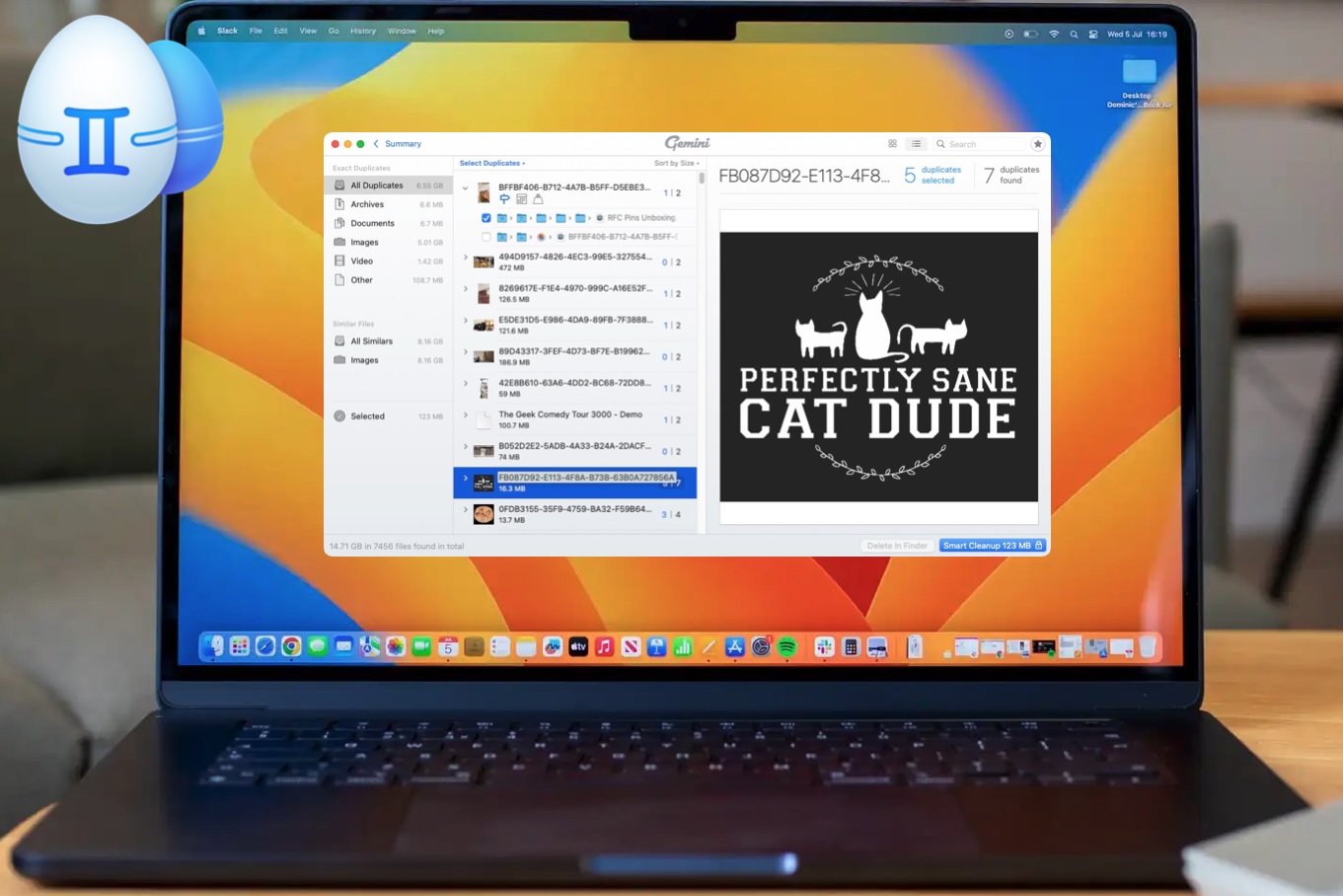
Though not strictly a Mac cleaner, like other apps in this round-up, MacPaw’s Gemini 2 can certainly help you get back some disc space. It is a duplicate removal tool that focuses specifically on reducing the thousands of duplicate photos in your Photos library. It also hunts down duplicate files within Apple Music and across the macOS operating system. The app is available through Apple’s App Store and MacPaw’s SetApp application, which grants access to Gemini and other apps for $9.99 (£7.60) a month. It is easy to install and offers a seven-day free trial in exchange for either your credit or debit card information.
The app includes scripts for easy scanning of the Photos library and your Music library, as well as custom folders and external volumes that can be chosen from a menu or dragged, dropped, and quickly scanned. Other features include Menu Bar elements, whitelists that can be created that are exempt from being scanned, and a Duplicate Monitor feature that helps compare files and heads off duplicates before they begin to pile up.
In testing, Gemini 2 quickly sought out duplicates, offered the option to remove them, and eradicated them from our hard drive. This also applies to music files and other document types, and the Duplicate Monitor warns you about possible duplicates that have been carried over to your hard drive.
However, there are some caveats, such as confusion about account registration and permissions after downloading and installing Gemini 2 from the App Store. MacPaw is urging its clients towards SetApp subscriptions, which offer full access to the company’s apps for a given rate per month.
While Gemini 2 runs well, a scheduling feature for folder or volume scans would not go amiss. An improved filter for locating duplicate items would be more helpful.
Despite some minor hurdles, Gemini 2 is well-written, sharp, helpful, fast, works well with all kinds of duplicates, and lends a good feature set to the macOS operating system without being overbearing. It hones in on its tasks and performs them well enough to earn the trust of users.
Read our full
MacPaw Gemini review
11. AVG TuneUp Premium
Pros
- Good speed and performance
- Great level of customization and ability to add whitelists as needed
- Reasonable price point and (currently) good offer
Cons
- Buggy – main window couldn’t be set to full screen or resized
- The Uninstall Apps module required multiple authentications
- Bad Photo feature in the Analyze Photos module functions on vague criteria
Why we like AVG TuneUp Premium: This app works as advertised to reclaim disk space and offers a high level of customization. It suffers from some user interface bugs, such as a main window that cannot be resized.
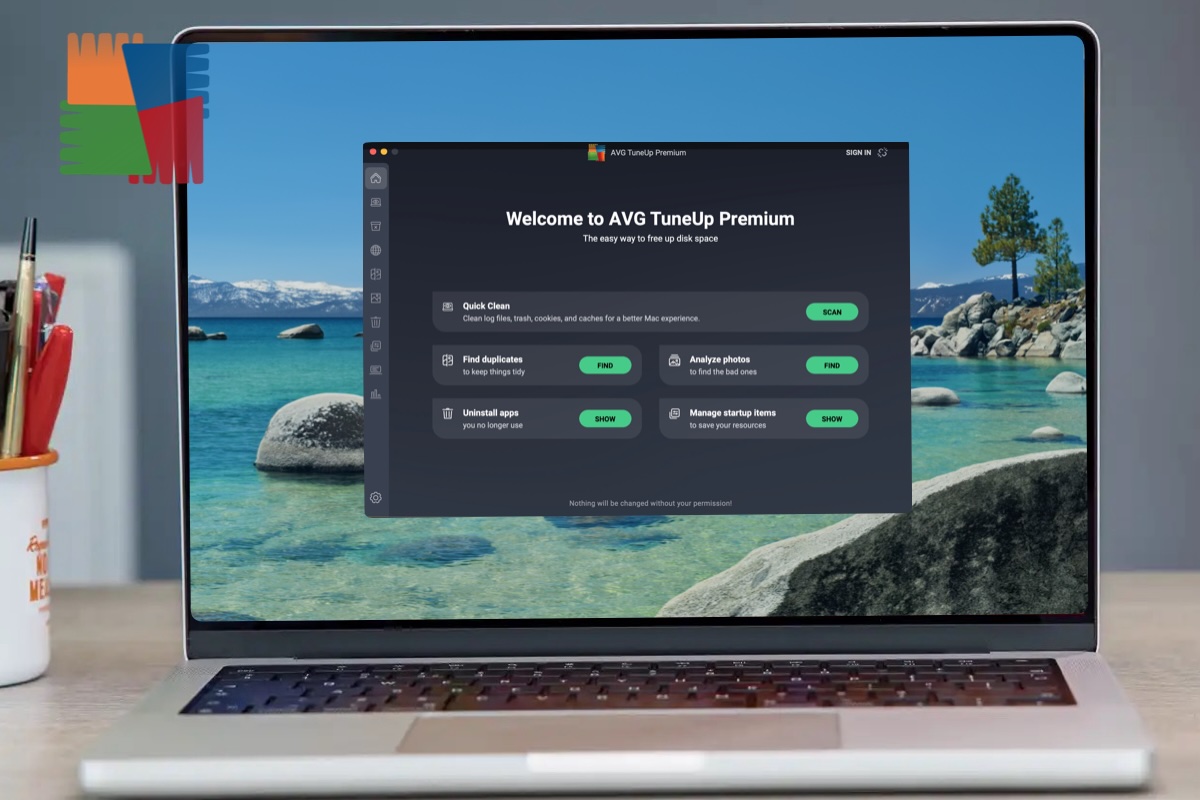
AVG’s TuneUp Premium for Mac claims to reclaim lost space by removing junk data, duplicate files, and poor-quality photos, improving Mac performance.
The software is divided into modules: Quick Clean, Clean Clutter, Clean Browser, Find Duplicates, Analyse Photos, Uninstall Apps, Manage Startups, System Monitor, and Statistics. Each module runs quickly, has a user-friendly interface, and effectively removes common detritus, recovering gigabytes of lost drive space.
The modules work as advertised, with AVG adding customisation to filter files, folders, drives, and volumes. The Clean Browser module lets users create a Cookie Allowlist to avoid conflicts. The Find Duplicates application categorises found documents and allows adding folders or external drives for sorting.
Utilities like Uninstall Apps and Manage Startups also worked well. Manage Startups provides deeper insights into startup load than macOS Settings, with easy toggling of settings. The System Monitor module offers system information, including CPU/memory usage, sensors, disk usage, battery usage, and life, and is available from the Menu Bar.
However, there are issues. The Uninstall Apps module required two Touch ID authentications, which seems odd. The user interface is polished but doesn’t allow full-screen mode or resizing.
The Bad Photos feature in Analyse Photos is vague, and the few images it found didn’t seem damaged, blurry, or out of focus, but rather oddities that didn’t fit into the Photos Library.
AVG TuneUp Premium for Mac offers a good program with excellent customisation, allowing users to add exceptions and whitelists before applying large-scale filters and cleanup routines. The software focuses on its core tasks, such as antivirus protection, without attempting to do everything else. However, there’s room for improvement.
Read our full
AVG TuneUp review
12. Intego Washing Machine
Pros
- Reclaim drive space and remove duplicate files
- Good customization, filters, and settings
Cons
- Annoying pop-ups
- Installation difficult
Why we like Intego Washing Machine X9: It’s a straightforward utility for reclaiming disk space and removing duplicates. While effective, it doesn’t offer groundbreaking features compared to its competitors and its “Organize” tool is seen as a superficial fix for messy folders.
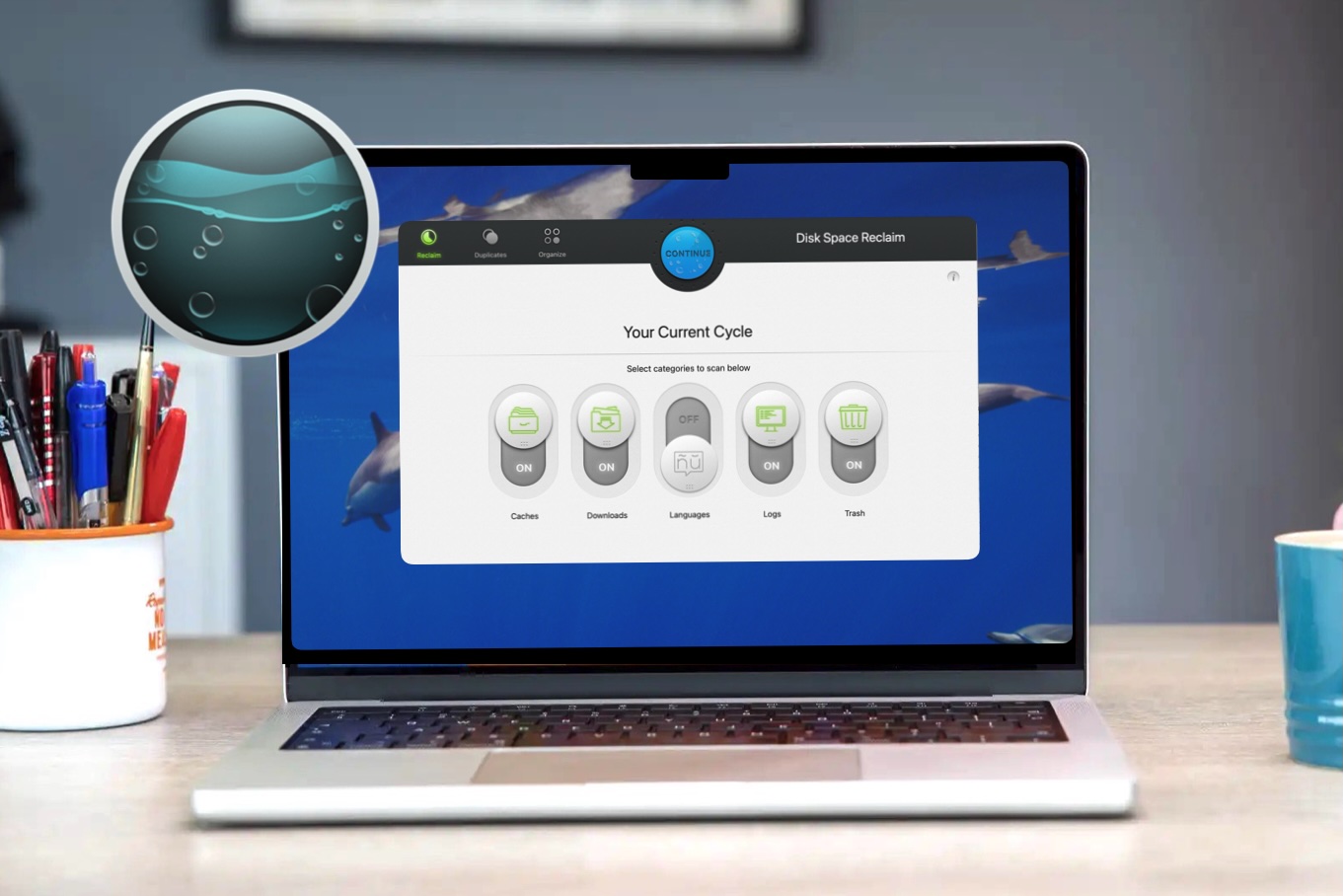
Intego’s Washing Machine X9 is a handy cleaning utility for the Mac that focuses on reclaiming disk space via the Reclaim tool, removing duplicate files on your Mac’s hard drive with the Duplicates tool, and organizing folders using the Organize tool.
As is standard, the software (compatible with macOS 13 High Sierra or later) requires that you grant it full access to your hard drive though your Mac’s Privacy and Security settings. Less standard was that we had to locate the Intego Washing Machine X9 app in the Applications folder and drag it into Full Disk Access in Privacy and Security settings to get it to function. It is more common that an installer will add an easy icon that can be dragged into the macOS Full Disk Access pane to complete the installation.
There’s a good level of customization. Like similar applications, the Reclaim tool can chase after caches, downloads, language files, logs, and trash files to help clean up disk space. The initial run cleared approximately 24GB of drive space from my M2 MacBook Pro’s SSD.
The Duplicates tool took about five hours to create an initial index for my 1TB SSD. It offered control over duplicates that can be selected and specific options and naming filters.
The Organize feature can help organize messy folders into a Snapshot folder for reorganization later. This tool can work with specific folders such as the ever-messy Desktop folder, your Home folder, and macOS’ Smart Folders, and help pull things into order. This Organize feature does feel like slapping a band-aid on the larger problem of a folder’s disorganization though.
The Scheduling option only allows for a specific week or month to be chosen, and it would have been nice to be able to schedule a process for a few minutes from now, as is common with similar software.
While it’s nice to be able to reclaim a few dozen gigabytes of drive space and have control over the duplicate files on your Mac, Washing Machine offers nothing groundbreaking.
With the current discounts and its attractive user interface it’s worth a look though. Alternatively, Intego’s Washing Machine X9 is bundled with Intego’s larger security suite so you could take advantage of that and get a Mac Cleaner with Intego’s Antivirus solution. The Mac Premium Bundle includes VirusBarrier, NetBarrier, Content Barrier, and Personal Backup solutions.
Read our full
Intego Washing Machine X9 review
13. Nektony App Cleaner & Uninstaller

Pros
- Friendly interface, good performance
- Cheap option
Cons
- Mediocre update utility
- Problems with Remaining Files module
Why we like App Cleaner & Uninstaller: It offers a user-friendly interface and can dig deep into macOS to find and remove leftover files and unwanted extensions.
App Cleaner & Uninstaller simplifies the process of removing unwanted applications, startup programs, extensions, remaining files, and updates.
The Applications module indexes all applications and allows users to easily find and remove even the remnants of software. The Startup Programs module provides a convenient list of startup applications, categorised into All Programs, Active, and Disabled, and lets users select which to remove. The Extensions module categorises Mac extensions into Installation Files, Web Browser Extensions, Screen Savers, Settings Panes, Internet Plugins, and Widgets, making it easy to locate and remove specific extensions.
Unfortunately, App Cleaner & Uninstaller’s Remaining Files and Updater elements are problematic. The Remaining Files module, though useful, offers a generalised ‘Remove’ feature that can remove critical system elements like the App Store, affecting your Mac’s functionality.
During testing, it targeted Adobe Creative Cloud applications and files, removing file systems and requiring reinstallation of several Adobe applications. While a generalised cleanup is possible, the Remaining Files module should be used carefully to avoid removing critical elements. The Updates feature missed major updates like ff-Works, Slack, and Microsoft Office.
Read our full
Nektony App Cleaner & Uninstaller review
You may also like to consider:
- Disk Doctor, $2.99/£2.99 a year.
- Tuneup for Mac, $65.99/£54.99 a year.
We have also looked at MacBooster, find out why we don’t recommend it here: MacBooster Review: it’s no surprise people think it’s malware.
For more information about why a Mac cleaner app could be useful read: Why your Mac needs a cleaner app. We also discuss Tips for cleaning up your Mac.
What are the best free Mac Cleaner options?
If you prefer not to pay, several reliable free Mac cleaners exist, ranging from completely free utilities to limited free versions of premium software.
While macOS includes built-in storage management tools, they require more manual effort and carry the risk of deleting important system files if you’re not careful. You should only use macOS tools if you are confident that you are not deleting critical system files. While macOS includes protections to prevent you from easily damaging the operating system, manual deletion of certain folders can lead to application errors or system instability. Third-party apps often provide more automated ways to clear caches, logs, and unneeded system data.
The following are the most effective free options we have tested for maintaining a Mac.
- OnyX: A long-standing, completely free utility that provides powerful tools for macOS maintenance, cache cleaning, and running maintenance scripts. Options like OnyX are suited to technical experts troubleshooting persistent system issues.
- CCleaner: This well known tool offers a free version with useful cleaning features, though a professional version is also available.
- Avira Free Security: While primarily an antivirus, it includes a Junk Cleaner module that can clear out gigabytes of unnecessary files, though many other features are behind a paywall.
Several premium cleaners offer trials that allow you to clean your Mac for free for a limited time or up to a certain data limit:
- Nektony App Cleaner & Uninstaller: This software is available as a two-day free download. It excels at finding Remaining Files from previously deleted applications.
- CleanMyMac: Is highly recommended for its user-friendly interface, which allows you to know what needs fixing without bombarding you with confusing information. It offers a free trial that shows how much space can be freed, though full cleaning may require a subscription.
- DaisyDisk and MacCleaner Pro: Also offer free trials that provide a way to clean your system without immediate cost.
How to choose the best Mac Cleaner
Choosing the best Mac cleaner depends on your needs, budget, and comfort with system tools. Some apps focus purely on freeing up disk space, while others offer broader features like app uninstallation, RAM management, system optimisation, and even antivirus protection.
If you just want to reclaim storage – perhaps to install a macOS update – a simple, low-cost cleaner may be enough. These tools are usually easy to use and focused on quick results.
For many users, a standalone app uninstaller can be a smart middle ground. Leftover files from deleted apps are a common cause of clutter, and tools like Nektony’s App Cleaner can remove these without the complexity of a full suite.
If you want more comprehensive maintenance, including performance improvements, deeper system insights, and added security features, a full-featured cleaner is worth considering.
Ultimately, the best Mac cleaner is the one that fits your requirements and budget. Any app included in this roundup that matches your criteria comes recommended.
Most Mac cleaners include tools such as:
- Duplicate finding: Locate identical files to free up space.
- Startup management: Disable apps that slow boot times.
- Browser & privacy cleaning: Remove cookies and tracking data.
- System monitoring: Track RAM, CPU, and overall performance.
How Macworld tests Mac Cleaning software
To test Mac cleaning software, Macworld’s experts run the applications on a test system and perform real-world evaluations to assess their performance in typical use cases . The review process focuses on several key criteria to determine the software’s effectiveness and value.
The primary steps and evaluation criteria include:
- Scanning and File Removal: The software is first used to scan a test system for junk files, caches, and temporary files that can be deleted. Success is measured not just by the amount of space the app frees up, but also by ensuring the cleaning process doesn’t cause data loss or performance slowdowns.
- Module Effectiveness: Beyond simple file cleaning, the evaluation extends to the various modules included in each app. This includes testing the efficiency of features like app uninstallers and RAM management tools.
- User Experience and Value: Our reviewers also assess the software’s ease of use and overall value for money. For example, CleanMyMac is noted for simplifying its scan results into a series of tiles for a quick summary.
- Features and Innovations: New and updated features are also a point of focus. For instance, a 2025 update to CleanMyMac introduced a “Purgeable Space” option to scan for old files and a “Space Lens” feature that provides a visual guide to storage usage, which were highlighted in its review.
Our goal is to provide unbiased recommendations based on real-world testing. Our approach is to use the products ourselves, running real-world tests to accurately assess how the software will perform in typical use.
Why you should trust Macworld
Macworld’s Mac cleaner app reviewer, Chris Barylick, is an Apple-Certified Macintosh Technician with more than twenty years of experience fixing Macs and in this time has seen just about every scenario that can be conceived of. You can trust the unbiassed recommendations and buying advice of Macworld’s team of experts because we use the products ourselves, running real-world tests to accurately assess how the software will perform in typical use.
FAQ
Can you clean your Mac without using a Mac Cleaner?
macOS doesn’t have a built-in system cleaner, but with a little knowhow you can do the job yourself.
It is possible to clean your Mac for free, however there are risks involved. There’s a reason why Apple doesn’t let you access the contents of System Data: if you delete the wrong thing it could bring down your whole Mac! However you can follow the steps in this tutorial to free up space without spending anything: How to delete System Data on a Mac.
Is it worth paying for a Mac Cleaner or can I clean my Mac for free?
There are several options available that offer free trials or are completely free.
Free Trials: Some Mac cleaner apps, such as CleanMyMac, DaisyDisk, Parallels ToolBox and MacCleaner Pro featured above, offer free trial versions that allow users to clean their Mac for free for a limited period.
Free Versions: CCleaner has a free version with useful cleaning features. OnyX is a free utility that provides access to powerful tools for cleaning and maintenance of the macOS operating system
Some of these trials will merely show you how much space you can free up, but several are essentially free Mac Cleaners that will allow you to clean your Mac for free, albeit for a limited period. While some of these options may have limitations or time restrictions, they provide a way to clean your Mac without immediate cost.
Is there a totally free Mac cleaner?
CCleaner and OnyX are the best options if you are looking for a free Mac cleaner. Alternatively you can use Apple’s built in tools to help you find ways to make more space and delete data you don’t need. See: How to check a Mac’s free hard drive space and How to clear disk space on a Mac and How to find and delete duplicate files on Mac.
Why use a Mac cleaner
Using a Mac cleaner application can be beneficial for system maintenance and performance, especially if a Mac is slowing down, freezing, or frequently running out of RAM.
One of the primary reasons to use a cleaner is to identify and remove “cruft” – unnecessary files that accumulate over time and consume significant disk space. These apps are particularly effective at targeting “System Data” (formerly “Other” storage), which includes large caches, logs, and temporary files that are often difficult to locate manually.
By using these tools, users can safely clear gigabytes of data, such as:
- Application Leftovers: Files remaining after an app is dragged to the Trash.
- Duplicate Files: Identical documents, photos, or downloads that waste space.
- Language Files: Unused localization data for languages the user does not speak.
- Large/Old Files: Scanners that visually map out storage to highlight forgotten space-hogs.
Beyond just freeing up space, Mac cleaners can improve overall responsiveness by optimizing how the system handles resources. Many suites include performance-specific modules that allow users to:
- Manage Startup Items: Disable unnecessary background apps and “launch agents” that slow down boot times.
- Free Up RAM: Identify and shut down memory-intensive processes to reduce freezing.
- Maintenance Scripts: Run routine tasks like clearing DNS caches or re-indexing Spotlight to speed up search results.
While macOS includes some built-in tools for basic upkeep, dedicated cleaning software often provides a more comprehensive and user-friendly way to handle deep system maintenance without requiring technical expertise.
Who should use a Mac cleaner?
Mac cleaners are best for users who want to maintain their system without technical knowledge. They provide a simple, all-in-one way to manage storage and performance.
- Non-technical users: Ideal for those unfamiliar with manual maintenance, as they simplify complex tasks.
- Limited storage users: Disk analysis tools help identify large files, duplicates, and clutter to free up space.
- Frequent app installers: Dedicated uninstallers remove leftover files that standard deletion misses.
- Pre-update users: Useful for clearing clutter before major macOS upgrades.
Who should not use a Mac cleaner?
For some users, Mac cleaners are unnecessary or not the best option.
- Power users: Those comfortable with Terminal or manual file management can do similar tasks for free.
- Budget-conscious users: Many top tools are paid, while free options like OnyX or CCleaner may suffice.
- Security-conscious users: Avoid cleaners found via suspicious ads, which may lead to malware.
- Users with basic needs: macOS already includes built-in protections, and some cleaners offer limited security features compared to dedicated antivirus tools.
What should you do before using a Mac cleaner?
There are a few things you should do before you use a Mac cleaner to make any changes to your Mac.
- Make a backup: Whether you use a Mac Cleaner, or try to delete things like caches and system files yourself, we strongly recommend that you make a backup first. Things can go wrong and you will be glad to be able to ‘undo’ what you did should a problem arise.
- Do some housekeeping: Before you use a Mac Cleaner, see if you can clear some space with a little bit of a tidy up. Delete old downloads from your downloads folder; open the finder and delete any largest files you don’t need; empty your trash.
- Check Apple’s recommendations: Also take a look at Apple’s own suggestions of ways to free up space in Settings > Storage, these are likely to include using iCloud and deleting things like Messages and Mail with large attachments.
- Get advice: Read our guidance on How to clear disk space on a Mac and How to delete System Data on a Mac.
Is it safe to use a Mac Cleaner
Using a Mac cleaner is generally safe – and often helpful for maintaining performance – provided you choose reputable software and use it carefully. While macOS already includes built-in protections, third-party cleaners can help reclaim disk space and remove files that are difficult to locate manually.
However, not all Mac cleaners are trustworthy. You should avoid tools discovered through suspicious ads, especially those posing as “how-to” guides that encourage you to run Terminal commands. These can sometimes install malware or give attackers remote access to your system.
Even legitimate cleaners come with some risk. Most require Full Disk Access, which gives them deep access to your files. This is necessary for functionality, but it also means you should only install apps from trusted developers.
There are a few key things to watch out for:
- System integrity risks: Some advanced cleaning modules can remove important files if not configured properly, potentially affecting macOS features or apps.
- Malicious ads and fake tools: Be cautious of deceptive search ads that redirect to fake support pages or unsafe downloads.
- Potentially unwanted programs (PUPs): Some cleaners have poor reputations for aggressive behaviour or misleading prompts.
To stay safe, always download software from official websites or the Mac App Store, and avoid granting permissions unless you trust the app. It’s also strongly recommended to back up your Mac before running any cleaning tool, as certain actions can be difficult to reverse.
Used responsibly, a good Mac cleaner can be a safe and effective way to free up space and keep your system running smoothly.