Apple makes great computers, but aside from the MacBook Neo they’re not cheap. Even if you are happy to pay the entry price for a new iMac or MacBook Pro, you’ may’ll be painfully aware that each step up in the technical features—more RAM, larger storage, etc—adds a few hundred extra dollars or pounds. But can you justify the extra spend?
Luckily you don’t have to, because often you can find a previous generation Mac—and sometimes even the current generation model—on sale for less at Apple’s Certified Refurbished store. U.K. users will find their local Apple Certified Refurbished store here.
It’s not only Apple that offers refurbished Macs though. There are other places you can buy used Macs that have been refurbished—but not all refurbished Macs are as good as the ones Apple sells, so you should beware of the pitfalls. Luckily we will be running through the things to look out for, choose or avoid in this article, so you can be confident you will get the best refurbished Mac or MacBook for your needs.
We’ll also explain what the Apple Certified Refurbished Store is, what price you can expect to pay for a refurbished Mac or MacBook, and other ways and trusted places to buy a cheap Mac. We also highlight some of the best refurbished Mac deals available right now.
After these tips we discuss which older Macs are still worth buying and list some of the principal differences between the different processor generations of Macs that might help you choose between the M1, M2, M3, M4 and M5 when choosing an older Mac.
Apple
Should you buy a refurbished Mac?
We have an article dedicated to this question here: Why you should buy a refurbished Mac. To summarize, there are lots of reasons why buying a Mac from the Apple Certified Refurbished Store is a good idea.
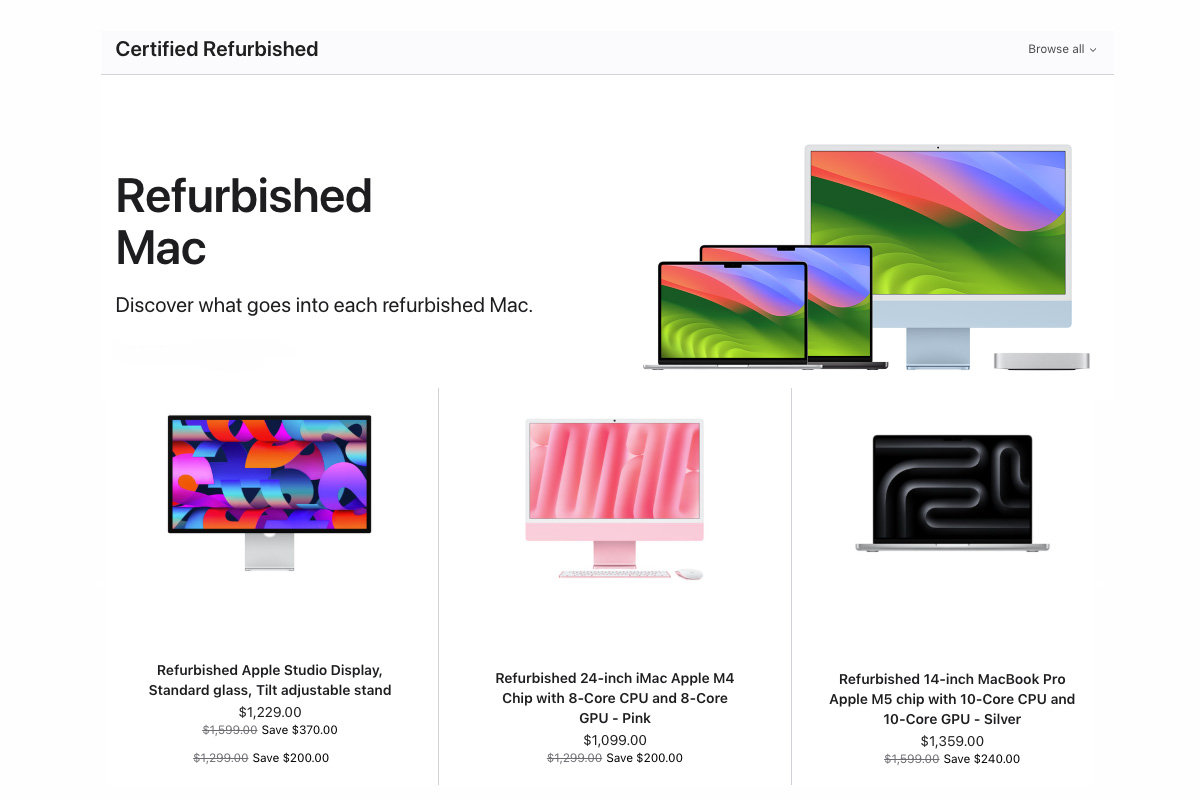
The Refurbished Store is a section on Apple’s website where you can buy refurbished Macs and MacBooks, as well as other Apple products including the iPhone, iPad, Apple Watch, HomePod and Apple TV.
These refurbished Macs could be models from a previous year, or they could be current models. A reconditioned Mac could be an ex-demonstration model used during Apple teaching programs, or it could be a unit sold to a customer who decided to return it under the standard sale-and-returns procedure. (Apple allows any customer to return a Mac bought from the Apple Store within 14 days for a refund. See Apple’s Standard Returns Policy U.S. and Standard Returns Policy U.K.).
It’s also possible that a customer returned the Mac due to a fault, but—fear not—as that fault will have been rectified by Apple engineers before the Mac can be resold. In fact, Apple states that: “Every Apple Certified Refurbished product completes a rigorous refurbishment process that includes full testing that meets the same functional standards as new Apple products. Your refurbished device is truly ‘like new.’”
In addition, each Mac:
- Will be thoroughly cleaned and inspected
- Includes Apple’s standard one-year limited warranty
- Includes up to 90 days of complimentary technical support
- Comes with all accessories, cables, and operating systems
- Is packaged in a brand-new white box
- Is dispatched with free shipping and returns
- Can be purchased via financing options
- And can be delivered next day
The important thing to note is that Macs bought from the Apple Certified Refurbished Store are not discernibly different from new ones bought directly from the Apple Store. All Macs bought from the Refurbished Store are cleaned, checked, tested, and visually indistinguishable from brand-new models.
Apple
Reasons not to buy refurbished Macs
As you can see there are plenty of good reasons to buy a refurbished Mac from Apple. Are there any disadvantages?
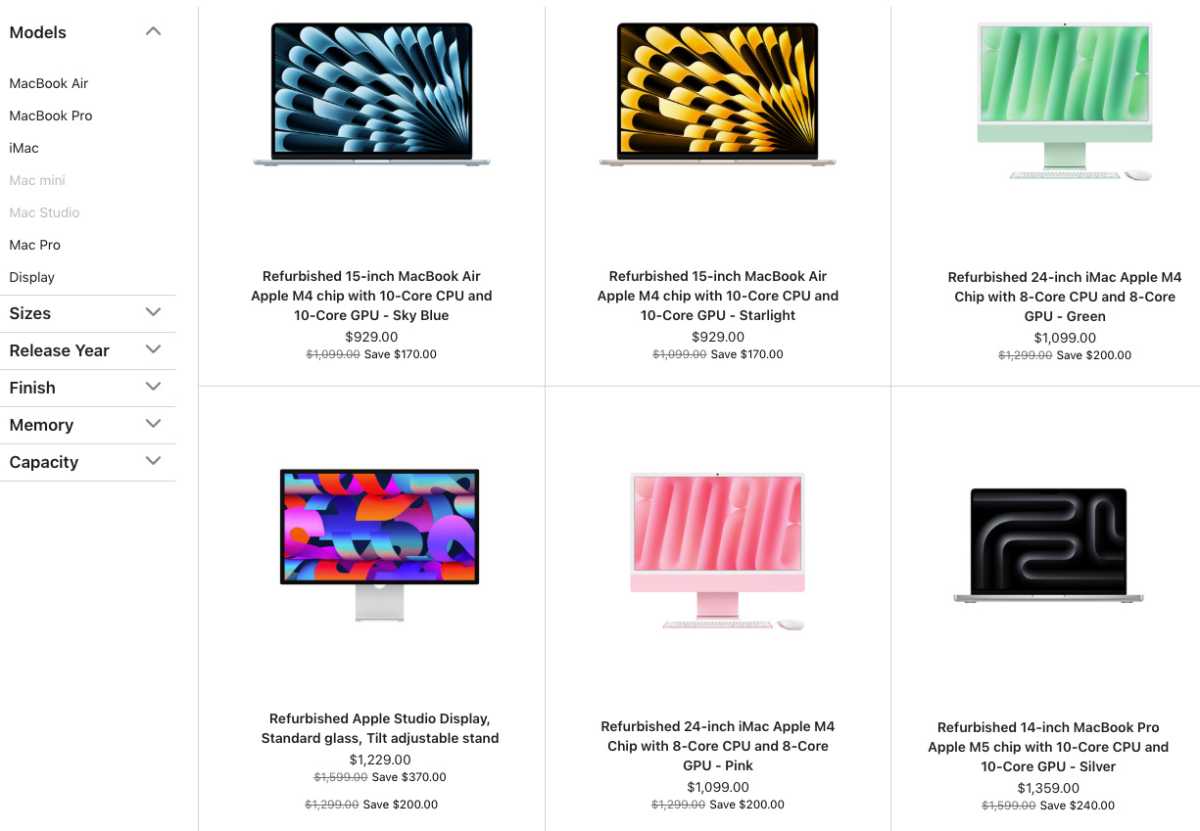
One disadvantage is that buying refurbished Mac will likely mean that you aren’t buying a current generation model, although, as we have already said, it is possible to find current generation Macs on the Apple Refurbished Store, but not until at least half a year after launch. Right now the store is selling a lot of M5 and M4 Macs, and these are pretty recent models.
The other downside to buying from Apple’s Refurbished Store is that it may not always have the model you’re after. Since the stock depends on the number of returns made or traded in, Apple may have more of one item than another, which is when you may need to turn to other retailers.
Another disadvantage is that the discounts you get from buying on the Apple Refurbished Store aren’t always as good as you would get if you bought the same model from somewhere else. But buying from someone other than Apple can be risky.
For example, you can get refurbished Macs on Amazon U.S. and Amazon U.K., but the majority of these tend to be old Macs and not models we would recommend buying. There are various other places that sell refurbished Macs and MacBooks that we will run through below. There are many other places that will sell you a ‘refurbished’ Mac, but not everyone performs the same checks as Apple does. Find out why we don’t recommend buying a Mac second-hand if the Mac isn’t certified refurbished in Should I buy a used Mac?
Where to buy refurbished Macs
Apple isn’t the only company to resell second-hand, refurbished Macs. You could also pick up a refurbished and reconditioned Mac from resellers listed below:
In the U.S.:
- Apple
- Amazon
- Back Market MacBooks
- Back Market Macs
- Best Buy
- Gainsaver
- OWC
- Mac Of All Trades
- Refurb.me
In the U.K.:
Buying refurbished, even if it’s not from Apple, should mean that the Mac has been inspected by an authorized Apple technician and, if necessary, faulty parts replaced (but we advise that you check this). Buying the same Mac second-hand for less might look attractive, but it’s not guaranteed to work. It’s worth paying a little extra for a refurbished model for peace of mind. It’s like buying a car from a garage rather than someone on Gumtree.
Just be aware that you don’t have to buy a refurbished Mac to get a good discount are not equal. Amazon, for example, often discounts previous-generation Mac models, so you could buy a fairly new model at a discount. The difference is that while Apple could be selling a model that had been returned due to a fault (which has been repaired), the other reseller could be selling an identical Mac that’s never been used.
If you want to find a deal, check out our articles about the best iMac deals, best Mac mini deals, the best MacBook Pro deals, and the best MacBook Air deals to look for the best discounts on new Macs and MacBooks. Make sure that the model that you find on Apple’s Refurbished Store isn’t being sold as new by someone else.
Best deals on the Apple Refurbished Store
These deals change frequently so may not be still on offer when you are reading this but the links will send you to the right place to look for what you need.
U.S. Apple refurbished Mac deals
- MacBook Air on the Apple Refurbished Store – save up to $170
- MacBook Pro on the Apple Refurbished Store – save up to $590
- iMac on the Apple Refurbished Store – save up to $290
- Mac mini on the Apple Refurbished Store – discounts available
- Mac Studio on the Apple Refurbished Store – discounts available
U.K. Apple refurbished Mac deals
- MacBook Air on the Apple Refurbished Store – discounts available
- MacBook Pro on the Apple Refurbished Store – save up to £750
- iMac on the Apple Refurbished Store – save up to £260
- Mac mini on the Apple Refurbished Store – discounts available
- Mac Studio on the Apple Refurbished Store – discounts available
Again, it’s worth comparing whether other retailers are offering better prices for the same models when buying new. Amazon and other stockists often have good discounts on new Macs. To find the best prices have a look at our deals round-ups:
- Best MacBook Air deals
- Best MacBook Pro deals
- Best iMac deals
- Best Mac mini deals
- Where to buy a Mac or MacBook
How much cheaper are refurbished Macs and MacBooks?
The price for reconditioned Macs on Apple’s Refurbished Store changes frequently, but is typically 15 percent less than the original price, as you can see from the prices quoted above. With Macs commanding a high retail price, this can be quite a significant difference.
Keep in mind that stock is limited on refurbished models from Apple, and you’re unlikely to find every style of Mac at all times. Other Mac resellers might offer even lower prices than the Apple Refurbished Store, so it’s worth shopping around—particularly during sales events like Black Friday.
What if I have a problem with a refurbished Mac?
If you buy from Apple you are in good hands. Apple states: “All Refurbished Mac models include full functional testing, genuine Apple part replacements (if necessary), a thorough cleaning, the original Operating System or a more recent version, a brand new box with all accessories and cables.”
More importantly, a reconditioned Mac or MacBook from Apple comes with a one-year warranty (extendable to three years with AppleCare protection). You also get the same sales and return procedure with Apple as you would with any new model, so you can return a Mac bought from the Refurbished Store within 14 days if you’re not happy with it. (But note you’ll have to post it back, as Apple will not accept returns to a physical Apple Store on refurbished products).
Not that we think you will need to return your Mac. We have plenty of experience buying from Apple’s Refurbished Store and have yet to pick up a Mac from the Refurbished Store and find it wanting.
Want to sell an old Mac? Here are our recommendations: How to sell a Mac or MacBook. You can also trade in your Mac to save money on a new one, including trading in your old Mac at Apple.

Apple
Which older Macs are still worth buying? What’s the oldest Mac I should buy?
Any Mac with an Apple M-series Silicon processor (M1, M4, etc) is still a viable computer. The higher the number, the faster the processor is broadly correct, but later Macs also often have higher specs in terms of memory (RAM) or storage, plus faster or more able ports and webcams.
If your needs are basic productivity tasks—web browsing, Word etc—even the M1 Macs are very capable computers, but you might notice a difference when comparing it to an M3, for instance.
M1 and M2 Macs also are limited to supporting just a single external display, but you can get round this limitation by following our workarounds for connecting more than one monitor to your M1/M2 Mac. M1/M2 Pro/Max Macs support two external displays.
Differences between M1, M2, M3, M4 and M5 Macs
Apple now makes its own processors, known as Apple silicon, in a series titled with an M. The first Apple chip found in Macs was the M1, and by 2026 Apple started releasing M5 Macs.
Each new generation will be faster than the previous, plus offer improved features as listed below. Note that Pro, Max and Ultra versions of each chip (e.g. M2 Pro, M4 Max, etc) will be faster and more capable still.
Differences between M1 and M2 Macs
The M2 is around 10-18% faster than the M1 in terms of performance. It also offers faster charging. The M2 MacBooks have a better webcam (1080p vs 720p) than the M1, and include the MagSafe 3 power connector.
Differences between M2 and M3 Macs
The M3 is around 15-20% faster than the M2. The base M3 MacBook supports two external displays with the laptop lid closed (clamshell mode), where the M2 supports only one.
Differences between M3 and M4 Macs
The M4 is around 20-25% faster than the M3. The base M4 MacBook supports two external displays with the lid open, whereas the M3 Air required the lid to be closed (clamshell mode) for dual-monitor setups. The M4 MacBooks include a superior 12MP Center Stage camera, compared to the 1080p FaceTime cameras of the M3 line.
Differences between M4 and M5 Macs
The M5 is around 15-30% faster than the M4, and new SSDs in M5 models offer 2x faster read/write speeds. The M5 series of Macs features Thunderbolt 5 (across all Pro and Max models) compared to Thunderbolt 4. M5 Macs utilize Apple’s N1 chip that upgrades wireless standards to Wi-Fi 7 and Bluetooth 6.0 (up from 6E and 5.3 on the M4).
Should you buy an Intel Mac?
We don’t recommend you buy Macs older than the M1, as their Intel processors are not supported after macOS 26 Tahoe. Macs older than seven years may not run a version of macOS that Apple supports with security updates. Even if the Mac you buy now is supported by Apple it may only be the case for a year or so. See: How long does Apple support Macs and MacBooks?