Thinking of buying a Mac or MacBook for school, college or university? Choosing the right one in 2026 isn’t as simple as picking the cheapest model. Apple’s lineup now includes everything from the low-cost MacBook Neo to lightweight MacBooks, powerful Pro machines, and even desktop Macs—all with different strengths depending on your course, workload, and budget.
Whether you’re writing essays, coding, editing video, or just need a reliable laptop for lectures, the best choice depends on how you plan to use it. In this guide, we break down the best Mac for every type of student – from budget buyers to creative pros – compare the MacBook Air and MacBook Pro, and explore whether a desktop Mac might actually be a smarter option for some.
We’ll also help you choose based on your subject and budget, and show you how to save money. Students can take advantage of Apple’s Education Store discounts, but it’s worth checking resellers too, where you may find even better deals.
What is the best Mac for students?
We’ve picked out the best Macs for students right now, including the MacBook Neo, the latest MacBook Air and Pro models, and even desktop alternatives like the Mac mini. Here are our top recommendations based on price, performance and what most students actually need.
1. MacBook Air, 13-inch (M5, 2025) – Best MacBook for Most Students

Pros
- Lightweight and portable
- Silent fanless design
- Strong all-around performance
Cons
- Higher starting price
- No active cooling
- Less Pro-level features
Best Prices Today:

The MacBook Air is the ideal laptop for most students, offering an excellent balance of portability, battery life, and performance. With the introduction of the M5 chip in early 2026, it further strengthens its position as a dependable everyday “workhorse” for academic and light creative use.
You might assume the MacBook Air is significantly less powerful than the MacBook Pro, but that’s not entirely the case. The entry-level MacBook Pro uses the same M5 chip, meaning day-to-day performance is very similar. The Pro does offer additional advantages, such as improved cooling, more ports and a higher-end display, which we’ll explore in more detail below.
Why the MacBook Air is a good choice for students
The MacBook Air’s biggest advantage is its lightweight, fanless design. It’s easy to carry between classes and operates completely silently – ideal for lectures, libraries, and study spaces. Combined with all-day battery life, it’s well-suited to students who spend long hours away from power outlets.
MacBook Air offers the following benefits:
- Portability: The 13-inch model weighs under 3 pounds (1.24 kg), making it easy to carry all day.
- Silent operation: The fanless design means no noise, even under moderate workloads.
- Battery life: Up to 18 hours battery life means students can often leave the charger at home and the MacBook Air can last for the while working day.
Which students is the MacBook Air best for?
The MacBook Air is the mainstream choice for students who want a reliable, versatile laptop without the cost or weight of a Pro model. It’s ideal for:
- General students: Writing, research, lectures, and productivity apps (Office, Google Workspace).
- Mobile users: Those constantly moving between classes, libraries, and cafés.
- Creative students: The 15-inch model is a good fit for light design, editing, or multitasking where Pro-level power isn’t required.
- Budget-conscious buyers: M5 starts at $1,099 ($999 education), while older models (M4) often offer excellent value on sale.
MacBook Air performance for student workloads
While the MacBook Pro is designed for sustained, high-end professional workloads, the MacBook Air delivers more than enough performance for the majority of students, including:
- Everyday tasks: Smooth handling of web browsing (even with many tabs), document work, and streaming.
- Creative work: The M5 chip adds improved graphics performance, including enhanced shader cores and ray tracing, making it capable of light video editing and 3D work.
MacBook Air specs
- Processor (CPU/GPU): The M5 chip features a 10-core CPU and up to a 10-core GPU.
- Memory (RAM): As of late 2024, Apple began shipping all models with a minimum of 16GB of RAM. For students looking at older or refurbished models, experts recommend a minimum of 16GB to ensure longevity and smooth multitasking.
- 13-inch or 15-inch Display: Liquid Retina display with 500 nits brightness and strong color accuracy – great for both study and creative use.
- Storage (SSD): The base storage for the M5 model has doubled to 512GB. This is particularly beneficial for students who need to store large project files, though those on a budget can still find older 256GB models sufficient if paired with cloud storage.
MacBook Air tradeoffs
Choosing the Air over the MacBook Pro or the budget-friendly MacBook Neo involves several specific tradeoffs regarding sustained power, display technology, and port selection.
- Performance and Thermal Management: The most significant technical tradeoff is the Air’s fanless design. While this makes the laptop completely silent, it limits performance during long, intensive tasks.
- Refresh Rate: The Air is limited to a 60Hz refresh rate, missing the 120Hz ProMotion technology found on the Pro.
- Brightness and HDR: It lacks the HDR capabilities and extreme brightness levels of the Liquid Retina XDR displays.
- Audio: The 13-inch Air uses a four-speaker system, whereas the 15-inch Air and MacBook Pro models offer superior six-speaker systems with force-canceling woofers.
- Connectivity and Ports: MacBook Air is designed for portability, which results in a more limited selection of physical ports compared to the Pro.
How much can students save on the 13-inch MacBook Air, M5?
- MSRP: $1,099 / £1,099 / AU$1,799 / CA$1,499
- Student: $999 / £999 / AU$1,639 / CA$1,359
- Students save: $100 / £100 / AU$160 / CA$140
You’ll also see the best prices right now in the block above, which may be even better than Apple’s education pricing.
Read our full
Apple 13-inch MacBook Air (M5, 2026) review
2. Apple MacBook Neo – Best Budget MacBook
Pros
- Low starting price
- Premium metal build
- Solid everyday performance
Cons
- Limited to 8GB RAM
- Fewer ports, no Thunderbolt
- Weaker display quality
Best Prices Today:
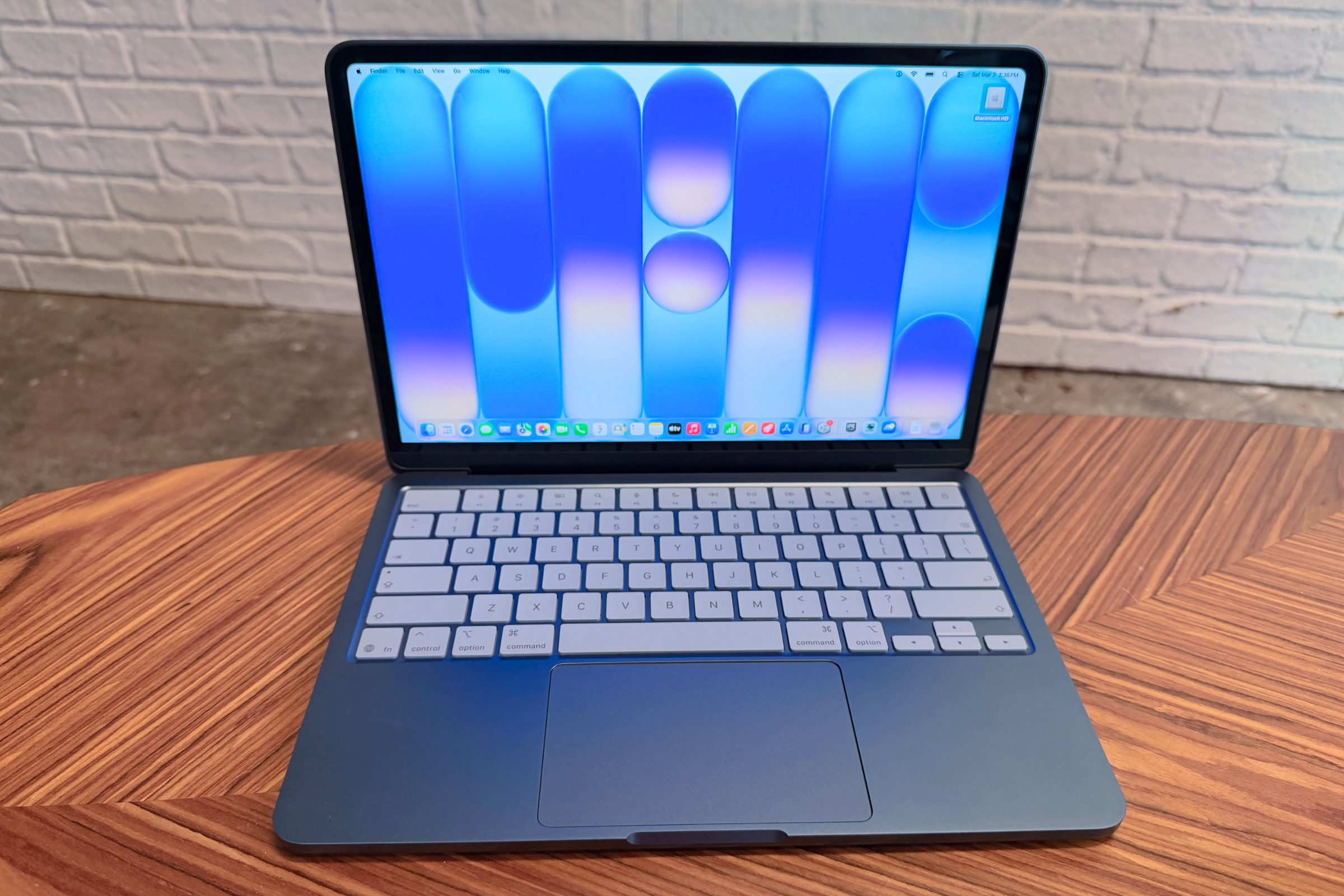
The MacBook Neo is Apple’s most affordable laptop, launched in March 2026 to target the education market. While the MacBook Air remains the mainstream choice for students, the Neo is designed to compete directly with Chromebooks and low-cost Windows laptops – bringing the macOS experience to a much lower price point.
Why the MacBook Neo is a good choice for students
The MacBook Neo’s biggest advantage is value. It delivers a premium-feeling Mac experience at a significantly lower cost, making it especially appealing to students on a tight budget.
MacBook Neo offers the following benefits:
- Affordability: Starts at $599 ($499 education), making it the most accessible Mac ever.
- Performance: Powered by the A18 Pro chip, offering fast single-core performance for everyday tasks.
- Build quality: All-aluminum design that feels closer to a MacBook Air than typical budget laptops.
- Battery life: Up to 16 hours – enough for a full school day.
- Display & camera: 13-inch Liquid Retina display (500 nits) and 1080p webcam for calls and classes.
- Apple ecosystem: Seamless integration with iPhone features like iPhone Mirroring, Universal Clipboard, and iCloud.
- Design: Available in multiple colors, including silver, indigo, blush, and citrus.
Which students is the MacBook Neo best for?
The MacBook Neo is ideal for students who want a reliable, well-built laptop for everyday use without paying for higher-end performance. It’s ideal for:
- K–12 and first-time users: A great entry-level device for schoolwork and general productivity.
- Budget-conscious college students: A strong option for those who want macOS at a lower price.
- Casual creative learners: Suitable for beginners exploring tools like Adobe apps without heavy workloads.
- Apple ecosystem users: Best for students who already use an iPhone or other Apple devices.
The MacBook Neo is best suited for students with simple, everyday computing needs. For more demanding workflows – such as advanced video editing, 3D work, or software development – the MacBook Air (M5) or MacBook Pro models remain better choices.
MacBook Neo performance for student workloads
The MacBook Neo is optimized for typical student use and handles everyday tasks with ease, including:
- Everyday tasks: Smooth performance for web browsing, email, documents, and streaming.
- Light creative work: Capable of basic photo and video editing (including 1080p and light 4K), though not designed for sustained professional workloads.
MacBook Neo specs
As a low-priced device so the specs are basic, but should be enough to handle the “day-to-day stuff” essential for schoolwork, such as writing papers, browsing, and streaming.
- Processor: An A18 Pro or A19 Pro chip (depending on the specific model year), which provides excellent single-core performance for a smooth operating system feel.
- Memory: 8GB of unified memory, which is the maximum available for this model.
- Storage: Options for a 256GB or 512GB SSD.
- Battery Life: Up to 16 hours of video playback, which comfortably covers a full school day.
MacBook Neo tradeoffs
To reach its lower price, the MacBook Neo makes several compromises compared to the Air and Pro models, so there are some trade-offs to consider:
- Memory: 8GB RAM only, with no upgrade option.
- Ports: Two USB-C ports, no Thunderbolt; one limited to USB 2.0 speeds.
- Display limitations: Lacks P3 wide color and True Tone, making it less ideal for color-critical work.
- Features: No MagSafe, no keyboard backlight, and no Touch ID on the base model.
- External display support: Limited to a single external monitor.
How much can students save on the MacBook Neo?
- MSRP: $599 / £599 / AU$899 / CA$799
- Student: $499 / £499 / AU$749 / CA$679
- Students save: $100 / £100 / AU$50 / CA$20
You’ll also see the best prices right now in the block above, which may be even better than Apple’s education pricing.
Read our full
Apple MacBook Neo review
3. Apple 14-inch MacBook Pro (M5, 2025) – Best MacBook for Student Power Users
Pros
- Exceptional sustained performance
- Best-in-class display quality
- Wide port selection
Cons
- Expensive for most students
- Heavier and less portable
- Overkill for basic tasks
Best Prices Today:

While the MacBook Air is the best choice for most students, the MacBook Pro is designed for those who need sustained performance, a superior display, and more advanced features. It’s the top option for students working with demanding software or intensive workloads.
Why the MacBook Pro is a good choice for students
The MacBook Pro’s biggest advantage is sustained performance. With active cooling and more powerful chip options, it’s built to handle heavy workloads without slowing down.
Key benefits of the MacBook Pro include:
- Performance: M5, M5 Pro, and M5 Max chips deliver exceptional power for intensive tasks.
- Display: Liquid Retina XDR display with ProMotion (up to 120Hz) and up to 1,600 nits HDR brightness.
- Battery life: Up to 24 hours—enough for a full day and late-night work sessions.
- Ports: Includes HDMI, SDXC card slot, and MagSafe – no adapters needed for many tasks.
- Cooling system: Active cooling allows sustained performance under heavy loads.
- Camera & audio: 12MP Center Stage camera and high-quality six-speaker system for calls and media.
Which students is the MacBook Pro best for?
The MacBook Pro is ideal for students whose coursework or projects require high performance and professional-grade tools.
- Creative majors: 4K video editing, advanced photo work, and 3D animation.
- Computer science & engineering: Compiling large codebases, simulations, and development workflows.
- Data science & research: Handling large datasets and compute-heavy tasks.
- Advanced users: Students running intensive apps, multitasking heavily, or working on complex projects.
For most students needing Pro-level performance, the 14-inch M5 MacBook Pro offers the best balance of power and portability. Those in more demanding fields may benefit from M5 Pro or M5 Max configurations.
Performance for student workloads
The MacBook Pro is built to maintain high performance over long periods, making it ideal for demanding academic tasks.
- Sustained performance: Active cooling prevents slowdowns during long rendering or compile sessions.
- Advanced display: ProMotion (up to 120Hz) and higher brightness improve visual work and outdoor use.
- Battery life: Up to 24 hours, covering full days plus extended study sessions.
- Connectivity: Built-in HDMI and SDXC make it easy to connect displays or transfer files without dongles.
MacBook Pro specs
The current lineup is powered by the M5 family of chips, offering a wide range of performance options:
- Processor options: M5: 10-core CPU/GPU for general and light creative tasks; M5 Pro: Up to 18-core CPU and 20-core GPU for advanced workloads; M5 Max: Up to 40-core GPU for extreme tasks like 3D, AI, and high-end production.
- Memory: Starts at 16GB unified memory. Configurable up to 128GB for professional workflows.
- Storage: Starts at 1TB (M5/M5 Pro). Up to 2TB and beyond on higher-end models.
- Display: 14-inch or 16-inch Liquid Retina XDR. ProMotion up to 120Hz and up to 1,600 nits HDR brightness
- Ports & connectivity: HDMI, SDXC card slot, MagSafe 3. Thunderbolt 4 (M5) or Thunderbolt 5 (M5 Pro/Max)
- Battery life: Up to 24 hours, among the longest in any laptop.
MacBook Pro trade-offs
While powerful, the MacBook Pro comes with a few downsides compared to the Air:
- Price: Significantly more expensive than Air and Neo models.
- Weight: Heavier and less portable, especially the 16-inch model.
- Overkill for most students: Many users won’t need this level of performance.
- Less silent: Active cooling means occasional fan noise under load.
How much can students save on the 14-inch MacBook Pro, M5?
- MSRP: $1,699 / £1,699 / AU$2,699 / CA$2,399
- Student: $1,599 / £1,599 / AU$2,539 / CA$2,259
- Students save: $100 / £100 / AU$160 / CA$140
4. Apple Mac mini (M4, 2024) – Best Desktop Option for Students
Pros
- Excellent performance for price
- Most affordable Mac option
- Supports multiple displays
Cons
- Not portable at all
- Requires separate accessories
- Upgrade costs add up
Best Prices Today:
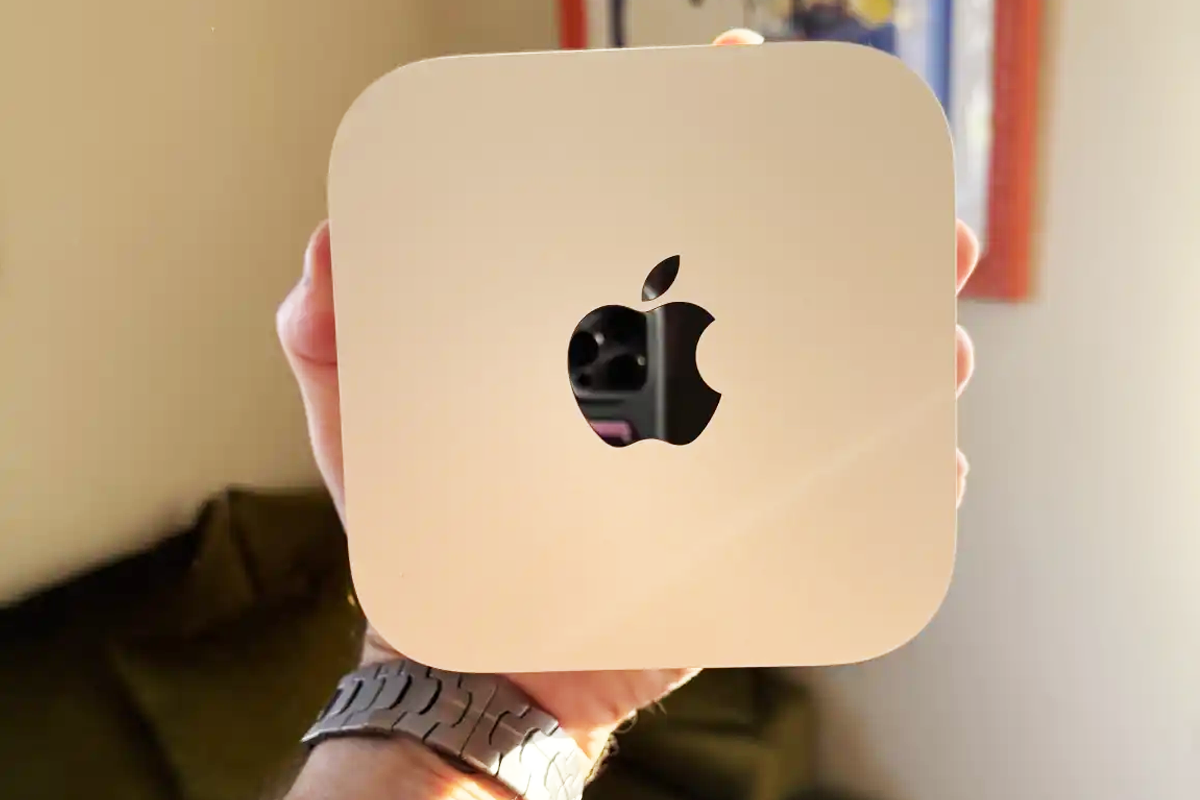
The Mac mini is a strong option for students who prioritize performance and value over portability. While laptops are the default for university life, the Mac mini offers a powerful, lower-cost entry into the macOS ecosystem for those who primarily work at a desk.
Students who need mobility for lectures can pair a Mac mini with an iPad or another device for note-taking, using the desktop as their main workstation at home.
Why the Mac mini is a good choice for students
The Mac mini’s biggest advantage is performance per pound (or dollar). It delivers desktop-class power at a much lower price than a MacBook, making it one of the best-value Macs available.
Key benefits of the Mac mini include:
- Affordability: Starts at $599 ($499 education), the cheapest Mac available.
- Performance: M4 and M4 Pro chips deliver strong desktop-level performance.
- Compact design: Small 5×5-inch footprint fits easily on any desk.
- Flexible setup: Works with a wide range of monitors and accessories.
- High-end option: M4 Pro model offers powerful performance at a lower cost than MacBook Pro.
- Multi-display support: Supports up to three external displays for multitasking.
Which students is the Mac mini best for?
The Mac mini is ideal for students who primarily work from a fixed location and want maximum performance for their budget.
- Budget-conscious students: The most affordable way to get a modern Mac.
- Students with existing peripherals: Best if you already own a monitor, keyboard, and mouse.
- Creative and technical majors: M4 Pro model handles demanding apps at a lower cost than laptops.
- Hybrid users: Students who use an iPad or laptop for notes but want a powerful desktop at home.
Performance for student workloads
The Mac mini is highly capable for both everyday and demanding academic tasks.
- Everyday tasks: Fast performance for browsing, documents, and general schoolwork.
- Advanced workloads: M4 Pro handles video editing, coding, and heavier multitasking.
- Multitasking: Supports multiple displays, making it ideal for complex workflows.
Mac mini specs
The latest Mac mini models offer strong desktop performance in a compact form:
Processor options: M4: Excellent for general student use; M4 Pro: Higher performance for demanding creative and technical work.
Memory: Starts at 16GB unified memory; Up to 64GB on M4 Pro models.
Storage: Starts at 256GB SSD, 512GB or higher recommended for most students.
Ports & connectivity: Thunderbolt 4 (M4) or Thunderbolt 5 (M4 Pro), HDMI and front-facing USB-C ports
Supports multiple external displays: Some models can support up to three displays at once.
Mac mini trade-offs
While powerful and affordable, the Mac mini has some important limitations:
- No built-in peripherals: Requires separate monitor, keyboard, and mouse.
- No portability: Not suitable for lectures or working on the go.
- Extra costs: Accessories and upgrades can increase total price.
- Limited upgradeability: RAM and storage cannot be upgraded later.
- No USB-A ports: Newer Mac mini models lack USB-A so you may require adapters for older accessories.
How much can students save on the Mac mini, M4?
- MSRP: $599 / £599 / AU$999 / CA$799
- Student: $499 / £499 / AU$829 / CA$669
- Students save: $100 / £110 / AU$170 / CA$130
Best MacBook by Student Type

For most students, the 13-inch MacBook Air (M5) is the best overall choice, offering the ideal balance of portability, battery life, and performance.
If your budget is tight the MacBook Neo delivers the Mac experience at a significantly lower cost.
If you’re a creative student who wants more screen space – but doesn’t need full Pro power – the 15-inch MacBook Air is a strong middle ground.
The MacBook Pro is best reserved for students with demanding workloads like 4K video editing, software development, or 3D modelling.
Best for school, K-12 education – MacBook Neo
The MacBook Neo is Apple’s most affordable laptop. Despite using an A18 Pro chip, it delivers a full macOS experience for everyday schoolwork.
Why it’s a good fit for education:
- Ideal for browsing, writing, and light media tasks.
- Durable aluminum design in student-friendly colors.
- Long battery life for full school days.
Best for University, higher education students – MacBook Air
The 13-inch MacBook Air (M5) is the best choice for most university students. It offers a strong mix of performance, portability, and battery life, making it suitable for a wide range of majors.
Why it’s a good fit for higher education:
- Lightweight (under 3 lbs) and easy to carry.
- Silent, fanless design for lectures and libraries.
- All-day battery life.
Best for coding and engineering students – MacBook Pro
For students in computer science or engineering, performance and memory are key. Heavier workloads will benefit from the MacBook Pro.
Why it’s a good fit:
- Fast performance for coding and compiling.
- Higher RAM configurations available.
- Pro models handle sustained workloads better.
Best for design and media Students – MacBook Pro
For students working in video editing, design, or 3D workflows, the MacBook Pro is the best choice due to its superior display and sustained performance.
Why it’s a good fit:
- Liquid Retina XDR display with ProMotion (120Hz).
- Better color accuracy and brightness.
- Handles intensive creative workloads.
MacBook Air vs MacBook Pro vs MacBook Neo for students
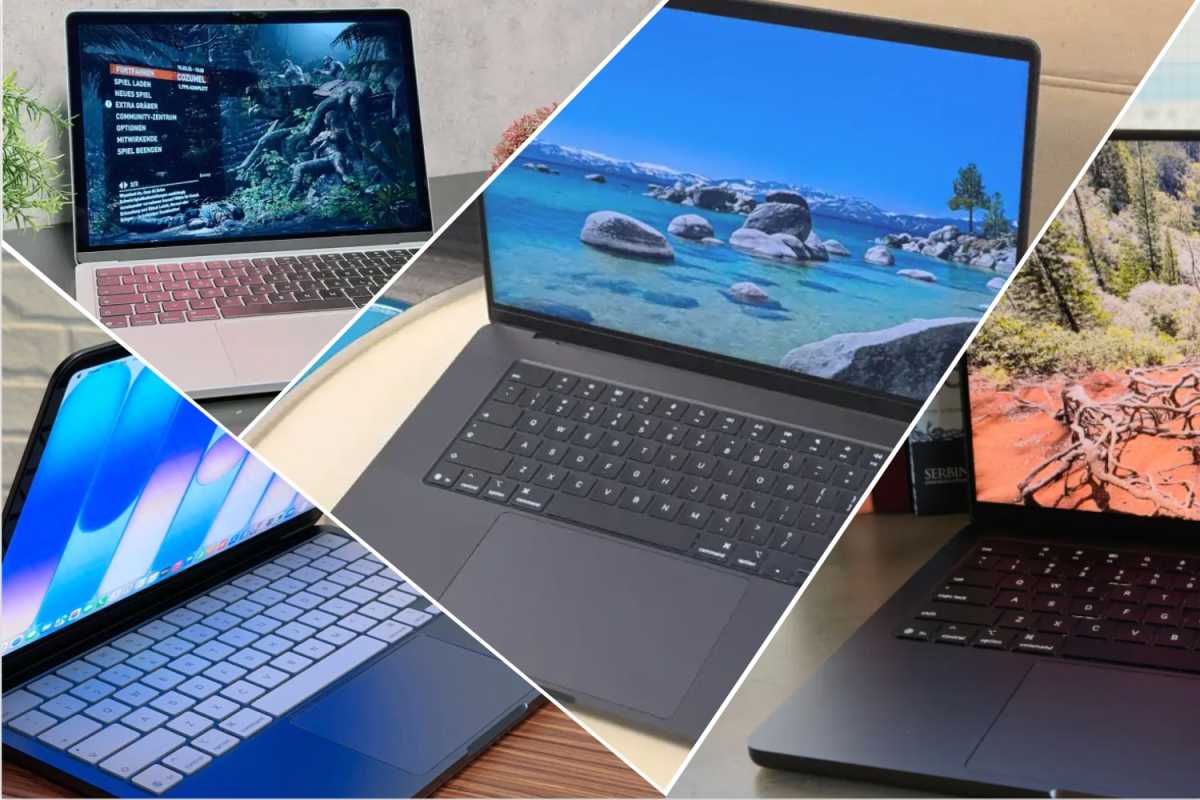
How do the different types of MacBook compare?
Foundry
Choosing between the MacBook Air, MacBook Neo and MacBook Pro for students in 2026 depends primarily on your major and budget.
For the vast majority of students, the MacBook Air is the best choice due to its balance of portability and performance, while the MacBook Pro is reserved for those with demanding technical workloads.
If your budget is tight, the MacBook Neo is an affordable entry to macOS with performance that is good enough for common tasks. Alternatively you could purchase a previous generation MacBook Air, either refurbished, or if old stock is being sold off at a discount. See our MacBook Air deals roundup.
| Feature | MacBook Air (M5) | MacBook Pro (M5) | MacBook Neo |
|---|---|---|---|
| Best For | Everyday work, essays, streaming. | Creative majors, video editing, 3D work, coding. | Basic tasks & tight budgets |
| Portability | Ultra-light (under 3 lbs for 13-inch). | Heavier; built for sustained power. 3.4 lbs (Heavier) | Ultra-portable |
| Display | 13 or 15-inch Liquid Retina. 2.7 lbs (Very light) | 14 or 16-inch HDR ProMotion. | 14.2-inch Liquid Retina XDR |
| Cooling | Silent, fanless design. | Active fans for heavy workloads. | Silent, fanless design. |
| Battery life | Up to 18 hours | Up to 24 hours | Up to 16 hours |
| Starting Price | $1,099 ($999 Education) | $1,599 ($1,499 Education) | $599 ($499 Education) |
MacBook vs iPad for students
Foundry
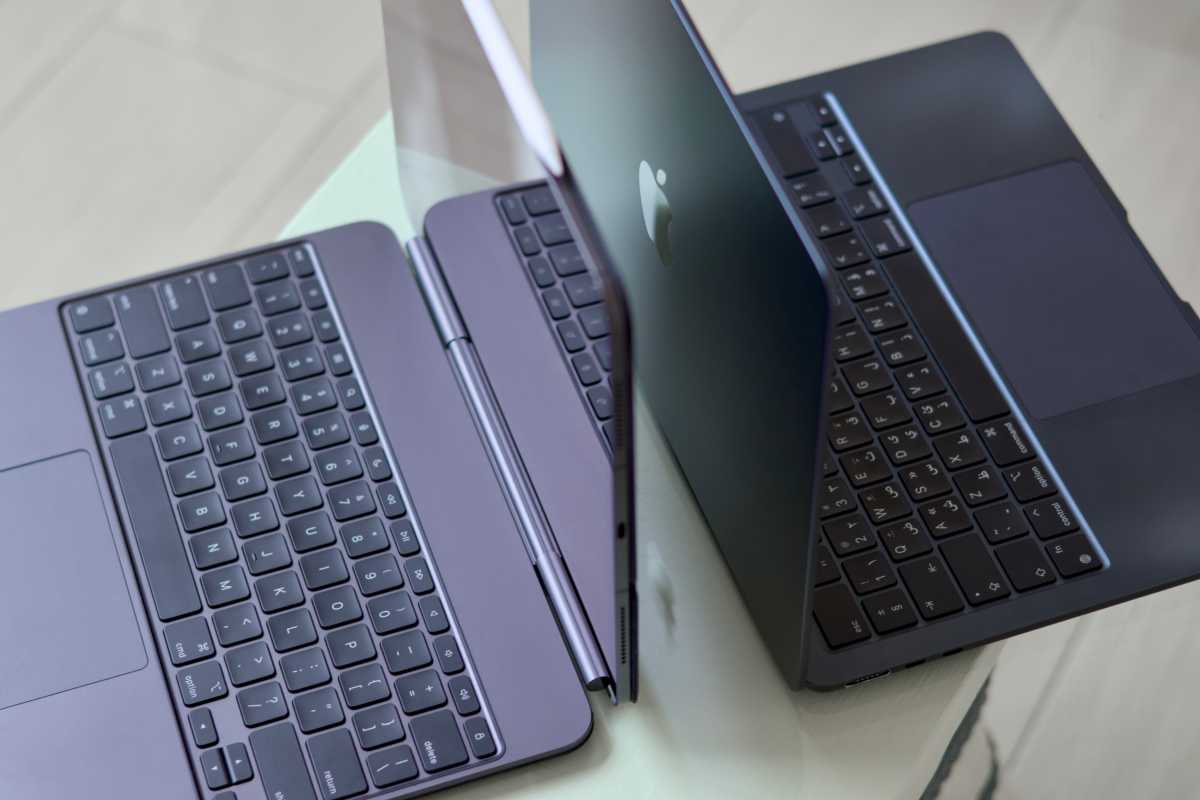
Choosing between a MacBook and an iPad depends on your course requirements and how you prefer to work. While the iPad has evolved into a versatile device that can replace a laptop for some students, the MacBook remains the stronger option for multitasking and full desktop software.
For students with more demanding workflows, the MacBook is generally the better long-term choice. It offers a full desktop operating system with broader software support and more advanced multitasking.
The iPad is a strong option for students who prioritize portability, note-taking, and creative input methods. It works especially well as a companion device or for specific types of learning.
- Choose a MacBook if you need full desktop software, better multitasking, and long-term versatility.
- Choose an iPad if you value portability, handwritten notes, and a more flexible, touch-first experience.
To compliment an iPad consider an one of the best iPad keyboard case and best iPad styluses we have reviewed. We also explain Which Apple Pencil works with each iPad.
| Feature | MacBook | iPad |
|---|---|---|
| Best For | Heavy writing, complex multitasking. | Note-taking, drawing, media consumption. |
| Input | Keyboard and Trackpad. | Touch, Apple Pencil, Detachable Keyboard. |
| Software | Full desktop OS (macOS). | Mobile-first OS (iPadOS). |
| Battery life | Typically 15-18+ hours. | Approximately 10 hours. |
How to save money at Apple’s Education Store
Apple offers several ways for students and educators to save money on Macs and iPads, including year-round discounts and seasonal promotions. Taking advantage of these offers can significantly reduce the overall cost of a new device. We have a dedicated guide to How to shop at the Apple Education Store.
Year-Round Education Discounts at Apple’s Education Store
Apple provides consistent discounts for iPads and Macs through its Education Store, available to full-time higher education students and their parents, and educators.
Typical savings include:
- Up to $200/£200 off MacBooks and iMacs
- Up to $100/£100 off iPads
Click on the links below to go straight to Apple’s Education Store where you are.
- Apple’s U.S. Education Store
- Apple’s U.K. Education Store
- Apple’s Canada Education Store
- Apple’s Australian Education Store
In many regions, such as the UK, you must verify your student status through UNiDAYS before accessing the store. In the U.S., verification may be required during or after the purchase.
Seasonal “Back to School” Offers
The biggest savings typically come during Apple’s annual higher education promotion, often called the “Back to School” event as it falls in the summertime when students are preparing for college and university. Read more about the offer for Apple’s back to school shopping event this year.
This promotion adds free extras on top of education pricing, significantly increasing overall value.
What you can get:
- Free AirPods or Apple Pencil
- Sometimes gift cards (up to ~$150) instead of accessories
- Occasional discounts on add-ons like keyboards or mice
When it runs:
- U.S., Canada, UK, Europe: June/July – September/October
- Australia, NZ: January – March
If you’re a student, you can also get Apple Music for half price with free Apple TV+ included.
How much can students save on a Mac?
You can save hundreds on a MacBook Air, MacBook Pro, iMac, Mac mini, Mac Studio and even a Mac Pro at Apple’s Education Store all year round.
Here’s how the Mac and MacBook MSRP compares to the student price:
| Product | U.S. | U.K. | Australia | Canada |
|---|---|---|---|---|
| MacBook Neo, A18 Pro, MSRP | $599 | £599 | $899 | $799 |
| MacBook Neo, A18 Pro, Student discount | $499 | £499 | $749 | $679 |
| 13.6-inch MacBook Air, M5, MSRP | $1,099 | £1,099 | $1,799 | $1,499 |
| 13.6-inch MacBook Air, M5, Student discount | $999 | £999 | $1,639 | $1,359 |
| 15-inch MacBook Air, M5, MSRP | $1,199 | £1,199 | $2,199 | $1,799 |
| 15-inch MacBook Air, M5, Student discount | $1,099 | £1,099 | $2,029 | $1,659 |
| 14-inch MacBook Pro M5 MSRP | $1,699 | £1,699 | $2,699 | $2,399 |
| 14-inch MacBook Pro M5 Student discount | $1,599 | £1,599 | $2,539 | $2,259 |
| 14-inch MacBook Pro, M5 Pro MSRP | $2,199 | £2,199 | $3,499 | $2,999 |
| 14-inch MacBook Pro, M5 Pro Student discount | $2,049 | £2,049 | $3,259 | $2,789 |
| 16-inch MacBook Pro, M5 Pro MSRP | $2,699 | £2,699 | $4,299 | $3,599 |
| 16-inch MacBook Pro, M5 Pro Student discount | $2,299 | £2,299 | $3,979 | $3,329 |
| iMac M4 MSRP | $1,299 | £1,299 | $1,999 | $1,699 |
| iMac M4 Student discount | $1,249 | £1,249 | $1,919 | $1,629 |
| Mac mini M4 MSRP | $599 | £599 | $999 | $799 |
| Mac mini M4 Student discount | $499 | £499 | $849 | $669 |
| Mac Studio M4 Max MSRP | $1,999 | £2,099 | $3,499 | $2,699 |
| Mac Studio M4 Max Student discount | $1,799 | £1,899 | $3,199 | $2,399 |
Other ways students can buy a Mac for less
Simon Jary
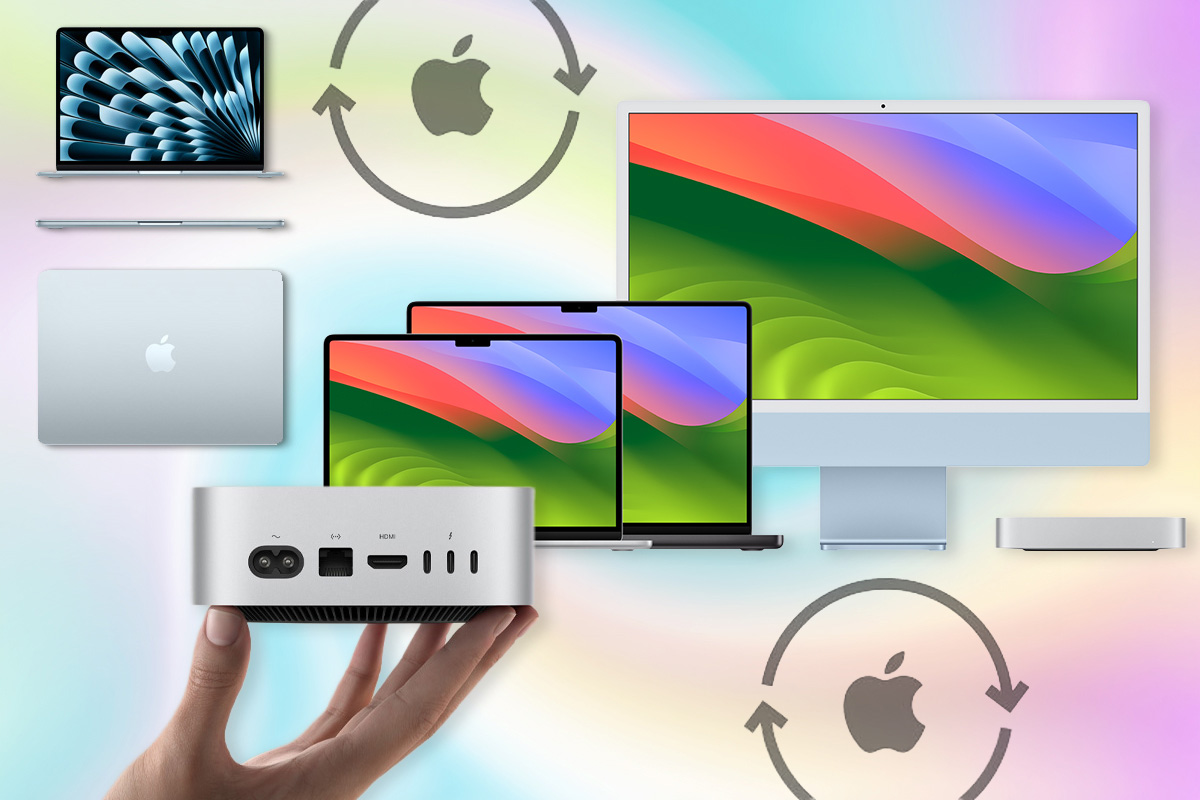
Getting a student discount from Apple’s Education Store isn’t the only way to save money when buying a Mac. Here are some other ways to find a good deal:
Look out for reseller discounts
You can often find significant savings at Apple resellers and retailers like Amazon, sometimes with discounts of up to $500. Check regularly for deals, including:
- Best MacBook Air deals this month
- Best MacBook Neo deals available now
- Best MacBook Pro deals this month
- Best iMac deals this month
- Best Mac mini deals this month
- Best MacBook deals for students
Buy a refurbished Mac
Apple’s Refurbished Store offers ex-display, returned, and previous-generation Macs at reduced prices. These devices are fully tested and come with a one-year warranty, making them a reliable option.
You can also buy refurbished Macs from third-party resellers, though quality can vary – so always check what “refurbished” includes before buying. Read our advice about buying a refurbished Mac, including Pros, cons, savings, and what to avoid.
What to avoid
- Avoid Intel-based Macs: Macs used to use Intel Processors but over the past few years Apple has transitioning to its own silicon (M1, M2, M3, etc.). Only a small number of Intel Macs receive security updates, and that will not continue for long. This could mean needing to upgrade sooner than expected.
- Don’t buy second-hand or used: While used Macs can be cheaper, they come with more risk. Unlike refurbished models, they may not be tested or come with a warranty. If you do consider buying second-hand, proceed with caution and buy from a trusted source.
- Consider older models carefully: The biggest discounts are often on older Macs. While these can be good value, make sure you understand how they compare to newer models. Older devices may lack performance improvements, battery efficiency, and long-term software support. See: How long does Apple support Macs for.
FAQ
Is a MacBook Neo good enough for students?
Yes. The MacBook Neo is considered an excellent choice for students with more than enough power for the average student. However, students in specialized fields like engineering, 4K video editing, or heavy software development may find the device limiting.
Is a MacBook Air good enough for students?
The MacBook Air is the best laptop for most students due to its balance of portability, battery life, and performance. While the Air is “good enough” for the vast majority, a MacBook Pro is better for heavy workloads, connectivity and display tech.
How much RAM do students need?
8GB should be sufficient, but we recommend 16GB.
Is 256GB enough storage?
For most students, 256GB of storage is a functional minimum rather than an ideal long-term solution. It can work if you rely heavily on cloud storage, but many students will find it fills up quickly over time.
256GB is usually enough for basic academic tasks such as writing essays, web browsing, streaming, and light media use. However, modern operating systems and apps take up more space than ever, and storage can fill up faster than expected. Performance can also suffer as a drive nears capacity. A common rule of thumb is to buy at least twice the storage you think you’ll need to allow for growth and maintain performance.
For most students, 512GB is now the practical minimum if your budget allows. It provides more flexibility and longevity, especially as course materials and apps grow in size.
What Apple Intelligence/AI features do Macs have for students?
Apple Intelligence brings a range of AI-powered tools to Macs designed to support academic work – from smarter note-taking to writing assistance and automation. These features are increasingly integrated into everyday apps like Notes, Messages, and Shortcuts.
Useful features include:
- Smart transcription and scanning: Turn lectures and printed text into searchable notes.
- In-line maths and handwriting refinement: Solve equations and improve handwritten notes.
- Editing and summarisation: Refine essays and condense key information.
- Live translation: Translate messages and add captions in calls.
- Automation: Use Shortcuts to generate text or images automatically.
While these features can boost productivity, it is important to note that over-reliance on AI for writing could raise plagiarism or originality concerns if not used carefully.
Not all Apple devices support Apple Intelligence and some features are still less advanced than competing AI platforms.
How to choose the best MacBook for students
There is no “best MacBook for students” because everyone has different needs and choosing the best MacBook for a student depends on balancing academic requirements, portability, and budget. With the introduction of the MacBook Neo, Apple has significantly expanded its entry-level options, making the decision more complex than simply picking the most popular model.
When evaluating which model fits your needs, consider these primary components:
- Portability vs. Screen Real Estate: The 13-inch models (Neo, Air, and Pro) weigh under 3 pounds, making them ideal for carrying between lectures. However, creative majors often benefit from the 15-inch Air or 16-inch Pro for more workspace.
- Performance Needs: For general coursework (writing papers, browsing, streaming), the A18 Pro or M5 chips are more than sufficient. Students in engineering, data science, or high-end video editing should prioritize the MacBook Pro with M5 Pro or Max chips for sustained performance and better cooling.
- Battery Life: This is critical for long days on campus. While the Neo offers up to 16 hours of video streaming, the M5 MacBook Air provides 18 hours, and the 14-inch MacBook Pro leads with up to 24 hours.
- Connectivity: The MacBook Neo and Air feature silent, fanless designs but limited ports . The MacBook Pro includes HDMI and SDXC slots, which are useful for presentations and transferring media.
In conclusion, we recommend the following Macs depending on your use case:
| Student Type | Which Model | Why? |
|---|---|---|
| Budget-Conscious / K – 12 | MacBook Neo | Most affordable Mac ever; starts at $499 for education. |
| Everyday College Use | MacBook Air (M5) | Best balance of power, 18-hour battery, and portability. |
| Creative & STEM Majors | MacBook Pro (M5/Pro) | High-end displays (ProMotion) and power for heavy workloads. |
| Budget Desktop Setup | Mac Mini (M4) | Best value if portability isn’t required; $499 with education discount. |