There are two types of MagSafe—one for charging Macs and one for charging iPhones—but they are very different technologies that just share a common name. And Apple has worked with organizations such as Wireless Power Consortium (WPC) to produce similar magnetic wireless standards, such as Qi2.
Since around 2006 Mac laptops have been charged via a cable that used MagSafe, a clever standard that connected the charging cable to the MacBook via magnets that meant it was not only easy to connect, it simply disconnected if you tripped over the cable (which meant your laptop didn’t crash to the floor). The “Mag” stands for Magnetic and “Safe” alludes to the way it disengages with the MacBook rather than pulling it to the floor when accidentally pulled.
However, MagSafe disappeared from Apple laptops with the arrival of charging via USB-C in about 2016, but returned again in 2021 with the 14-inch and 16-inch MacBook Pro and in June 2022 with the updated MacBook Air.
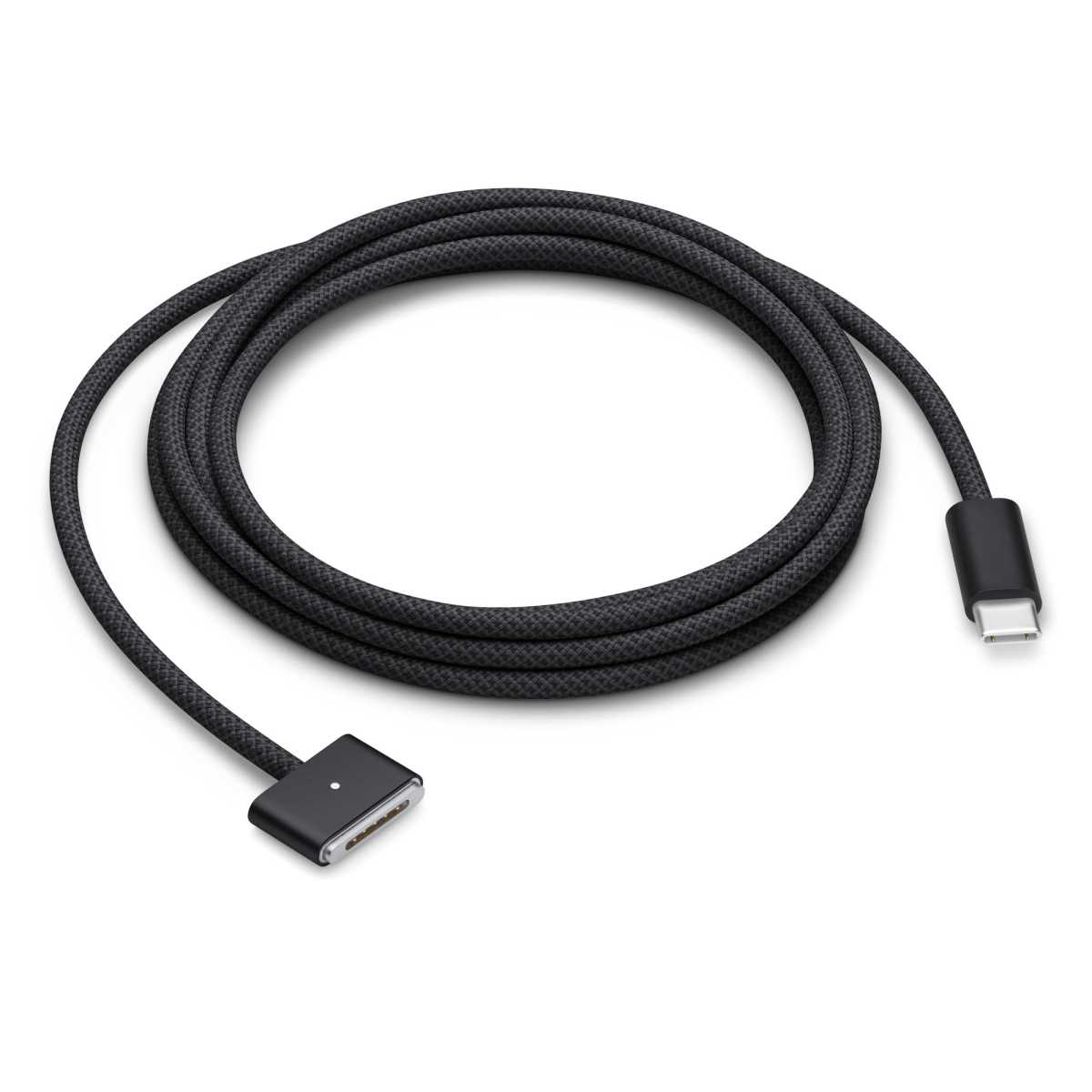
The current MacBook MagSafe charging cable is the $49 / £49 Apple USB-C to MagSafe 3 Cable, available in one length (2m) but six colors: Sky Blue, Space Gray, Midnight, Starlight, Space Black, and Silver. We look more into MagSafe further into this article.
Apple clearly liked the name because it also used MagSafe as the name for its system for wirelessly charging the 2020 iPhone 12 onwards.
What is MagSafe for iPhone
iPhones from the iPhone 8 onwards have been able to charge wirelessly as well as via a cable (wired charging). To start with, Apple used the common Qi (pronounced “chee”) standard. You placed the back of your iPhone on a Qi charging pad and when the coil of the pad was correctly aligned with the coil in the back of the iPhone, wireless charging would begin.
It was way too easy to misalign the coils and so charging would either be very slow or not engage at all—often leaving you waking up to a dead phone that you thought was wirelessly charging overnight. Frustrating.
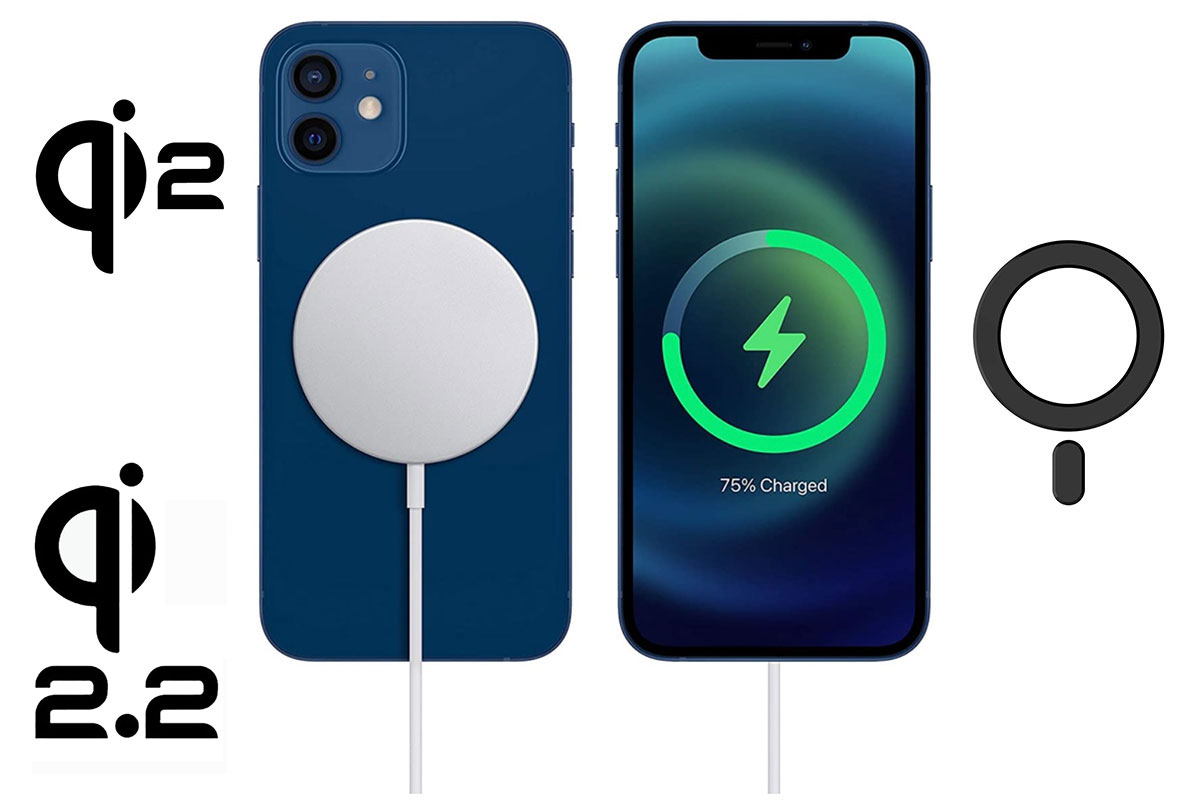
Apple came up with a neat solution, which it calls MagSafe (familiar name?). Again, the magic is the magnetic connection, which keeps the charging coils of the iPhone locked into position with the coils of the charger. Each iPhone in the iPhone series (12 and later) contains a ring of magnets built around the Qi charging coil. As a result, you can snap charging accessories onto these iPhones.

Apple’s MagSafe Charger for iPhone is sold separately for $39 (1m) and $49 (2m) / £39 (1m) and £49 (2m) in the U.K. It’s a round disc that includes magnets that attach to the magnets inside the iPhone to align automatically. It isn’t just used for charging: the magnetic properties allow you to clamp other devices and accessories to the iPhone, such as wallets and pop sockets.
If you use wireless chargers or other magnetic accessories, make sure any protective case you put your iPhone into is MagSafe compatible to allow the iPhone’s magnets to still work through the material.
Apple sells a number of MagSafe products, including chargers, cases and stands made by itself or trusted partners—you can view the collection here. We have tested the best MagSafe chargers for iPhone and also the best MagSafe battery packs and power banks for iPhone.
Because the magnets allow for more precise alignment–and due to improved internal components–MagSafe allows for faster charging.
Simon Jary
Certified MagSafe chargers can charge at up to 15 watts (15W) or 25W with an iPhone 16 or later.
Basic Qi also has a theoretical maximum of 15W but it is less efficient due to the non-magnetic misalignment issue, and many popular chargers were rated at only 5W anyway. Apple pegs iPhone charge via Qi (which it calls merely “MagSafe Compatible”) back to 7.5W in favor of its own MagSafe.
Apple passed its MagSafe know-how to the Wireless Power Consortium (WPC), which came up with Qi2 that matches wireless power output at 15W and the later Qi2.2 that gets up to 25W for those later iPhone models. Find out the differences between MagSafe and Qi2.
When plugged in to a USB-C charger, via the Lightning port (iPhones pre version 15) or USB-C port (from iPhone 15), iPhones can charge at up to 30W or higher, and therefore likely faster than when charged wirelessly.
Charging via a cable will always be faster as the connection is far more efficient than wireless where some amount of power is lost due to the connection and alignment. Because of its firm magnetic alignment, MagSafe is more efficient than standard Qi charging, but still not as fast as using a cable.
MagSafe iPhones still support existing Qi-enabled wireless charging at rates up to 7.5W—but only certified “Made for MagSafe” chargers are capable of charging at the full 15W.
Read here for more on the different wireless charging standards and which wireless speed each iPhone can reach.
Which iPhones have MagSafe?
All iPhones from the iPhone 12 onwards has MagSafe, except for the iPhone SE and oddball iPhone 16e.
- iPhone 12-15: 15W using MagSafe, Qi2 or Qi2.2
- iPhone 12 mini: 12W using MagSafe, Qi2 or Qi2.2
- iPhone 16-17: 25W using MagSafe or Qi2.2
- iPhone 17e: 15W using MagSafe or Qi2.2
- iPhone Air: 20W using MagSafe or Qi2.2
It appears that there are also problems using MagSafe with older iPhones. For example, if you use a MagSafe charger with an iPhone 11 charging can take a very long time.
Why MagSafe/Qi2/Qi2.2 is best for iPhone wireless charging
MagSafe or one of the Qi2 variants should ensure that iPhones are properly aligned to their wireless charger—when alignment doesn’t happen they may not charge.
Problems with MagSafe for iPhone charging
Apple’s MagSafe charger comes with an integrated USB-C cable, but it doesn’t include a power adapter in the box, so you will need to purchase a separate USB-C power adapter if you don’t already have one.
Read our roundup of the best iPhone USB-C wall chargers or for more power the best USB-C chargers for Mac. You can safely use a 100W charger with a 15W MagSafe pad, so as long as the charger is rated at over 20W you will have all you need.
Similarly, there is also no power adapter or MagSafe charging cable included with the iPhone.
What is MagSafe for MacBook
Foundry
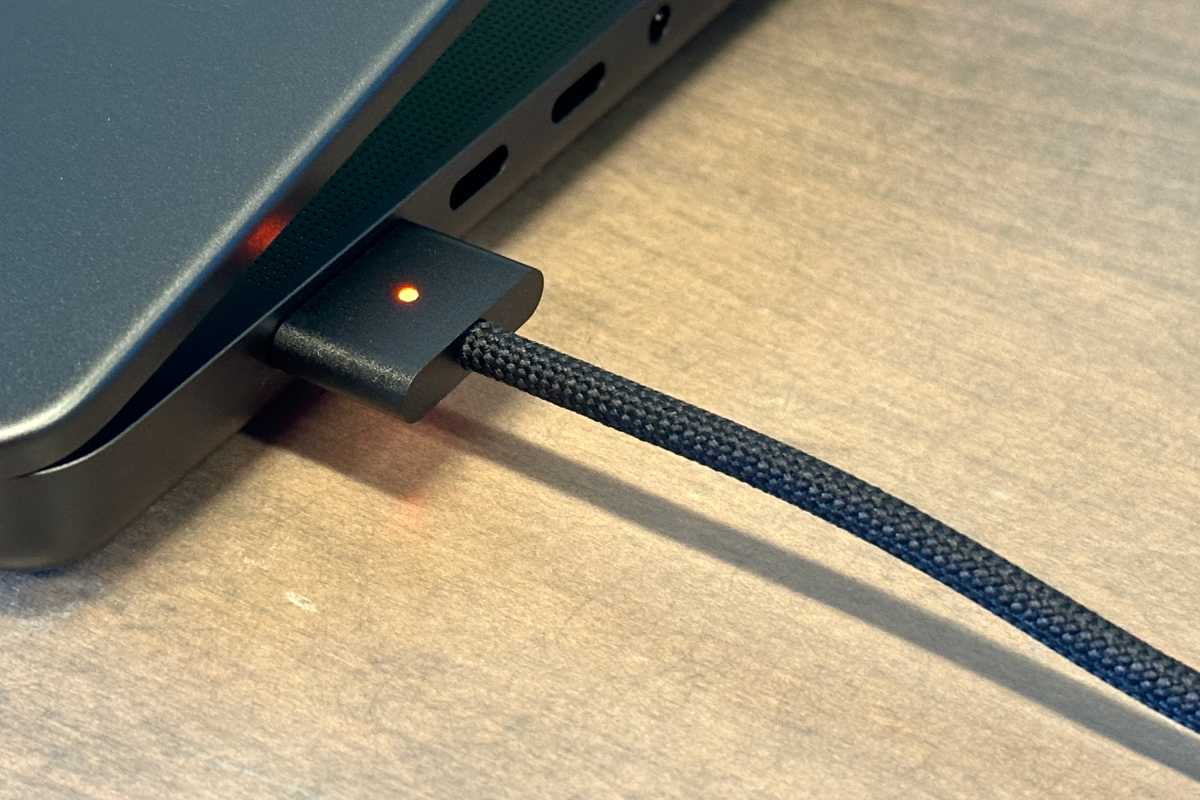
The first MagSafe charging cable arrived with the MacBook Pro in 2006. The MagSafe connector was loved for the fact that it softly disconnected from a Mac if the wire was yanked out, leaving the Mac safely on the desk while only the wire drops to the ground.
The presence of MagSafe on an Apple laptop was a given right up until Apple announced the 12-inch MacBook with no MagSafe adaptor in 2015, choosing instead to power it via a USB-C cable, instead of MagSafe.
MagSafe was temporarily discontinued on Macs in 2019 when Apple stopped selling the 2017 model of the MacBook Air. For some time all Mac laptops were charged via their USB-C or Thunderbolt ports. Then, in 2021, Apple brought MagSafe back to the MacBook with the launch of the 14-inch and 16-inch MacBook Pro. While still charged via USB-C, the port gained the magnets necessary to make detachment and attachment easy. The MacBook Air then gained MagSafe charging in June 2022.
How does MagSafe in the Mac work?
MagSafe on the Mac works by connecting the power socket to a Mac using magnets. This is instead of the more usual clasp/socket technique of inserting the cable inside the laptop.
The connection between a MagSafe adaptor and the Mac laptop is made using two magnetic halves. These clasp together and power is thus provided to the laptop. According to Apple’s MagSafe patent: “The surface area of two magnetically attracted halves determines the number of magnetic flux lines and therefore the holding force between them because the holding force is proportional to the contact area between the two magnetically attracted halves.”
The advantage to using MagSafe is safety. When a laptop is sitting on a desk or table, and plugged in to a socket near the ground, the wire between the two is a trip hazard. Tripping over the adaptor cable drags the laptop off the desk and it falls on to the ground (and is potentially damaged).
MagSafe protects the laptop because the cable instantly unclasps, leaving the laptop on the desk and the cable flapping harmlessly onto the floor.
The true genius of MagSafe is that it works by “non-axial” force. This means that if you pull it in any direction other than straight out it disconnects, and there’s virtually no force required to remove the connector.
It’s also a unique Apple feature, something practical that Apple fans can crow about safe in the knowledge that rival laptops are missing this one vital feature. It’s the kind of small, practical, detail that comes from thinking outside of the box. Read: Complete guide to ports on Macs, iPhones and iPads.
Which MagSafe adaptor do I need? MagSafe 1 vs MagSafe 2 vs MagSafe 3
MagSafe 3 cable
Apple
There are three different versions of MagSafe, conveniently known as MagSafe 1, MagSafe 2 and MagSafe 3. That’s if we ignore the different wireless MagSafe for iPhone (see above) of course!
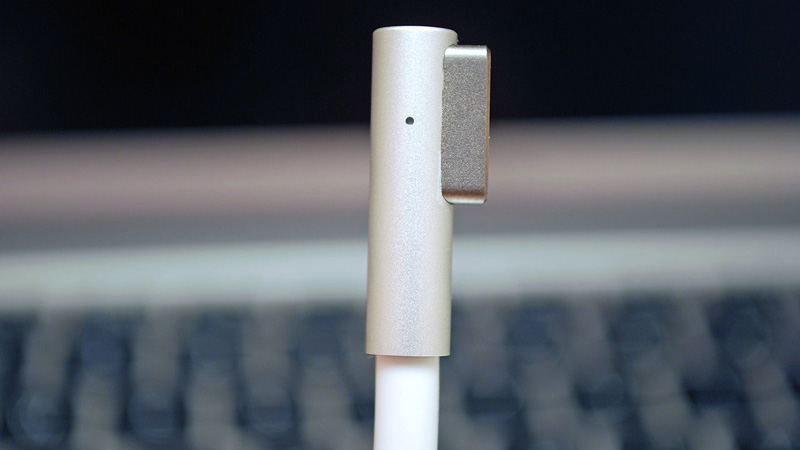
MagSafe 1 is slightly larger, and was introduced in 2006 along with the original MacBook and MacBook Pro. The first edition of the MacBook Air also used MagSafe 1, but had a slightly thinner head.
MagSafe 2 is thinner and was designed for MacBook’s released after 2009. MagSafe 1 and MagSafe 2 are not interchangeable, but Apple still sells this MagSafe to MagSafe 2 converter, enabling you to use the original MagSafe with later MagSafe 2 devices.
MagSafe 3 works in a similar way to its predecessors but is more powerful and flexible. After switching entirely to USB-C charging ports, Apple delighted its users by reviving MagSafe cables and ports on some of its MacBooks. The new version, MagSafe 3 is rated for Power Deliver 3.1 (PD 3.1), so it can charge at over 100W. This is seen most pertinently with the 16-inch MacBook Pro that requires 140W for fast charging. Until 240W-supporting Thunderbolt 5 came along you could fast-charge that MacBook model only with its MagSafe 3 Cable.
While MagSafe 1 and 2 cables were permanently attached to the power adapter, MagSafe 3 uses USB-C so the cable and the power adapter are separate, allowing users to plug it into any compatible USB-C charger.
Apple no longer sells the original MagSafe adaptors (such as the one pictured below), so if you have an older MacBook and are looking for an original MagSafe adaptor the easiest way to get one is to find an old one for sale on eBay.
Which Macs have MagSafe?
MagSafe 3
MacBook Pro 14-inch and 16-inch: M1/M2/M3/M4/M5 Pro & Max,
MacBook Air 13-inch: base M2
MacBook Air 15-inch: base M2/M3/M4/M5
MagSafe 2
From 2012 to 2015 all MacBooks Air, MacBook and MacBook Pro models used the newer MagSafe 2 connection. This is thinner and wider than MagSafe 1.
MagSafe 1
The original MacBook and MacBook Pro models (pre-2009) all used the original MagSafe 1, as did the original MacBook Air.
MacBook, MacBook Pro and MacBook Air models after 2009 until 2012 featured the L-Shaped MagSafe 1 connection. This redesigned head is more robust, but compatible with older MacBooks.
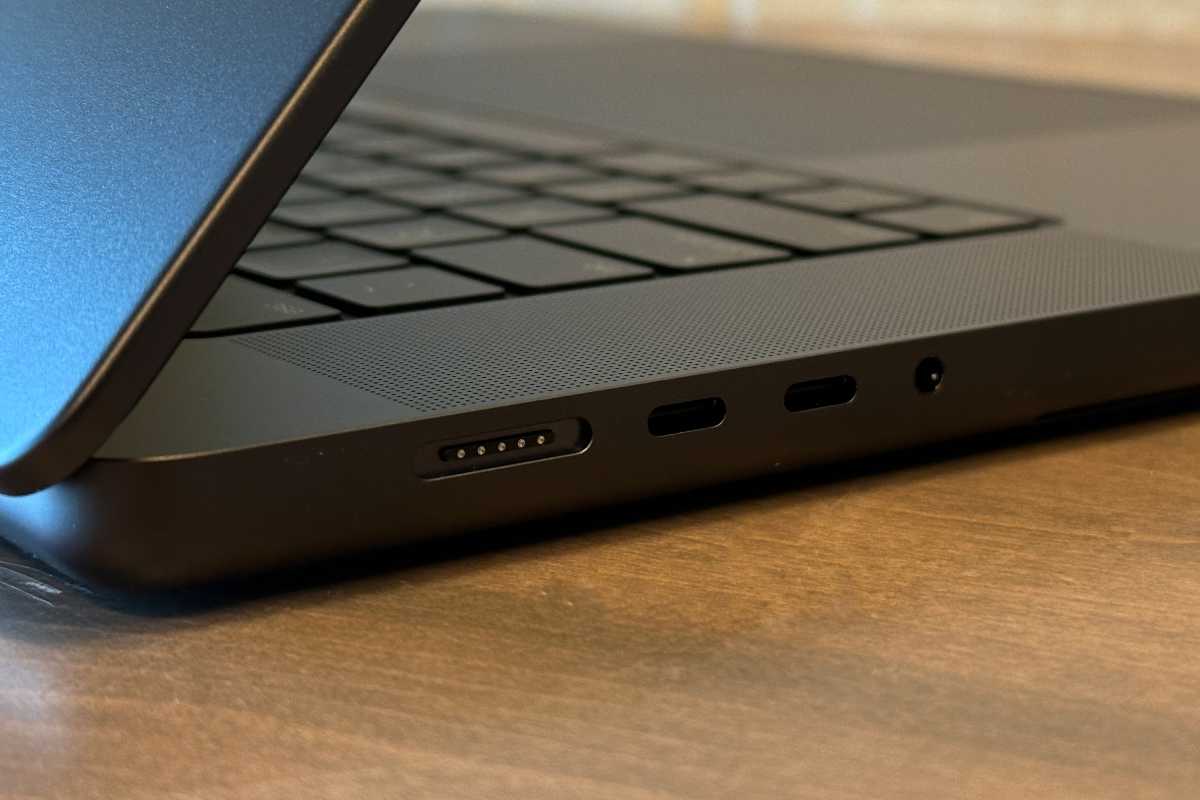
It’s pretty easy to tell which version your MacBook uses by looking at the slot. The MagSafe 1 adaptor is thicker, while MagSafe 2 is longer and thinner. But the range of similar connections can make it confusing if you don’t know what you’re looking for. This Apple Support document: Find the right power adapter and cord for your notebook has more information on MagSafe connections and Mac laptops.
If your Mac has a MagSafe charging port the port will look something like this:
Foundry
Apple
Can you wirelessly charge an Apple iPad?
Apple doesn’t sell a MagSafe charger for its iPad tablet, due to its aluminum (rather than glass) back.
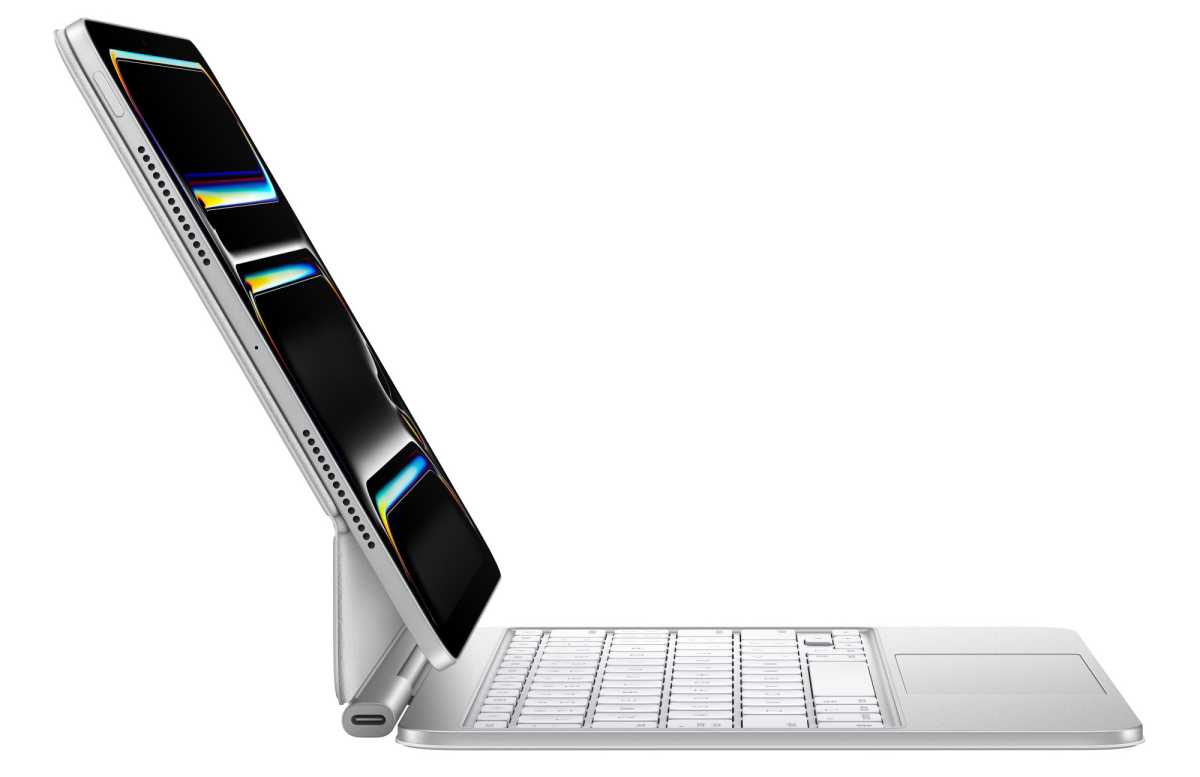
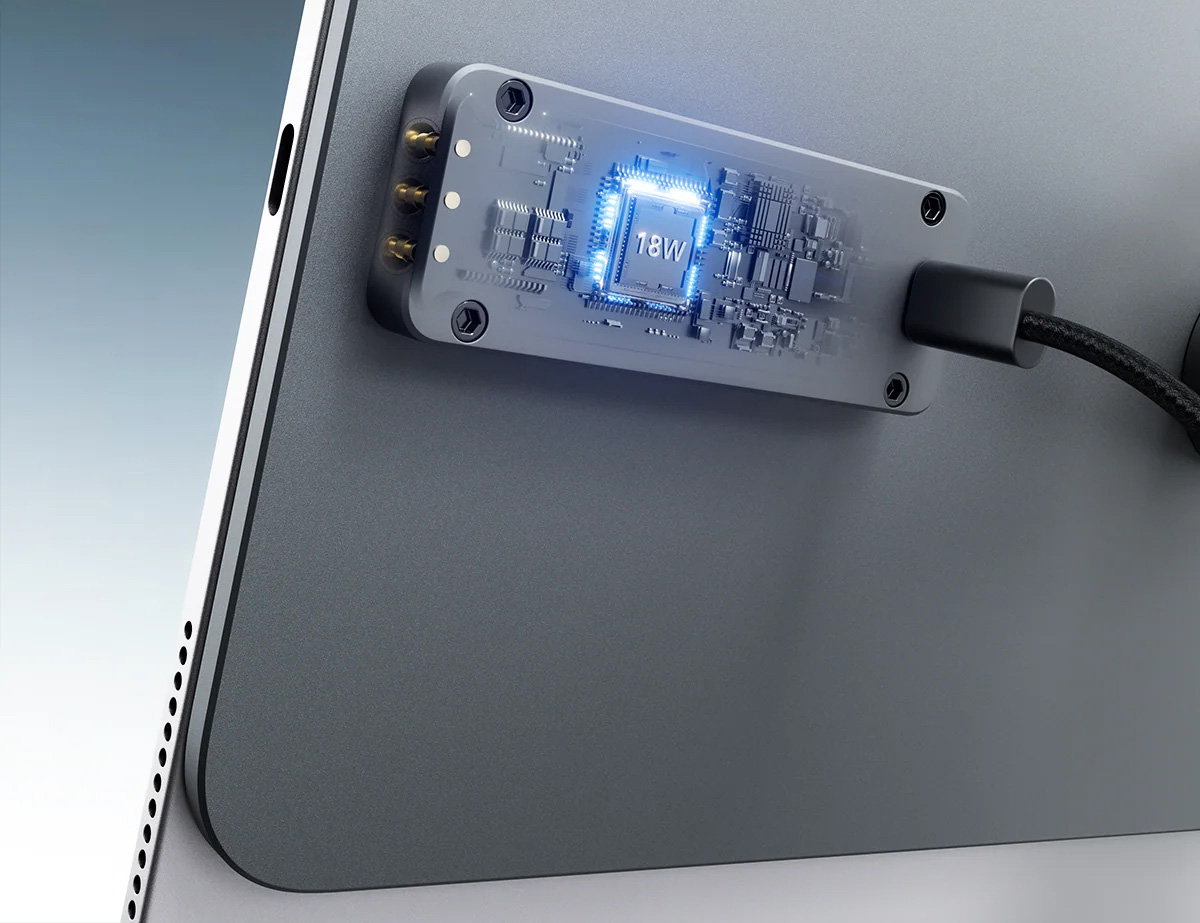
However, you can get close to magnetic wireless charging for the iPad with an accessory that offers passthrough charging through the iPad’s Smart Connector. This is a magnetic, three-Pogo-pin physical interface on the edge or back of certain iPads. It can transfers both data and power, connecting with compatible accessories such as the Apple Magic Keyboard.
Instead of connecting a cable from your wall charger directly to the iPad’s USB-C port, you can plug it into the USB-C port of a compatible accessory. This accessory acts as a bridge, transferring the power directly to the iPad’s battery while leaving the iPad’s own port open and free for other accessories.
Kuxiu
You can buy a magnetic charging stand for iPad, such as the Kuxiu X38 Pro MAX iPad Magnetic Charging Stand, which allows seamless 18W fast wireless charging. You simply attach your iPad to the magnetic panel and plug the USB-C cable into the stand.
While standard pogo pins themselves are mechanical, spring-loaded electrical contacts rather than magnetic, some versions incorporate integrated magnets into the connector housing to automatically align and lock the contacts together, commonly known as Magnetic Spring Loaded Pogo Pin Connectors.