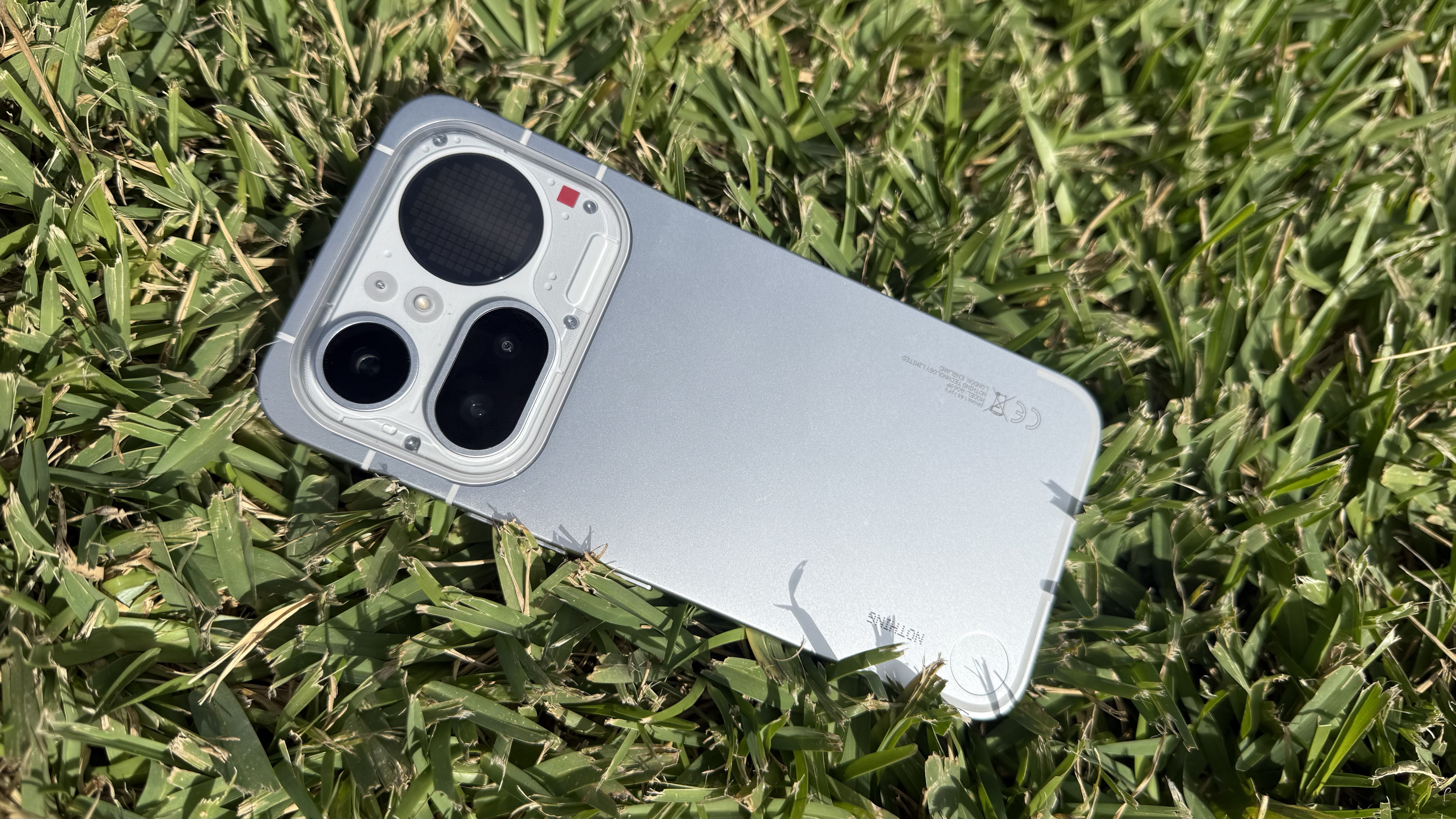
I’ve always favored clean, minimal phone homescreens — the fewer icons, the better, with the wallpaper fully visible. This usually means I have to delete a lot of icons and widgets after initial setup, especially with a Samsung Phone and an iPhone to achieve that look. Pixel phones are much less cluttered in comparison, though I still have to tweak some settings a bit to personalize the homescreen fully.
Then, a few months back, I got my hands on the Nothing Phone 4a Pro, and it was love at first sight. Not only does it look great and punch above its weight class with its hardware, but Nothing OS seemed tailor-made for me — it’s now my favourite Android skin.
I found the monochrome color scheme and minimal interface very appealing, reminding me somewhat of Pixel UI’s stock Android experience but with more character. The home screen widgets follow the same design philosophy, and community-made ones add extra functionality and whimsy I didn’t know I needed.
Clean, distraction-free bliss
My usual homescreen setup features just a single row of my most-used apps at the bottom, with icons set to a monochrome color scheme and maybe one or two widgets.
These settings are readily available on iOS and Pixel UI, and easy to apply, while Samsung’s One UI has a wide range of icon packs to choose from. But where you have to manually opt to have this minimal look, it’s the default on Nothing OS. It’s in no way a groundbreaking innovation, but it’s my favorite part of using the Nothing Phone 4a Pro.
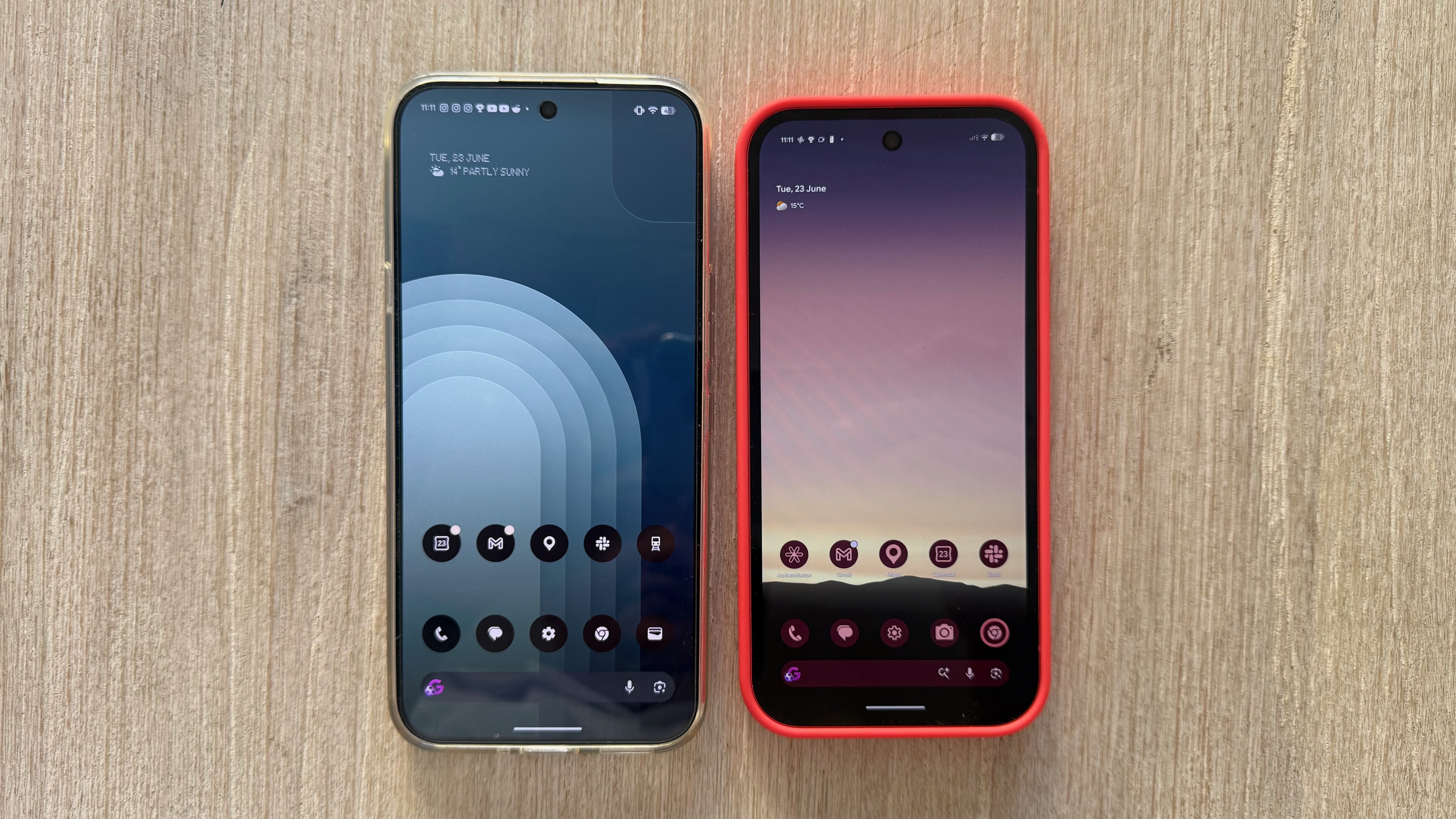
Nothing OS widgets also set themselves apart from typical Android or iOS widgets — they come in small square tiles (just enough to fit 4 icons in a 2×2 arrangement) that match the icons’ look. Even when I load up the 4a Pro’s homescreen to the brim with widgets and icons, it still looks clean and slick.
Don’t care for the default widgets? No problem. There are plenty of community-made ones you can download from Nothing Playground, a portal for widgets (found under Essential Apps in Settings) and equalizer profiles for audio. These are unique and can show off your personality too. Some of my favorite community-made widgets include a tic-tac-toe game, a functioning piano, and a meter that tracks CPU usage and temperature.
The latest major Nothing OS update introduced simple breathing exercise widgets — one each for Focus, Calm and Relax — with on-screen prompts that tell you when to inhale and exhale while music plays. Again, it’s not revolutionary, but I like being able to tap a widget on the homescreen instead of digging through menus in a dedicated health app.
These little things add up to making a fabulous user experience in my books.
Innovations and experiments
In my opinion, an even more impressive addition in that update is Essential Voice, an AI-powered speech-to-text feature that has produced the most accurate results I’ve seen on a phone so far.
Powered by Gemini 3 Flash, Essential Voice automatically removes filler words and sounds like “um”, “ah” and “basically” — something I tend to do a lot myself — and also auto-formats bullet lists. I tested this feature by dictating my rather long, rambling notes into Google Docs and it produced a neat outline to build the article I was working on.
There’s support for more than 100 languages and regional variants, which I tested by reciting phrases in Spanish, Italian, French and Filipino — the results were clean and accurate. While a similar feature called Rambler is coming to more phones via Android 17, it’s nice to see it already in action on Nothing OS. While I’m not quite ready to forgo keyboards just yet and talk to my phone instead, I still think it’s a fantastic shortcut to typing.
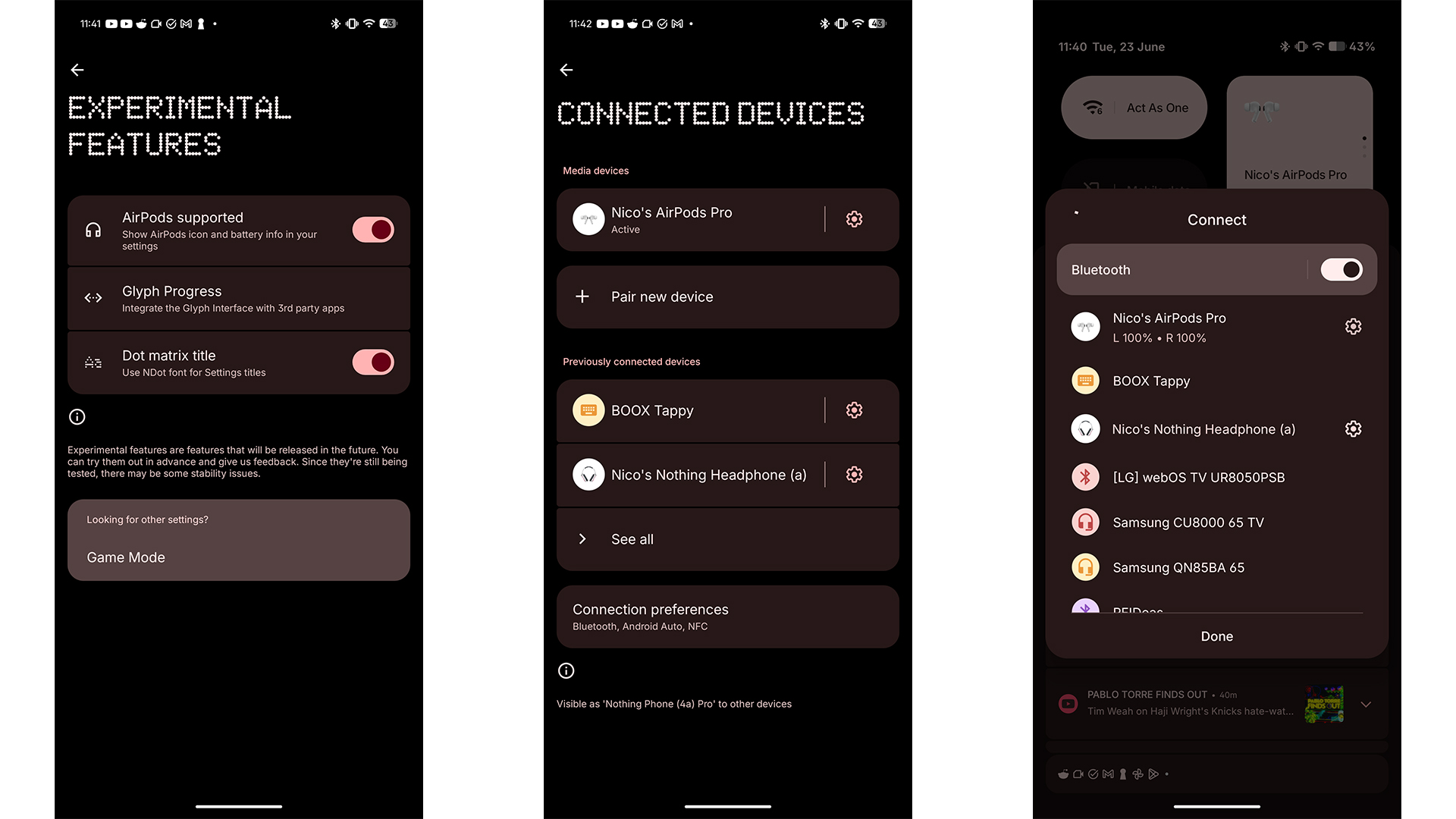
Nothing OS also lets you try experimental features like using the Glyph Matrix (the secondary screen on the 4a Pro’s back) as a progress bar for third-party apps (it only supports Uber, Zomato and Google Calendar for now) and improving Apple AirPods support — well, for an Android phone at least. They’re not the most earth-shattering features, sure, but they’re a promising sign of Nothing’s willingness to try new ideas and let users play around with them.
Admittedly, Nothing OS’s quirky design won’t be for everyone, as some users will prefer more conventionally designed widgets or colorful icons that are easy to identify, but the short 3-year software support window is what’s most disappointing here, especially when Samsung and Google offer 7 years, while Apple is pushing that to 8 years in some cases.
Nevertheless, Nothing’s phones stand out as aesthetically pleasing handsets that punch above their price range, with the software experience as the unheralded star of the show — at least for me. It’s the perfect minimalist experience out of the box, without sacrificing functionality, and it includes some useful extras enhancing the experience.
With Nothing changing its flagship release schedule for 2027, I’m curious to see how Nothing OS will evolve alongside a potentially more powerful phone. Perhaps it will offer more ways to encourage community innovation? Either way, I’m certainly keeping my eyes peeled for what’s next.