At a glance
Expert’s Rating
Pros
- 14-day free trial
- Doesn’t require a full version of Windows
- Improved interface and ease of use
- Regular updates, good technical support
Cons
- Some Windows apps aren’t compatible
- Can be complicated to use
- Requires Rosetta on Apple Silicon
Our Verdict
CrossOver is a WINE-based compatibility layer that runs many Windows apps and games on a Mac without Windows. It’s ideal for gamers and older software, but compatibility varies. Apple Silicon Macs currently require Rosetta to run CodeWeavers.
Price When Reviewed
This value will show the geolocated pricing text for product undefined
Best Pricing Today
- Best for: Mac gamers who want to avoid buying Windows and for running older Windows apps.
- Not for: Users who need guaranteed compatibility and Apple Silicon users who want fully native performance – at the moment CrossOver requires Rosetta to work on Apple Silicon and some apps don’t work. CodeWeavers has announced that CrossOver 27, when it launches, will address this issue.
CrossOver is a commercial version of the open-source WINE compatibility layer that lets you run many Windows applications and games on a Mac without installing Windows or buying a Windows licence. Rather than virtualising Windows like Parallels Desktop or VMware Fusion, it translates Windows API calls into macOS equivalents, making it a lighter and often less expensive alternative. See how CrossOver compares to other Mac Virtual Machines we have tested in: Best Virtual Machine for Mac.
WINE itself is free but can be difficult for non-technical users to configure. CodeWeavers developed CrossOver to provide a more user-friendly experience, complete with technical support and tools that simplify installing Windows software and games.
CrossOver is particularly well suited to Mac gamers and anyone who needs to run older Windows software. However, compatibility isn’t guaranteed, and some applications won’t run at all. Current versions also rely on Apple’s Rosetta translation layer on Apple Silicon Macs, although CrossOver 27 is expected to add native Apple Silicon support. Before buying, it’s worth using the 14-day free trial to make sure your essential apps and games work as expected.
This review was updated in August 2026 to take account of the new versions CrossOver 26.1 and 26.3.
How well does CrossOver perform
At the moment, CrossOver is based on code that was originally written for Intel processors, so it relies on Apple’s Rosetta to run on Macs with Apple Silicon, but performance is still pretty good, and CodeWeavers states that it is working on native support for Apple Silicon coming in CodeWeavers 27 in early 2027.
How easy is it to use CrossOver
CrossOver has always aimed to be more user-friendly than WINE, by allowing you to install Windows apps into ‘bottles’ – which are self-contained files that can be launched and run on your Mac without requiring a full copy of Windows. You can create lots of different bottles for different apps, and bottles can even be configured to provide compatibility with different versions of Windows. This is useful as it allows you to create bottles that are suitable for older games and software that might require a particular version of Windows in order to run properly.
Even so, CrossOver can still be quite complicated at times, so back in 2022 CodeWeavers introduced a new interface that was redesigned to be more Mac-like, and also to provide more help when installing many Windows apps and games. When you launch CrossOver you see the main Install window, which lists some popular Windows apps and games, such as The Witcher 3 and Diablo IV, and even productivity tools such as the Quicken accounting software for business users.
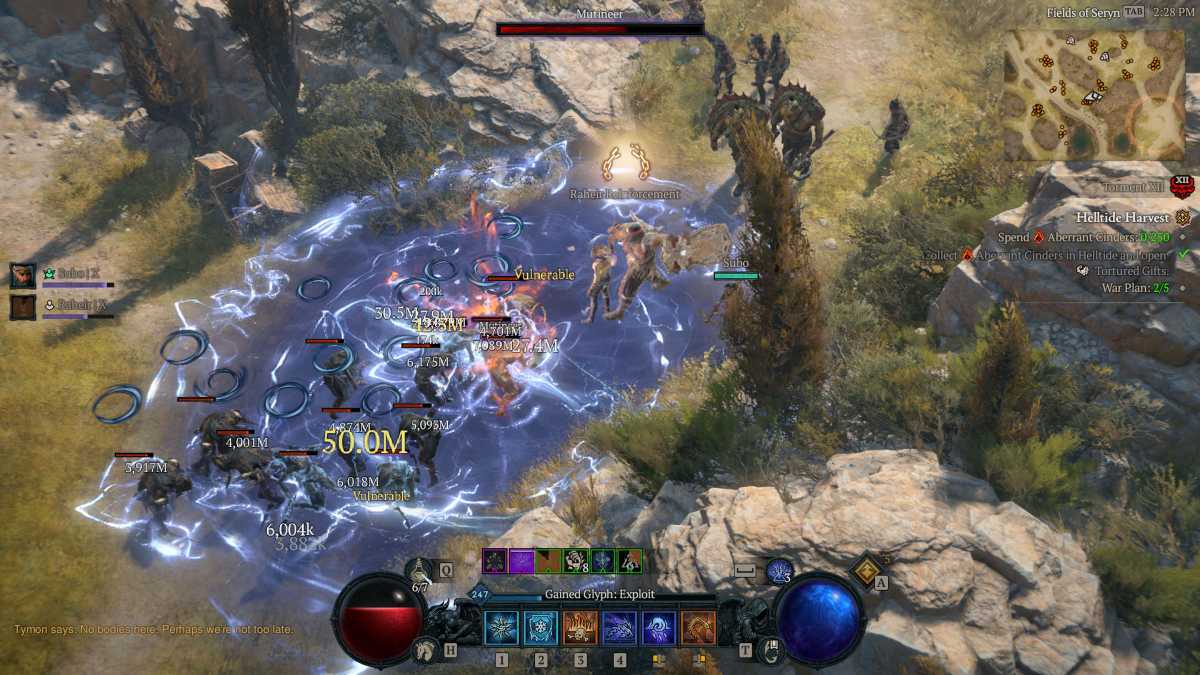
Playing Diablo in Full Screen
Foundry
There’s also a search tool that provides information on hundreds of other Windows apps, and an indication of how well they run with CrossOver. But, as we discovered, there are degrees of compatibility here, with some apps that run well, while others may run with problems – and some may simply not work with CrossOver at all. But, somewhat to my surprise, I was able to install and run a 20-year old copy of Microsoft Publisher from an old DVD with no trouble at all, and also Icewind Dale II, an old favourite of mine that doesn’t seem to be widely available these days.
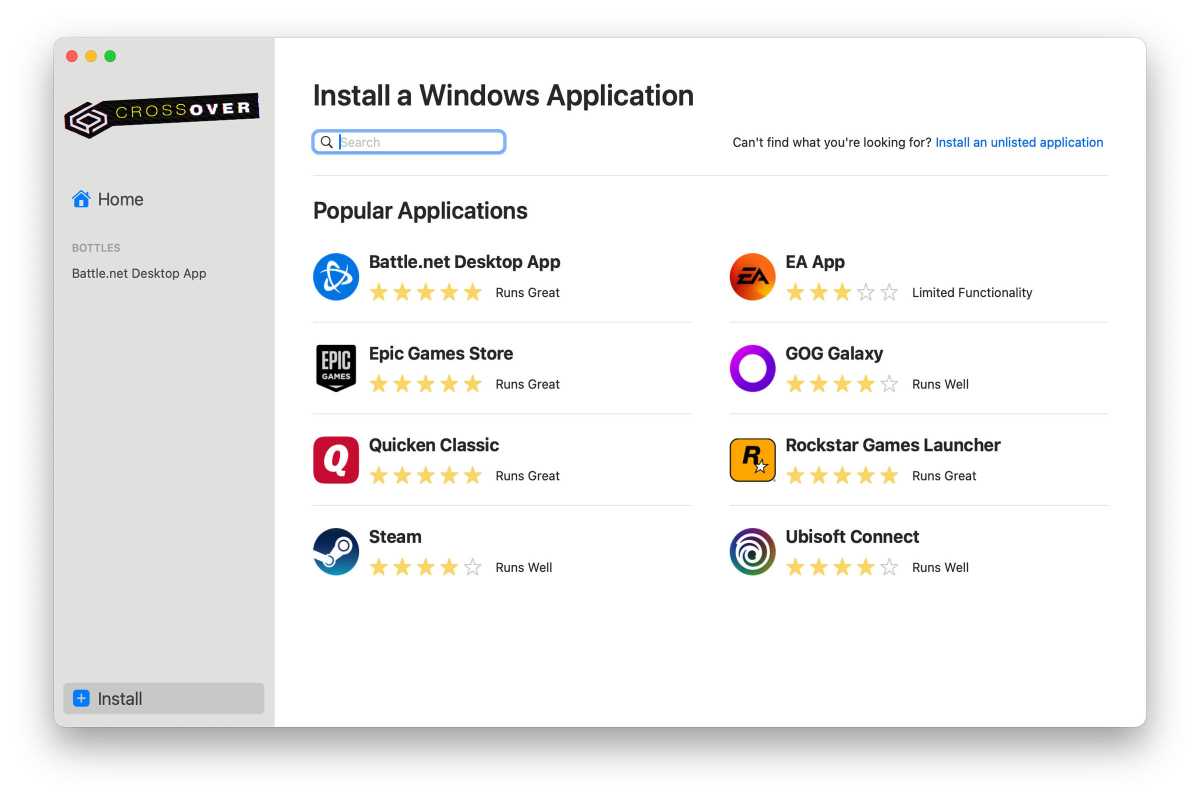
Find an app to install
Foundry
Which Windows apps and games work with CrossOver?
CrossOver supports hundreds of Windows applications and games, with one of the broadest compatibility libraries available for macOS. While it works with productivity software such as Quicken and many older Windows applications, gaming is its main focus. Apple’s Game Porting Toolkit is built on open-source CodeWeavers technology, and the company regularly releases updates that improve compatibility with the latest PC games.
Recent releases have added or improved support for titles including Diablo IV, Diablo II: Resurrected, Overwatch, Path of Exile 2, Dragon’s Dogma 2, Fallout 76, Kingdom Come: Deliverance II, The Outer Worlds 2 and Clair Obscur: Expedition 33.
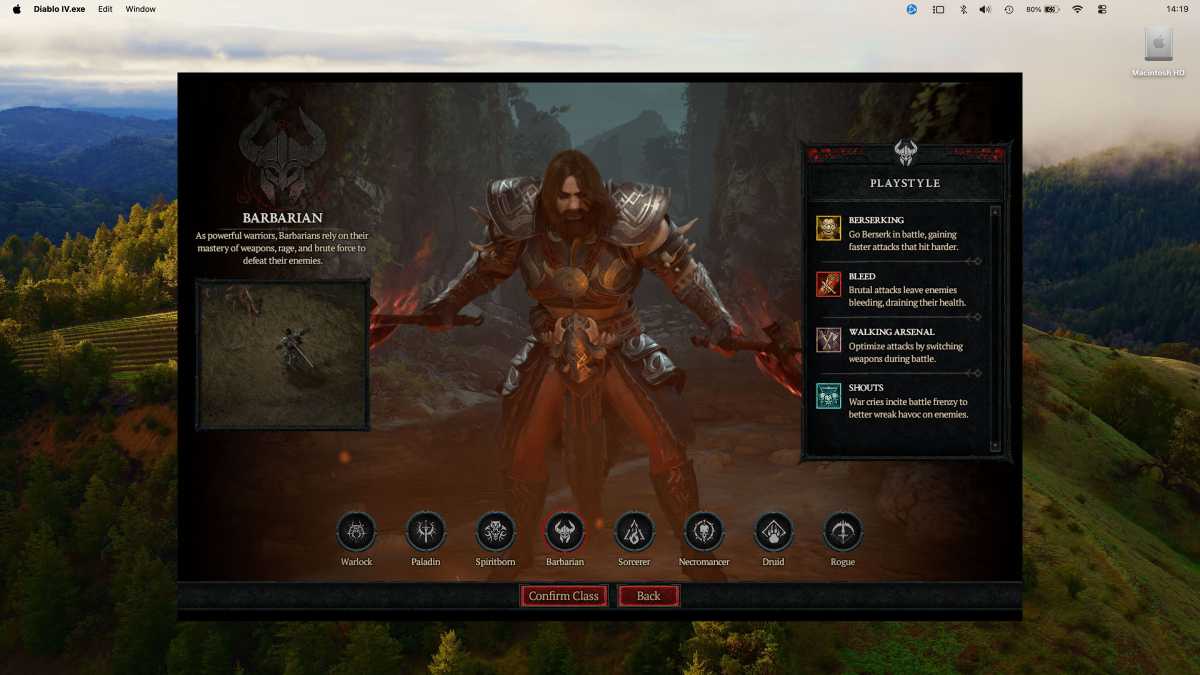
Diablo running in a window
.
Foundry
However, compatibility isn’t universal: some apps and games run perfectly, others have minor issues, and some won’t run at all. Before buying, you can search CodeWeavers’ online compatibility database to check whether the software or games you need are supported.
What’s coming in CrossOver 27?
CrossOver 27 is expected to be one of the biggest updates yet when it arrives in early 2027. Current versions are written to run on Intel-based Macs and still rely on Apple’s Rosetta translation layer to run on Macs with Apple Silicon processors, but Apple is planning to retire Rosetta with macOS 27 Golden Gate, coming later in 2026.
CodeWeavers has confirmed that CrossOver 27 will run natively on Apple Silicon. This should deliver better performance while allowing CodeWeavers to modernise the interface and add features that weren’t possible while supporting Intel Macs.
The downside is that CrossOver 27 will no longer support Intel-based Macs. However, existing Intel users can continue using older versions of CrossOver instead of upgrading.
Latest CrossOver updates
CrossOver continues to receive regular updates, many of which focus on improving support for specific Windows games. CrossOver 26 was released in February 2026. The 26.1 update came in April 2026. The current version is CrossOver 26.3, which arrived on July 21, 2026.
What’s new in CrossOver 26.1: More game support
CrossOver 26.1 might not seem like a major update, but it will be big news for many Mac gamers. Diablo IV and Overwatch are two hugely popular games from Blizzard that don’t run natively on the Mac, and have also proved stubbornly resistant to CodeWeavers’ attempts to get them running on the Mac via CrossOver. Thankfully, CrossOver 26.1 seems to have solved that problem – as long as you’re running macOS Tahoe 26.5 on your Mac.
At long last, we were able to get Diablo IV running on our MacBook Pro with an M2 Pro chip, and it managed a smoothly playable 50fps when set at 1920×1080 resolution and medium graphics settings. There are still a few rough edges – we had some problems with the cursor and window sizes when the MacBook was connected to an external monitor, but it only took a little trial and error to find settings that worked for our set-up. The CrossOver 26.3 update in July 2026 brought bug fixes that resolve issues for Diablo IV, the Epic Games Launcher, and GOG.
CodeWeavers also states that Diablo II: Resurrected will run with Tahoe 26.5 as well, although it’s still working to fix a bug that can cause the game to crash if you use Command-Tab to cycle through open applications on your Mac while you’re playing.
As always, there’s a 14-day trial available so that you can see how well your favourite Windows games work with CrossOver before buying.
What’s new in CrossOver 26: Technical updates
Whilst there aren’t many major new features, this update does provide numerous technical updates that focus on improving performance for running Windows apps – and games in particular.
Core engine update: As we’ve mentioned, CrossOver is based on the open-source WINE software, which allows Windows apps and games to run on macOS as well as other Linux-based operating systems. CrossOver 26 now adopts the latest Wine 11.0, which, according to the developers at CodeWeavers, introduces more than 6,000 technical improvements, and fixes hundreds of bugs.
Gaming and graphics: Apple makes a contribution too, as its Game Porting Toolkit (GPT) – which uses open-source elements taken from both WINE and CrossOver – also includes a feature developed by Apple itself, called D3DMetal. This is designed to improve compatibility between games that use the Windows D3D graphics system and Apple’s own Metal graphics software, and CrossOver 26 now supports the latest version of D3DMetal 3.0, which should help to improve compatibility and graphics performance with many Windows games.
Interface changes: There are also some interface updates in CrossOver 26 to help it work more smoothly with the Liquid Glass interface in macOS Tahoe. And, of course, there are some fixes for a number of popular games that may not have worked well with CrossOver in the past. These include recent, big-name titles such as Kingdom Come: Deliverance II, The Outer Worlds 2 and – right at the top of my own gaming wishlist – the multi-award-winning Clair Obscur: Expedition 33.
What was new in CrossOver 25: Streamlined installation
The March 2025 launch of CrossOver 25 was one of the biggest updates of recent years, with CrossOver promising to bring “next level gaming to the Mac”.
Core engine update: Some of the new features in v25 were under-the-bonnet changes, such as adopting the latest version of the underlying WINE technology, which CodeWeavers claims includes thousands of programming updates to improve performance and compatibility.
Gaming and graphics: This update also introduced a new graphics technology, called DXMT that, according to CodeWeavers, provides better performance for less powerful Mac models when running Windows games that use DX11 graphics. The update added improved compatibility with lots of big-name Windows games, allowing you to play games such as Path Of Exile 2, Dragon’s Dogma 2, and Fallout 76 for the first time. And, along with Steam, CrossOver 25 now supports the Windows versions of the GoG and Epic game stores so that you can download games that you own from those stores.
Installation process improvements: CodeWeavers also continues to further streamline the installation process for Windows games and apps for new users who may not have a lot of technical experience. As well as providing a list of popular games and other apps that work well with CrossOver, this new version now has the ability to connect to the compatibility database stored on the CodeWeavers website, and can automatically apply the best graphics and audio settings for a variety of different games.
CrossOver Price: How much is CrossOver?
That technical support means that CrossOver isn’t free, costing $74/£60 for a license that provides 12 months of technical support and updates, or you can pay $494/£414 for CrossOver Life, for lifetime support.
However, there’s a 14-day free trial available, so that you can see if it works with the Windows software and games that you want to run before buying (and there’s also a version of CrossOver available for Linux as well).
Should you buy CodeWeavers CrossOver?
The sheer effort that the CodeWeavers team puts into providing regular updates for CrossOver is impressive, and we’ve had good experiences using their tech support to get help running the Windows version of Steam on our ageing office iMac. Even so, CrossOver can still be rather complicated for new users, so it’s definitely worth downloading the trial version to see how well it works with your favourite Windows games and other Windows software.