At a glance
Expert’s Rating
Pros
- 6 powerful USB-C PD ports
- Intelligent voltage adjustment
- Compact for small footprint
Cons
- No legacy USB-A if you still need it
Our Verdict
When wall chargers get unwieldy a desktop charger offers a more stable solution in multiple-device charging environments. With a choice of four or six smart ports and up to 240W total output plus an informative display, the Satechi ChargeView is a compact desktop charger that can keep a bank of desks fully charged in a minimal footprint.
Price When Reviewed
This value will show the geolocated pricing text for product undefined
Best Pricing Today
Best Prices Today: Satechi ChargeView 240W Desktop Charger
What is it? A high-powered desktop charger with six USB-C ports.
Who is it for? Users of many USB-C-powered devices and/or IT teams looking for a simple charging solution for multiple nearby users. Buy the 240W model if you regularly charge two or more MacBooks at once, or want enough headroom to fast-charge laptops, iPads and iPhones simultaneously. Choose the cheaper 140W version if your typical setup is one MacBook plus a handful of smaller Apple devices.
Who shouldn’t buy it? People who need legacy USB-A ports. Those wanting fewer ports can consider the 4-port ChargeView 140W model.
We’ve all got USB wall chargers incongruously sticking out of our power sockets, and some boast multiple ports to handle our many devices crying out for power.
The Satechi 145W USB-C 4-Port wall charger, reviewed in our travel charger section below, has four USB-C ports. The Ugreen Nexode Pro 160W 5-Port USB-C wall charger has four USB-C and a USB-A port but try to stick anything larger in your plug socket and it will likely take your wall out if it gets a knock. If you are frequently pulling out charging cables for new devices, anything over three ports is about the limit for wall-charger stability.
You’ll get higher power and more ports from a desktop charger that plugs into the socket with a cable rather than directly with plug pins incorporated into the wall charger itself. Resting on your desk it should cover all your device charging requirements.
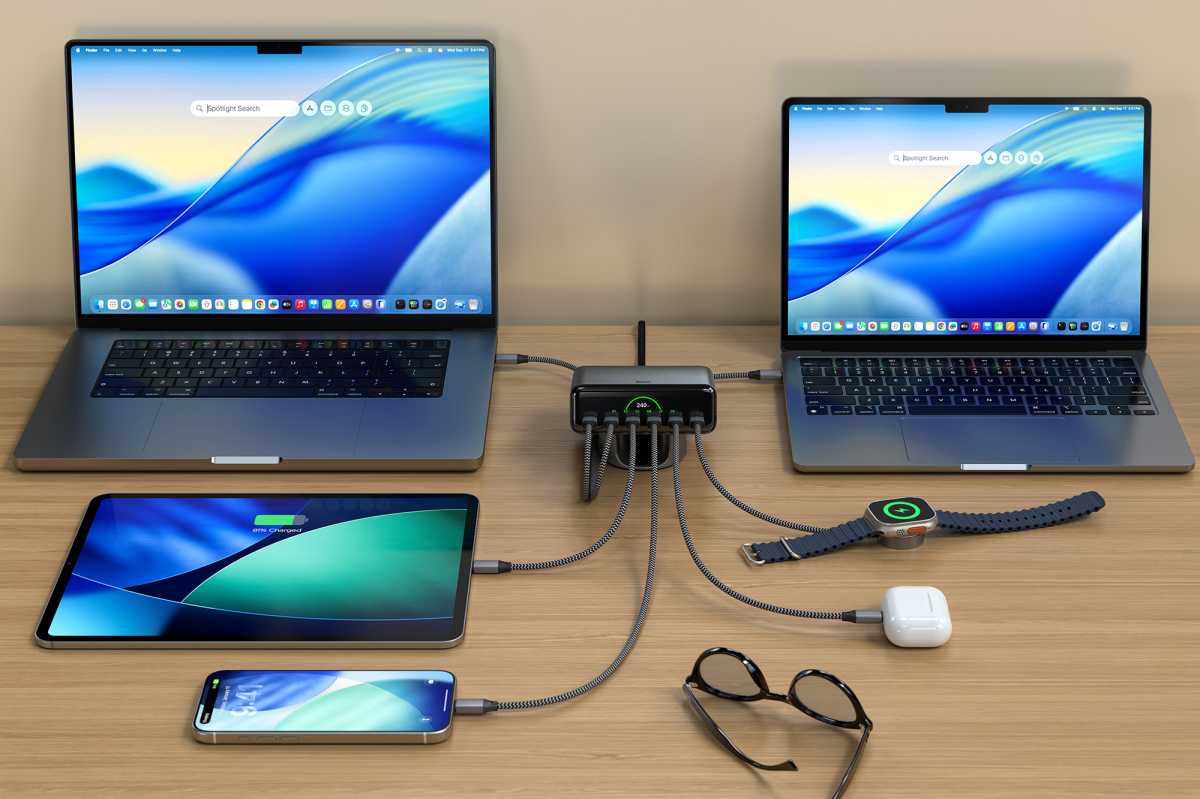
Satechi had a 6-Port USB-C GaN Charger that could handle a total of 200W and has now updated this with its new 6-port ChargeView 240W Desktop Charger. This has the same six USB-C ports but more power to share between them. It also has a 4-port ChargeView 140W Desktop Charger for those with fewer devices to charge at the same time.
Satechi
How much can the ChargeView power per port?
All of the ChargeView’s ports are USB-C. If you still have older devices that require a legacy USB-A port, you need to look at some of the other best desktop USB-C chargers we’ve tested.
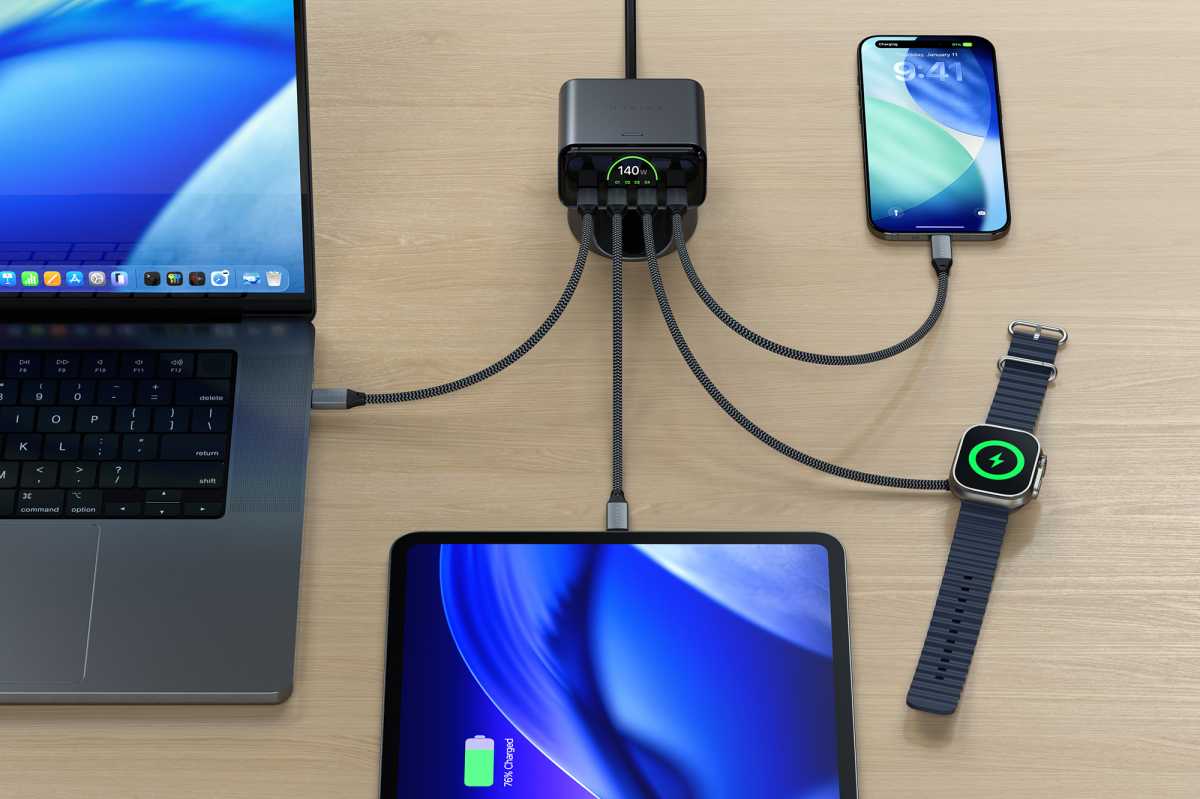
Two of the USB-C ports support PD 3.2 for 140W charging. This is what the 16-inch MacBook Pro demands for fast charging. Two more support 100W each, and the final two can output 30W.
Of course, you invest in a desktop charger for its multiple port combinations.
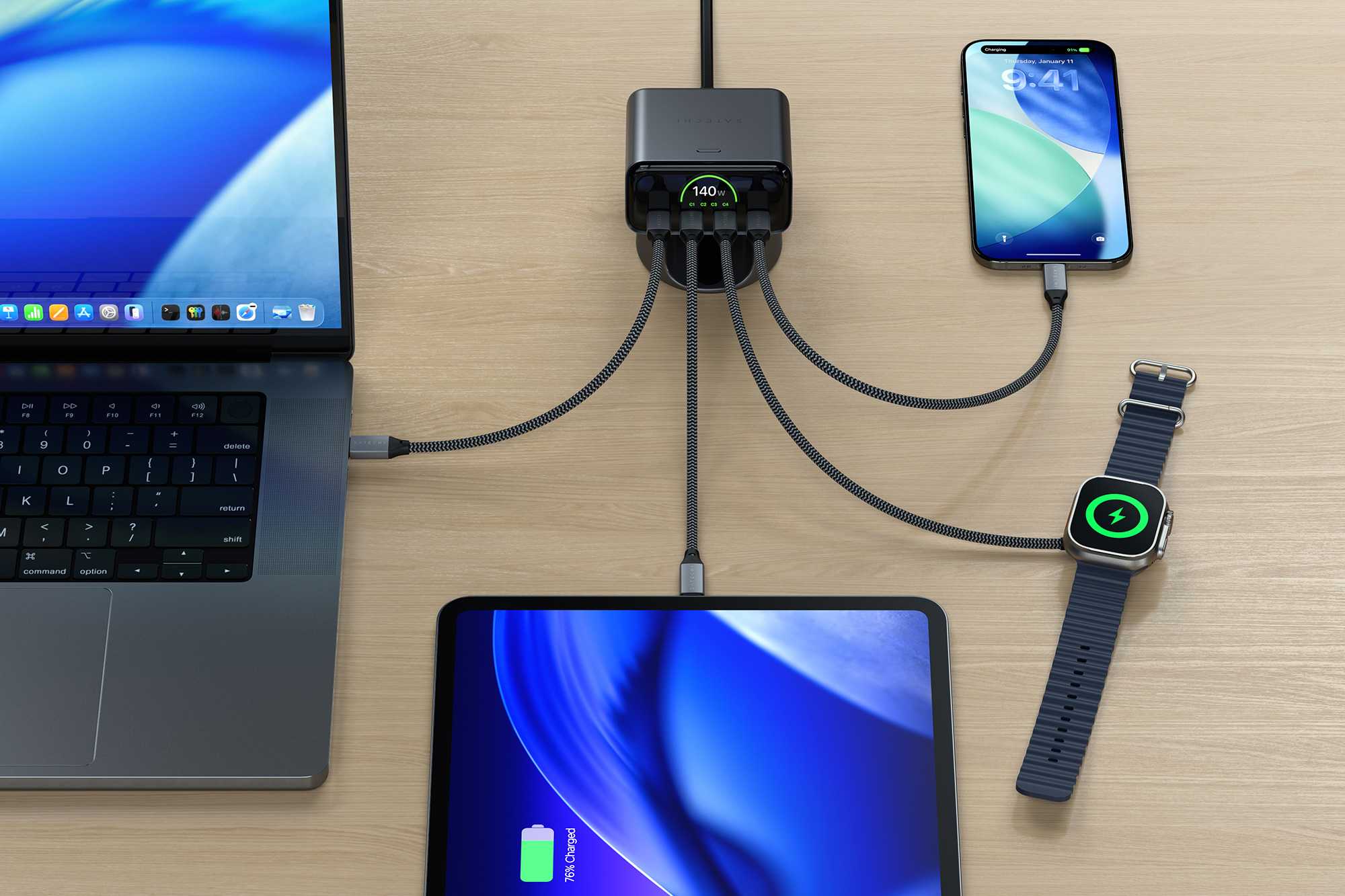
As the maximum power output is 240W you can’t use the two 140W ports with each at full power. Instead the most you’ll get is 140W+100W, and really any other combination: 100W+100W, 140W+30W, 100W+30W, 100W+100W, and 30W+30W, for example.
Three ports in use at the same time gets more interesting, with possibilities such as 100W+100W+40W, 100W+70W+70W, 100W+100W+30W, 100W+30W+30W. These combinations allow for a 14-inch MacBook Pro plus an iPhone and an iPad all to be fast-charged at the same time, or a MacBook Pro and two MacBook Airs.
Want to simultaneously fast-charge a MacBook Pro, MacBook Air, an iPad Pro and an iPhone? The ChargeView 240W has you covered using four of its ports. You could charge 100W+70W+40W+30W, for example.
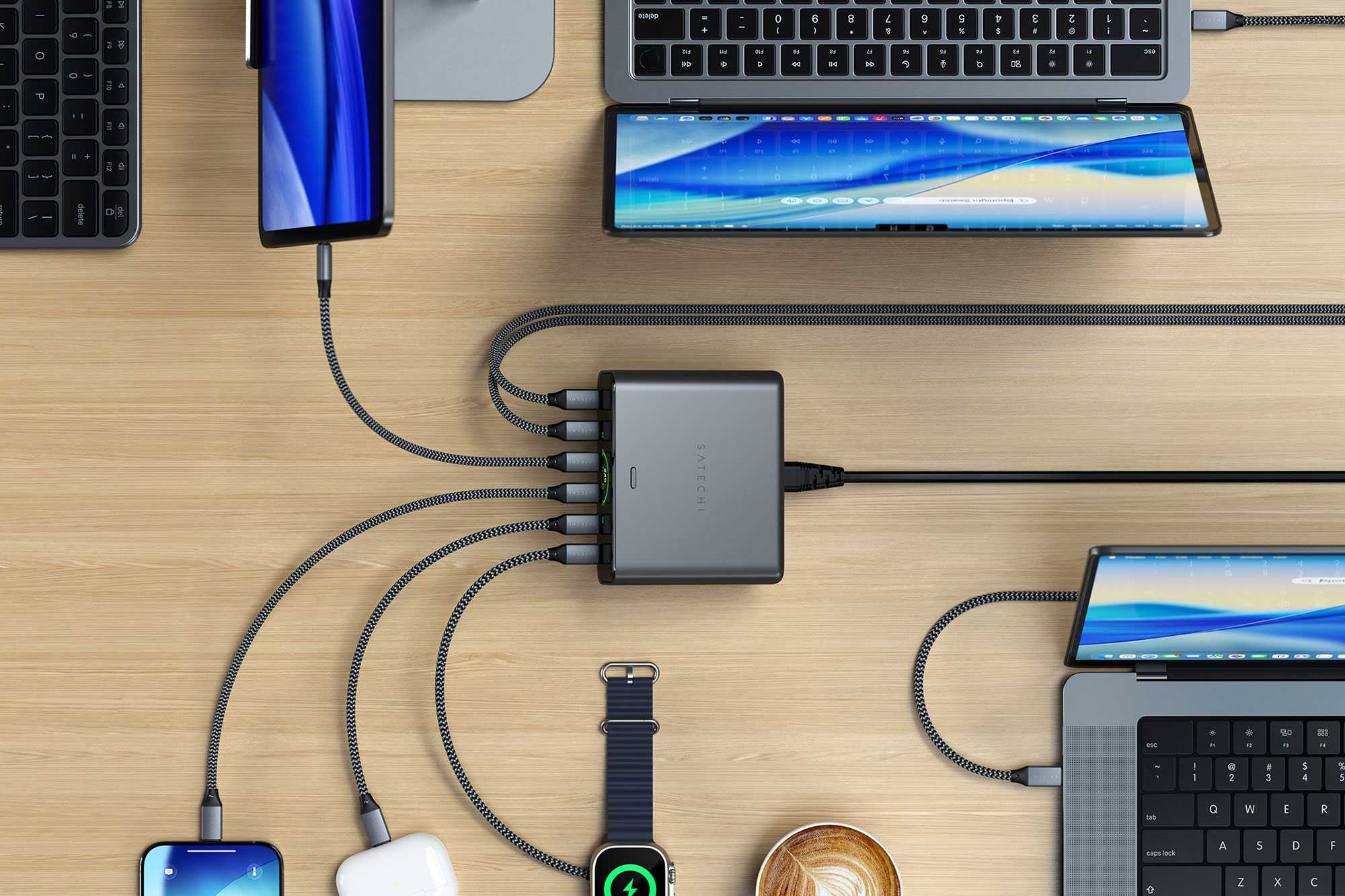
Using five of the charging ports at the same time allows for 100W+70W+30W+20W+20W. That’s enough to fast-charge a MacBook Pro, MacBook Air, iPad, and two iPhones all at the same time.
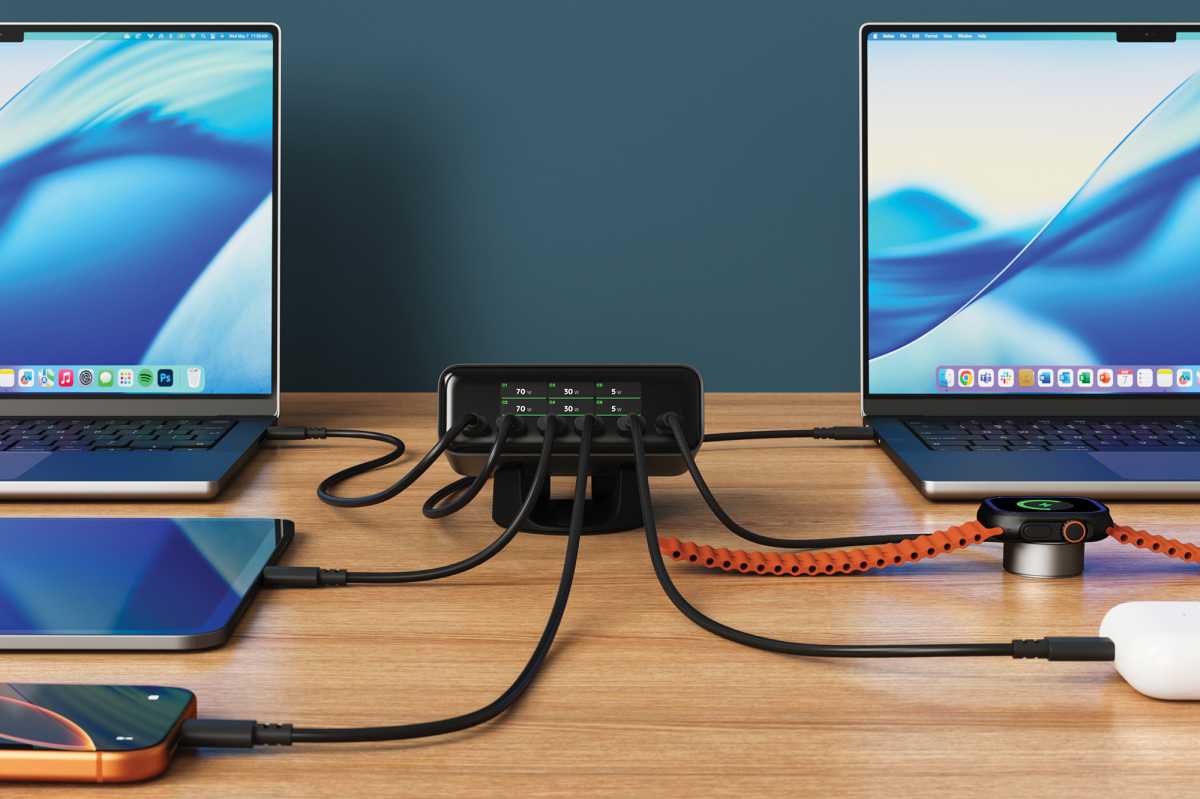
The ChargeView 240W is maxed out using all six of its ports at 70W+70W+30W+30W+20W+20W, so you can fast-charge two MacBook Airs, and four iPad/iPhones in any combination you desire. If you can cope with slightly slower charging, you could keep four MacBooks operational plus a couple of iPhones.
You can see that the ChargeView 240W has enough power and ports to keep up with the needs of a bank of desks in the office, or controlling a busy studio.
Satechi
With the 4-port ChargeView 140W, again two of the ports support the highest 140W PD 3.2 with the other two rated at 40W.
Use two at the same time for 100W+40W, 70W+70W, or just 20W+20W.
Three can handle 70W+40W+30W, or 65W+45W+30W, and all four at the same time for 65W+40W+20W+15W.
40W is enough to keep even a MacBook Pro humming along unless under intense performance demands. 20W is fine for iPad/iPhone fast charging, as well as keeping a MacBook Neo happy. 15W is not as fast as an iPhone would demand for fast charging but it will still get an iPhone from 0-50% in around 40 minutes.
Satechi
Rather than thinking in watts, here’s what those power combinations mean in Apple devices:
| Ports in use | What you can charge at once | What to expect |
|---|---|---|
| 1 | 16-inch MacBook Pro | Up to 140W, enough for full-speed fast charging on compatible 16-inch MacBook Pro models. |
| 2 | 16-inch MacBook Pro + MacBook Air | Both can charge quickly; the Pro can get up to 140W and the Air up to 100W depending on the ports used. |
| 3 | 14-inch MacBook Pro + 2 MacBook Airs | Enough power for three MacBooks simultaneously, with around 100W/70W/70W available in one supported configuration. |
| 3 | MacBook Pro + iPad Pro + iPhone | Plenty of power for the MacBook plus fast charging for both mobile devices. |
| 4 | MacBook Pro + MacBook Air + iPad Pro + iPhone | All four can charge rapidly at once; a typical split is 100W/70W/40W/30W. |
| 5 | MacBook Pro + MacBook Air + iPad + 2 iPhones | A very practical five-device setup, with enough power to fast-charge the laptops and mobile devices simultaneously. |
| 6 | 2 MacBook Airs + 2 iPads + 2 iPhones | All six devices can charge at once. The two Airs can each receive 70W, while the remaining four devices share 100W. |
| 6 | 4 MacBooks + 2 iPhones | Possible, but some of the MacBooks will charge more slowly; this is better for keeping them powered than simultaneously fast-charging all four. |
How smart is the charger when working with multiple devices?
PD 3.1 brought in possible power output up to 240W, but 140W is the highest any of your devices are likely to require. The ChargeView is rated for PD 3.2 that refines protocol efficiencies, expands Adjustable Voltage Supply (AVS) to lower standard ranges, and adds support for advanced features such as peak current handling and Qi2 wireless integration.
The two 140W PD 3.2 ports employ AVS to automatically adjust voltage to deliver efficient, reliable power for the latest iPhone devices (iPhone 17 and later). It uses 100mV steps designed for high-efficiency, higher-power ranges up to 240W.
All the ports support Programmable Power Supply (PPS) that uses finer 20mV steps for real-time mobile adjustments, but this protocol is built for the likes of Samsung and Pixel phones rather than iPhones that don’t support PPS. The charger will simply default to standard fixed USB-PD profiles when plugged into an iPhone, but iPhone 17 and later models do benefit from AVS.
Simon Jary
Design and build
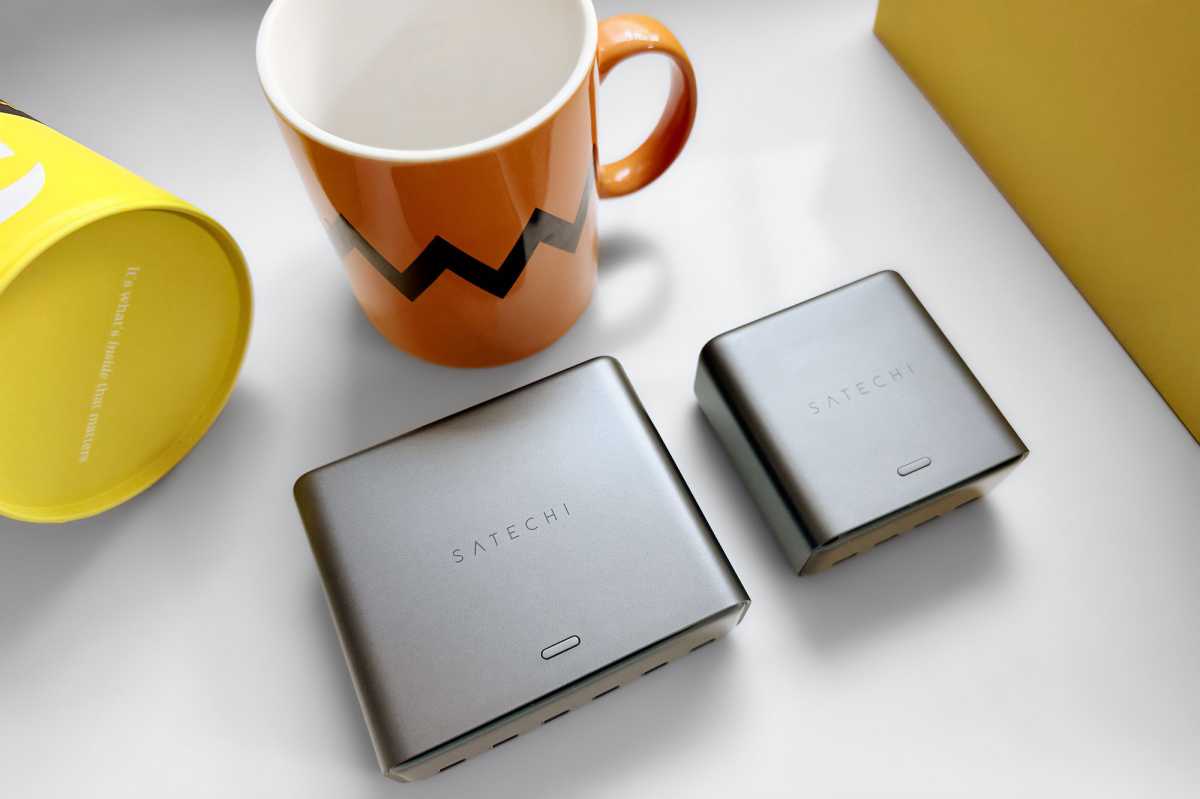
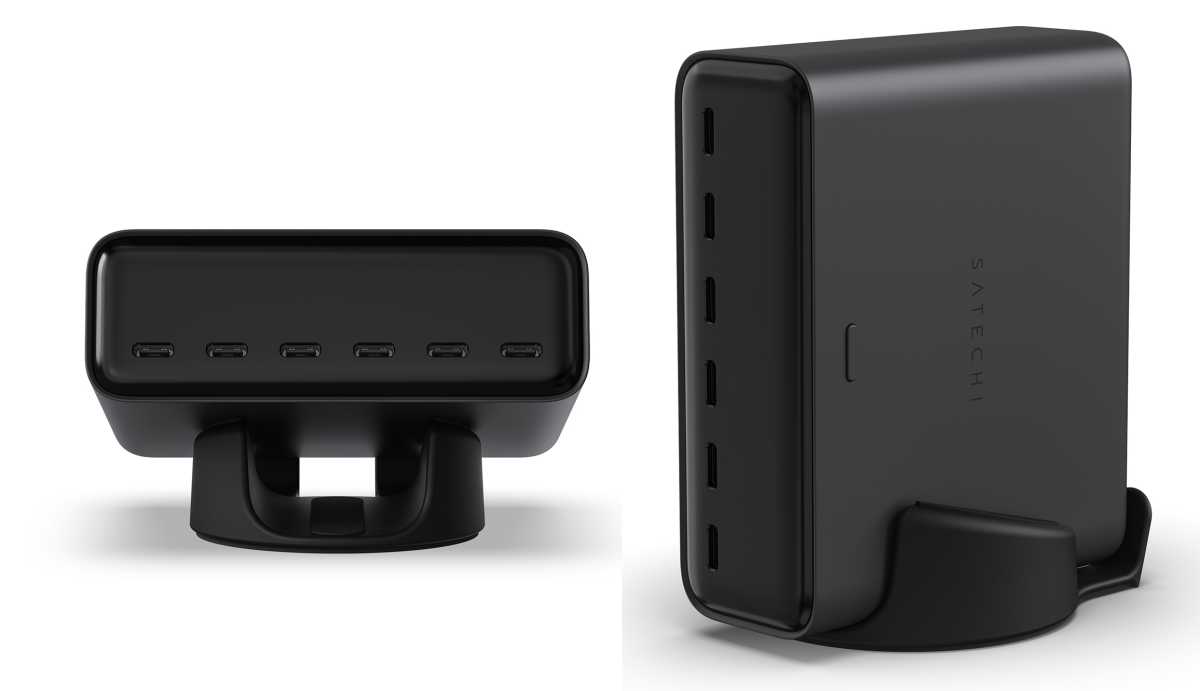
Both the 240W and 140W models of the ChargeView share the same dark (Space Black) boxy design. Both are pretty small, being built using the latest Gallium nitride (GaN) technology. GaN also helps keep the chargers cool even at full power, and the chargers are fanless so remain silent in operation.
The ChargeView 140W is understandably smaller at 3 x 3 x 1.5 inches (76 x 76 x 38mm) and weighs 16.4oz (465g).
The ChargeView 240W is larger but hardly a brick at 4.3 x 3.6 x 1.5 inches (110 x 92 x 38mm) and weighs 24oz (680g).
The power cable to the socket measures 5 feet (1.5m) in length. If you require a longer cable, it uses a common C8 power connector that you can buy separately if needed.
The charger comes with four little black silicone dots that you apply to the base if sitting the charger horizontally flat. Satechi says this “avoids stand interference” and ensures stability.
Satechi
What can the ChargeView’s display show?
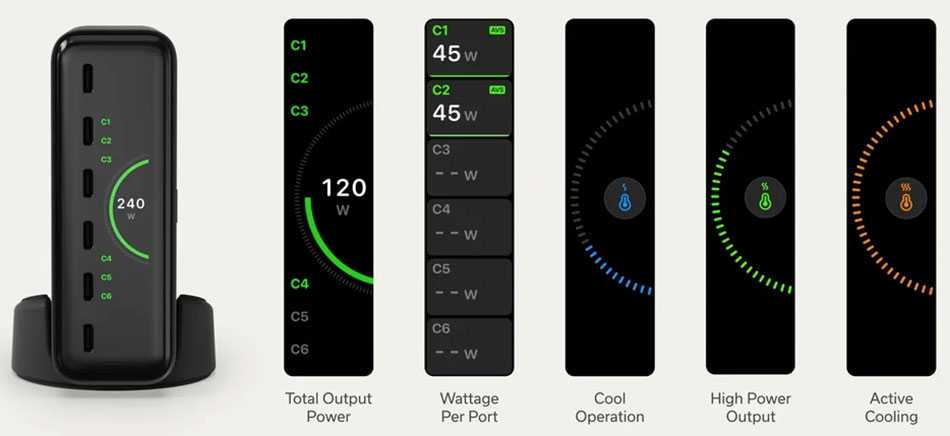
The ChargeView’s integrated glossy LCD smart display shows visible real-time charging status and activity for each port. It will display total output power, wattage per port, cool operation, high power output and active cooling. This feature isn’t just for wattage nerds as it should enable you to check the most needy devices are getting the most power.
Satechi
Pricing
The Satechi ChargeView 240W Desktop Charger is available for $149.99 / £149.99.
The ChargeView 140W Desktop Charger sells for $99.99 / £99.99.
We have tested and reviewed more of the best desktop USB-C chargers if you want to consider alternatives. The most powerful is the $249 Ugreen Nexode 500W. It has six ports, like the ChargeView, but with a much higher total output – although the max 500W assumes one port at 240W that is unlikely so it’s more like 400W total output in real terms. Ugreen also has a $199 Nexode 300W GaN Charger with four USB-C and one USB-A port.
Anker has two desktop chargers: the $79 Anker Prime 200W and $149 Anker Prime 250W. Both are rival 6-porters although two of those ports are USB-A, so will appeal to people with older legacy devices. If you are charging up to ten devices, the $119 Plugable PS-10CC USB-C Charger has less power at 100W but is super smart at priority charging.
Should you buy the ChargeView 240W or ChargeView 140W?
Wall chargers can get unwieldy once you need more than three ports, making a desktop charger a more practical option for powering several devices at once.
Buy the ChargeView 240W if you regularly charge two or more MacBooks alongside iPhones and iPads, or need six USB-C ports for a shared desk or family setup. Choose the 140W model if you mainly charge one MacBook plus a few smaller devices and don’t need the extra ports or power.
Buy neither if you still need USB-A or rarely charge several devices simultaneously, in which case a cheaper, more compact wall charger may make more sense.
With four or six USB-C ports, intelligent power distribution and a useful display, the ChargeView offers a tidy way to keep a multi-device setup charged without cluttering your desk.