Since the debut of Mac OS X in 2001, Apple has released dozens of versions of its Mac operating system, introducing new features, design updates, performance improvements, and more. From early big-cat releases such as Panther and Leopard to more recent California-inspired versions like Sonoma, Sequoia, Tahoe and Golden Gate, each release marked a new chapter in the Mac’s evolution.
Whether you’re trying to identify the version running on your Mac, check compatibility before upgrading, or find out which releases are still supported, this guide covers every Mac OS X and macOS version in chronological order – from the original Mac OS X Cheetah to macOS 27 Golden Gate.
Discover the major features introduced with each release, including Spotlight in Tiger, Time Machine in Leopard, Siri in Sierra and and the enhanced Spotlight search introduced in macOS 27 Golden Gate.
Below, you’ll find a complete list of macOS versions in order, along with release dates, codenames, key details and support information.
What is the latest macOS version?
The latest version of macOS is macOS 27 Golden Gate, released on September 14, 2026. Apple is expected to update Golden Gate throughout 2026 and 2027, beginning with macOS 27.1.
For details of the latest macOS 27 release, new features, beta updates and compatibility, see our complete macOS 27 Golden Gate Guide.
macOS version history: Every macOS and Mac OS X version and the features it brought
macOS is Apple’s operating system for the Mac, in the same way iOS runs on the iPhone and iPadOS runs on the iPad. It provides the user interface and acts as the link between a Mac’s hardware and its software.
All Macs have run macOS – formerly known as Mac OS X – since its debut in 2001. Before that, Apple computers used Mac OS 9. macOS is based on Unix technology developed at NeXT, the company Steve Jobs founded before returning to Apple.
Since its launch on March 24, 2001, macOS has evolved significantly, gaining tighter integration with iOS devices, cloud services, and productivity features such as Time Machine, Quick Look, Exposé, Spaces, and Desktop Stacks.
Below is a complete overview of macOS versions, showing how Apple’s desktop operating system has developed over time, along with the official names and internal codenames used for each release.
Foundry
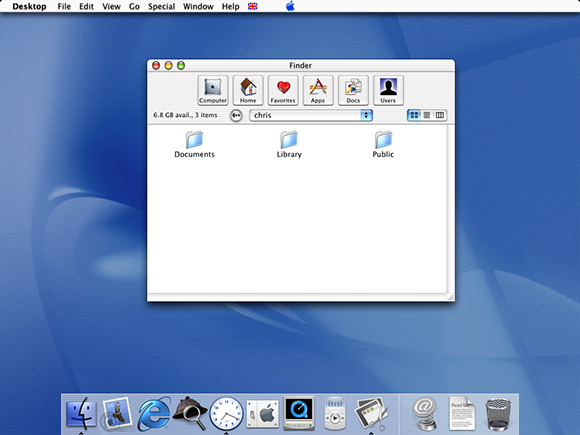
OS X 10 beta: Released in September 13, 2000, this preview version of OS X was codenamed Kodiak. It was based on technology from NeXT Computer, which was another company founded by Apple founder Steve Jobs and it introduced the Aqua user interface as well as protected memory and preemptive multitasking to stop crashes. This beta cost $29.95.
OS X 10.0: Code named Cheetah, this was the first major release of Mac OS X, arriving on March 14, 2001. It was Apple’s first OS built on a Unix-based foundation. Unfortunately it was slow and rough around the edges.
OS X 10.1: Just a few months ofter the first version of Mac OS X launched, Apple introduced the Puma update on September 15, 2001. This time is was stable and ready for everyday use, hardware support was better, and other issues with the fist version were addressed.
OS X 10.2: Jaguar arrived on August 14, 2002, significantly improving performance and usability, introducing Quartz Extreme for smoother graphics, a faster Finder, and better networking. iChat was one of the new features.
OS X 10.3: In October 2003 Apple introduced Panther which focused on speed, stability, and polish, delivering noticeably faster performance and a more responsive system. New features included: Exposé for managing windows, Fast User Switching, and FileVault disk encryption. Safari arrived as the default web browser.
OS X 10.4: Tiger arrived in April 2005 with new features like Spotlight search and Dashboard widgets.
OS X 10.5: In October 2007 Leopard arrived and added features like Time Machine for automated backups, Spaces for virtual desktops, and a redesigned Finder with Cover Flow. Time Machine also arrived as a simple way to back up a Mac.
OS X 10.6: Released in 2009, Snow Leopard focused on performance, stability, and efficiency rather than flashy new features.
OS X 10.7 Lion: Arriving in July 2011, Lion brought iPad-inspired features to the Mac, like Launchpad, full-screen apps, and multi-touch gestures. It also introduced system-wide Auto Save, Resume, and Versions so that users didn’t need to worry about manual saving.
OS X 10.8: A year later, in 2012 Mountain Lion brought more iOS features to the Mac including Messages, Reminders, Notes, Notification Center, and iCloud integration. Gatekeeper security was also emphasised.
Foundry
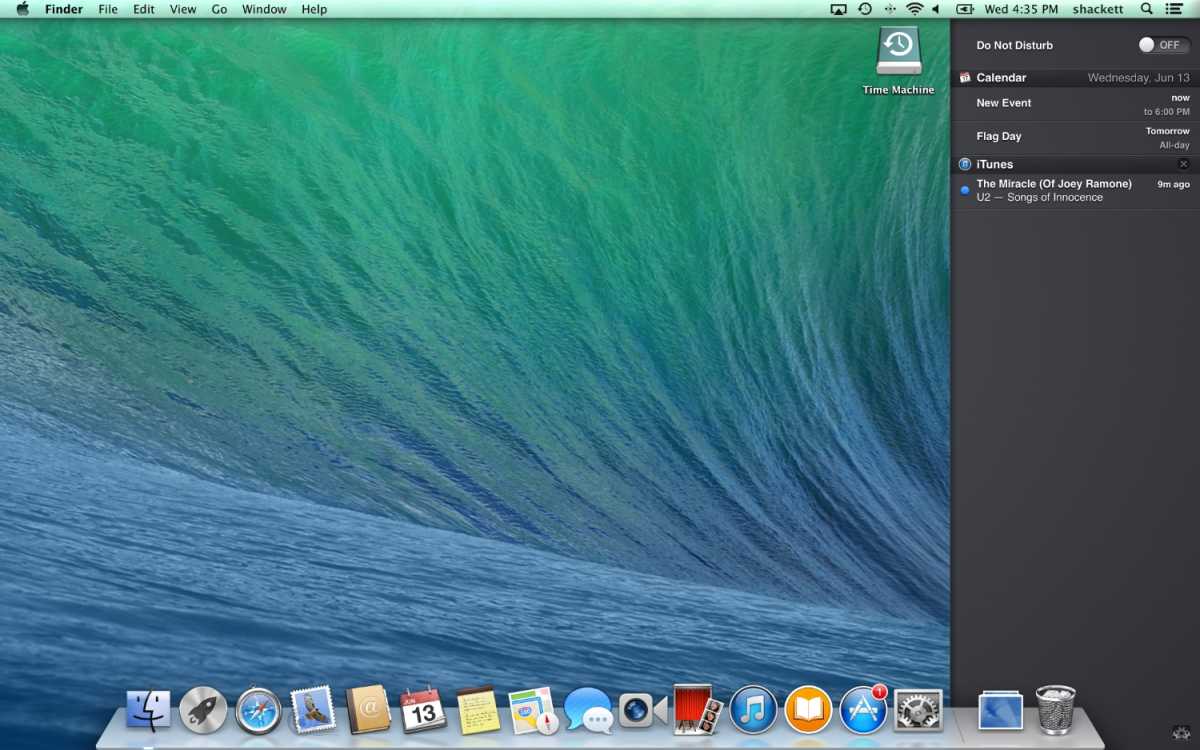
OS X 10.9: In October 2013 Apple stopped naming Mac OS X versions after big cats and switched to Californian landmarks, starting with Mavericks. It introduced features like Finder Tabs, Tags, and memory compression, making Macs faster and more responsive. It was also the first time Apple offered the Max OS X update for free.
OS X 10.10: Introduced in October 2014, Yosemite brought a major visual redesign with a cleaner, flatter interface, translucent elements, and a more modern look inspired by iOS (iOS 7 with its big redesign had been introduced in 2013). Continuity features from the iPhone and iPad included Handoff, iCloud Drive, and the ability to make and receive calls and texts from a Mac.
OS X 10.11: El Capitan arrived in September 2015 and, like Snow Leopard in 2007, focused more on refinement and stability. It brought improvements like better window management (Split View), smoother graphics, and performance boosts.
macOS 10.12: In September 2016 macOS Sierra was the first version to be referred to as macOS rather than Mac OS X, better aligning it with iOS, watchOS and tvOS. It brought Siri to the Mac and improved integration with iPhone and iPad with features like Universal Clipboard.
macOS 10.13: This was another update where the focus was on performance rather than flashy new features. High Sierra in September 2017 brought updates to core apps like Photos and Safari but mostly focused on security and efficiency updates.
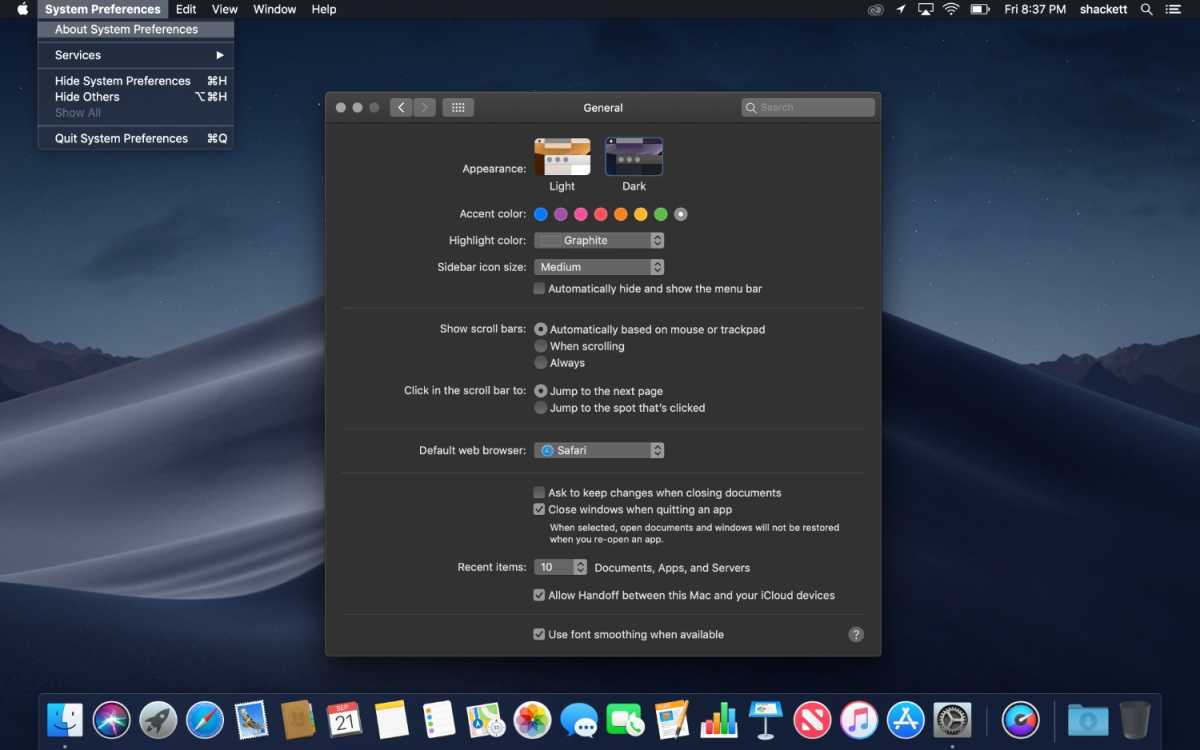
macOS 10.14: In September 2018, Mojave introduced a system-wide Dark Mode and introduced Desktop Stacks for better file organization.
Foundry
macOS 10.15: Arriving in October 2019, Catalina replaced iTunes with separate Music, TV, and Podcasts apps and introduced Sidecar so an iPad could be used as a second display for a Mac. It also ended support for 32-bit apps.
macOS 11: Big Sur was the first version to drop the ten, from Mac OS X, and start again at 11. Launched in November 2020 it was a major redesign of Apple’s Mac operating system, with a cleaner, more modern interface, updated icons, a refined Control Center, and closer visual alignment with iOS.
macOS 12: Arriving in October 2021, Monterey introduced Universal Control (one mouse/keyboard across Mac and iPad) and improved FaceTime.
macOS 13: macOS Ventura arrived in October 2022 and introduced Stage Manager for better multitasking, improved Continuity features (including using an iPhone as a webcam, and brought major updates to Mail, Safari, and Spotlight. Read: How Ventura and Monterey compare.
macOS 14: In September 2023 Sonoma made the desktop more immersive with animated wallpapers and desktop widgets you can interact with. There were game-focused improvements in Game Mode and video conferencing features like Presenter Overlay were added. Here’s how Sonoma compares to Ventura.
macOS 15: A year later in September 2024, Sequoia brought iPhone Mirroring and added Apple Intelligence features. Here’s how Sequoia compares to Sonoma.
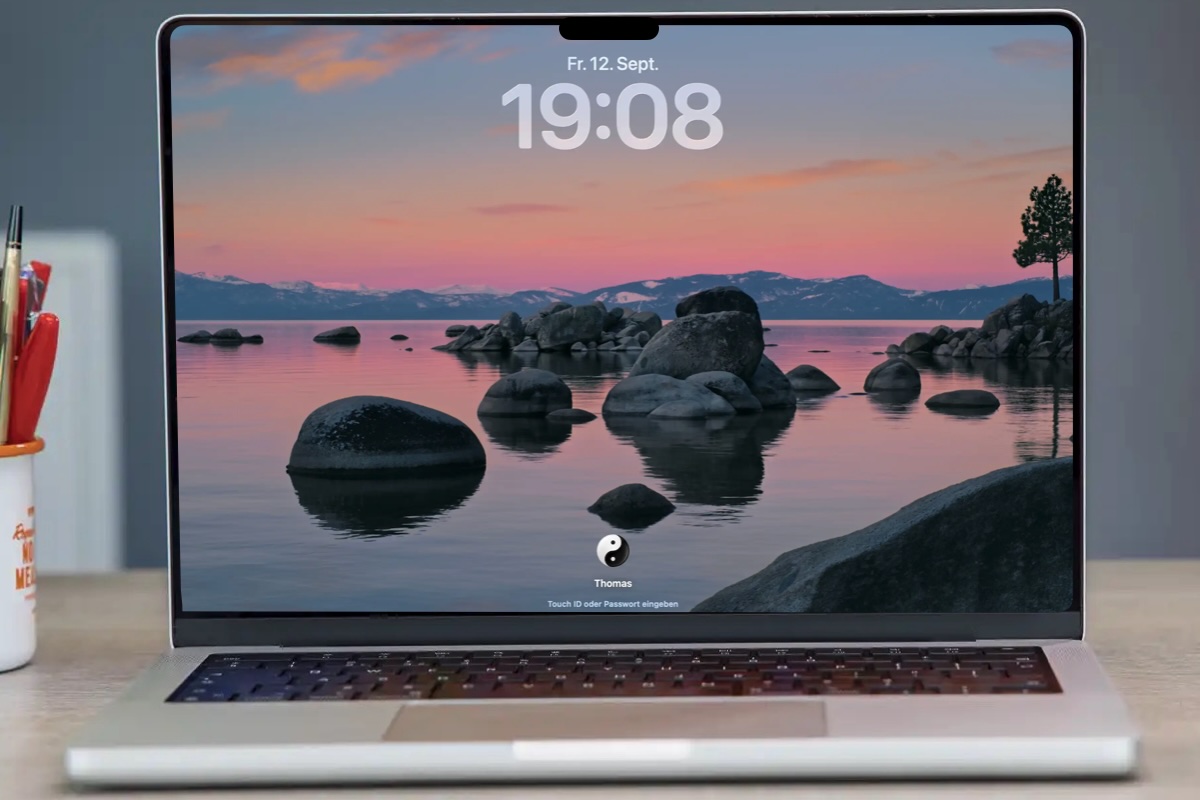
macOS 26: Tahoe arrived in September 2025 with a bold new Liquid Glass design with transparent, customizable interface elements and tighter integration with iPhone and iPad. As with iPhone and iPad, Apple unified version numbering, so the macOS jumped from macOS 15 to 26. Apple also expanded Apple Intelligence, improved Spotlight, improved the Phone related features, and added a new Games app. This was the final macOS version to support Intel-based Macs. See how macOS 26 Tahoe compares to macOS 15 Sequoia.
macOS 27: macOS 27 Golden Gate was released on September 14, 2026, bringing Siri AI, Visual Intelligence, enhanced Spotlight search, performance improvements, and refinements to the Liquid Glass interface introduced with macOS Tahoe. Golden Gate is also the first major macOS release to require Apple silicon, ending support for Intel-powered Macs. See how macOS 27 Golden Gate compares to macOS 26 Tahoe.
List of macOS versions and latest versions
Here’s an overview of every version of macOS and Mac OS X Apple has released. You’ll find a complete list of each version of OS X and macOS, along version code names, internal code names (if available) and the most recent version and when it was released.
macOS Tahoe.
Foundry
| Product version | Code name | Date of launch | Date of launch | Last update date |
|---|---|---|---|---|
| OS X 10 beta | Kodiak | September 13, 2000 | — | — |
| OS X 10.0 | Cheetah | March 14, 2001 | 10.0.4 | June 22, 2001 |
| OS X 10.1 | Puma | September 15, 2001 | 10.1.5 | June 6, 2002 |
| OS X 10.2 | Jaguar | August 14, 2002 | 10.2.8 | October 3, 2003 |
| OS X 10.3 | Panther (Pinot) | October 24, 2003 | 10.3.9 | April 15, 2005 |
| OS X 10.4 | Tiger (Merlot) | April 29, 2005 | 10.4.11 | November 14, 2007 |
| OS X 10.5 | Leopard (Chablis) | October 26, 2007 | 10.5.8 | August 13, 2009 |
| OS X 10.6 | Snow Leopard | August 28, 2009 | 10.6.8 | July 25, 2011 |
| OS X 10.7 | Lion (Barolo) | July 20, 2011 | 10.7.5 | October 4, 2012 |
| OS X 10.8 | Mountain Lion (Zinfandel) | July 25, 2012 | 10.8.5 | August 13, 2015 |
| OS X 10.9 | Mavericks (Cabernet) | October 22, 2013 | 10.9.5 | July 18, 2016 |
| OS X 10.10 | Yosemite (Syrah) | October 16, 2014 | 10.10.5 | July 19, 2017 |
| OS X 10.11 | El Capitan (Gala) | September 30, 2015 | 10.11.6 | July 9, 2018 |
| macOS 10.12 | Sierra (Fuji) | September 20, 2016 | 10.12.6 | September 26, 2019 |
| macOS 10.13 | High Sierra (Lobo) | September 25, 2017 | 10.13.6 | November 12, 2020 |
| macOS 10.14 | Mojave (Liberty) | September 24, 2018 | 10.14.6 | July 21, 2021 |
| macOS 10.15 | Catalina (Jazz) | October 7, 2019 | 10.15.8 | February 2, 2026 |
| macOS 11 | Big Sur (GoldenGate) | November 12, 2020 | 11.7.11 | February 2, 2026 |
| macOS 12 | Monterey (Star) | October 25, 2021 | 12.7.6 | July 29, 2024 |
| macOS 13 | Ventura (Rome) | October 24, 2022 | 13.7.8 | August 20, 2025 |
| macOS 14 | Sonoma (Sunburst) | September 26, 2023 | 14.8.9 | August 6, 2026 |
| macOS 15 | Sequoia (Glow) | September 18, 2024 | 15.8 | September 14, 2026 |
| macOS 26 | Tahoe (Cheer) | September 15, 2025 | 26.7 | September 14, 2026 |
| macOS 27 | Golden Gate (Honeycrisp & Fizz) | September 14, 2026 | 27 | September 14, 2026 |
FAQ
Which macOS versions are still supported?
Apple provides regular feature and security updates for the current version of macOS and generally continues to issue security updates for the previous two major versions.
As of September 2026, macOS 27 Golden Gate is the current version. Apple also released security updates for macOS 26 Tahoe and macOS 15 Sequoia alongside Golden Gate on September 14, 2026.
With the arrival of Golden Gate, macOS Sonoma appears to have dropped out of Apple’s regular support cycle, with its most recent update released in August 2026.
Occasionally Apple releases updates for much older versions of macOS to address specific problems. For example, in February 2026 it issued updates for Big Sur and Catalina to address a certificate issue affecting FaceTime and Messages.
See: How long do Macs and MacBooks last? We also have a full list of which Macs run which versions of macOS here.
How does Apple choose Mac OS X and macOS names?
As you can see from the list above, with the exception of the first OS X beta, all versions of the Mac operating system from 2001 to 2012 were named after big cats, from Cheetah to Panther to the final release, Mountain Lion. But while the public-facing builds were named after big cats, internally, they were named after wines (aside from OS X 10.6 which had no codename).
Even after Apple switched public-facing code names to places in California back in 2013, it carried on naming them after wines internally until 2014. In 2015, Apple decided to change the theme of internal code names from wines to types of apples.
In 2016, Apple took the plunge to unify the branding of its operating systems by rebranding Mac OS X to macOS, which sits nicely alongside iOS, tvOS, and watchOS and paved the way for macOS 11, the successor to Mac OS X, which arrived twenty years after the first beta of Mac OS X.
In 2025, Apple decided to sync up the numbering system between all its operating systems, moving from macOS 14 to macOS 26 to better reflect the year. macOS 26 Tahoe lived most its lifetime as the most recent version in the year 2026 before being replaced with macOS 27 in September 2026.
How do I check my macOS version?
You can tell which version of macOS you are running by clicking on the Apple logo in the top left and choosing About This Mac.
It will clearly show which version of macOS you are running along with the most recent version that your Mac has installed.
If you are looking for help installing macOS read: How to update macOS and Fixes for Macs that won’t update. We can also help with How to install macOS on an unsupported Mac.
Can I run the macOS beta?
You can install a beta version of macOS and test new features that haven’t yet launched. If you want to install the latest beta of macOS read about joining Apple’s beta program.
How can I install the latest version of macOS?
Some Macs will be set to update macOS automatically. If you want your Mac to update automatically follow these steps:
- Open System Settings.
- Click on General.
- Click on Software Update.
- Click on the “i” beside Automatic Updates and make sure that Check for updates, Download new updates when available, and Install macOS updates are selected. This way your Mac will automatically update to the latest version. If you would prefer not to have your Mac do this automatically you can deselect these options.
Read all about how to update your Mac here.
We also have a list of every version of iOS where you can see the latest versions and how long Apple supports iPhones for.